5 Best Passport Photo Maker Apps and Templates for 2026
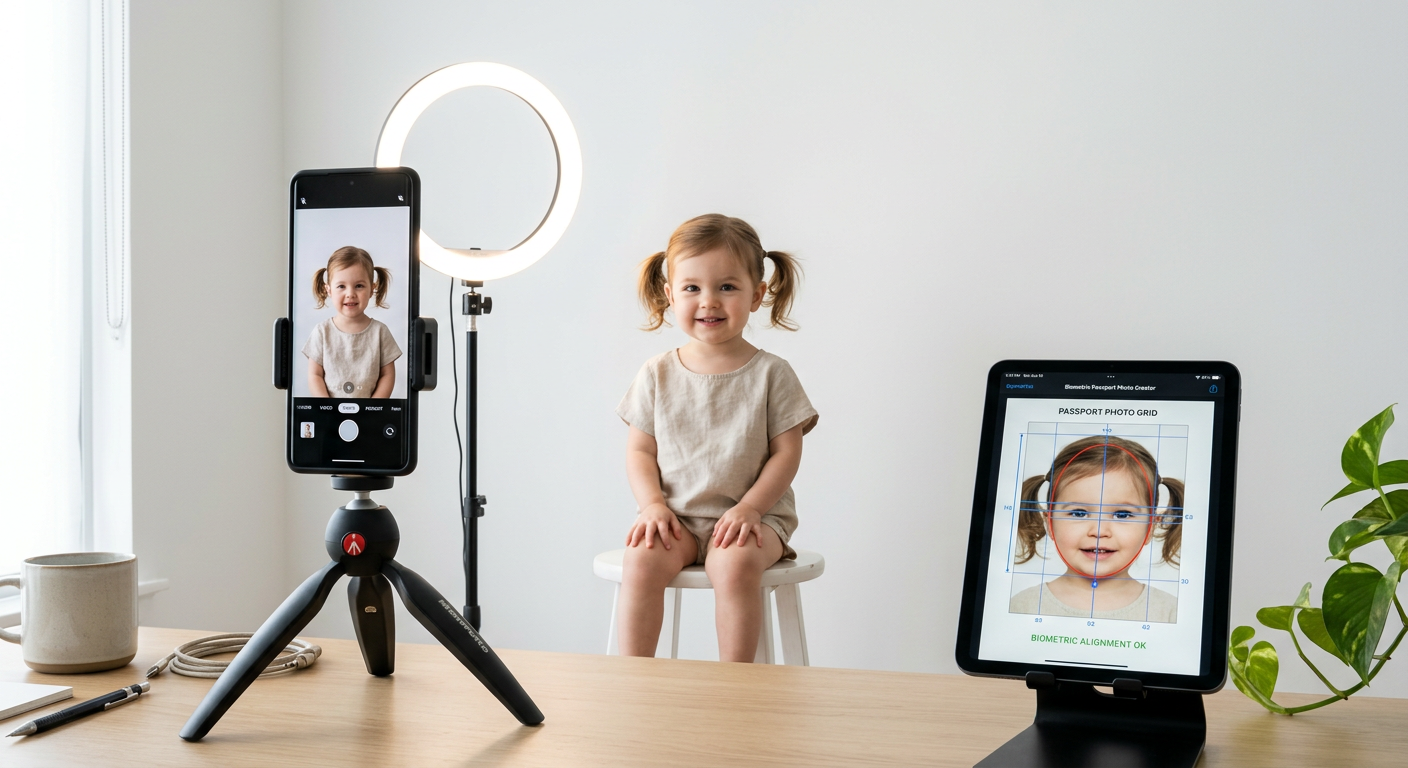
Navigating the complexities of international travel document requirements often begins with a single, highly regulated task: obtaining a compliant portrait. Utilizing a reliable passport photo id maker has become the standard for families and travelers who need to bypass the inconvenience of physical photo studios. As we approach 2026, the technology behind automated image processing has evolved significantly, offering tools that ensure your submission meets stringent biometric standards while allowing you to make passport photo files from the comfort of your home.
Quick Summary
Selecting the right digital solution for your identification requirements ensures your application avoids processing delays caused by non-compliant images. The best tools for 2026 combine automated background removal, precision alignment grid overlays, and instant validation against international standards.
- Automated compliance checks prevent application rejection.
- Precision alignment tools ensure biometric accuracy.
- Cloud-based storage allows for easy future printing.
- Templates are pre-configured for global country specifications.
Table of Contents
- Automated Compliance-Checking Apps
- Web-Based Passport Photo Template Suites
- Biometric-Focused Identification Tools
- Dedicated Passport Photo App Australia Platforms
- Print-Ready Export Utility Tools
- Comparison Table of Passport Photo Solutions
- FAQ
- Recommended Reads

Automated Compliance-Checking Apps
Automated compliance-checking applications represent the gold standard for users who lack professional photography equipment but need to guarantee adherence to government regulations. These apps leverage machine learning to scan for common errors, such as shadows on the face, improper head tilt, or poor lighting, which are the primary reasons for application rejections globally.
By choosing a solution that explicitly validates your submission, you reduce the risk of needing to retake photos. For example, when you use a dedicated guide to Australian baby passport photos, you rely on specific spacing and lighting standards that these automated systems are pre-programmed to recognize and enforce, ensuring your file passes the first time.
Web-Based Passport Photo Template Suites
Web-based template suites provide a flexible, platform-agnostic way to format images. Instead of being tied to a specific phone operating system, these tools work in any modern browser. This is particularly useful for users who prefer editing on a desktop computer for better color accuracy and precision before finalizing their digital file.
These suites generally offer a modular approach where you upload a source image and apply a specific passport photo template to crop it to the exact millimeter requirements of a specific country. Using these templates ensures that your digital assets align perfectly with international ICAO standards, which is a common requirement for Canada baby passport photos and other high-scrutiny nations.
Biometric-Focused Identification Tools
Biometric-focused tools prioritize the structural integrity of your photo. These applications don't just crop the image; they apply geometric masks to verify that eye position, chin placement, and vertical head alignment are within the strict ranges defined by border control agencies. This is essential for preventing the 'too large' or 'too small' face size errors that frequently plague DIY applicants.
When you use tools designed for biometric precision, you are essentially offloading the technical burden of government regulations to an algorithm. This is critical for parents attempting to make passport photo submissions for infants, where facial expressions and head positioning can be notoriously difficult to capture without advanced software assistance.
Dedicated Passport Photo App Australia Platforms
For residents of specific regions, localized software is superior because it includes native support for domestic postal and passport agency requirements. A specialized passport photo app Australia platform, for instance, will automatically account for the 35mm x 45mm sizing requirements that define the Australian standard, saving you the headache of manually configuring canvas dimensions.
These apps often integrate with local printing partners, allowing you to move seamlessly from capturing the image to picking up high-quality, professional-grade prints at a retail location. This hybrid workflow is highly recommended for families who want the accuracy of digital editing but require the physical prints requested by many regional passport offices.
Print-Ready Export Utility Tools
Export utilities focus on the final output stage. A good utility allows you to tile multiple passport photos onto a standard 4x6 or A4 sheet. This approach is highly economical, as it maximizes the use of photographic paper and allows you to generate multiple backups from a single print run, which is a smart strategy when dealing with young children who might require multiple attempts at a successful application.
These utilities are designed to maintain high DPI (dots per inch) resolution during the printing process. When the resolution drops, government scanners may struggle to verify the image, leading to a rejection. Using a high-quality utility ensures that your UK baby passport photo remains crisp, clear, and compliant after the printing process.
Comparison Table of Passport Photo Solutions
| Feature | Compliance Check | Web Templates | Biometric Tools | Localised Apps | Print Utilities |
|---|---|---|---|---|---|
| Automated Validation | Yes | No | Yes | Yes | No |
| Browser-Based | No | Yes | No | No | Yes |
| Sizing Presets | Yes | Yes | Yes | Yes | Yes |
| Print Optimization | Limited | Moderate | Moderate | High | Excellent |
FAQ
Q: Is it safe to use a passport photo id maker app? A: Yes, provided you select reputable platforms. Look for privacy-focused tools that delete your images from their servers immediately after the photo file is generated.
Q: Do I need a professional camera to make a valid photo? A: Modern smartphone cameras are more than adequate for passport photos. The quality of your lighting and the plainness of your background are far more important than the sensor in your phone.
Q: What is the most common reason for rejection? A: The most frequent issues are inconsistent lighting (shadows), incorrect head size relative to the frame, and non-neutral facial expressions, especially for infants.
Q: Can I use the same photo for different countries? A: No. Different countries have varying requirements for size, background color, and head-to-frame ratios. Always use a specific passport template photo configured for the country you are applying to.