A Complete Guide to Canada Passport Photo Requirements for 2026
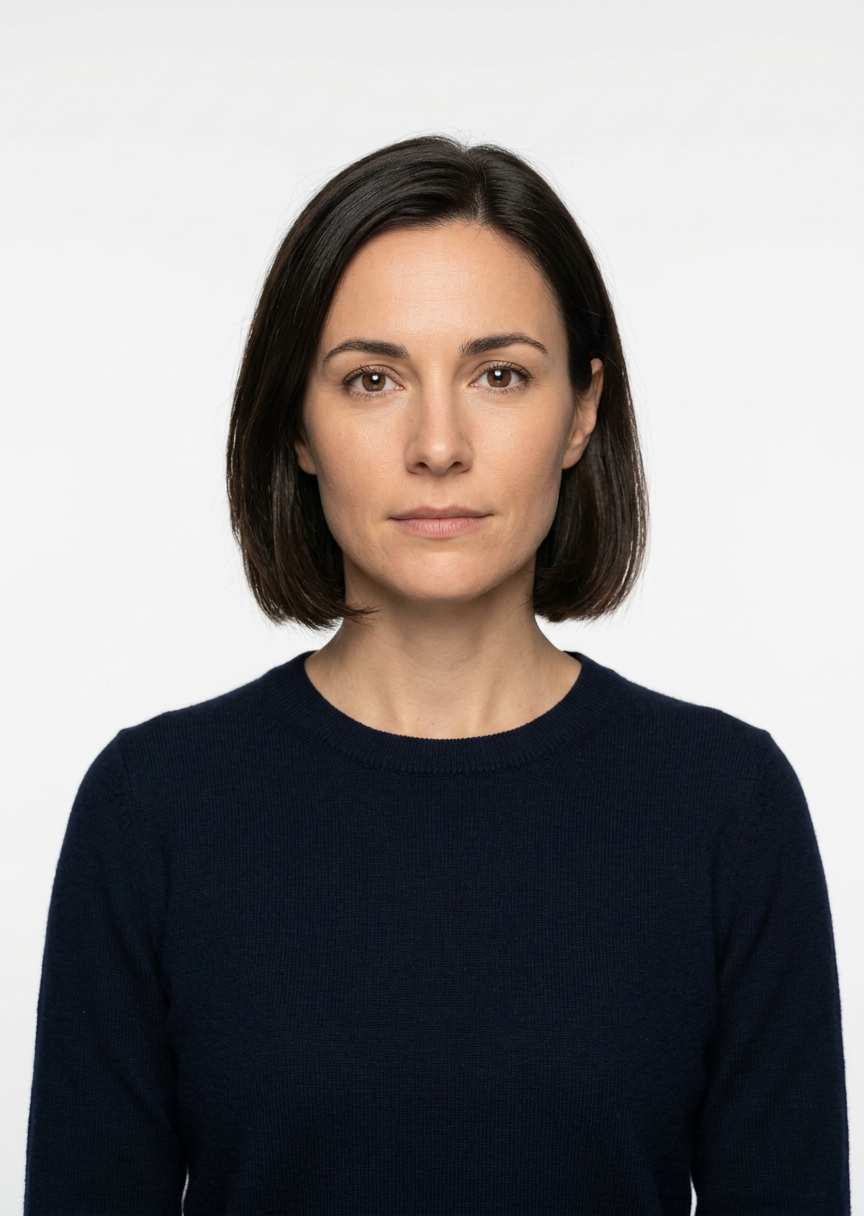
Navigating the official documentation for a passport application often leads to the most common point of rejection: the photograph. Ensuring your canada passport photo adheres to strict government standards is the most effective way to avoid delays in your travel preparations or identification renewals. While the process may seem straightforward, minor deviations in lighting, head positioning, or image dimensions are sufficient grounds for a rejected application.

Quick Summary
Canadian passport photos must be professionally captured or produced to meet precise government specifications, including a 50 mm by 70 mm frame size, a white or light-colored background, and specific facial expression guidelines. Compliance is mandatory for the photograph to be accepted by Service Canada for any travel document application.
- Dimensions must be exactly 50 mm wide by 70 mm high.
- The face must be centered with a neutral expression and mouth closed.
- Lighting must be uniform with no shadows on the face or background.
- Glasses must not obscure the eyes or create reflections.
Table of Contents
- Quick Summary
- Dimensions and Framing Requirements
- Lighting and Background Standards
- Facial Expression and Appearance Rules
- Common Pitfalls in Passport Photography
- The Role of Modern Digital Tools
- FAQ
- Recommended Reads
Dimensions and Framing Requirements
The Canadian government mandates precise measurements for passport imagery. The final photograph must measure 50 mm wide by 70 mm high. Unlike many other nations that utilize a 35 mm by 45 mm standard, the Canadian format is distinctively larger, which frequently causes issues for those using international photo templates or incorrect digital cropping software.
Within this frame, the height of the face, measured from chin to crown (the natural top of the head), must be between 31 mm and 36 mm. Maintaining these proportions is essential for the facial recognition software used during the screening process to accurately scan the biometric features of the applicant. If the head is too large or too small within the frame, the photo will be deemed non-compliant regardless of the image resolution or print quality.
Lighting and Background Standards
One of the most common reasons for document rejection is poor lighting. Passport offices require a plain, white, or light-colored background that contains no shadows. Even a slight shadow cast on the wall behind the applicant or across the side of the face can lead to a rejection. To achieve this, it is necessary to position the subject at a distance from the background to ensure that lighting equipment - or natural light - illuminates the person evenly without creating harsh transitions.
Uniform lighting is paramount. The goal is to avoid "hot spots" on the skin or deep shadows under the eyes, nose, and chin. Because the image must be clear and in focus, it is important to ensure the camera lens is clean and the depth of field is sufficient to keep the entirety of the face sharp while the background remains slightly out of focus to prevent texture artifacts.
Facial Expression and Appearance Rules
Government regulations stipulate that the applicant must maintain a neutral facial expression. This means the mouth must be closed, the eyes must be looking directly into the lens, and the face should be square to the camera. Any sign of a smile, frown, or tilted head can compromise the biometric capture.
Regarding personal appearance, head coverings for religious purposes are permitted, provided they do not obscure the face. For daily attire, applicants should avoid wearing clothing that blends into the light-colored background. Furthermore, while glasses are allowed, they must not have tinted lenses, and the frames must not obstruct the eyes. Any flash reflection on the lenses will automatically disqualify the photo, so careful angle adjustment is required if eyewear must be worn.
Common Pitfalls in Passport Photography
Many applicants fail to realize that the quality of the paper and the printer settings matter as much as the photography itself. The photo must be printed on high-quality, matte, or glossy photographic paper. Using standard inkjet paper with low-quality ink often results in color bleeding or low-resolution output that fails the inspection process at the passport office.
Another frequent issue involves the photographer's distance. If the camera is placed too close to the subject, a "fisheye" or distortion effect occurs, where the nose appears disproportionately large compared to the ears. Maintaining a distance of at least 1.5 to 2 meters from the subject helps ensure the facial features remain naturally proportioned. Always verify that the final physical print has the name and address of the photography studio - or the date the photo was taken - stamped or written on the back as per official requirements.
The Role of Modern Digital Tools
Technological advancements have introduced digital solutions for processing Canadian passport photos that automate much of the manual labor previously required. These tools typically leverage AI to handle background removal, auto-cropping, and head-centering, ensuring the image adheres to the 31 mm to 36 mm chin-to-crown rule before printing.
Pro Tip: When using a DIY setup at home, aim for a source image that has at least 600 dpi resolution. Even if your printer is not top-tier, starting with a high-resolution file allows digital tools to sharpen the facial details and maintain the necessary contrast that border authorities require to verify identity.
Digital convenience should not come at the expense of quality. When choosing an AI passport photo generator, ensure it specifically supports the Canadian 50 mm by 70 mm format, as many generic apps default to the US standard of 2 inches by 2 inches, which is incorrect for Canadian applications.
FAQ
Can I wear my glasses in a Canadian passport photo?
Yes, you may wear prescription glasses, but they must not obscure your eyes, and there must be no flash reflection on the lenses. Sunglasses or tinted lenses are strictly prohibited.
What if I cannot get my baby to look at the camera?
When taking photos for an infant, the baby does not need to have a neutral expression, but their eyes must be open and looking at the camera. The background must still be plain and well-lit.
Does my passport photo need to be signed?
For some applications, your guarantor must sign the back of one of the two photos to confirm your identity. Always check the specific requirements of your application type, as guidelines for guarantors can change.
Can I print my own passport photos at home?
Yes, provided you use high-quality photo paper and a printer capable of producing a clear, high-resolution image that meets the size requirements exactly. Ensure the photo is not pixelated or distorted.