AI Background Replacer for Baby Passport Images
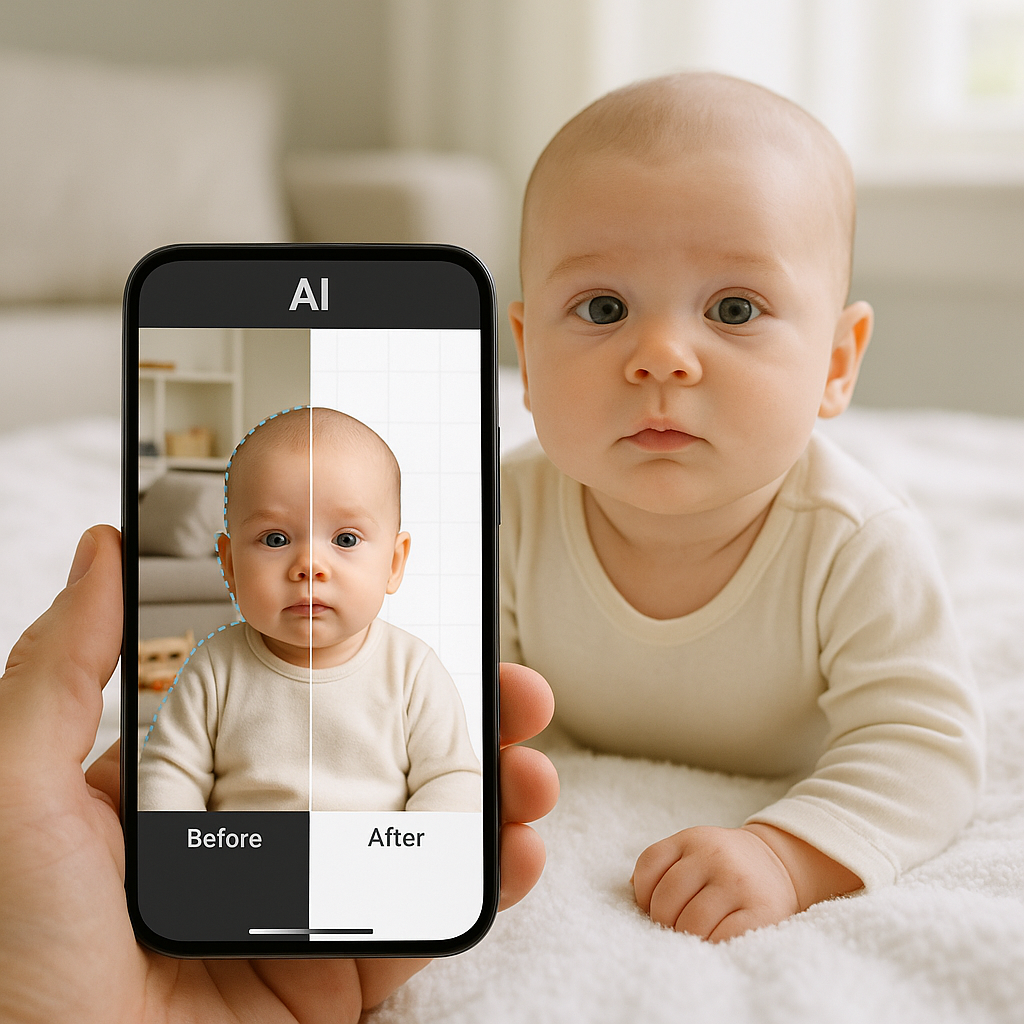
There is something uniquely stressful about taking a passport photo for a baby. The lighting is wrong. The baby won’t sit still. The background? Usually a living room wall with questionable paint choices. And yet the requirements are strict. Plain white background. No shadows. No distractions. No exceptions. That’s where an AI background replacer for baby passport images changes the game. If you ask most parents, they don’t need another complicated tool. They need something fast. Accurate. Foolproof. Something that works while the baby is mid-blink and seconds away from a meltdown. This is exactly why AI-powered background replacement is becoming the quiet hero of baby passport photography.
Why Baby Passport Photos Are So Tricky
Adult passport photos are already particular. Babies? That’s a whole different sport. Think about the official requirements:
- Solid white or off-white background
- No shadows behind the head
- No objects visible
- Neutral facial expression
- Eyes open and visible
Sounds simple, right? Now imagine achieving all that with a six-month-old who believes blinking is a competitive activity. Even when parents manage to snap a decent photo, the background often ruins it. Walls cast shadows. Sheets wrinkle. Lighting creates uneven tones. And passport offices do not negotiate. Here’s the hot take - the background is usually the main reason baby passport images get rejected. That’s exactly what AI background replacer technology solves.
What Is an AI Background Replacer?
At its core, an AI background replacer analyzes an image, detects the subject, removes the existing background, and replaces it with a compliant white backdrop. But modern tools go far beyond simple cut-and-paste edits. Advanced systems:
- Detect hair edges accurately - even fine baby hair
- Eliminate shadows automatically
- Adjust lighting for uniform exposure
- Maintain natural skin tones
It’s like having a professional photo editor working at lightning speed, minus the hourly fee. And when it comes to baby passport images, precision matters. A jagged edge or gray tint can mean rejection.
How AI Background Replacement Works for Baby Passport Images
Let’s break it down.
1. Subject Detection
The system identifies the baby’s face and body using machine learning models trained on thousands of portraits. Babies aren’t perfectly still. Their outlines aren’t always sharp. That’s why modern AI tools focus heavily on edge detection.
2. Background Removal
The original background - whether it’s a couch, curtain, or kitchen wall - gets removed cleanly. No rough borders. No leftover shadows.
3. White Background Application
A passport-compliant white background replaces the old one. Not gray. Not cream. Not "close enough." The correct tone.
4. Final Compliance Check
Some platforms, including BabyPassportMaker.com, go a step further by verifying that the final image meets official passport standards. That extra layer? It saves time. And nerves.
Why Parents Prefer AI Over Traditional Photo Studios
Let’s be honest. Taking a baby to a studio sounds easy in theory. In practice, it’s unpredictable. The baby might cry. Lighting may still cast shadows. Some studios don’t specialize in infant passport photos. AI background replacer tools flip the experience. Instead of:
- Driving across town
- Waiting in line
- Paying premium studio prices
Parents can:
- Take multiple photos at home
- Choose the best expression
- Let AI handle the technical requirements
- Download a compliant image instantly
It feels less like a production and more like a simple task on a checklist. And honestly, that’s refreshing.
The Hidden Risks of DIY Background Editing
Some people try to edit baby passport images manually using generic photo apps. Here’s where problems sneak in. - Uneven white backgrounds that look slightly gray - Visible outlines around hair - Artificial lighting shifts - Incorrect image dimensions Passport authorities use digital verification systems. Tiny imperfections that seem harmless on a phone screen can trigger rejection. That’s the difference between a casual edit and a specialized AI background replacer designed specifically for passport standards. It’s like patching a tire with duct tape versus using a proper seal. One might look okay for a moment. The other actually works.
What Makes a Good AI Background Replacer for Baby Passport Images?
Not all tools are created equal. Here’s what truly matters:
Precision Edge Detection
Baby hair is soft and fine. A weak system creates harsh outlines. A strong one keeps the image natural.
True White Background Matching
There’s a difference between white and "almost white." Compliance depends on that distinction.
Automatic Shadow Removal
Shadows behind the head are one of the top rejection reasons.
Passport Size Formatting
Dimensions must match official guidelines. Cropping mistakes can invalidate an image.
Compliance Verification
Platforms like BabyPassportMaker.com focus specifically on baby passport requirements rather than generic editing. That specialization matters.
Common Questions About AI Background Replacement
Is It Safe to Use AI for Baby Photos?
Reputable services prioritize data security and privacy. Parents should always verify that uploaded images are protected and not stored indefinitely.
Does It Look Natural?
When done properly, yes. A high-quality AI background replacer blends lighting and color so the final image looks like it was taken against a real white backdrop.
Will Passport Offices Accept AI-Edited Photos?
If the image meets official requirements - size, lighting, expression, and background - acceptance depends on compliance, not the editing method. That’s the key point many overlook.
Tips for Taking the Perfect Baby Passport Photo at Home
Even with AI, starting with a good photo improves results. Here’s what works best:
- Use natural daylight near a window
- Lay the baby on a light, flat surface
- Avoid strong overhead lighting
- Ensure the baby’s eyes are open
- Keep the camera directly above the face
Take several shots. More than you think you need. Because the perfect frame often hides between the obvious ones.
The Future of Baby Passport Photography
AI isn’t replacing professional photography. It’s streamlining routine compliance tasks. Baby passport images fall squarely into that category. Parents don’t need artistic portraits. They need approval. And technology now handles the most technical part - background accuracy - in seconds. It’s efficient. Practical. Surprisingly reliable. In a world where paperwork rarely feels simple, using an AI background replacer for baby passport images might be one of the few tasks that actually is. Sometimes progress isn’t flashy. Sometimes it’s just a clean white background, perfectly done, and one less thing to worry about.