Baby Passport Maker vs Officeworks Print
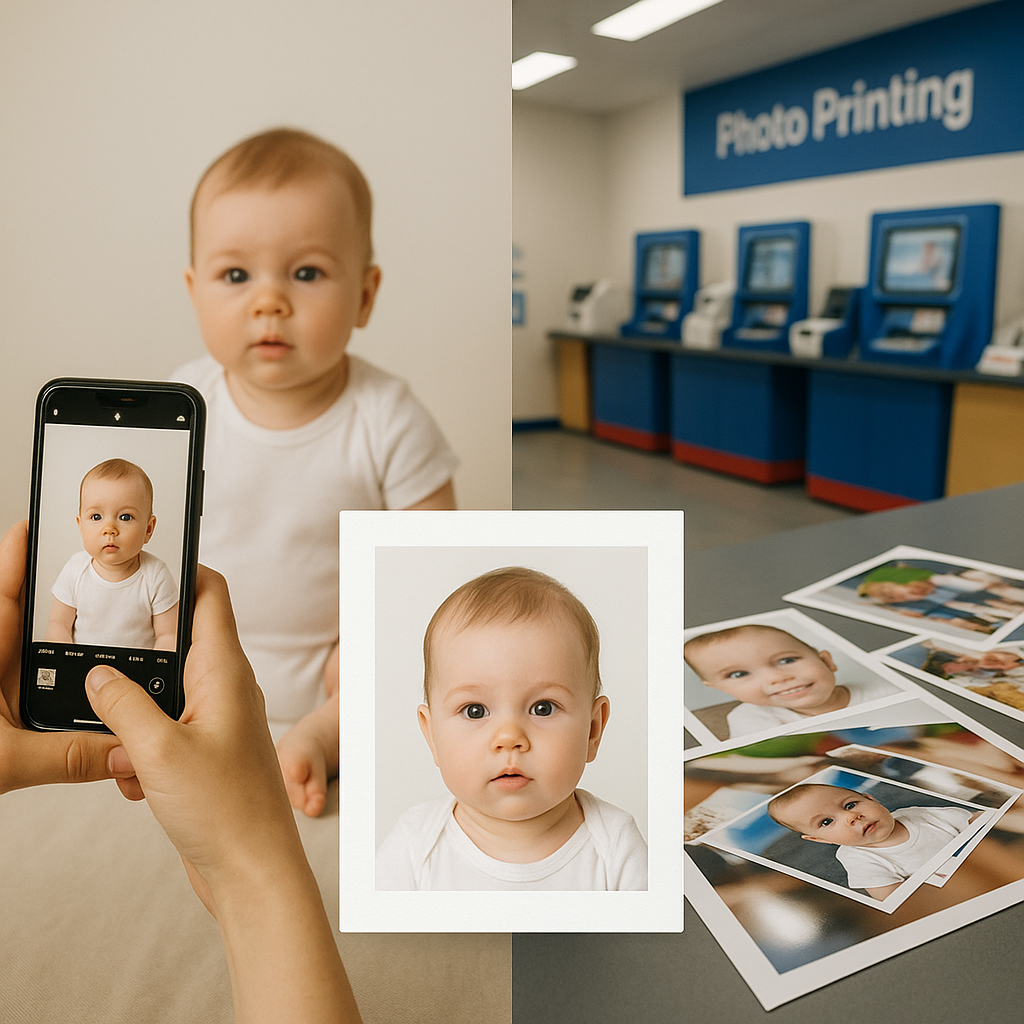
Choosing where to print a baby passport photo sounds simple. It’s just a picture, right? A tiny face. A white background. Click. Done.
Not quite.
Anyone who has dealt with passport applications for infants knows the process can feel like trying to dress an octopus in formalwear. Babies wiggle. Lighting shifts. Requirements are strict. And one tiny mistake means delays - or worse - a rejected application.
So the real question becomes: Should parents use a specialised online service like BabyPassportMaker.com, or simply print at Officeworks?
Let’s unpack it.
Understanding Baby Passport Photo Requirements
Before comparing services, it helps to understand what makes baby passport photos different from standard prints.
Government guidelines are precise. Not “close enough.” Not “looks fine.” Precise.
Common Baby Passport Photo Rules
- Plain white or light background
- No shadows behind the head
- Eyes open and visible
- Neutral expression - no big smiles
- No visible hands holding the baby
- Correct head size ratio within the frame
- High resolution and proper print dimensions
Sounds manageable. Until the baby refuses to cooperate.
And here’s where the difference between a printing store and a specialist service becomes clear.
What Officeworks Print Offers
Officeworks is widely known for affordable photo printing. It’s convenient. Accessible. Quick.
Parents can walk in with a digital image or upload one online and select standard photo sizes. For many everyday needs, it works perfectly.
Pros of Officeworks Print
- Fast turnaround times
- Physical store locations across Australia
- Competitive pricing
- Familiar brand reputation
On paper, it seems like a practical option.
But here’s the catch - Officeworks prints photos. It does not validate whether the image meets passport compliance standards for infants. That responsibility falls entirely on the parent.
If the head size is off by a few millimetres? That’s on you. If lighting creates a faint shadow? Also on you.
And passport offices don’t grade on effort.
What Makes BabyPassportMaker.com Different?
Now let’s talk about BabyPassportMaker.com.
This service doesn’t just print. It specialises in baby passport photos. That’s a crucial distinction.
Think of it like the difference between buying a suit off the rack versus getting one tailored. Both cover you. Only one fits perfectly.
Key Features of BabyPassportMaker.com
- Automatic background correction
- Precise cropping to meet official standards
- Head size measurement adjustment
- Guided upload process for parents
- Designed specifically for baby passport photo compliance
Instead of leaving parents guessing, the platform handles technical adjustments behind the scenes.
That means fewer surprises at the passport office counter.
Convenience - Online vs In-Store
Let’s be honest. Taking a newborn out to a store just to print photos isn’t always convenient.
There’s packing bags. Feeding schedules. Nap windows. Unexpected meltdowns.
With Officeworks, parents either visit in person or upload and collect later. It’s manageable, but it requires movement.
BabyPassportMaker.com operates fully online. A photo can be taken at home using a smartphone. Uploaded. Processed. Ready.
No car seat transfers. No queue. No fluorescent store lighting.
For many families, that matters more than they initially expect.
Accuracy - The Silent Dealbreaker
Here’s where things get serious.
Passport rejection doesn’t just cost time. It can disrupt travel plans, add stress, and force repeat applications.
Officeworks prints exactly what customers submit. It doesn’t check:
- Whether the baby’s head size ratio meets guidelines
- If the image resolution is sufficient
- Whether shadows invalidate the background
- If cropping aligns with government standards
BabyPassportMaker.com focuses on compliance first. Printing is secondary. That’s a mindset shift.
It’s the difference between a general store and a niche expert.
Cost Comparison - Is Specialist Service Worth It?
Price inevitably enters the conversation.
Officeworks photo printing tends to be inexpensive. Parents may see it as the budget-friendly route.
But here’s a question worth asking: What is the cost of rejection?
Time off work. Resubmission fees. Delayed travel. Additional prints.
When viewed through that lens, a specialised baby passport photo service can feel less like an expense and more like insurance.
It’s similar to paying extra for luggage tracking on a long-haul flight. Most of the time, bags arrive safely. But when they don’t, that small upfront investment suddenly feels wise.
Ease of Use for First-Time Parents
First-time parents already juggle a steep learning curve. Feeding schedules. Sleep regressions. Growth charts.
Adding technical photo compliance rules into the mix? Not ideal.
Officeworks assumes the user understands passport specifications. It’s a printing solution, not a guidance platform.
BabyPassportMaker.com, by contrast, is structured around simplicity:
- Clear instructions
- Upload assistance
- Automated adjustments
- Designed for infant-specific needs
It reduces guesswork. And in the early months of parenting, reducing guesswork feels like winning the lottery.
Risk Tolerance - Which Type of Parent?
Some parents are comfortable double-checking guidelines, adjusting crop ratios manually, and trusting their own judgement.
Others prefer certainty.
There’s no universally right answer. It depends on personality, schedule, and tolerance for potential hiccups.
Choosing Officeworks might suit those confident in meeting passport standards independently.
Choosing BabyPassportMaker.com suits those who value built-in compliance checks and infant-specific optimisation.
It’s not about better or worse. It’s about alignment.
Speed vs Precision - What Matters More?
Officeworks can be fast, especially for same-day prints.
BabyPassportMaker.com prioritises precision.
But here’s the interesting part - precision often prevents delays later. Quick upfront doesn’t always mean quick overall.
It’s like rushing through airport security only to be pulled aside for inspection. Slow is smooth. Smooth is fast.
Final Thoughts - Which Should Parents Choose?
If the goal is simple photo printing and parents feel confident about passport compliance, Officeworks may do the job.
If the goal is accuracy, infant-specific optimisation, and reduced rejection risk, BabyPassportMaker.com positions itself as the more specialised option.
Baby passport photo requirements are strict for a reason. Governments aren’t flexible about identification standards - even for tiny humans who can’t sit still.
At the end of the day, the choice comes down to this:
DIY confidence - or guided precision?
Both roads lead to printed photos.
Only one is built specifically for babies.