Fixing Red Eye in Baby Visa Photos Automatically
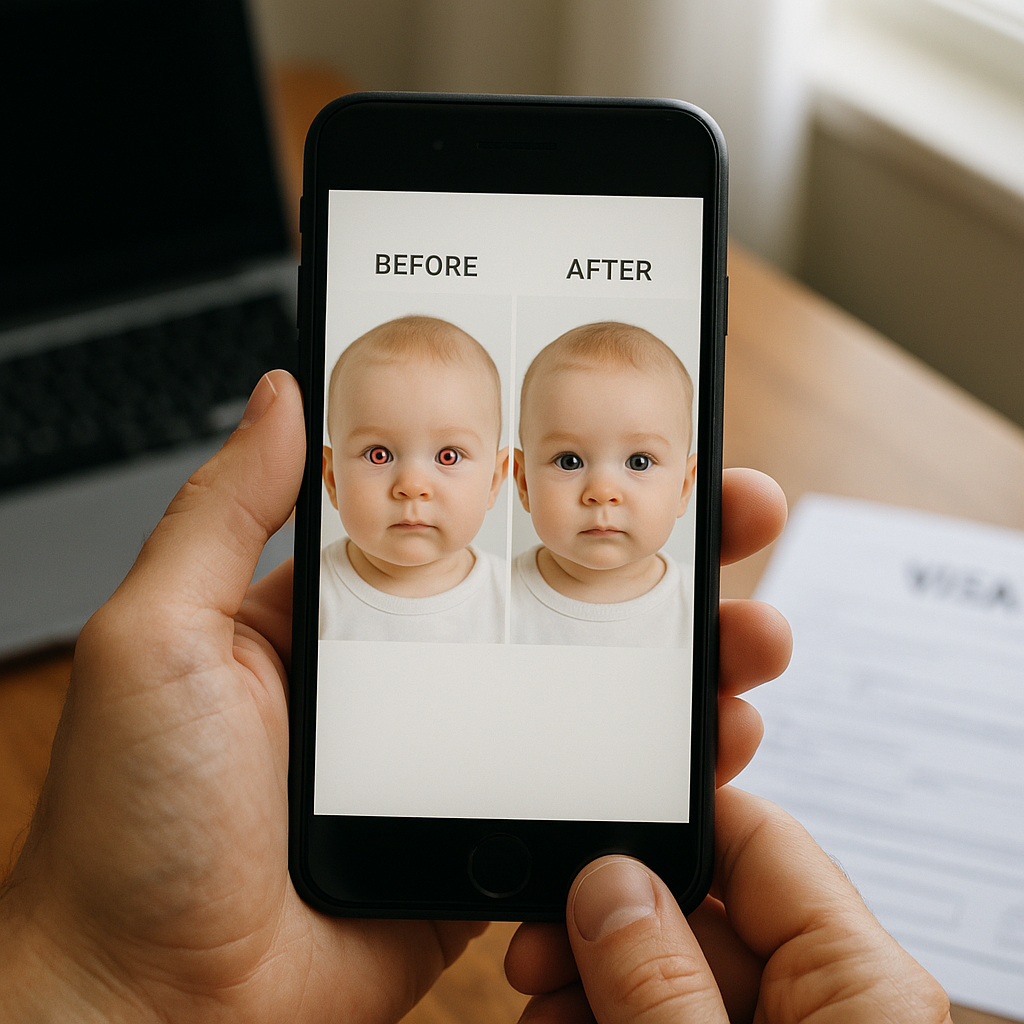
There is something mildly terrifying about opening a baby visa photo and seeing two glowing red dots staring back at you. It is not that the baby suddenly looks scary. It is that you instantly think, "Will this get rejected?" And if you have ever dealt with visa paperwork, you know the anxiety is real. Red eye in baby visa photos is more common than most parents expect. Low lighting. Sudden flash. Tiny humans who refuse to look anywhere except directly into the lens. It happens. The good news? Fixing red eye automatically is not just possible - it is easier than ever. And when done correctly, it will not compromise visa photo requirements. Let’s break this down in a way that actually makes sense.
Why Red Eye Happens in Baby Visa Photos
Before fixing it, it helps to understand it. Red eye is basically a lighting issue. When a camera flash fires in a dim room, the light reflects off the blood vessels at the back of the eye. Babies are especially prone to this because:
- Their pupils are larger in low light
- They often look directly at the camera
- Photos are taken quickly - usually with flash
Think of it like shining a flashlight into a tiny mirror. The reflection bounces right back. Sounds simple, right? Yet when you are dealing with visa photo standards, simple mistakes can become big problems.
Are You Allowed to Fix Red Eye in a Visa Photo?
Here is the big question. Is digital editing allowed? Most visa and passport authorities allow minor corrections that do not alter facial features. Red eye correction falls into that safe zone because it restores the eye’s natural appearance. It does not reshape, beautify, or manipulate identity. That said, heavy editing is a different story. If eyes suddenly look airbrushed or unnaturally dark, the image might raise flags. The goal is correction. Not enhancement.
Why Manual Editing Is Risky
Some parents open a photo editor and try to fix it themselves. Zoom in. Select tool. Paint over the red. Done. Not quite. Manual editing can:
- Create uneven coloring
- Remove natural eye texture
- Leave visible smudges
- Change eye shape accidentally
And here is the thing - visa officers look at photos all day. They can spot over-editing faster than you think. A baby’s face is delicate. One wrong click and suddenly something looks... off. Not obvious. Just off. That subtle inconsistency is what causes rejection.
The Smart Way - Automatic Red Eye Correction
This is where modern tools shine. Automatic red eye correction uses facial detection and eye mapping technology. Instead of simply coloring over red pixels, the system identifies the pupil area and adjusts color balance precisely. It is like having a careful photo technician working pixel by pixel - but in seconds. A good automated tool will:
- Detect both eyes accurately
- Preserve natural highlights
- Maintain original eye shape
- Keep skin tones untouched
No guesswork. No uneven patches. No stress.
Using Professional Online Services
Here is an honest observation - trying to fix baby visa photos with random mobile apps is a gamble. If you want compliance and peace of mind, use a platform built specifically for official documents. One example is BabyPassportMaker.com. The service is designed for baby passport and visa photos, including automatic red eye correction that aligns with official standards. It does more than remove red eye. It ensures:
- Correct background color
- Proper head positioning
- Accurate dimensions
- Compliance with visa requirements
That combination matters. Because fixing red eye alone is not enough if the image size is wrong or shadows fall across the face.
Step-by-Step - Fixing Red Eye Automatically
Let’s make this practical. Here is how parents typically handle red eye correction using an automated service:
1. Upload the Original Photo
No pre-editing. No filters. Just the original image. Even if the red eye looks dramatic, upload it as is.
2. Let the System Detect Facial Features
Advanced tools map facial structure automatically. Eyes, nose, chin alignment - everything gets measured. This ensures corrections stay proportional.
3. Automatic Red Eye Removal
The system neutralizes the red reflection while keeping the pupil natural. Not flat black. Not dull gray. Natural.
4. Background & Size Adjustment
Visa photos require specific background shades and exact dimensions. The tool formats everything properly.
5. Download Compliant Photo
Ready for submission. No back-and-forth editing. No second guessing.
Common Mistakes Parents Make
Even well-intentioned parents run into avoidable issues. Here are a few:
- Using beauty filters that smooth skin
- Darkening eyes too much
- Changing eye color accidentally
- Adding vignette effects
- Reducing brightness unevenly
Visa photos are not Instagram portraits. They are identification tools. Clarity and neutrality win every time.
Lighting Tips to Prevent Red Eye in the First Place
Prevention is easier than correction. If you are taking the photo at home, try this:
- Use natural daylight near a window
- Avoid direct flash
- Turn on room lights to reduce pupil dilation
- Stand about 1.5 meters from the baby
Soft lighting reduces reflection. Think cloudy afternoon, not interrogation spotlight. Still, babies move. They blink. They look away. So even with perfect lighting, red eye can sneak in. That is why automatic correction exists.
Why Precision Matters for Baby Visa Photos
Adults can retake photos easily. Babies? Not so much. They squirm. They cry. They nap unexpectedly. Sometimes the one usable photo you get is the one with red eye. Instead of restarting the entire session, automatic correction saves that precious shot. And when you are racing against visa deadlines, time feels like sand slipping through your fingers. Fast, accurate adjustments reduce delays.
Does Automatic Red Eye Removal Look Natural?
Short answer - yes, if done correctly. Advanced systems adjust hue and saturation within the pupil only. They maintain the catchlight - that tiny white reflection that makes eyes look alive. Without that detail, eyes look flat. Almost artificial. A well-corrected baby visa photo should look untouched. That is the whole point. You should not be able to tell anything was changed.
How to Know Your Photo Is Visa-Compliant
Here is a quick checklist:
- Eyes are open and visible
- No red reflections remain
- Background meets country requirements
- Head is centered and upright
- No shadows across face
- Image dimensions match official specs
If all boxes are checked, you are good. If even one feels uncertain, it is worth running the image through a specialized service.
The Bigger Picture - Confidence in Submission
Let’s be honest. Visa applications are already stressful. Documents. Fees. Waiting periods. The photo should not be the weak link. Fixing red eye in baby visa photos automatically is not about perfection. It is about compliance and confidence. When you upload a corrected, properly formatted image, you eliminate one more variable. And that matters. Because the goal is simple - approval. Not revisions. Not rejections. Not resubmissions. Just approval. If technology can handle the technical details while you focus on your child and your travel plans, why fight it? Automatic red eye correction has turned what used to be a frustrating editing task into a quick, reliable solution. Used wisely, it keeps your baby’s photo natural, compliant, and ready for official review. And honestly, anything that makes paperwork easier when you have a baby in your arms is a win.