Step-by-Step Guide: DIY Baby Passport Photos
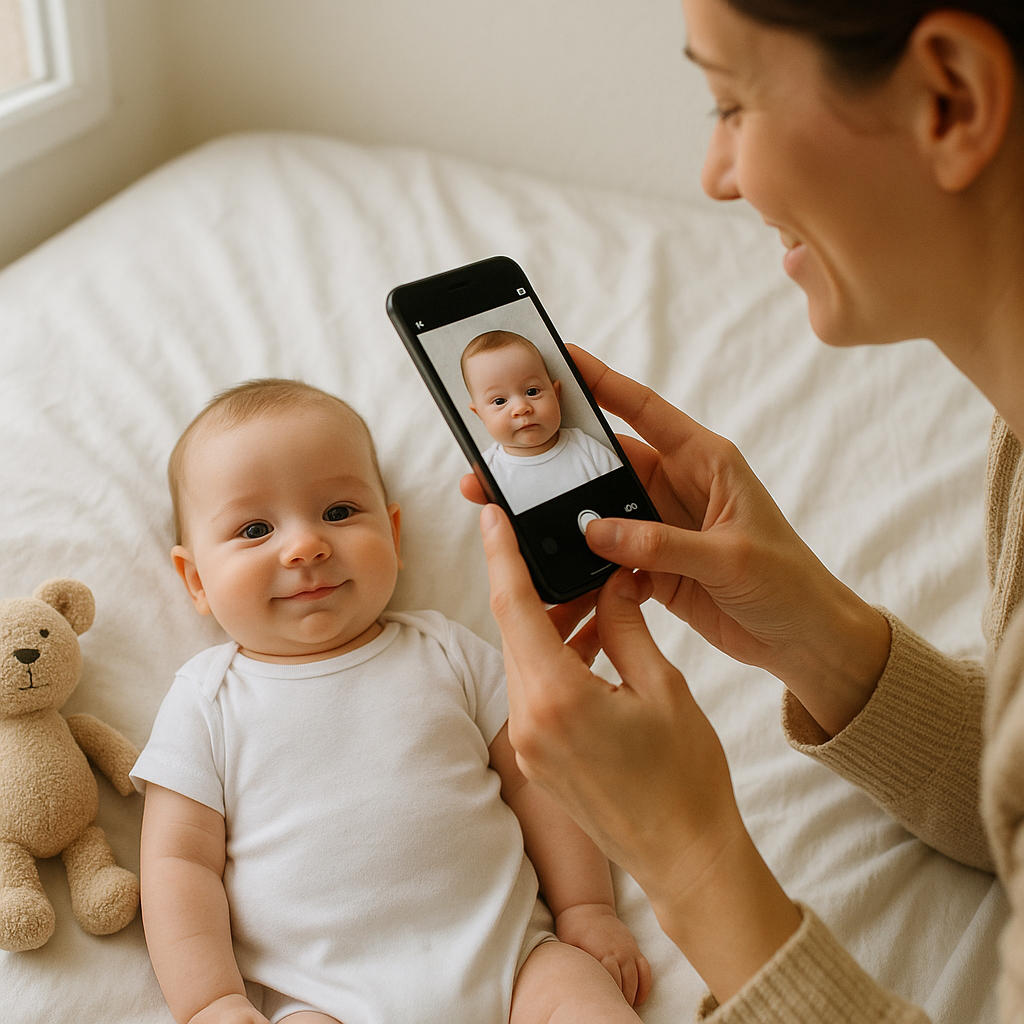
Snapping a passport photo for a baby? Yeah, sounds simple... until the baby starts crying, your phone starts dying, and somehow every photo turns out like baby just got their mugshot taken. But here’s the deal - you don’t need a trip to Walgreens or some overpriced photo booth. With the right setup, a sprinkle of patience, and a few sneaky tricks, you can absolutely take perfect passport photos for your little one at home. Yes, you can.
Why Bother Doing It Yourself?
If you ask me, there are three solid reasons:
- Convenience - No need to schedule anything or drag your baby out in public for a 5-minute ordeal that usually takes an hour.
- Control - Shoot as many photos as you want. No judgments, no rush.
- Cost - Save your dollars for the actual trip. Or the diapers. Lots of diapers.
But full disclosure: it's not always a picnic. Babies are... unpredictable. One moment they're cooing at the ceiling, the next they're faceplanting into a pile of stuffed animals. That’s why it helps to be prepped.
What You’ll Need
- Good natural lighting (big window = your best friend)
- A plain white background (a bedsheet or wall works)
- Smartphone or digital camera
- Another adult if possible (a baby wrangler)
- Calm baby (optional... but appreciated)
- Something to keep their attention (toy, keys, your very soul)
Step 1: Set Up Your Background
Simplify. You want a plain, light-colored background - white is best. Not eggshell, not cream. White-white. Lay out a sheet on a firm surface, like a bed or floor, tape it to a wall - whatever you need to do to remove shadows and clutter. Passport officials are picky. Like, surprisingly picky. A smudge or shadow in the background? Rejected.
Step 2: Lighting - Make It Work
Flashes aren’t your friend here. They cast shadows and make your baby look like they crawled out of a noir film. Use bright, indirect natural light. Aim for morning or late afternoon when sun isn’t beaming in aggressively. Pull those curtains back and let that soft, glorious light flood in. It’s basically Insta-filter lighting in real-life.
Step 3: Position the Baby
This part gets... interesting.
If Your Baby Can Sit Up
- Place them in a booster or car seat lined with a white cloth
- Position their head upright, facing forward
- Make sure they're not leaning back or sideways (unless you want passport control to think they're mid-whiplash)
If Your Baby Can’t Sit Yet
- Lay them on their back on a white sheet
- Shoot from above - carefully
- Keep camera parallel to their face to avoid weird angles
Heads should be straight, not tilted. Eyes open. Mouth closed or relaxed - no smiling, unfortunately. Government doesn't appreciate baby giggles, apparently.
Step 4: Get the Shot
This is where the magic (and chaos) happens. Pro tip: burst mode is your best friend. You’ll probably take 30 photos and get one usable shot, and that’s okay.
Try to get:
- Centered face
- Neutral expression
- No toys, hats, hands in frame
- Full head visible, facing the camera
And it’s not just about framing - the image needs to be high enough quality (looking at you, 2008 iPhone users). That’s where a service like BabyPassportMaker.com comes in. Upload your shot there, and it takes care of background removal, proper sizing, and lets you print or download official-compliant photos. It's low-key a game changer.
Step 5: Edit Smart (Not Over-Edit)
Don't go Filters Gone Wild here. You can tweak brightness and crop to fit passport dimensions (2x2 inches for U.S. babies), but don’t smooth skin, add contrast, or change features. Think documentary, not glamour shot.
Tools like BabyPassportMaker.com automatically format photos to passport standards. And yes - it checks for those ridiculous requirements no one warns you about, like “no shadows under the chin.” Heads up: that’s an actual rejection reason.
Step 6: Final Checks - Did You Nail It?
Here’s a rapid fire checklist before printing or submitting online:
- White background only?
- No shadows on face or background?
- Eyes open and looking straight?
- Neutral expression?
- No objects, pacifiers, hands in shot?
- Correct size and resolution?
If you caught yourself mentally saying "sorta...?" at any point, retake. It's better to spend five more minutes now than drag your baby back to redo everything two weeks from now. Trust me. Learned that the hard way.
Real Talk: What If It Doesn’t Work?
This DIY stuff can go south. Fast. If you’ve tried five times and baby is flat out done, don’t stress. That’s where using a photo service that helps format and fix issues becomes a lifesaver. It’s like having a passport photo expert in your pocket - except one that doesn’t charge you by the tantrum.
Babies are not models. And that’s okay. Just aim for clear, well-lit, and compliant. You’ve got options. You're not alone (even if it feels like it when you’re lying on the floor shaking a rattle while whispering “please just look over here”).
Final Thoughts: You’ve Got This
Taking baby passport photos at home is totally doable - challenging, occasionally hilarious, and 100% worth it. Save yourself the hassle, some cash, and maybe a meltdown or two by prepping smart and staying calm.
And if all else fails? Tap into a tool like BabyPassportMaker.com for a little editing magic and formatting feng shui. You’ll be doctoring baby smiles into straight faces like a pro. Because let’s be real - raising a baby feels like a full-time job. Getting their passport photo shouldn’t require a second one.