A Complete Guide to Australian Passport Photo Guidelines for 2026
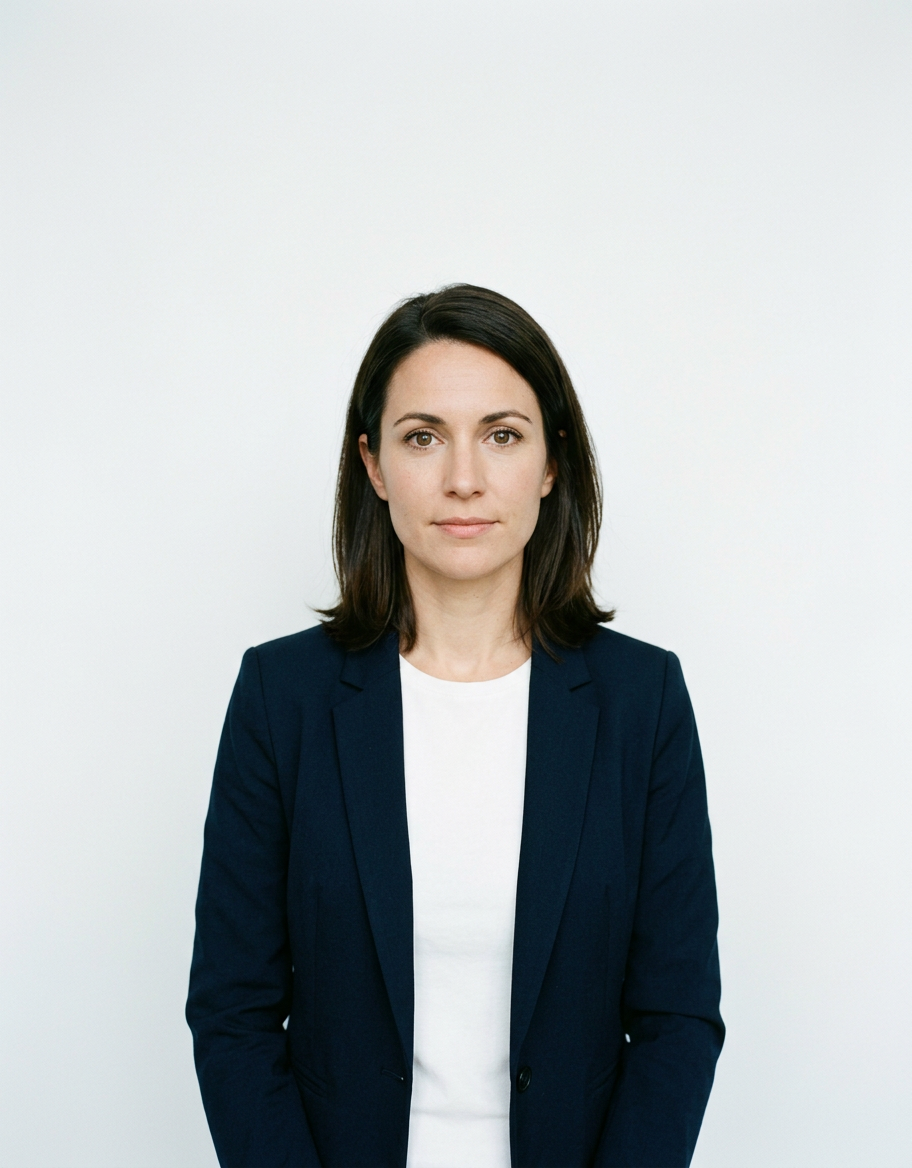
Capturing a compliant image for an official travel document is a precise task that requires strict adherence to international standards. When preparing an application, understanding the specific Australian passport photo guidelines is essential to prevent processing delays or outright rejection by the Department of Foreign Affairs and Trade (DFAT). Whether you are applying for a new passport or renewing an existing one, the technical requirements regarding lighting, facial expression, and composition are non-negotiable.
Quick Summary
Successfully meeting the Australian passport photo guidelines requires high-resolution images that are 35mm to 40mm wide and 45mm to 50mm high. The subject must maintain a neutral expression, face the camera directly, and be captured against a plain, light-colored background. Key takeaways include:
- Adhere strictly to the 35mm x 45mm dimensions.
- Ensure even, shadow-free lighting on the face.
- Maintain a neutral, closed-mouth expression.
- Use high-quality, unaltered digital files.
Table of Contents
- Quick Summary
- Understanding Australian Passport Photo Size
- Composition and Lighting Standards
- The Role of Online Tools for Compliance
- Common Pitfalls and Troubleshooting
- Frequently Asked Questions
- Recommended Reads

Understanding Australian Passport Photo Size
The official passport photo dimensions Australia mandates are specific to ensure facial recognition software and human examiners can process documents accurately. Your physical printed photo must be exactly 35mm wide by 45mm high. This is the global standard for Australian documents, and deviating by even a few millimeters can lead to an application being returned for correction.
Beyond the total size of the paper, the placement of the subject within the frame is equally critical. The distance from the chin to the crown of the head must be between 32mm and 36mm. This ensures that the face occupies the majority of the frame without being cropped too closely or sitting too far away. When you are looking for specific guidance on how to manage these proportions for different family members, you can explore resources like the Australian baby passport photo guide to understand how these rules apply to infants versus adults.
Composition and Lighting Standards
Government-compliant images require a clean, neutral environment. The background must be plain, light, and white or off-white, free of any textures, shadows, or patterns. If you are taking the photo at home, ensure the subject is standing at least one meter away from the wall to prevent shadows from appearing behind the head. Natural, soft lighting is preferred over harsh flash, as direct lighting can cause unwanted glare on skin or glasses.
Facial expression and positioning are the most common causes for rejection. You must look directly at the camera with eyes open and visible. The mouth must be closed with a neutral expression - do not smile or frown. Avoid wearing hats or head coverings unless they are for religious or medical purposes, and ensure your hair does not obscure your eyes or the shape of your face. For those needing a broader understanding of how these lighting rules translate across different international requirements, you can read the general passport photo guide to see how various global standards compare to the Australian requirements.
The Role of Online Tools for Compliance
Technology has simplified the process of achieving technical accuracy. An AI passport photo generator helps take the guesswork out of complex dimensions by automatically resizing and cropping your image to the required 35mm by 45mm standard. These tools typically perform background removal and exposure adjustment, which are critical for meeting the strict criteria required for an Australian passport photo online.
While software can correct many aspects of an image, it cannot fix a poor-quality original source. Always start with a high-resolution, sharp photo taken in a well-lit area. Using a tool to automate the formatting process ensures that the resulting digital file is correctly optimized for printing at a high-quality kiosk or through a professional service. Remember that while the convenience is significant, the final output must remain clear and free of digital filters or heavy retouching that alters your natural features.
Common Pitfalls and Troubleshooting
Rejections are often due to simple, preventable errors. The most frequent issues include glasses reflecting light, shadows cast by poor lighting placement, and incorrect head sizing within the 35mm to 45mm frame. If you are struggling to get a clean background, avoid using artificial digital backdrops if they result in an unrealistic blur or halo around the subject, as examiners specifically check for evidence of manual manipulation.
If you find your application is consistently flagged, check the level of your eyes. They should be positioned at a height that allows the head to sit centrally. Ensure there are no other people, toys, or furniture in the frame - this is a common error when photographing young children. If you require further assistance with the nuances of document preparation, you can visit the help center for additional context on common image errors.
Frequently Asked Questions
Can I wear glasses in my Australian passport photo? Generally, it is recommended to remove glasses to avoid glare or reflections. If you must wear them, ensure the rims do not cover your eyes and there is no light reflection on the lenses.
How recent must the photo be? Your photo must have been taken within the last six months to ensure it reflects your current appearance.
Can I print my own passport photos at home? Yes, provided you use high-quality, matte, or glossy photo paper and ensure the printer settings do not compress the image or alter the resolution. However, using a professional photo kiosk is often safer to ensure the finish meets government standards.
What are the consequences of a rejected photo? If your photo does not meet the guidelines, the passport office will contact you to request a new one, which inevitably delays the processing time of your application.