How to Take a Perfect Newborn Passport Photo at Home in 2026
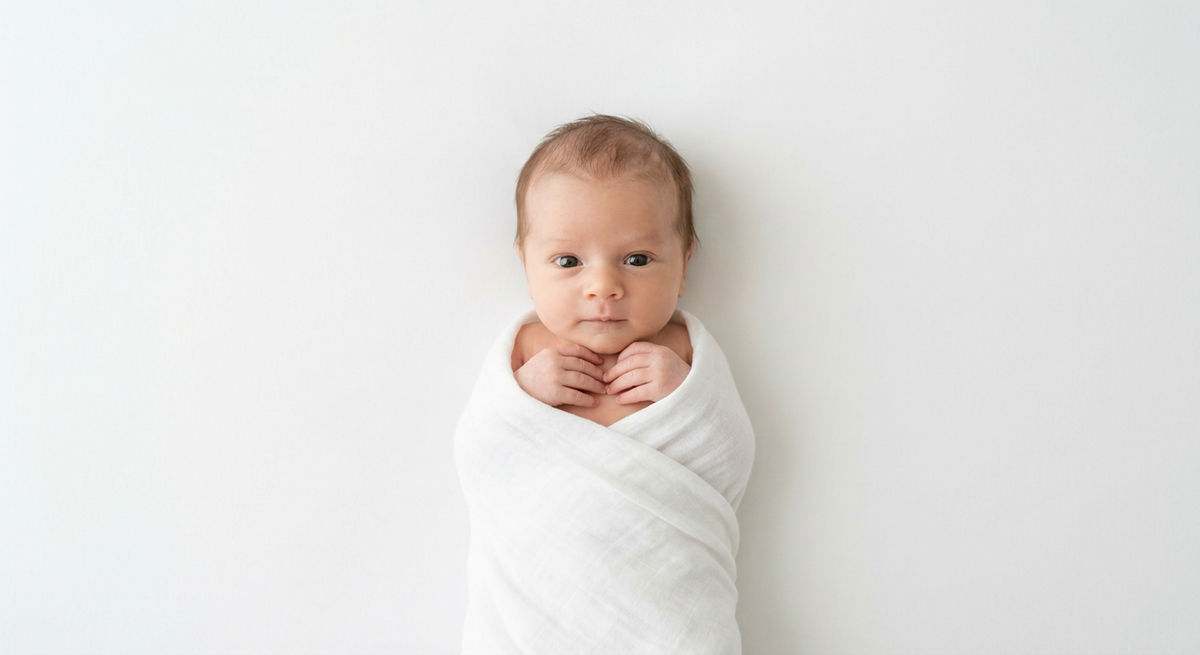
Capturing a valid newborn passport photo often feels like a logistical challenge, but with the right preparation, you can bypass the stress of traditional studio visits. Passport authorities maintain strict standards for infant imagery, focusing primarily on facial expression, lighting, and head positioning. By understanding these technical prerequisites, you can produce a high-quality, government-compliant image from the comfort of your home.
Quick Summary
A newborn passport photo must feature a neutral expression, clear visibility of both eyes, and even, shadow-free lighting. Infants do not need to meet the same "eyes open" standard as adults in some jurisdictions, but the head must be centered and the background plain white. - Place the baby on a flat, white surface. - Ensure uniform lighting to avoid shadows. - Capture the image from directly above. - Maintain a neutral background without patterns.
Table of Contents
- Understanding Infant Passport Photo Requirements
- Preparing Your Environment for a Newborn Passport Photo
- Step-by-Step Guide to Capturing the Perfect Shot
- Common Pitfalls and Troubleshooting
- Frequently Asked Questions
- Recommended Reads
Understanding Infant Passport Photo Requirements
Government agencies globally adhere to strict biometric standards for passport imagery. For an infant passport photo, the most critical requirements involve head-to-crown proportions, facial neutrality, and background composition. Unlike adult photos, infants are granted slight leeway regarding expressions, such as a slightly open mouth or a non-neutral gaze, provided the face is clearly recognizable and unobstructed.
Specific regulations, such as those governing an australian passport photo infant, emphasize the necessity of a plain, light-colored or white background. Any shadows cast on the background or the infant's face can lead to immediate rejection during the verification process. Furthermore, the infant must be facing the camera directly, which requires careful positioning to ensure the ears and jawline remain visible.
Preparing Your Environment for a Newborn Passport Photo
To achieve professional results, your home setup must mimic a controlled studio environment. The most effective method involves laying the baby on a flat surface covered with a wrinkle-free white sheet. This setup allows you to shoot from directly above, which is the most reliable way to maintain the correct camera-to-subject orientation. Natural, indirect light is your best asset; avoid using a direct flash, as this creates harsh shadows and potential glare in the infant's eyes.
If you are searching for a passport photo for infant near me, consider that many commercial locations might lack the specialized patience required for newborns. Creating the space yourself allows you to take your time. Ensure that no other items are in the frame, as digital cropping can only do so much to fix a cluttered or busy environment. If the background contains textures or patterns, it will likely violate the infant passport photo requirements set by most passport offices.
Step-by-Step Guide to Capturing the Perfect Shot
- Setup the Surface: Lay a clean, white, non-textured sheet on the floor in a room with abundant natural light from a window, but avoid direct sunlight, which causes high-contrast shadows.
- Position the Infant: Place your child on their back in the center of the sheet. Ensure their head is level and not tilted to the side.
- Attract Attention: Position yourself directly above the baby. Use a toy or make funny faces just behind your smartphone lens to encourage the baby to look toward the camera.
- Capture Multiple Angles: Take several photos. Even if the baby moves, you want a series of shots to increase the likelihood of getting one with clear eyes and a visible face.
- Review and Edit: Use an AI passport photo generator to process your raw images. This technology will automatically handle background removal and confirm if the dimensions meet specific government specifications.
Pro Tip: If your infant is struggling to stay still, take the photo immediately after a nap when they are calm and focused, rather than when they are hungry or overtired.
Common Pitfalls and Troubleshooting
The most frequent cause for rejection is uneven lighting, which creates deep shadows around the nose or chin. If you find shadows in your photo, move the baby further away from the window or use a white reflector (like a piece of cardboard covered in foil) to bounce light into the shadowy areas. Another common issue is the inclusion of hands or toys in the frame. Your newborn passport photo must be free of any distracting objects or adult hands holding the baby.
Finally, avoid the temptation to use photo-editing apps to adjust facial features. Government systems can detect software manipulation, leading to an automatic rejection of your application. Stick to simple exposure and cropping adjustments, or rely on professional-grade visa photo formatting software to ensure your file meets the exact pixel dimensions required for your specific country's portal.
Frequently Asked Questions
Can I take an infant passport photo at a drugstore? While some places like an infant passport photo walgreens offer photo services, many technicians are not trained to handle the specific needs of newborns. If you prefer to do it yourself, you have more control over the baby's comfort and the final outcome.
Do both eyes need to be open in a newborn passport photo? Regulations for infants are generally more lenient. While it is preferred that both eyes are open and looking at the camera, government agencies understand this is difficult with newborns and will often accept photos where eyes are partially open, provided the face is not obstructed.
What if my baby is crying in the photo? Ideally, the baby should have a neutral expression. However, if the baby is slightly fussy but the face is clear, the eyes are visible, and the background is compliant, it may be accepted. A completely closed-mouth neutral expression is always the goal, however.
How can I ensure the photo is compliant? Always consult the official government guidelines for your specific passport office. You can use an online platform to verify your new born passport image against these technical requirements before submitting your application.