Baby Passport Photo Printing at Kmart and Officeworks
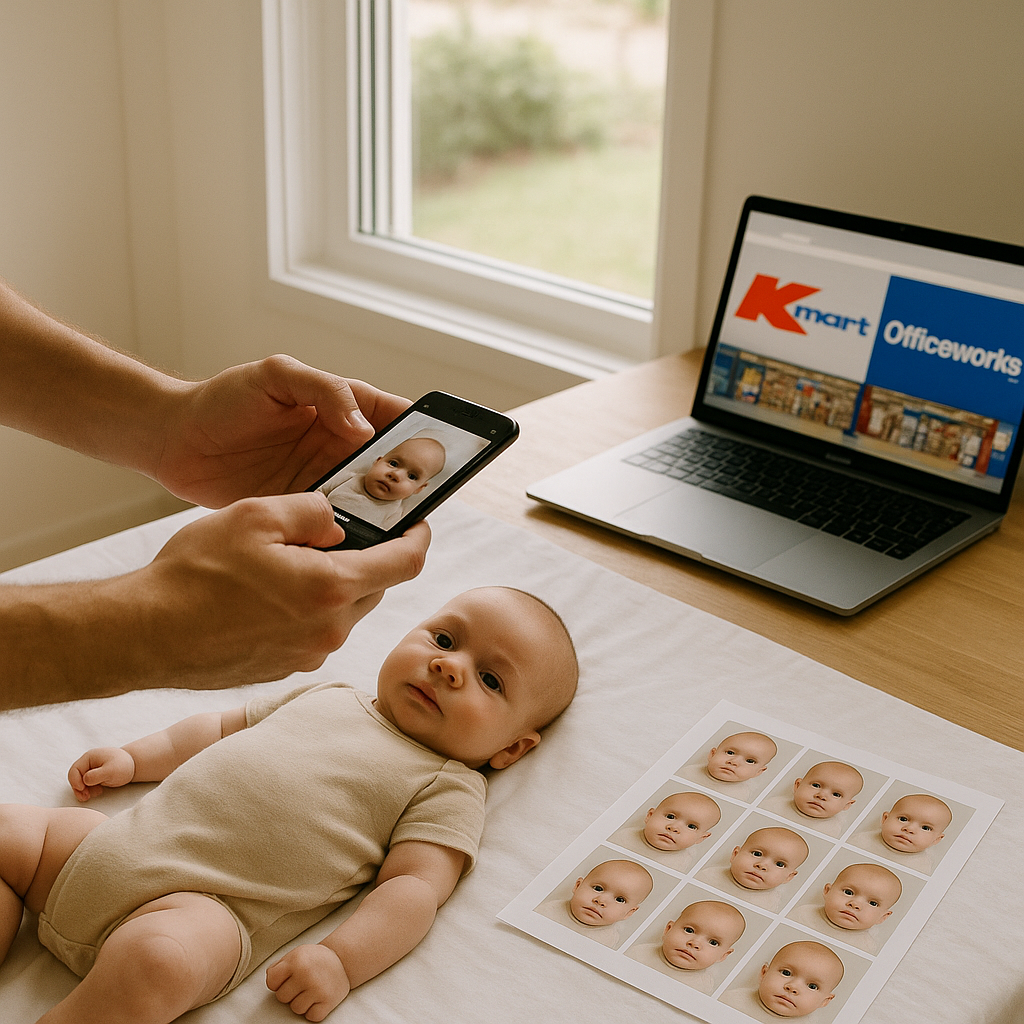
Getting a baby passport photo sounds simple. Until it isn’t.
Anyone who has tried to photograph a wriggling six-month-old knows the truth - it’s less “quick errand” and more “mini Olympic event.” The lighting has to be right. The background must be plain. The baby can’t smile too much. Or cry. Or tilt their head. Sounds easy, right?
For many Australian parents, two names pop up immediately: Kmart and Officeworks. Both are accessible. Both offer photo printing services. But here’s the real question - are they actually the best option for baby passport photo printing?
Let’s break it down honestly.
Understanding Baby Passport Photo Requirements in Australia
Before anyone even thinks about printing, there’s the small matter of meeting strict government guidelines.
Australian baby passport photo requirements are not “close enough” friendly. They’re precise. The image must:
- Be 35mm to 40mm wide and 45mm to 50mm high
- Show a plain white or light grey background
- Capture a neutral expression
- Have eyes open and clearly visible
- Contain no shadows across the face
And here’s the kicker - even newborns must meet these standards. No cute props. No headbands. No visible hands holding them upright.
It’s like trying to stage a professional studio shoot... with someone who just discovered their toes.
Printing Baby Passport Photos at Kmart
Kmart is known for affordability. That’s its charm. Walk in, upload a file, and print photos at a low cost.
How It Works
- Take the photo at home.
- Upload it via the Kmart photo kiosk or website.
- Select standard photo size - typically 4x6 inch.
- Crop manually to match passport dimensions.
- Print and cut.
On paper, it’s straightforward.
But here’s the catch - Kmart does not verify passport compliance. They print what you give them. If the lighting is off or the sizing slightly wrong, that’s on the parent.
And cutting the photos to exact dimensions at home? That can feel like arts and crafts under pressure.
Pros of Kmart Photo Printing
- Budget-friendly pricing
- Wide store availability
- Quick turnaround
Cons
- No compliance check
- Manual cropping required
- Risk of rejection if sizing is incorrect
If you ask most seasoned parents, the real stress isn’t printing - it’s wondering whether the photo will be rejected weeks later.
Officeworks Baby Passport Photo Printing
Officeworks steps into the process with a slightly more official feel.
They offer in-store passport photo services. That means staff take the picture and print it to government specifications.
In-Store Passport Service
For babies, however, it can get tricky. Little ones must sit upright or be positioned carefully against a white background. Parents often hold them while staff try to crop out hands and arms.
It works. Sometimes.
But timing matters. A sleepy infant? Perfect. A restless toddler? Different story.
Officeworks Pros
- Staff assistance
- Correct sizing provided
- No need for home cutting
Officeworks Cons
- Higher cost than standard printing
- Possible wait times
- Babies may feel uncomfortable in-store
There’s also the unpredictability factor. Bright store lights, unfamiliar faces, new sounds - babies react differently. And passport rules don’t allow much wiggle room.
The Smarter Alternative - Prepare Before You Print
Here’s a hot take - the real solution isn’t choosing between Kmart and Officeworks.
It’s preparing the photo properly before it ever reaches a printer.
That’s where online tools like BabyPassportMaker.com come in.
Instead of guessing dimensions or hoping store staff crop correctly, parents can upload a baby’s image and receive a professionally formatted passport-ready template. The tool adjusts:
- Correct dimensions
- Head positioning
- Background compliance
- Print-ready layout for 4x6 paper
Then they simply print that file at Kmart or Officeworks.
Simple. Controlled. Far less stressful.
Think of it like baking with a pre-measured mix instead of eyeballing flour and sugar. Both can work. One dramatically reduces the chance of disaster.
Why Baby Passport Photos Get Rejected
Many parents assume rejections happen because of extreme mistakes. Surprisingly, most issues are subtle:
- Slight shadows under the chin
- Head too large or too small in frame
- Incorrect cropping margins
- Background not evenly lit
Government systems are precise. A millimetre off can matter.
And reapplying? That means delays. Possibly rescheduling travel plans. No one enjoys explaining to relatives why the trip is postponed over a photo.
Cost Comparison - Kmart vs Officeworks vs Online Prep
Let’s talk money, because that matters.
Kmart
- Printing: Low cost
- Preparation: DIY
- Risk factor: Moderate to high
Officeworks
- Full service: Higher price
- Convenience: In-store support
- Risk factor: Lower, but depends on baby cooperation
Online Preparation + Printing
- Digital formatting: Affordable
- Printing: Standard 4x6 rate
- Risk factor: Low when guidelines are followed
When viewed this way, combining online preparation with local printing often balances cost and reliability.
Tips for Taking a Baby Passport Photo at Home
For parents leaning toward DIY, here are practical suggestions:
1. Use Natural Light
Place the baby near a window. Avoid direct sunlight. Soft light prevents harsh shadows.
2. Lay Baby on a White Sheet
For newborns, laying them flat works well. Ensure the sheet is smooth.
3. Keep Expression Neutral
No toys above the camera. Calm interaction helps.
4. Take Multiple Shots
Capture at least 20 images. Tiny movements change everything.
5. Check Before Printing
Zoom in. Look for shadows. Confirm eye visibility.
Preparation saves repeat trips. Always.
So, Where Should Parents Print?
Here’s the honest answer - both Kmart and Officeworks can work.
Kmart suits parents confident in editing and cropping. Officeworks suits those who prefer in-person handling and don’t mind the higher fee.
But the smartest approach blends convenience with preparation. Format the image properly first. Then print anywhere that offers quality 4x6 photo paper.
Because at the end of the day, the store is just the printer. The real magic - or mistake - happens before that stage.
Have you ever noticed how small tasks become overwhelming when uncertainty creeps in? Remove uncertainty, and everything feels lighter.
That’s the goal here. Less guesswork. Fewer rejections. Smoother applications.
Baby passport photo printing doesn’t have to feel like navigating a maze blindfolded. With the right preparation and a clear understanding of Kmart and Officeworks options, parents can turn a frustrating chore into a quick, manageable task.
And honestly, with travel plans on the horizon, there are better things to stress about than millimetres on a photo.