Baby Passport Photo Reject Reasons and How to Fix Them
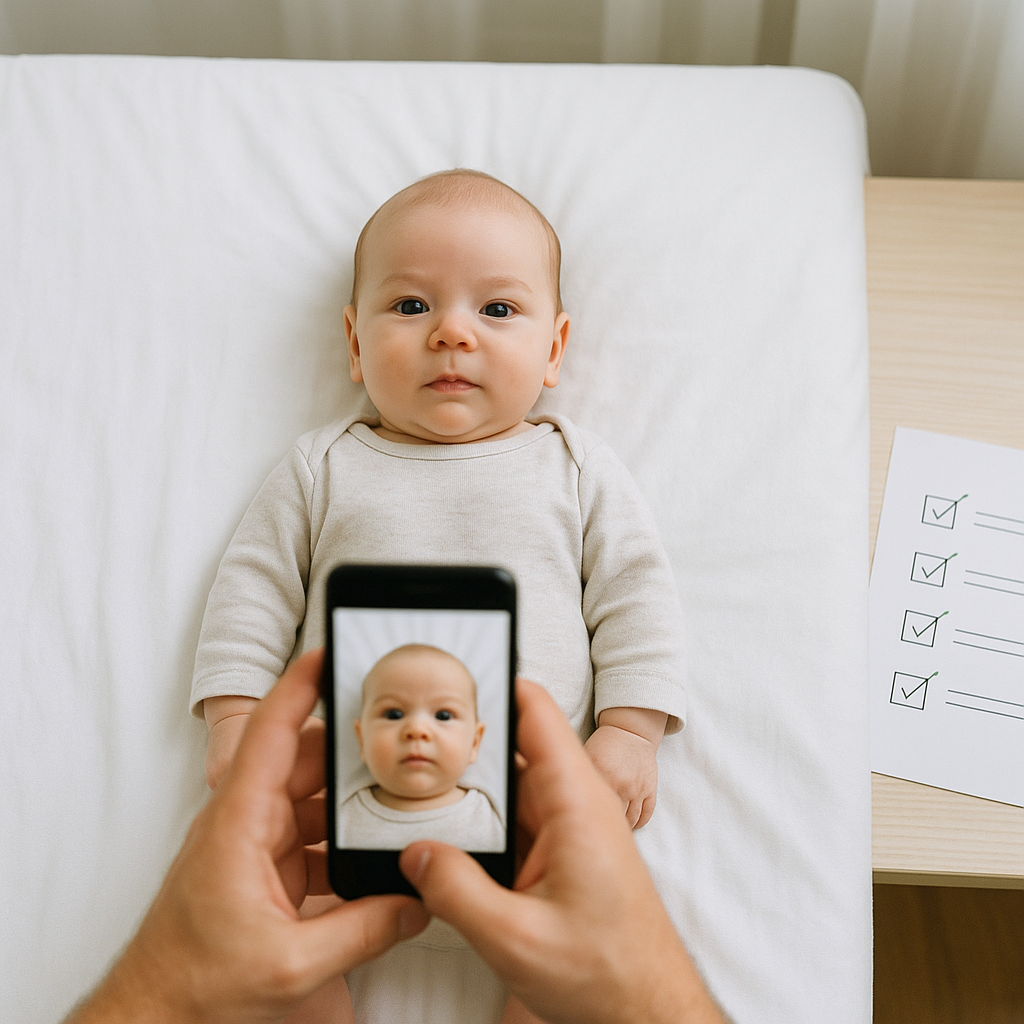
Getting a baby passport photo approved sounds easy. It’s just a picture, right? A tiny human, a camera, click, done. Not quite. Parents are often shocked when that carefully snapped image comes back stamped with a frustrating word: rejected. And when travel plans are looming, that rejection can feel like someone just hit the pause button on everything. This guide breaks down the most common baby passport photo reject reasons - and, more importantly, how to fix them quickly and confidently.
Why Baby Passport Photos Get Rejected So Often
Baby passport photo requirements are stricter than most people expect. Government agencies don’t care how adorable the photo is. They care about precision. Lighting. Positioning. Background. Expression. Size. It’s less "cute baby snapshot" and more "biometric identification document." If you ask experienced passport officers, they’ll tell you the same thing: most rejections happen because parents assume the rules are flexible. They aren’t.
Top Baby Passport Photo Reject Reasons
Let’s get into the real issues. These are the most common reasons baby passport photos get denied.
1. Incorrect Background
The background must be plain white or off-white. No patterns. No shadows. No texture. Common mistakes include: - Cream walls that look slightly yellow - Visible blanket creases - Shadows behind the baby’s head - Furniture edges peeking into frame A background that looks harmless to the eye can fail automated compliance systems instantly.
How to Fix It
Use a smooth white sheet or poster board. Lay it flat behind the baby. Make sure lighting is even so shadows don’t sneak in. Or, honestly, use a professional online tool like BabyPassportMaker.com that digitally adjusts the background to meet official standards. It saves time. And stress.
2. Baby’s Eyes Not Open
For infants under one year, closed eyes may be accepted in some countries - but not always. For older babies, both eyes must be open and visible. Sounds simple, right? Except babies blink. Constantly.
How to Fix It
Take multiple shots in burst mode. Don’t rely on a single image. Capture several and choose the one where eyes are clearly open and looking forward. Timing matters. Try when the baby is calm and alert - not right after a nap.
3. Head Position Is Incorrect
The head must face straight toward the camera. Not tilted. Not turned. Not leaning. Even a slight angle can trigger rejection. Parents often prop babies on pillows. That usually causes a subtle tilt. And subtle doesn’t pass inspection.
How to Fix It
Lay the baby flat on their back on a firm surface with a white background underneath. Stand directly above and shoot straight down. Check alignment before snapping. The face should be centered and upright.
4. Shadows on the Face
Lighting problems are a huge reason baby passport photos fail. Harsh overhead light creates dark eye sockets. Side lighting causes uneven tones. Flash can produce glare. It’s like trying to take a product photo without understanding lighting basics.
How to Fix It
Use natural light from a window. Soft, indirect daylight works best. Avoid direct sunlight - it creates sharp shadows. Position the baby so light falls evenly across the face. No dramatic effects. This is not a magazine cover.
5. Wrong Photo Size or Crop
Passport photos must meet exact size specifications. Not close. Exact. Common problems include: - Incorrect head size ratio - Too much empty space above head - Chin cropped too tightly - Image not centered Even a few millimeters off can result in denial.
How to Fix It
Follow official country-specific measurements. Or use a service that automatically formats dimensions and cropping according to passport guidelines. Manual resizing often leads to distortion. And distortion equals rejection.
6. Visible Hands or Props
Parents often hold babies upright for photos. Understandable - but hands cannot appear in the frame. No fingers supporting the head. No toys. No pacifiers. No headbands. Even a tiny thumb at the edge can disqualify the image.
How to Fix It
Lay the baby down instead of holding them. If assistance is needed, cover hands completely with the white background material so they are invisible. Simple adjustment. Big difference.
7. Facial Obstructions
Hair covering eyes. Pacifier in mouth. Hat on head. All automatic rejection triggers. The full face must be visible. Clear. Uncovered.
How to Fix It
Gently brush hair aside. Remove accessories. Keep ears visible if required by local rules. Take the photo when the baby is calm to avoid frantic movement.
Subtle Mistakes Parents Don’t Notice
Some issues aren’t obvious until the application is denied. Here are a few sneaky ones: - Red-eye from flash - Low resolution image - Overexposed skin tones - Blurry focus due to movement - Filters applied automatically by phone cameras That last one surprises people. Many smartphones apply subtle enhancements by default. Smoothing, color correction, sharpening. Passport systems detect those edits. Turn off filters. Use standard camera mode.
How to Take an Approved Baby Passport Photo at Home
Let’s simplify this. Follow these steps and approval chances increase dramatically:
- Choose a well-lit room with natural light.
- Set up a plain white background - smooth and shadow-free.
- Dress the baby in simple clothing that contrasts with white.
- Lay the baby flat on their back.
- Position the camera directly above.
- Take multiple photos in quick succession.
- Select the sharpest image with open eyes and neutral expression.
- Verify size and cropping match official requirements.
Sounds manageable. But precision matters.
When to Use an Online Passport Photo Tool
Here’s a practical perspective: not everyone wants to measure head ratios with a ruler. Online tools streamline the process by: - Automatically adjusting background - Checking biometric compliance - Cropping to correct dimensions - Ensuring head position alignment A specialized service like BabyPassportMaker.com focuses specifically on infant passport photo requirements, which is different from general photo editors. It’s like using a GPS instead of guessing directions. Both might get you there. One just reduces detours.
Country-Specific Differences Matter
Here’s something many overlook: passport photo rules vary by country. For example: - Some countries allow closed eyes for newborns. - Others require strict eye visibility. - Certain regions mandate visible ears. - Photo size measurements differ globally. Always check the official requirements for the specific passport being requested. Assuming all standards are identical? Risky.
Quick Checklist Before Submitting
Before sending off that application, pause. Run through this final checklist: - Plain white background - No shadows - Eyes open and visible - Neutral expression - Head centered and straight - Correct size and crop - No accessories or hands visible - High resolution, no filters If every box is checked, rejection becomes far less likely.
Why Getting It Right the First Time Matters
A rejected baby passport photo delays processing. That delay can affect: - Travel plans - Visa timelines - Family visits - Emergency travel situations Time is often the real cost. Honestly, the photo itself takes minutes. Fixing a rejection can take weeks. That’s why precision upfront saves frustration later.
Final Thoughts on Baby Passport Photo Rejections
Baby passport photo reject reasons aren’t mysterious. They’re technical. Most problems fall into predictable categories - lighting, positioning, background, size. Once parents understand the rules, success becomes far more likely. Treat the process less like a casual snapshot and more like a small compliance project. Because that’s what it is. And when in doubt? Use tools designed specifically for infant passport photo standards. A little preparation goes a long way. A compliant photo means one less obstacle between a family and their next journey. And that’s what really matters.