Baby Passport Photo Requirements Philippines 2026
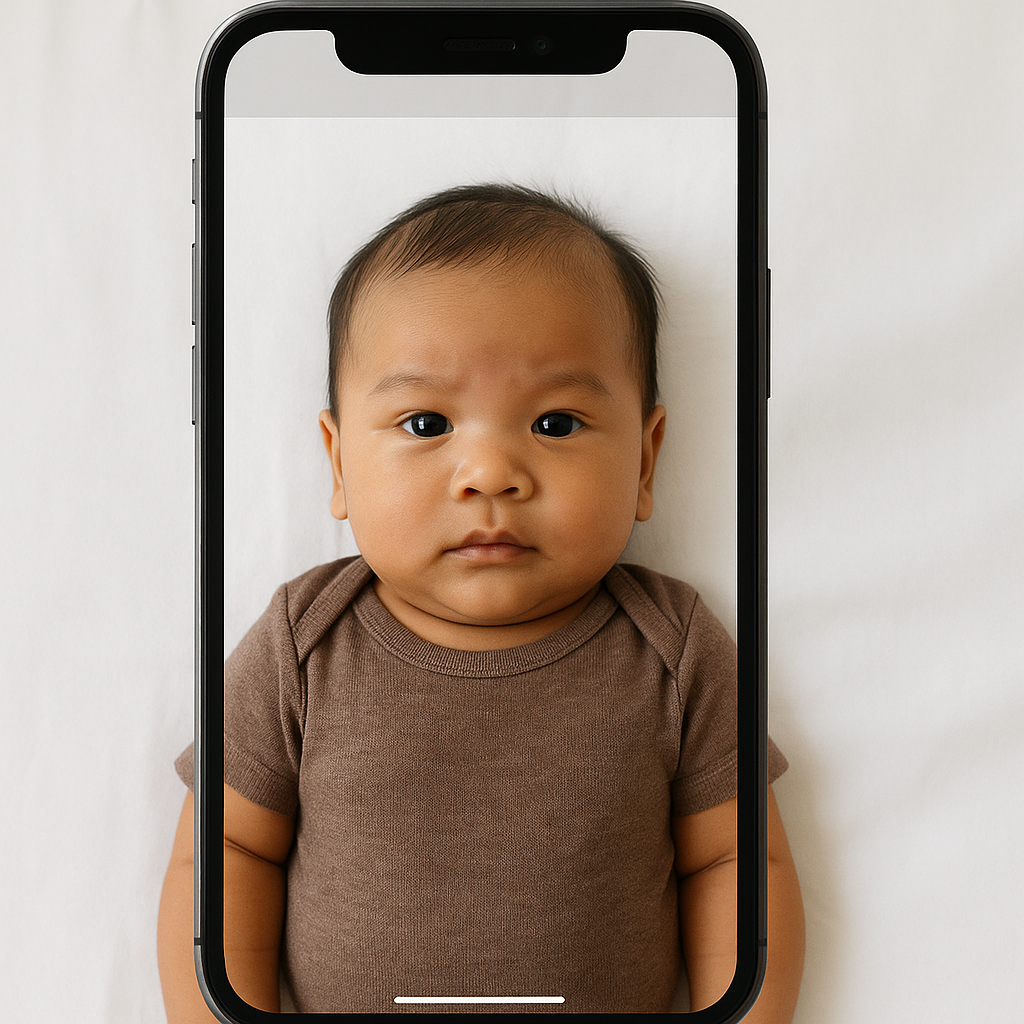
Getting a travel document for an infant sounds simple. It isn’t.
Parents across the Philippines quickly discover that baby passport photo requirements come with very specific rules. Size. Expression. Background. Even the tiniest shadow can cause rejection. And when you’re dealing with a squirming six-month-old who thinks everything is a game, that “quick photo” suddenly feels like a full production.
This guide breaks down the Baby Passport Photo Requirements Philippines 2026 in clear, practical language - no confusing jargon, no stiff explanations. Just what actually matters.
Why Baby Passport Photos Are So Strict
Immigration systems rely on biometric technology. That means facial recognition software scans features like eye placement, chin position, and head size. Even for infants.
Sounds intense, right? It is.
The goal is security and consistency. Every applicant, whether 3 months old or 30 years old, must follow official image standards set by the Department of Foreign Affairs (DFA).
If the image doesn’t meet those standards, the application may be delayed or denied. That means another appointment. Another crying session. Another fee.
Official Baby Passport Photo Size Philippines 2026
Let’s start with the technical basics.
Required Dimensions
- Size: 35mm x 45mm
- Head height: 70% to 80% of the photo
- File format for digital submission: JPEG
- No borders
- High resolution and clear focus
That head-to-frame ratio matters more than most parents realize. If the baby’s face appears too small or too zoomed in, the system flags it.
Background Requirements
The background must be:
- Plain white
- Evenly lit
- Free from shadows
- No patterns or textures
A patterned blanket? Rejected. A cream-colored wall that looks "almost white"? Risky.
White means white.
Facial Expression Rules for Infants
This is where things get tricky.
Unlike adult applicants, babies are given slight flexibility. However, there are still firm guidelines:
- Eyes should be open
- Looking toward the camera
- No exaggerated expressions
- Mouth preferably closed
Now here’s the honest part - newborns cannot always control facial muscles. Authorities understand that. A neutral expression is ideal, but slight natural softness is acceptable.
What’s not acceptable?
- Pacifiers
- Feeding bottles
- Toys in frame
- Parents’ hands visible
Even a single fingertip supporting the head can cause rejection.
Can Babies Lie Down for Passport Photos?
Yes - but carefully.
Infants who cannot sit upright may lie on a flat white sheet. The camera must shoot directly above the face. No angles. No tilt.
Think of it like taking a flat-lay photo of a product. The camera stays parallel. The baby’s head remains centered.
Any visible folds or shadows from the sheet? That’s a problem.
Clothing Guidelines
Wardrobe matters more than people expect.
What Babies Should Wear
- Simple clothing
- Solid colors
- No white tops (to avoid blending with background)
- No large prints or distracting patterns
What to Avoid
- Hats or headbands
- Hair accessories covering the forehead
- Costumes
- Uniforms
Religious head coverings are allowed, but the full face must remain visible from chin to forehead.
Lighting Requirements
Lighting can make or break compliance.
The photo must have:
- Even lighting across the face
- No red-eye effect
- No shadows under chin or behind ears
- Natural skin tones
Flash glare on the forehead? That shiny patch might seem harmless. It isn’t.
Overexposure washes out facial detail. Underexposure creates dark patches. Both lead to resubmission.
Common Reasons Baby Passport Photos Get Rejected
Parents often assume any clear snapshot will pass. Unfortunately, that’s not how the system works.
Here are frequent rejection triggers:
- Shadow behind the head
- Visible supporting hands
- Incorrect crop size
- Baby not centered
- Blurry image
- Background not pure white
- Baby smiling too widely
It feels nitpicky. But these standards exist for biometric scanning accuracy.
Digital vs Printed Baby Passport Photos
For DFA online appointments, applicants may need digital copies. These must meet:
- Correct pixel dimensions
- Proper aspect ratio
- File size limitations
Parents who attempt manual cropping often distort proportions without realizing it. A stretched face, even slightly, can cause rejection.
This is where specialized tools help. Services like BabyPassportMaker.com adjust size, background, and alignment to meet official Philippine requirements. Instead of guessing, parents can verify compliance instantly.
Step-by-Step Guide to Taking a Compliant Baby Passport Photo
Want a smoother process? Follow this sequence:
1. Prepare the Setup
- Lay down a plain white sheet
- Ensure natural daylight fills the room
- Turn off harsh ceiling lights
2. Dress the Baby Properly
- Choose contrast colors
- Remove accessories
3. Position Correctly
- Keep head centered
- Camera directly above face
- Ensure eyes are visible
4. Take Multiple Shots
Never rely on one photo. Babies blink. They move. They turn away at the exact wrong moment.
Take at least 10 to 15 shots.
5. Check Before Submission
- No shadows?
- Correct size?
- Neutral expression?
Double-checking saves days of delay.
Special Considerations for Newborns
Newborn applicants under three months may struggle to keep eyes fully open. Authorities sometimes allow minor leniency, but clarity remains essential.
If the infant’s head tilts heavily to one side, that image may fail biometric alignment. Keeping the head straight is critical - even if the baby cannot sit independently.
How Long Is a Baby Passport Valid in the Philippines?
As of 2026, Philippine passports issued to minors typically follow standard validity periods set by DFA guidelines. Parents should verify current validity rules during application, as updates occasionally occur.
One thing remains consistent - the photo must reflect the baby’s current appearance. Using older images is not permitted.
Practical Tips for Stress-Free Baby Passport Photos
Some practical advice makes all the difference:
- Schedule the photo after feeding time
- Ensure the baby is well-rested
- Keep the room comfortably cool
- Stay calm - babies sense tension
When adults rush, infants respond with fussiness. A relaxed environment improves cooperation.
Is It Worth Using an Online Passport Photo Tool?
Here’s the blunt truth.
DIY editing can work - if parents understand biometric standards, pixel ratios, and background correction. Most don’t.
Specialized platforms streamline the process by:
- Automatically resizing images
- Removing background inconsistencies
- Ensuring correct head positioning
- Checking compliance before download
For many families, that peace of mind outweighs the small cost involved.
Final Thoughts on Baby Passport Photo Requirements Philippines 2026
Applying for an infant travel document isn’t complicated - but it is precise.
Think of it like assembling a tiny puzzle. Each detail matters. Size. Lighting. Expression. Background. Remove one piece, and the whole picture doesn’t fit.
Parents who understand the requirements before taking the photo avoid unnecessary stress. They avoid repeat appointments. They avoid rejection emails that arrive at the worst possible time.
And honestly? Preparation beats frustration every single time.
Follow the guidelines carefully. Use proper tools when needed. Double-check everything.
Because when that passport arrives approved and ready, the relief feels worth it.