Baby Passport Photo Requirements Philippines 2026
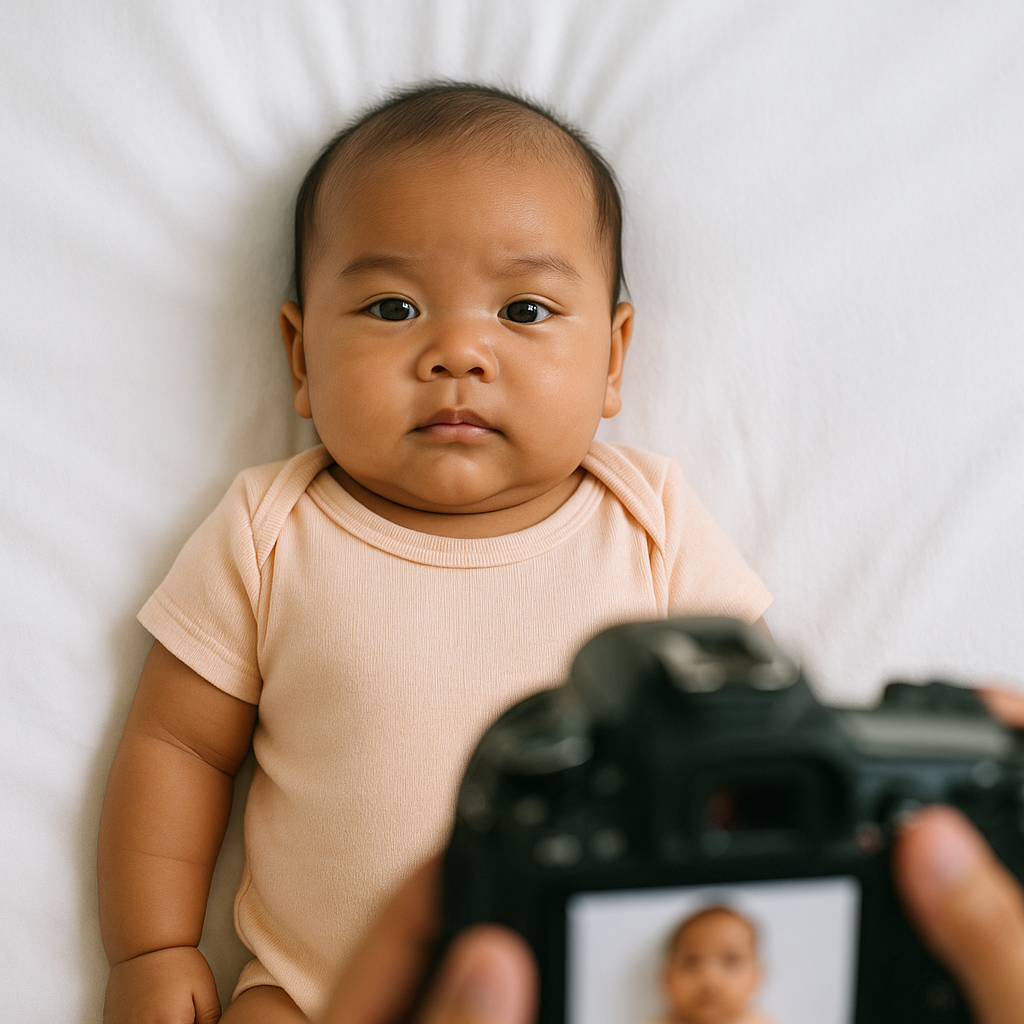
Getting a passport photo for a baby sounds simple. Until it’s not. Anyone who has tried to photograph a wiggly six-month-old knows the truth - babies don’t exactly follow instructions. They blink. They drool. They turn their heads at the exact wrong moment. And somehow, the one second they look perfect? That’s when the camera misses it. If you're preparing a passport application in 2026, understanding the updated baby passport photo requirements Philippines is absolutely essential. A rejected photo means delays. Delays mean stress. And no parent needs more of that. Let’s break it down clearly, practically, and without the usual robotic government jargon.
Official Baby Passport Photo Requirements Philippines 2026
The Department of Foreign Affairs (DFA) maintains strict photo guidelines - yes, even for infants. Here’s what parents must know.
1. Photo Size and Dimensions
The required passport photo size remains:
- 4.5 cm x 3.5 cm
- White background
- High-resolution, clear, and sharp
Sounds basic, right? But here’s where people slip up. The baby’s head must occupy 70% to 80% of the photo. Too zoomed out? Rejected. Too close? Also rejected. Think of it like framing a portrait painting - the face is the masterpiece, not the background.
2. Background Requirements
The background must be:
- Plain white
- No shadows
- No patterns
- No visible objects
That means no crib rails, no car seats, no textured blankets. Even faint shadows can cause rejection. Lighting matters more than most people expect. If the wall at home isn’t perfectly white, parents often use a smooth white sheet. But be careful - wrinkles can create shadows. And shadows? Automatic trouble.
3. Baby’s Facial Expression
This is where it gets interesting. For adults, a neutral expression is required. For babies, the rules are slightly more forgiving - but not by much. The baby must:
- Have eyes open
- Look directly at the camera
- Keep mouth closed (as much as possible)
No wide smiles. No crying. No pacifiers. No milk bottles. Nothing covering the face. Now, let’s be realistic. Babies aren’t robots. A slightly relaxed mouth is usually acceptable for newborns. But visible tongue? That can get the image rejected.
4. Head Position and Visibility
The head must be centered and straight. Not tilted. Not leaning. Not supported by a visible hand. Here’s a crucial detail many parents miss: no visible support. If someone is holding the baby, their hand must not appear in the photo. No fingers peeking in. No arms at the edge of the frame. It’s like stage magic - support is allowed, but it must be invisible.
5. Clothing Guidelines
Clothing should be simple and neutral. Avoid:
- White outfits (they blend into the background)
- Uniforms
- Costumes
- Hats or headbands
Small hair accessories are generally discouraged unless medically necessary. Religious head coverings are allowed, but the face must remain fully visible. If you ask many seasoned parents, darker clothing works best. It creates contrast and keeps the baby’s face the focus.
Common Reasons Baby Passport Photos Get Rejected
Honestly, most rejections happen for tiny technical issues - not dramatic mistakes. Here are the most frequent problems in passport photo Philippines submissions:
- Shadow behind the head
- Red-eye effect
- Blurry image
- Baby not facing forward
- Incorrect photo size
- Visible hands or objects
The frustrating part? Many of these look “fine” to the naked eye. But passport systems are precise. Think of them like airport security scanners - they notice everything.
How to Take a Baby Passport Photo at Home
Can it be done? Absolutely. Should it be done carelessly? Definitely not. Here’s a practical step-by-step approach.
Step 1 - Prepare the Setup
Choose a well-lit room with natural daylight. Avoid harsh flash - it creates shadows and red-eye. Lay a smooth white sheet flat on the floor. Place the baby gently on their back. This method works best for newborns who cannot sit yet.
Step 2 - Stabilize Without Showing Support
If the baby needs support, position yourself above them. Keep hands outside the frame. It may take several attempts. Patience helps. A lot.
Step 3 - Capture Multiple Shots
Take at least 20 photos. Maybe 40. No exaggeration. Blinking happens fast. Movement happens faster.
Step 4 - Check Technical Details
Ensure:
- No shadows
- Even lighting
- Correct cropping
- Proper head size ratio
Editing should be minimal. No filters. No smoothing. No background alteration.
Why Many Parents Choose Online Tools
Here’s the reality - precision matters. Instead of guessing whether the photo meets DFA standards, many families now use online passport photo services like BabyPassportMaker.com. It simplifies the process by:
- Automatically resizing to correct dimensions
- Ensuring proper head proportion
- Adjusting background to compliant white
- Verifying alignment before download
It’s not about cutting corners. It’s about reducing risk. Think of it as a safety net before submission.
Special Considerations for Newborn Passport Photos
Newborns come with unique challenges. They can’t hold their heads up. They can’t focus easily. Sometimes their eyes wander slightly. For infants under one year old, DFA may allow slight flexibility in eye positioning - but both eyes should still be visible and open if possible. Timing helps. Parents often find success photographing babies right after feeding, when they’re calm and alert. Not sleepy. Not fussy. Just content.
Printing Requirements for Baby Passport Photos Philippines
If submitting a physical photo, printing quality matters. Use:
- High-quality photo paper
- Matte or semi-gloss finish
- Professional-grade printing resolution
No creases. No smudges. No ink marks. It may sound overly detailed, but passport applications are formal documents. Small imperfections can lead to unnecessary back-and-forth.
Digital Passport Photo Submissions in 2026
With increasing digital processing, many passport applications now require electronic uploads. Digital baby passport photo Philippines requirements typically include:
- JPEG format
- Correct pixel dimensions
- Specific file size range
- High resolution without compression artifacts
Uploading the wrong format can cause system errors. And nobody wants to redo the entire form because of a file mismatch.
Quick Checklist Before Submission
Before submitting, run through this quick mental checklist:
- Is the background pure white?
- Is the baby’s face fully visible?
- Are both eyes open and clear?
- Is the head centered and straight?
- Is the photo size exactly 4.5 cm x 3.5 cm?
- Are there zero shadows or visible hands?
If every answer is yes, you’re likely good to go.
Final Thoughts on Baby Passport Photo Requirements Philippines 2026
Getting a baby passport photo right isn’t about perfection. It’s about compliance. Tiny details matter. Lighting matters. Positioning matters. And preparation makes the whole experience far less stressful. For parents planning international travel, securing the passport is the first real step. It’s symbolic, almost - that small photo represents future adventures, airport goodbyes, new countries, new memories. But before all that? A plain white background. A steady camera. A moment of stillness. And maybe a few dozen attempts. Handle it carefully, double-check the specifications, and when in doubt, use reliable tools that understand DFA standards. Because when it comes to official documents, close enough isn’t close enough. Get the photo right the first time. Travel comes later.