British Passport Photo Requirements: Everything You Need to Know
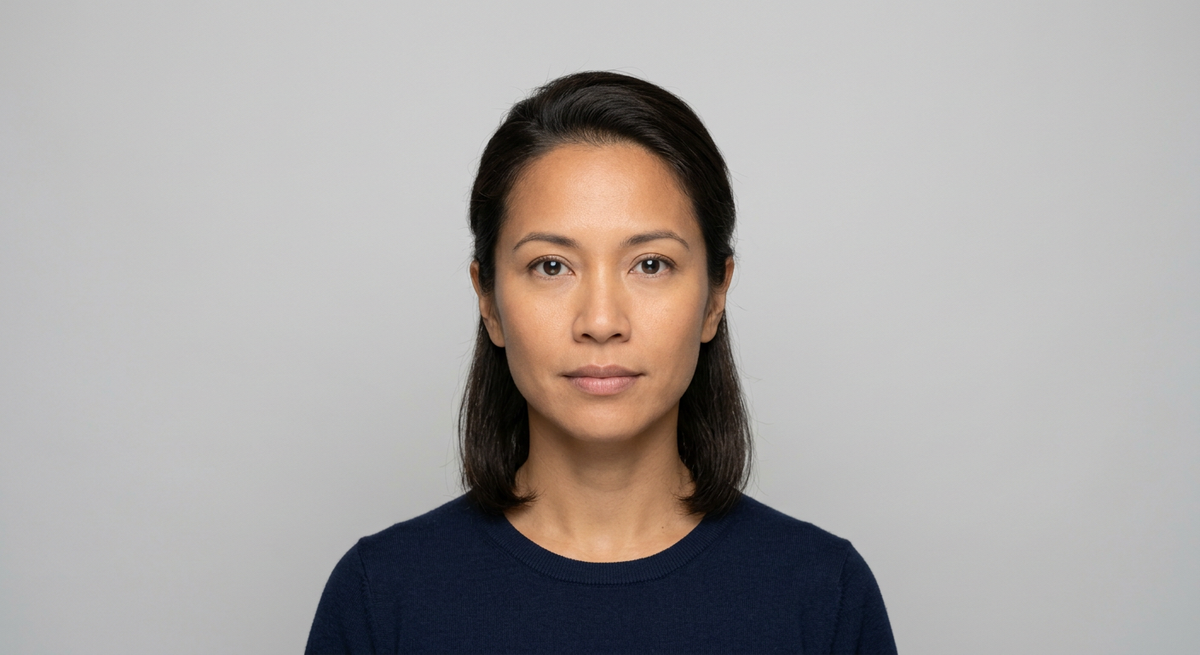
Navigating the strict standards set by the His Majesty's Passport Office is essential for any traveler. Understanding the specific british passport photo requirements ensures that your application proceeds without delay, preventing unnecessary rejections caused by common technical oversights.
Quick Summary
British passport photo requirements mandate a professional-quality, color image taken against a plain, light-colored background. The photo must be clear, in focus, and feature a neutral expression with the eyes open and looking directly at the camera.
- Dimensions must be 35mm wide by 45mm high.
- No shadows on the face or background.
- No head coverings except for religious or medical reasons.
- Recent image (taken within the last month).
Table of Contents
- Understanding British Passport Photo Requirements
- Navigating UK Passport Photo Size and Technical Specifications
- Lighting, Background, and Composition Rules
- Rules for Children and Infants
- Leveraging Technology and Passport Photo Apps
- Common Pitfalls and Rejection Reasons
- Frequently Asked Questions
- Recommended Reads

Understanding British Passport Photo Requirements
The British passport photo requirements are designed to facilitate biometric recognition. Because modern border control systems utilize facial recognition technology, the standards are incredibly rigid regarding how your face must be positioned and rendered. Even minor deviations can result in an automated rejection during the document scanning process.
Applicants should prioritize a high-resolution, sharp image that captures the full head and upper shoulders. The requirement for a neutral expression means your mouth must be closed, and you should not be smiling, frowning, or raising your eyebrows. This standardization ensures that the digital template generated from your photo remains consistent with your actual facial structure for years to come.
Navigating UK Passport Photo Size and Technical Specifications
The standard uk passport photo size is exactly 35mm wide and 45mm high. When providing digital photos for online applications, the file must be at least 600 pixels wide and 750 pixels high, with a file size between 50KB and 10MB. It is a common error to crop an image to the wrong ratio, which can stretch or compress your features, rendering the biometric data unusable.
Beyond dimensions, the image must be in color. Black and white photos or those with artistic filters applied are strictly prohibited. The image must also be printed on high-quality, photographic paper if you are submitting a physical application. Digital uploads must be professional, avoiding any compression artifacts or pixelation that could compromise the clarity of your facial features.
Lighting, Background, and Composition Rules
Lighting is perhaps the most frequent cause of application rejection. You must ensure that your face is evenly lit, with no harsh shadows cast on your face or the background behind you. The background must be plain, light-colored, or off-white. Busy patterns, curtains, or cluttered rooms will cause the software to fail in its attempt to isolate your silhouette.
Proper Head Positioning
Your head must be facing forward, and your eyes must be level with the camera lens. Tilting your head to the side or looking away from the camera will result in an automatic flag. Furthermore, your hair should not obscure your face, particularly your eyes, as the facial recognition algorithm requires a clear view of your iris and eye shape to verify your identity.
Pro Tip: When setting up your shot, stand about 0.5 meters away from the wall to minimize the likelihood of casting a shadow on the background, and use natural daylight from a front-facing window for the most even illumination.
Rules for Children and Infants
Photographing infants for a passport can be challenging, but the guidelines remain strict. While babies do not need to have a neutral expression, they must still look at the camera. For young children, you may need to place them on a plain, light-colored sheet on the floor, ensuring you are shooting from directly above them to avoid distorted angles.
If you are struggling to get the perfect shot for a younger child, review the uk baby passport photo guide to understand how to stabilize your infant while meeting the required composition standards. Remember that no other people or toys can be visible in the frame, and the child's hands should not be near their face.
Leveraging Technology and Passport Photo Apps
Using a dedicated passport photo app uk can simplify the process of achieving the correct aspect ratio and background removal. These tools are programmed to verify that your head size falls within the mandated 29mm to 34mm range from the chin to the crown. By automating the crop, you mitigate the risk of manual measurement errors.
However, technology should not replace quality control. Ensure that the app you use does not automatically sharpen the image too aggressively, as this can create unnatural lines that look like digital artifacts to government software. Always check the result against the official government portal to ensure it complies with the latest standards before submitting.
Common Pitfalls and Rejection Reasons
One of the most common reasons for rejection is the presence of reflections on glasses. If you wear glasses, it is highly recommended that you remove them for the photo. If you must wear them for medical reasons, ensure the frames do not block your eyes and that there is no glare on the lenses. Another issue is clothing choice; wearing a uniform or high-collared clothing that obscures your neck line can also be problematic.
Ensure your photo was taken within the last month. The Passport Office compares the image to your previous records, and significant changes in appearance or simply using an outdated image will trigger a manual review, which delays your application process. Always verify your documents against the comprehensive list of requirements to confirm that no minor detail has been missed.
Frequently Asked Questions
- Can I smile in my British passport photo? No. You must have a neutral expression with your mouth closed. Smiling, frowning, or raising your eyebrows can distort your facial features, which interferes with biometric software.
- Do I need to print my digital passport photo? If you are applying online, you only need to upload the digital file. If you are submitting a paper application, you will need to provide two identical printed photos that meet the physical 35mm x 45mm specifications.
- Can I wear glasses in my passport photo? It is strongly advised to remove your glasses. If you keep them on, they must not hide your eyes, and there must be absolutely no glare or reflection on the lenses.
- What is the best way to ensure my background is correct? Use a plain, light-colored wall. If you do not have one, you can hang a white sheet, but ensure it is pulled taut so there are no wrinkles or folds that create shadows.