How to Take and Submit Digital Passport Photos in 2026
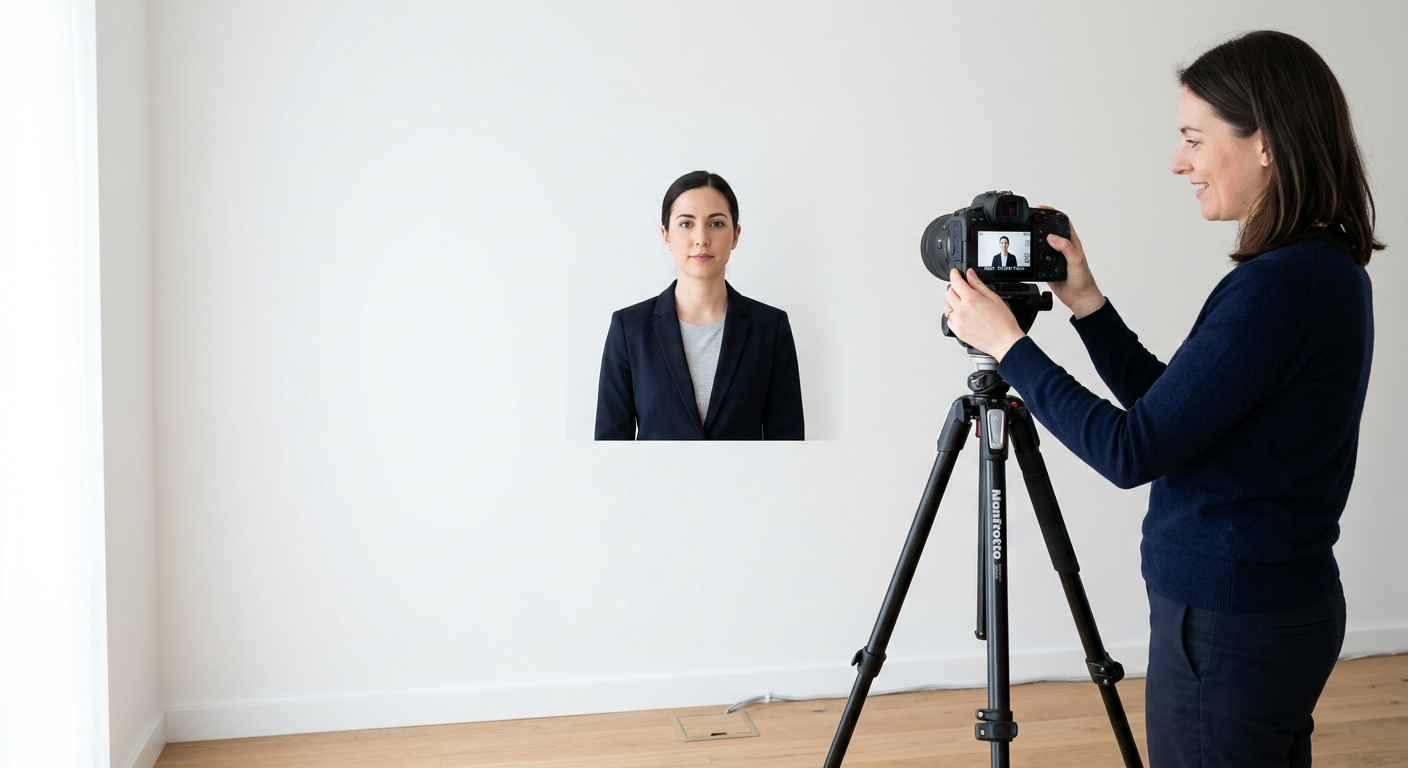
Capturing compliant passport photos online is the most efficient way to manage travel documentation in 2026. As digital government portals become the standard for processing travel documents, understanding the technical requirements for lighting, framing, and submission has become an essential skill for travelers. Whether you are applying for a first-time document or renewing an existing one, knowing how to produce high-quality images from home saves time and minimizes the risk of application rejection.
Quick Summary
Taking passport photos online requires adherence to strict government standards, including neutral lighting, a plain background, and specific biometric positioning. Digital compliance is achieved through specialized software or automated tools that ensure your image meets international ICAO standards for facial recognition, dimensions, and file resolution.
- Ensure even, shadow-free lighting on the subject's face.
- Utilize a plain white or off-white background without textures.
- Maintain a neutral expression with both eyes clearly visible.
- Verify file dimensions and pixel-per-inch (PPI) density requirements.
Table of Contents
- Quick Summary
- Preparing Your Environment for Passport Photos Online
- Technical Specifications for Digital Passport Images
- Step-by-Step Guide to Taking an Online Passport Photo
- Common Pitfalls and Troubleshooting
- FAQ
- Recommended Reads

Preparing Your Environment for Passport Photos Online
The quality of your online passport photo depends largely on your environment. Passport agencies require images that are free from distracting backgrounds, shadows, and glares. To achieve a professional result, select an area of your home with a flat, light-colored wall. Avoid busy patterns, shelving, or wall art that could confuse automated biometric verification systems used by immigration departments.
Lighting Mechanics
Good lighting is non-negotiable. Natural, diffused light is superior to harsh overhead bulbs. If you are taking the photo indoors, face a window during daylight hours to ensure even illumination across your face. Avoid having the window behind you, as this will create a silhouette effect that is immediately flagged as non-compliant. If you are preparing an australian passport photo online, pay close attention to shadows under the chin and nose, as these are common reasons for rejections.
Technical Specifications for Digital Passport Images
Government agencies set precise rules regarding image dimensions and file sizes. Most passport services require a file in JPEG format with a specific aspect ratio, often 35mm by 45mm. However, when submitting digitally, the file resolution is measured in pixels rather than millimeters. A common standard is 600 pixels wide by 600 pixels high, though you must always verify the specific dimensions required by your local authority via a reliable passport photo guide.
Framing and Biometrics
The subject must be centered within the frame with enough space above the head and on the sides to allow for cropping. Biometric facial recognition requires that your face takes up between 70% and 80% of the image. Avoid tilting your head or looking away from the camera. Your ears should generally be visible, and your mouth must be closed with a neutral expression. These requirements ensure that the digitized image can be accurately mapped against your physical features during border control checks.
Step-by-Step Guide to Taking an Online Passport Photo
- Setup the Space: Clear a space against a plain white wall. Remove any decorative items.
- Adjust Lighting: Stand about two feet from the wall to prevent shadows from falling behind you. Face a primary light source.
- Capture the Shot: Use a high-quality smartphone or dedicated digital camera. Position the camera at eye level, approximately 1.5 meters away from the subject.
- Maintain Neutrality: Keep your face clear of hair and accessories. Glasses are often discouraged or outright banned in modern digital requirements due to lens glare.
- Digital Validation: Once you have your RAW image, use a digital passport photo processor to crop and color-correct the image to meet specific international standards.
- Export and Submit: Ensure your file size is under the maximum limit, usually 2MB to 5MB, before uploading to the government portal.
Pro Tip: When taking photos of infants or children, place them flat on a white sheet on the floor and photograph them from directly above to ensure they remain still and the background is uniform.
Common Pitfalls and Troubleshooting
One of the most frequent issues with an online passport photo is the presence of "red-eye" or reflections on glasses. Even if you cannot see the reflection with the naked eye, the camera sensor may pick it up. The simplest solution is to remove your glasses entirely. If the application is for a specific country, refer to the help documentation provided by your specific regional authority.
Another common mistake is post-processing the image too heavily. Using filters or trying to "touch up" your skin using photo-editing software is prohibited. Passport agencies mandate that the image must be an accurate representation of your current appearance. Excessive digital enhancement will lead to the rejection of your application, and in some cases, can result in delays during the administrative review process.
FAQ
Can I wear glasses in my digital passport photo? Generally, no. Most countries now prohibit glasses in passport photos to avoid glare and lens reflections that obscure the eyes for biometric analysis.
What is the best file format for an online passport photo? JPEG is the industry-standard format for digital passport applications. It offers a balance between image quality and file size that satisfies most government upload portals.
How can I ensure my photo meets the resolution requirements? Use a professional photo-sizing tool that specifically lists the resolution requirements for your country. This ensures your DPI and pixel dimensions match the exact mandates of the passport office.
Is it possible to use a selfie for a passport photo? While technically possible if the lighting and framing are perfect, it is strongly discouraged. Selfies often result in perspective distortion because the camera is held too close to the face.