How to Crop a Baby Photo for US Passport 2x2
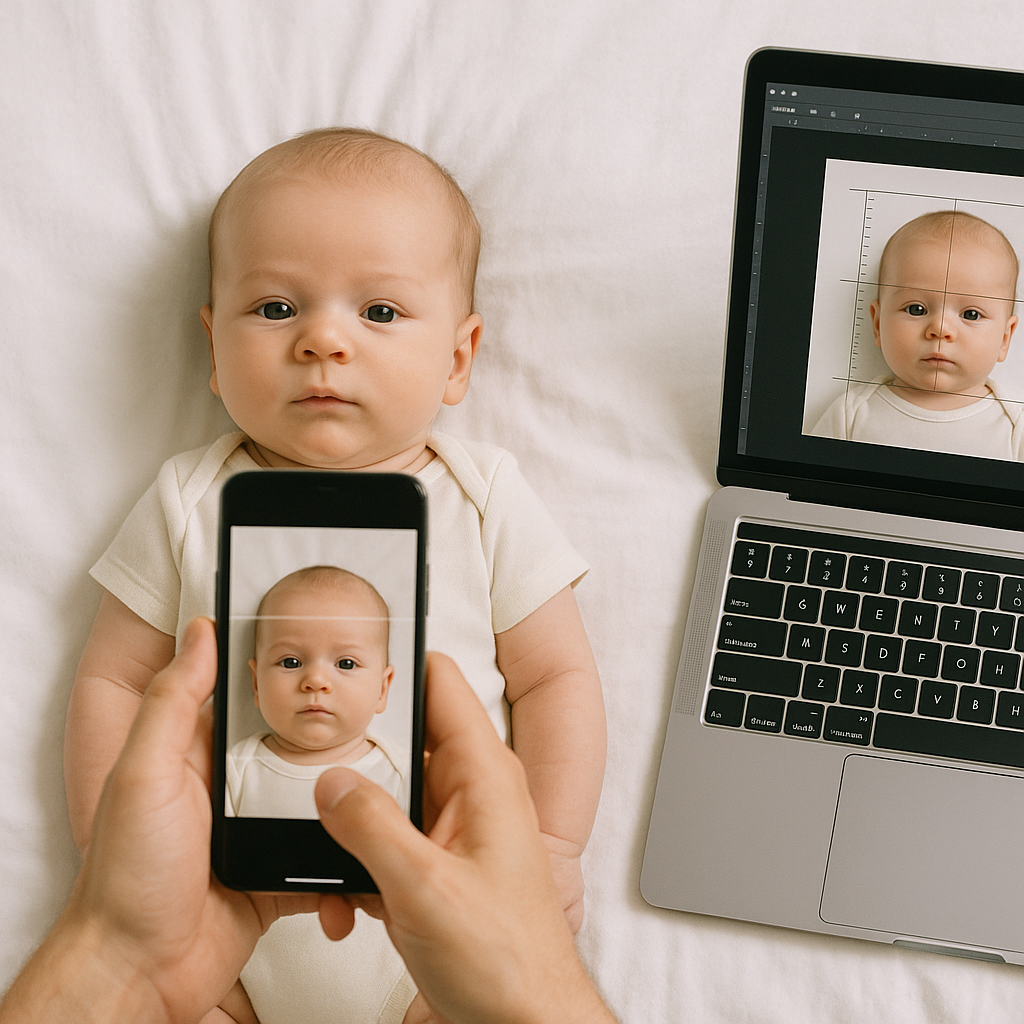
There is something oddly stressful about taking a passport photo of a baby. Adults can sit still. They can follow instructions. Babies? Not so much. They wiggle, blink, stare at the ceiling, or decide that right now - yes, right now - is the perfect time for a meltdown. And yet, the rules don’t bend just because the subject is eight months old and adorable. Cropping a baby photo for a US passport 2x2 format isn’t complicated. But it does require precision. A millimeter off, and the application could get delayed. Sounds dramatic? It kind of is. The US Department of State has very specific guidelines, and they take them seriously. This guide walks through exactly how to crop a baby passport photo to 2x2 inches without the guesswork - and without losing your sanity.
Understanding the US Passport Photo 2x2 Requirement
Before jumping into editing tools, it helps to understand what "2x2" actually means. The final photo must be:
- Exactly 2 inches by 2 inches in size
- Head centered and facing forward
- Head size between 1 inch and 1 3/8 inches from chin to top of head
- Plain white or off-white background
- No shadows, no patterns, no distractions
Simple list. Strict enforcement. The tricky part? It’s not just about trimming the edges until the picture becomes a square. The proportions of the baby’s head inside that square matter just as much as the dimensions themselves. Think of it like framing a painting. The frame size is fixed, but what’s inside has to sit perfectly within it.
Step-by-Step: How to Crop a Baby Photo to 2x2 Inches
Let’s break it down into manageable steps.
1. Start With a High-Quality Photo
Cropping cannot fix everything. If the image is blurry, shadowed, or poorly lit, resizing it will not magically improve it. Make sure the photo:
- Is sharp and well-lit
- Has a plain white background
- Shows the baby facing the camera
- Has eyes open and visible
Pro tip - lay the baby on a white sheet or blanket and shoot from above. It often works better than trying to prop them upright.
2. Use a Tool Designed for Passport Photos
Here’s a hot take: generic photo editors aren’t always the best choice. Yes, you can manually crop using standard software. But getting the head measurement exactly right becomes a frustrating game of trial and error. You adjust. You measure. You adjust again. That’s why services like BabyPassportMaker.com exist. They automatically align and size the photo according to official US passport photo requirements. No guesswork. No rulers on your screen. Honestly, if speed and accuracy matter - and when do they not? - using a dedicated passport photo tool just makes sense.
3. Set the Canvas to 2x2 Inches
If cropping manually, adjust the canvas or crop settings to exactly 2 inches by 2 inches. Make sure resolution is set to 300 DPI. That detail gets overlooked constantly. Without proper resolution, the printed photo may not meet standards even if dimensions look correct on screen. 2 inches by 2 inches at 300 DPI equals 600 x 600 pixels. That number matters.
4. Align the Baby’s Head Correctly
This is where precision kicks in. The baby’s head - from the bottom of the chin to the top of the head - must measure between 1 inch and 1 3/8 inches. Not approximate. Not close enough. If the head is too small, the government may reject it. Too large? Same outcome. Position the face directly in the center. Both ears visible if possible. Eyes level with the camera. No tilting. Imagine drawing an invisible box inside the square - that inner box should neatly contain the baby’s head. Balanced. Centered. Calm.
5. Check the Background
Even after cropping, background issues can cause problems. Look closely:
- Are there shadows behind the head?
- Is the white actually off-white or slightly gray?
- Are there wrinkles in the sheet?
Small flaws can stand out under official review. If necessary, use subtle brightness adjustments - but avoid heavy editing. Passport authorities want a natural, accurate representation. No filters. No softening tools. No creative edits. This is documentation, not Instagram.
Common Mistakes When Cropping Baby Passport Photos
People assume the hardest part is getting the baby to cooperate. Ironically, cropping errors cause more rejections. Here are frequent mistakes:
- Incorrect head size - Most common issue by far.
- Improper resolution - Pixel size doesn’t match 600 x 600 at 300 DPI.
- Off-center alignment - Head leaning or shifted too far left or right.
- Background inconsistencies - Shadows or textures visible.
- Over-editing - Skin smoothing or background manipulation.
If you ask most parents, they’ll admit they thought "close enough" was fine. It’s not.
Why Precision Matters for Baby Passport Photos
Have you ever waited weeks for a document, only to find out it was rejected for something tiny? That’s the risk here. Passport applications move through a system built on strict compliance. The photo gets scanned digitally. Software evaluates spacing, alignment, proportions. It’s almost clinical. The system doesn’t see a sweet baby. It sees measurements. Getting the crop right avoids delays, resubmissions, and extra fees. Especially when travel plans are already booked - because that’s usually how it goes, right?
Manual Cropping vs Online Passport Photo Tools
Let’s compare both approaches quickly.
Manual Editing
Pros:
- Full control over adjustments
- No additional service cost
Cons:
- Time-consuming
- Easy to miscalculate head size
- Requires knowledge of DPI and resolution
Using BabyPassportMaker.com
Pros:
- Automatic 2x2 sizing
- Correct head alignment
- Meets US passport standards
- Faster and stress-free
Cons:
- Small service fee
Honestly, for something this important, many parents prefer the second option. Accuracy beats frustration every time.
Final Checklist Before Printing
Before sending the photo to print, double-check:
- Final size is exactly 2x2 inches
- Resolution is 300 DPI
- Head size falls between 1 inch and 1 3/8 inches
- Background is clean white
- No shadows or objects visible
- Photo is printed on high-quality photo paper
One more tip - print multiple copies. Passport offices require two identical photos. Having extras avoids a last-minute scramble.
A Calm Approach Makes All the Difference
Cropping a baby photo for a US passport 2x2 format feels technical. And it is, a little. But it’s manageable. Break it down into clear steps. Use the right tools. Focus on measurements. Treat it less like an art project and more like following a recipe. Exact ingredients. Exact quantities. The reward? A smooth passport application process. And that means one thing - fewer headaches for parents, and one step closer to that first family trip. Because at the end of the day, the 2x2 square isn’t just a requirement. It’s a tiny gateway to big adventures. Get the crop right, and everything else gets easier.