How to Take Baby Passport Photo at Home UK
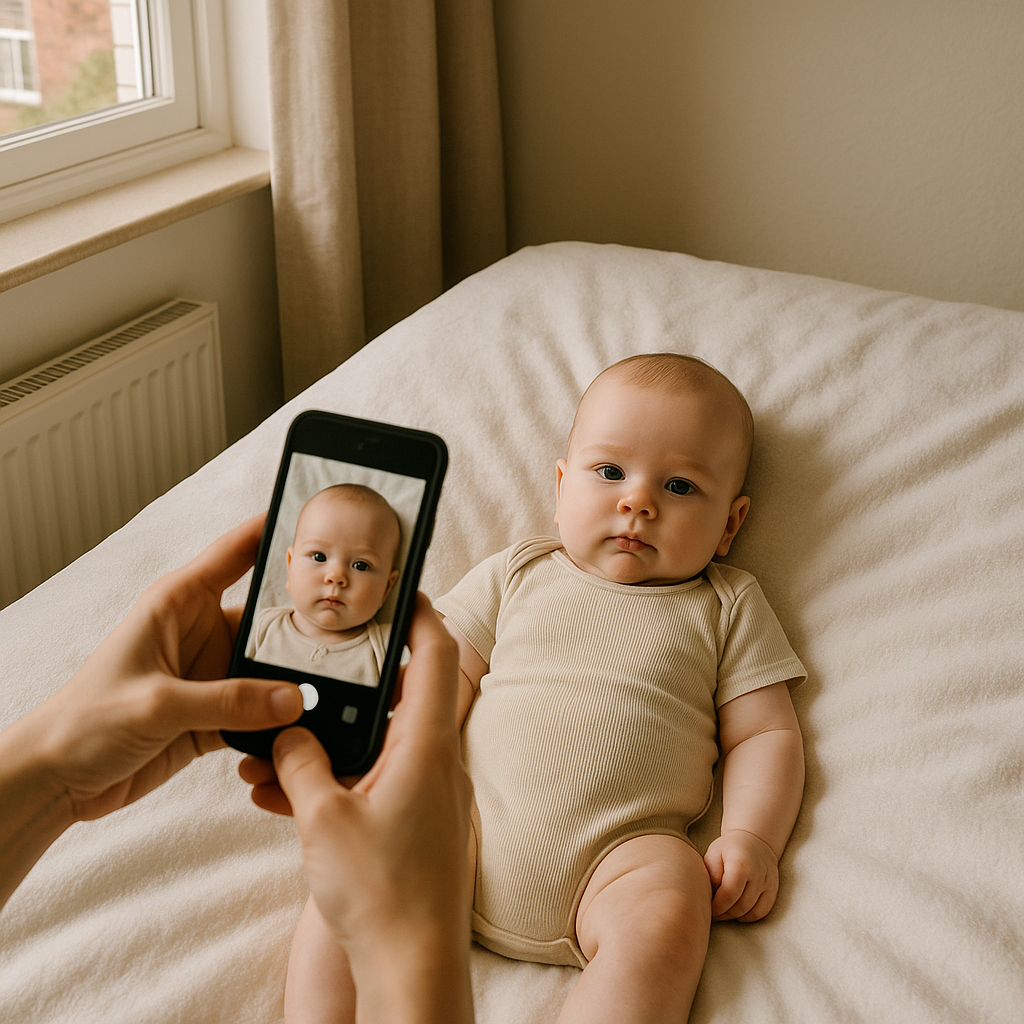
Let’s be real - getting a baby to sit still is like trying to nail jelly to a wall. And now someone expects you to make them stare into a camera with no smiles, no head tilts, no adorable squints? Madness, right?
But here's the kicker: You can absolutely take a valid baby passport photo at home in the UK, without dragging your little one into a bright, noisy photo studio. And yes, it might take a few tries, maybe a bit of sweat (maybe tears), but it's doable. I've broken down the process in a way that even sleep-deprived parents can manage.
The Rules You Can’t Break (Even If You're Sleep-Deprived)
The UK passport office isn’t messing around with baby photos. Just because your baby is cute doesn’t mean they’ll go easy on the rules.
Here’s what the photo must have:
- White or light grey background
- Clear image of baby’s face - no shadows, filters, or blur
- Eyes open (yes, really, even for babies)
- Mouth closed (trickier than it sounds)
- No dummies, toys, or bottles
- No parent’s hand visible
Sounds simple, right? Yeah, well - welcome to the baby photo Olympics.
Step-by-Step: Taking Baby’s Passport Photo at Home
This isn’t art school, but lighting, angles, and patience matter. A lot.
1. Choose the Right Spot
Natural daylight is your best friend. Find a room with a large window. Morning light works best - less harsh, more even. Avoid overhead lights - they love to cast weird shadows.
2. Set Up a DIY Studio
- Lay down a plain white sheet or blanket on the floor (or on the bed if your back’s feeling tired).
- Make sure it’s wrinkle-free. Even small folds can cast shadows.
- Dress baby in a contrasting colour (nothing white) so their face stands out.
3. Drop Down to Their Level
Instead of propping the baby up, let them lie on the sheet, looking up. Then stand over them with your phone or camera - careful not to drop it! Position the camera parallel to their face to avoid distortion.
4. Lighting Check
If there are shadows on their face or the background, adjust until it's even. Ring lights help, but open windows typically do the trick.
5. Take a Million Photos
Okay maybe not a million, but a lot. Babies are unpredictable. They’ll yawn. Wiggle. Blink. Lose it. Each snap increases your odds of hitting that golden shot.
What If My Baby Won’t Cooperate?
Oh hello, parenthood. Some babies just aren't camera ready - and that's okay. Here’s a few tricks that might help:
- Use toys or rattles behind the camera to direct their gaze.
- Try after a nap - they’re usually more calm and alert (hopefully).
- Feed them first. No one likes to do anything hangry - not even babies.
- Bring in another person to help distract or adjust tiny limbs.
Don't force it. If nothing works? Take a break. Try again later. You’ve got time before that family holiday (hopefully).
Editing the Photo: Keep It Clean, Not Fake
Hear me out. Not all editing is evil. You can crop, brighten, straighten. But you cannot airbrush, apply filters, or alter your baby’s features. This isn’t Instagram - it's official ID. Over-edit and it could be rejected.
Use an Online Tool Instead (Seriously)
Manual resizing and rule-checking is a pain and easy to mess up. That’s where BabyPassportMaker.com comes in.
You upload your best attempt, and they’ll handle the magic: cropping, sizing, background fixing - all to meet UK official standards. It’s like having a graphic designer who actually understands DVLA guidelines. If you ask me? Worth every penny for the peace of mind.
Common Mistakes That Get Rejected
You might think you’ve nailed it, but here are a few ways many good photos end up tossed out:
- Background not plain enough (that floral duvet? Nope.)
- Visible shadows (especially near ears or chin)
- Eyes not fully open
- Part of face cut off when cropping
- Too cute - meaning baby is smiling. I know. Heartbreaking.
If in doubt, compare your snap to sample baby photos on gov.uk or, even better, run it through BabyPassportMaker.com. They'll spot errors you won’t.
Which Camera Should You Use?
You don’t need a DSLR. A modern smartphone (iPhone, Samsung, Google Pixel etc.) works just fine. Key is to use the rear camera, not a selfie cam, and avoid wide-angle distortion.
Also - ditch the flash. Daylight wins every time.
Pro Tip: Clean the Lens
Yeah, sounds basic. But baby fingerprints leave smudges that blur photos. A quick wipe can save a reshoot.
Final Checklist Before You Hit Submit
- Baby’s head is centered and facing camera
- Eyes open, mouth closed
- Plain light background, no shadows
- Neutral expression - think passport, not personality
- No visible props, hands, toys, or patterns
All good? Then you're officially a junior passport photographer. Welcome to the club.
Should You DIY or Use a Service?
Here’s my take. Try it yourself. It's worth the shot - pun intended. But if, after attempt twelve, your phone gallery looks like an outtake reel from a blooper special?
That’s your cue. Let BabyPassportMaker.com rescue the day. They’ll format and verify the photo for UK standards, send it back to you faster than your baby’s next meltdown.
The Bottom Line
Taking your baby’s passport photo at home in the UK is absolutely possible. It’s just about patience, right light, and knowing what counts as a fail. Whether you go full DIY or tag in BabyPassportMaker.com to finish the job, you’ve got options. And freedom. Because the sooner that photo’s accepted, the sooner that suitcase is packed.
And trust me - you’ll laugh about the rejected, yawning baby photos someday. Probably.