Infant Passport Photo Maker for Malaysia and Singapore
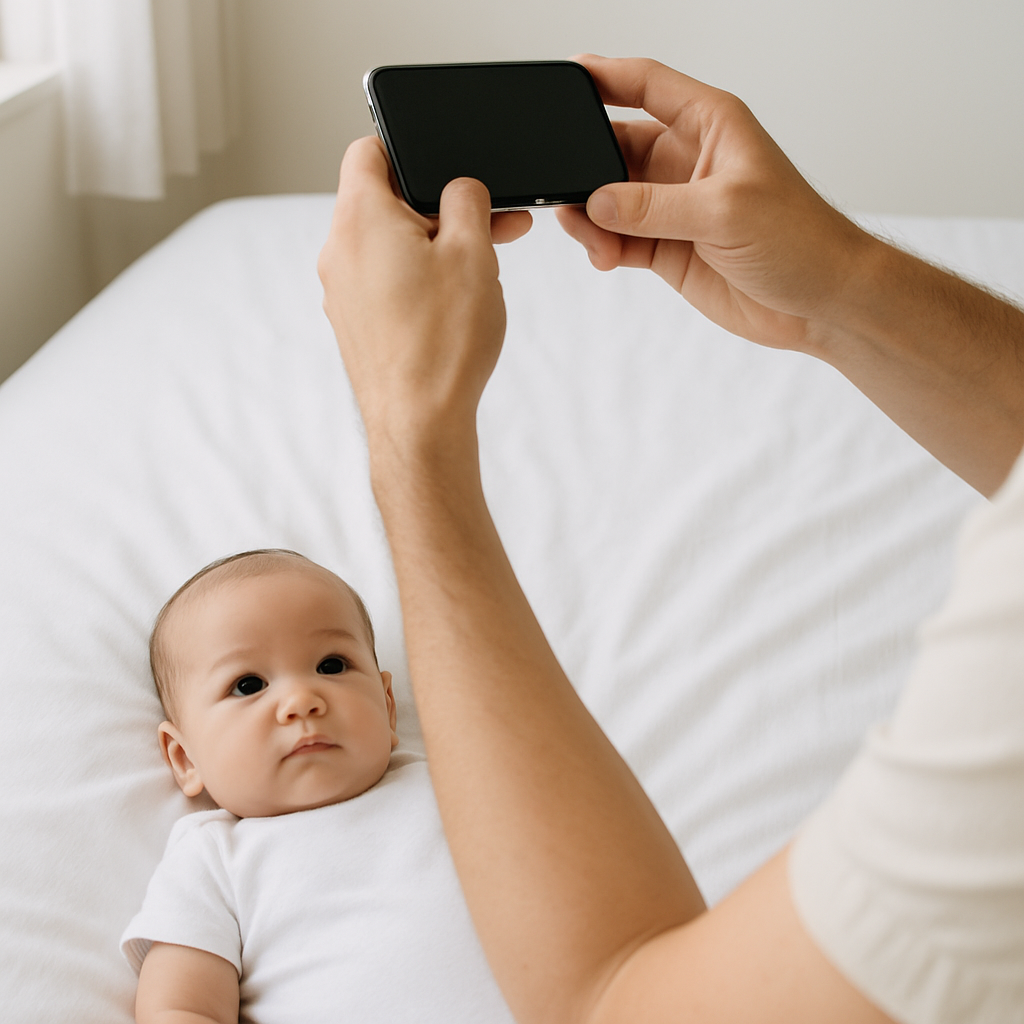
Getting a passport photo for a baby sounds simple. Just snap a picture, right? If only.
Anyone who has tried to photograph a wiggly six-month-old knows the truth. Babies don’t sit still. They don’t pose. And they definitely don’t care about Malaysian or Singaporean passport photo requirements.
That’s where an infant passport photo maker for Malaysia and Singapore becomes more than a convenience - it becomes a lifesaver.
This guide walks through what actually matters, what most parents get wrong, and how to make the process smooth instead of stressful. Because honestly, travel planning is already enough of a headache.
Why Infant Passport Photos Are So Tricky
Adult passport photos follow strict rules. Babies? Same rules. Zero flexibility.
Malaysia and Singapore both require:
- Clear, front-facing view
- Neutral expression
- No shadows
- Plain white background
- Proper head positioning
- No visible hands holding the baby
Sounds manageable… until the baby decides smiling is mandatory. Or crying. Or twisting sideways like a tiny yoga master.
Here’s the thing. Passport authorities don’t care that your child is eight weeks old. The photo still needs to meet biometric standards. The system scans facial proportions, eye position, head size. It’s technical. Almost clinical.
Which is why guessing rarely works.
Malaysia Infant Passport Photo Requirements
Let’s break it down clearly.
Photo Size and Specifications
- 35mm x 50mm size
- White background
- Face must occupy 50% to 60% of the image
- No shadows on face or background
- Eyes open and visible
Malaysia is particularly strict about clarity and background consistency. If lighting creates even a soft gray tone behind the baby’s head, rejection is possible.
And rejections? They delay applications. Sometimes for weeks.
Common Mistakes Parents Make
- Using off-white walls that look white to the eye but not to a scanner
- Holding the baby and trying to crop hands out later
- Using filters - even subtle ones
- Incorrect head size proportions
It’s like baking without measuring. You might get lucky. Or you might end up starting over.
Singapore Infant Passport Photo Requirements
Singapore also demands precision.
Official Guidelines
- 35mm x 45mm photo
- Matte finish
- White background
- Recent photo - taken within 3 months
- High resolution and sharp focus
Singapore immigration uses advanced facial recognition systems. That means lighting balance matters. Head tilt matters. Even minor blurring can cause rejection.
Some parents assume infant rules are relaxed. They aren’t. They’re just slightly more forgiving about facial expression. Slightly.
Why an Online Infant Passport Photo Maker Changes Everything
Here’s a hot take - dragging a baby to a photo studio for passport pictures is outdated.
Studios can work. But babies operate on their own schedule. Nap time, feeding time, unpredictable meltdown time. Planning around that feels like negotiating with a tiny, adorable CEO.
An online infant passport photo maker for Malaysia and Singapore lets parents:
- Take multiple shots at home
- Choose the calmest moment
- Avoid studio lighting stress
- Fix background issues digitally
- Auto-adjust size and proportions
That flexibility? Priceless.
How BabyPassportMaker.com Simplifies the Process
Instead of guessing or manually editing photos, parents can use BabyPassportMaker.com to automatically format infant passport photos for Malaysia and Singapore.
The platform does three crucial things:
1. Background Removal and Correction
Even if the photo was taken on a bed sheet or light wall, the tool replaces the background with compliant white. Clean. Uniform. Passport-ready.
2. Automatic Sizing
Malaysia and Singapore have different dimensions. The system adjusts proportions precisely, ensuring the baby’s face occupies the correct percentage of the frame.
3. Compliance Check
It aligns facial positioning to meet biometric guidelines. No more guessing if the head is too big or too small.
Think of it like having a passport officer double-check your photo before submission.
Step-by-Step: Taking the Perfect Infant Passport Photo at Home
Before uploading to an infant passport photo maker, the base image still matters.
Step 1 - Choose the Right Setup
Lay the baby flat on a white sheet. Make sure it’s wrinkle-free. Natural daylight works best. Avoid harsh overhead lighting.
Step 2 - Keep the Head Straight
The baby should face upward directly at the camera. No tilt. No side glance.
Step 3 - Capture Multiple Shots
Take 10 to 20 photos quickly. Babies change expressions in seconds.
Step 4 - Avoid Accessories
No hats. No headbands. No pacifiers.
Minimal is best.
Lighting Tips That Actually Work
Lighting makes or breaks passport photos. It’s like makeup for photography - done well, invisible. Done poorly, obvious.
- Use indirect natural light near a window
- Avoid flash to prevent shadows
- Ensure both sides of the face are evenly lit
- Check for shadow under chin
If shadows appear, adjust angle slightly instead of adding lamps randomly. Controlled adjustments beat overcorrection every time.
Digital vs Studio - Which Is Better for Infant Passport Photos?
Let’s weigh it honestly.
Studio Pros
- Professional equipment
- Immediate printing
Studio Cons
- Expensive
- Limited time window
- Stressful environment
Online Photo Maker Pros
- Flexible timing
- Cost-effective
- Unlimited retries
- Instant formatting
If you ask most modern parents, convenience wins. Every time.
Printing Considerations for Malaysia and Singapore
Digital approval is one step. Printing is another.
For physical submissions:
- Use matte photo paper
- Ensure correct dimensions before cutting
- Avoid home printers with low ink levels
Color balance must remain natural. Over-saturation can cause skin tones to look unrealistic, which may trigger rejection.
It sounds small. It isn’t.
Frequently Asked Questions About Infant Passport Photo Makers
Can babies smile in passport photos?
Mild expressions are acceptable, but a neutral face is safest.
Can a parent’s hand support the baby?
Not visibly. Hands must not appear in the final image.
What if the baby’s eyes are partially closed?
Retake the photo. Both eyes must be clearly open.
Are digital submissions accepted?
Singapore commonly accepts digital uploads. Malaysia may require printed copies depending on application type.
Why Accuracy Matters More Than Speed
Passport processing delays can disrupt travel plans. Family visits. Relocations. Emergency trips.
A rejected infant passport photo may seem minor, but it creates a domino effect. Resubmission. Reprinting. Re-queuing.
Using a specialized infant passport photo maker for Malaysia and Singapore minimizes that risk. It’s a small step that prevents big headaches.
Final Thoughts on Choosing the Right Infant Passport Photo Maker
Parents already juggle feeding schedules, diaper changes, sleep cycles. Adding technical photo compliance shouldn’t be another burden.
The smarter route? Take the photo calmly at home. Use a reliable platform like BabyPassportMaker.com to format and verify it. Print correctly. Submit confidently.
Travel should begin with excitement, not paperwork frustration.
And when it comes to infant passport photos for Malaysia and Singapore, precision plus convenience is the winning combination. Simple. Practical. Done right the first time.