iPhone Camera Settings for Perfect Baby Passport Photos
Capturing passport photos for an infant sounds simple. Just point, tap, done - right? Not quite. Anyone who has ever tried to photograph a wiggly six-month-old knows the truth. Lighting shifts. Tiny heads tilt. Eyes wander. And suddenly what should take five minutes turns into a full afternoon project. The good news? With the right iPhone camera settings, a calm setup, and a little know-how, parents can create compliant, professional-looking passport images at home. No studio stress. No awkward waiting rooms. Just clean, crisp results. Let’s break it down.
Why iPhone Camera Settings Matter for Passport Photos
Modern iPhones are ridiculously powerful. The camera in your pocket rivals professional equipment from just a few years ago. But here’s the catch - default settings are designed for artistic, dynamic photography. Passport photos are the opposite. They demand:
- Even lighting
- True-to-life color
- No shadows
- Neutral expression
- Sharp focus
That dreamy Portrait Mode blur? Beautiful for Instagram. Completely wrong for official documents. So the goal is simple: strip away the fancy effects and focus on clarity.
Best iPhone Camera Settings for Baby Passport Photos
Here’s exactly how to adjust the camera before snapping that shot.
1. Turn Off Portrait Mode
Portrait Mode softens the background. Passport rules require a plain white or off-white backdrop that’s fully visible and evenly lit. Switch to standard "Photo" mode. No depth effects. No drama. Sounds obvious? It’s the mistake most people make first.
2. Disable Live Photos
Live Photos capture motion. While fun, they can introduce blur or awkward mid-blink frames. Tap the Live icon and turn it off. A still image ensures sharper results.
3. Use Natural Light - But Not Direct Sunlight
Lighting is everything. Think soft, even daylight - like sitting near a bright window with sheer curtains. Avoid:
- Direct sunlight on the face
- Overhead harsh lighting
- Strong side shadows
If you ask most professional photographers, they’ll say the same thing - window light is king. It wraps around the face gently, eliminating harsh lines and red tones.
4. Turn Off Flash
Flash creates shiny skin, red-eye, and harsh shadows behind the head. Not ideal. Instead, rely on balanced ambient light. If the room feels dim to your eye, it’s too dim for the camera.
5. Enable Grid Lines for Proper Alignment
Go to Settings > Camera > Grid and switch it on. Those faint lines help center the head and keep everything level. Passport photos require precise alignment - no tilting, no dramatic angles. The face should sit squarely in the middle. Straight. Neutral. Clear.
6. Use High Resolution (Keep HDR On - Carefully)
High resolution ensures crisp detail. That part is easy. HDR can help balance lighting, especially in bright rooms. But here’s the trick - hold the phone steady. HDR blends exposures, and movement can cause blur. If the child won’t stay still, it may be better to turn HDR off.
How to Position Your Infant for the Shot
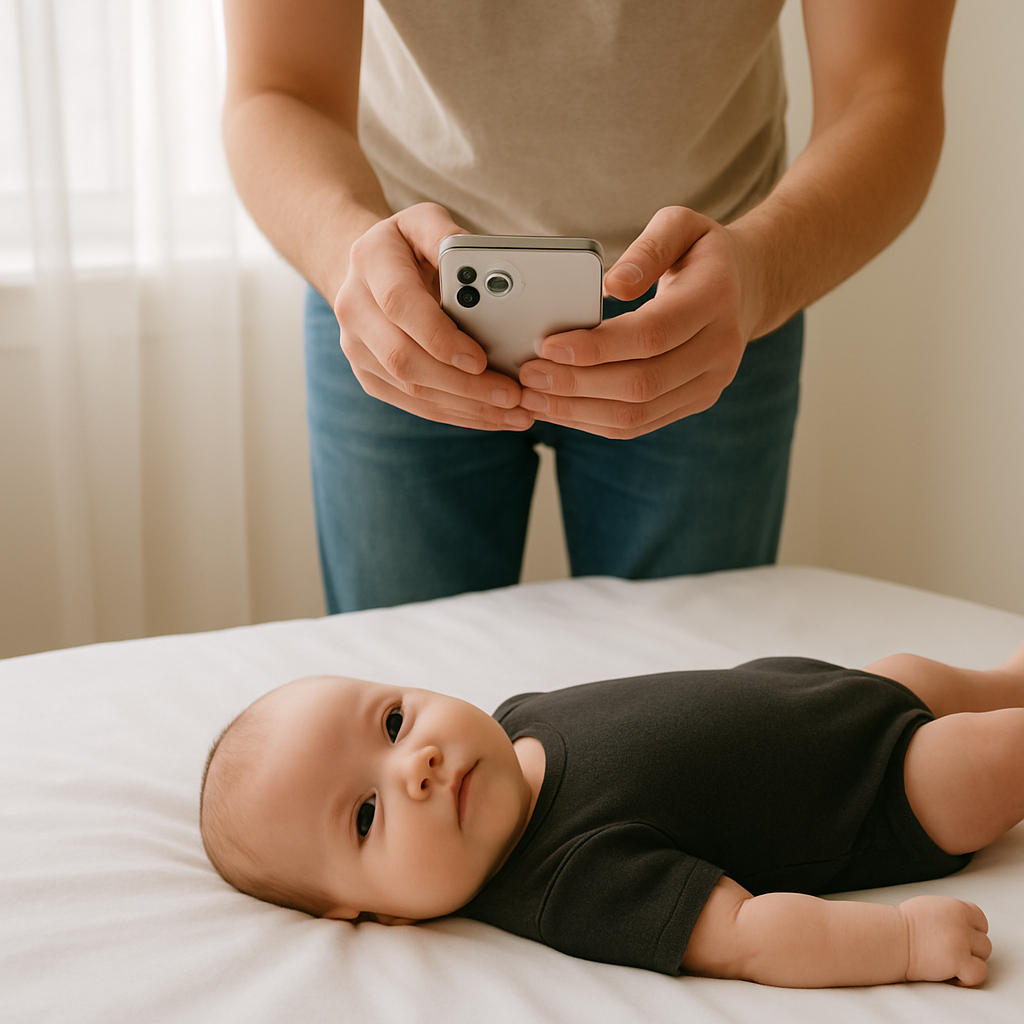
Settings are only half the equation. Positioning matters just as much. Here’s a simple setup that works surprisingly well:
- Lay a clean white sheet on the floor.
- Place the child flat on their back.
- Stand directly above with the camera parallel to the face.
- Keep shoulders visible and head centered.
It’s almost like photographing a tiny starfish on a cloud. Make sure:
- Eyes are open
- Mouth is closed
- No pacifiers, toys, or hands in frame
- No visible shadows behind the head
Simple rules. Strict enforcement.
Common Mistakes That Ruin Baby Passport Photos
Even with great iPhone camera settings, a few small errors can cause rejection. Let’s avoid those.
Incorrect Background
Off-white is acceptable. Cream, patterned walls, or textured blankets? Not acceptable. The background should look clean and distraction-free.
Head Tilting
Infants naturally lean. Passport guidelines demand straight alignment. Use the grid feature to double-check symmetry before tapping the shutter.
Shadows Behind the Head
This usually happens when the subject sits too close to a wall. Pull them slightly forward. Let light fall evenly.
Low Resolution or Cropping Errors
Zooming in reduces quality. Instead of zooming, move physically closer. After capturing the image, cropping must meet official dimension requirements exactly. That’s where many parents get stuck.
Editing Baby Passport Photos - What’s Allowed?
Here’s a hot take: less editing is always better. Minor brightness adjustments? Fine. Color correction to reflect natural skin tone? Acceptable. But filters, smoothing, or background replacement? Absolutely not. Passport authorities want realism. Think "government ID," not "family holiday card." When in doubt, keep it untouched.
When to Use an Online Passport Photo Service
Sometimes the photo looks perfect - but sizing and formatting are confusing. That’s where services like BabyPassportMaker.com come in. The platform helps parents convert images into compliant passport formats without guessing measurements or risking rejection. It’s practical. Straightforward. Designed specifically for infant documents. Instead of second-guessing pixel counts and head ratios, parents upload the image and let the tool handle the technical details. For many families, that removes the final layer of stress.
Pro Tips for Getting the Perfect Shot Faster
Time matters. Infants have approximately three minutes of patience - on a good day. These tips help speed things up:
- Take multiple shots in burst mode - One will likely have open eyes and neutral expression.
- Photograph after feeding - Calm and content works better than tired and fussy.
- Dress in dark, solid clothing - It contrasts nicely with a white backdrop.
- Keep the room warm - Comfort reduces squirming.
Preparation beats improvisation every time.
Checklist Before Submitting the Passport Photo
Before sending off that application, review this quick checklist:
- ✔ Clear, high-resolution image
- ✔ Even lighting with no shadows
- ✔ Plain white or off-white background
- ✔ Head centered and straight
- ✔ Eyes open and visible
- ✔ No objects, hands, or distractions
- ✔ Correct cropping dimensions
It takes two minutes to review. It can save weeks of delays.
Final Thoughts on iPhone Camera Settings for Baby Passport Photos
Creating a passport photo for an infant at home isn’t complicated - but it does require intention. The iPhone already has everything needed. Turn off flashy features. Use natural light. Keep the composition simple. Stay patient. Think of it like assembling a tiny puzzle. Each piece - lighting, positioning, camera settings, formatting - must fit just right. When done correctly, the result looks clean, professional, and fully compliant. And honestly? There’s something satisfying about handling it yourself. No long waits. No expensive studio appointments. Just a well-prepared parent, a cooperative little one (hopefully), and a smartphone that’s more powerful than most people realize. That’s all it takes.