Baby Passport Photo App for Android 2026
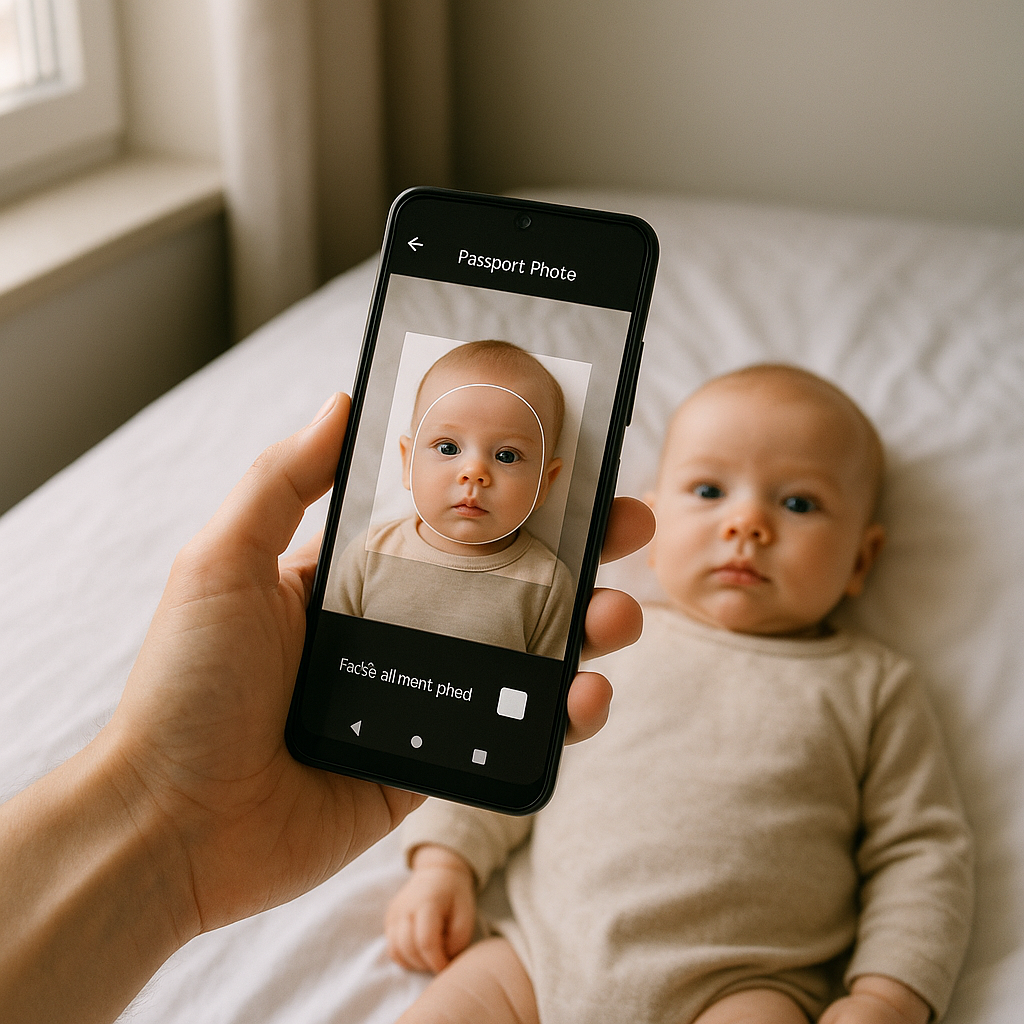
There’s something uniquely stressful about taking a passport picture for an adult. Now imagine doing it for a newborn. Eyes half-open. Tiny head wobbling. Random cries. Welcome to modern parenting. In 2026, parents aren’t lining up at photo studios the way they used to. They’re reaching for their phones. Specifically, they’re searching for the best baby passport photo app for Android - something fast, reliable, and compliant with strict government rules. Because let’s be honest. No one wants a rejected application over a crooked shadow. ## Why Parents Are Switching to a Baby Passport Photo App The shift makes sense. Convenience wins every time. Traditional studio visits can feel like orchestrating a Broadway show with a very small, unpredictable lead actor. Nap schedules. Feeding breaks. Outfit changes. All of it timed around a store’s opening hours. An Android passport photo app flips that script. Instead of packing a diaper bag and praying for cooperation, parents can: - Take the picture at home - Retake as many times as needed - Adjust lighting digitally - Ensure proper background compliance - Download or print instantly Sounds simple, right? But here’s the catch - not all apps are created equal. ## What Makes a Great Baby Passport Photo App in 2026? Android users have options. Too many, actually. The Play Store is flooded with tools promising “perfect biometric photos” in seconds. Some deliver. Many don’t. If you ask seasoned travelers and documentation experts, a solid baby passport photo app should offer more than basic cropping. ### 1. Automatic Compliance Checks Governments are picky. And when it comes to infant passport pictures, the rules are even stricter. The app should automatically verify: - Head positioning - Eye visibility - Neutral facial expression - Proper lighting - Background color consistency - Correct dimensions for specific countries Manual adjustments are fine, but AI-powered compliance scanning? That’s the real game changer in 2026. ### 2. Background Removal That Actually Works White walls aren’t always perfectly white. Shadows creep in. Light bulbs cast yellow tones. Curtains sneak into the frame. The best Android apps clean up the background digitally without making the image look like a cardboard cutout. A polished background should look natural - not like it was pasted in during a rushed high school project. ### 3. Country-Specific Size Templates Not every passport photo follows the same measurements. The U.S., UK, Canada, Australia - all slightly different. A reliable baby passport photo app includes preset templates for multiple countries and updates them when regulations change. Because outdated sizing is one of the most common reasons applications get rejected. ### 4. Print and Digital Options Some agencies require physical prints. Others accept digital uploads. A quality app allows: 1. High-resolution digital downloads 2. Print-ready sheets formatted for standard paper sizes 3. Instant sharing via email Flexibility matters. ## Why Android Users Specifically Need Optimized Apps Android devices vary widely in camera quality, processing speed, and screen calibration. A baby passport photo app for Android in 2026 must adapt to this ecosystem. Unlike tightly controlled hardware systems, Android runs on thousands of device models. So the app must: - Optimize for different camera resolutions - Adjust color balance dynamically - Maintain image sharpness across devices - Process quickly without lag Otherwise, parents end up fighting their phone instead of capturing a usable image. That’s not helpful. ## The Rise of AI in Baby Passport Photography Here’s a hot take - AI isn’t just a feature anymore. It’s the backbone. Modern apps analyze facial proportions, detect closed eyes, flag pacifiers, and even warn about tilted heads. Think of it as a digital passport officer peering over your shoulder saying, “Try again.” Efficient? Absolutely. Intimidating? Maybe a little. But better than waiting weeks for a rejection notice. ## A Trusted Option in 2026 Among the growing list of services, BabyPassportMaker.com continues to stand out for parents seeking reliability without complication. It focuses specifically on infant and child passport photos rather than trying to be a one-size-fits-all tool. That specialization shows in its accuracy and clean editing process. Parents using Android devices benefit from: - Guided photo capture instructions - Intelligent background correction - Automatic sizing based on country selection - High-resolution output ready for submission No unnecessary clutter. No confusing menus. Just results. ## How to Take the Perfect Baby Passport Photo at Home Even with the best app, technique matters. A smartphone is powerful, but it’s not magic. ### Step-by-Step Setup 1. Lay the baby on a plain, light-colored sheet. 2. Use natural daylight near a window - avoid direct sunlight. 3. Position the phone directly above, parallel to the baby’s face. 4. Ensure eyes are open and visible. 5. Remove hats, headbands, or pacifiers. Quick tip - taking the picture while the baby is calm but alert makes all the difference. ### Common Mistakes to Avoid - Casting shadows over the face - Using flash that creates red-eye - Allowing hands to cover part of the face - Tilting the camera at an angle - Submitting low-resolution images These errors might seem minor. They aren’t. Passport authorities operate like meticulous librarians. If something doesn’t meet the rules, it gets sent back. ## Security and Privacy in 2026 Parents are more privacy-conscious than ever. Uploading a child’s image to any online platform requires trust. A reliable baby passport photo app should provide: - Secure encrypted uploads - Clear data deletion policies - Transparent privacy terms - No unnecessary data retention Because convenience should never come at the cost of security. ## Is a Baby Passport Photo App Worth It? Let’s weigh it. Studio session costs add up. Travel time adds stress. Reshoots cost more money. On the other hand, a well-designed Android app delivers control, flexibility, and speed. For families planning international travel, applying for dual citizenship, or renewing documents, the math often favors digital solutions. Time saved alone makes it compelling. And in 2026, time feels like the rarest currency. ## What to Look for Before Downloading Before installing any app, parents should scan reviews carefully and test functionality. Ask a few questions: - Does the app offer country-specific compliance? - Are background edits realistic? - Is customer support accessible? - Are there hidden fees? Transparency matters. If the interface feels cluttered or confusing, that’s usually a red flag. ## The Future of Baby Passport Photos Technology keeps evolving. Cameras improve. AI gets sharper. Regulations update. Soon, real-time compliance feedback might happen directly inside Android’s native camera system. Biometric validation could become instant. But until that day arrives, dedicated tools remain essential. A baby passport photo app for Android in 2026 isn’t just a convenience - it’s a modern parenting tool. Like digital thermometers or video monitors. Practical. Efficient. Stress-reducing. Travel documents might seem bureaucratic and boring. Yet they represent something bigger - family adventures, reunions, new beginnings. Getting the image right is simply the first small step. And thankfully, with the right app, it’s no longer the hardest one.