Printing 4x6 Baby Passport Photo Sheets at Home
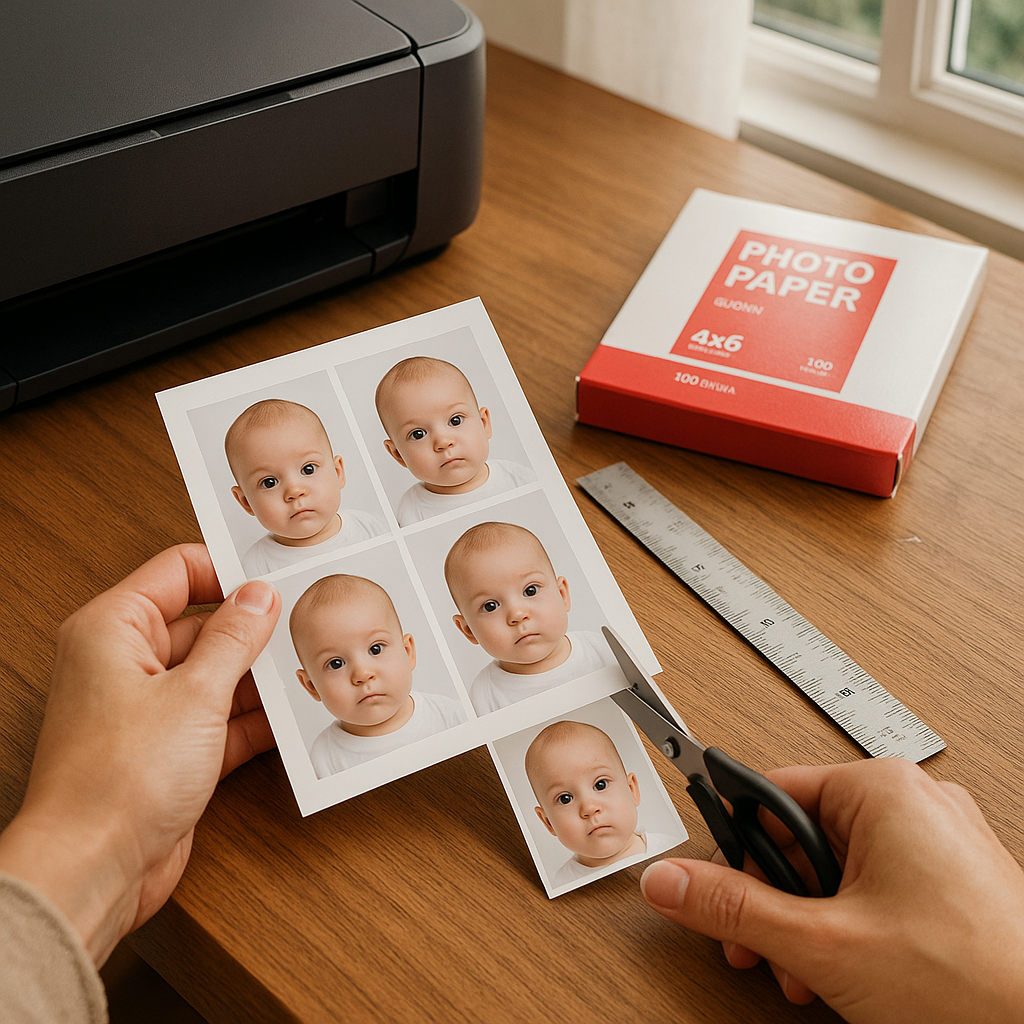
Printing a 4x6 baby passport photo sheet at home sounds almost too easy. Snap a picture. Hit print. Done. Right? Not quite. There’s a small art to it - part technical, part practical, and part knowing exactly what the passport office expects. When done correctly, printing baby passport photos at home saves money, time, and that awkward moment of trying to keep a tiny human still in a pharmacy photo booth. If you ask most parents, they’ll say the hardest part isn’t printing. It’s getting the photo right in the first place. Let’s break it down properly.
Why Print Baby Passport Photos on 4x6 Sheets?
Here’s the simple math. A standard passport photo in the U.S. measures 2x2 inches. A 4x6 sheet can fit two properly sized passport photos side by side - sometimes even more depending on formatting. So instead of paying per photo at a store, parents can:
- Print multiple compliant images on one affordable 4x6 print
- Keep extra copies for future paperwork
- Control lighting, cropping, and quality
- Avoid dragging a newborn to a retail counter
Sounds efficient, right? It is. But only if the sizing is precise.
Understanding Baby Passport Photo Requirements
Before anyone touches a printer, the rules matter. Passport agencies don’t “kind of” accept photos. They either approve them or reject them. There’s no gray area. For U.S. baby passport photos, requirements include:
- Size must be exactly 2x2 inches
- Head size must measure between 1 inch and 1 3/8 inches from chin to crown
- Plain white or off-white background
- No shadows
- Neutral expression - yes, even for babies
- Eyes open if possible
That head measurement part? That’s where most at-home attempts fail. A baby’s face can look perfectly centered, but if the scale is even slightly off, the application gets delayed. And nobody wants passport delays.
How to Prepare the Perfect Baby Photo at Home
Before printing a 4x6 baby passport photo sheet, the image itself needs to be solid.
1. Choose the Right Setup
Think soft daylight near a window. No harsh overhead bulbs. No patterned blankets. A plain white sheet laid flat works surprisingly well. The baby should lie down on their back. Camera directly above. Parallel - not angled. It’s almost like taking a flat-lay photo, but instead of coffee and notebooks, it’s a tiny human staring upward.
2. Keep Clothing Simple
Dark colors work best. Avoid white outfits that blend into the background. No hats. No bows. No pacifiers. Yes, that includes the cute ones.
3. Capture Multiple Shots
Babies blink. They wiggle. They decide that now is the perfect time to practice frowning. Take at least 20 photos. Maybe more. Digital film is free.
Using Online Tools to Format 4x6 Baby Passport Photo Sheets
This is where many parents get stuck. Resizing manually in random editing apps often leads to incorrect dimensions. Even if the image "looks" right on screen, printing can distort scale depending on printer settings. That’s why services like BabyPassportMaker.com exist. They automatically:
- Crop the image to exact passport dimensions
- Adjust head size proportionally
- Place multiple compliant 2x2 photos onto a 4x6 layout
- Provide a print-ready file
It removes the guesswork. And honestly, guessing with passport rules rarely ends well.
Step-by-Step: Printing a 4x6 Baby Passport Photo Sheet
Once the formatted file is ready, printing is straightforward. Still, small details matter.
Step 1 - Use Photo Paper
Standard printer paper won’t cut it. Passport photos must be printed on high-quality photo paper. Glossy or matte both work, but the finish should be professional.
Step 2 - Check Printer Settings
This is crucial. In the print dialog:
- Select 4x6 paper size
- Set scale to 100%
- Disable "Fit to Page"
- Choose highest quality print setting
That "Fit to Page" option? It quietly ruins dimensions. Sneaky little setting.
Step 3 - Print a Test Copy
Before using glossy paper, print one test page on plain paper. Measure the photos with a ruler. They should be exactly 2x2 inches. No rounding up. No "close enough."
Step 4 - Cut Carefully
Use a paper cutter if possible. Scissors work, but precision matters. Edges should be straight and clean. Think of it like trimming a tiny frame around your baby’s official debut to the world.
Common Mistakes When Printing Baby Passport Photos
Even careful parents slip up. Here are frequent issues:
- Incorrect scaling - caused by automatic printer resizing
- Shadow behind head - common with overhead lighting
- Background not truly white - cream walls sometimes photograph darker
- Head size miscalculated - especially with newborn proportions
- Low resolution image - blurry prints get rejected
If something looks slightly off, it probably is. Passport officials review hundreds of images daily. They spot inconsistencies fast.
Is Printing at Home Really Worth It?
Here’s a hot take. For babies, yes - absolutely. Retail photo centers often struggle with infant photos. The lighting can be harsh. The environment distracting. And sometimes staff members aren’t trained for newborn positioning. At home, parents control everything. The timing. The mood. The number of attempts. Financially, it also makes sense. A single 4x6 print costs far less than multiple individual passport photos purchased in-store. Especially when extra copies are needed for visa applications or backup documentation. Still, it requires attention to detail. Think of it like baking. The ingredients are simple, but measurements must be exact.
Tips for Getting Passport Approval the First Time
Nobody enjoys redoing paperwork. To increase approval odds:
- Double-check head measurements with a ruler
- Ensure the baby’s eyes are visible and open if possible
- Confirm background brightness
- Print at full resolution - never compressed files
- Use a trusted formatting service
It’s not about perfection. It’s about compliance.
Final Thoughts on 4x6 Baby Passport Photo Printing
Printing 4x6 baby passport photo sheets at home isn’t complicated. But it isn’t casual either. It’s a mix of patience, precision, and proper formatting. When done correctly, the process feels empowering. Parents skip the store. Save money. Keep control. And let’s be honest - there’s something quietly satisfying about holding that neatly cut 2x2 photo, knowing it meets every requirement, ready to travel the world. Tiny photo. Big journey ahead. That’s the magic of getting it right the first time.