Understanding Singapore Passport Photo Requirements
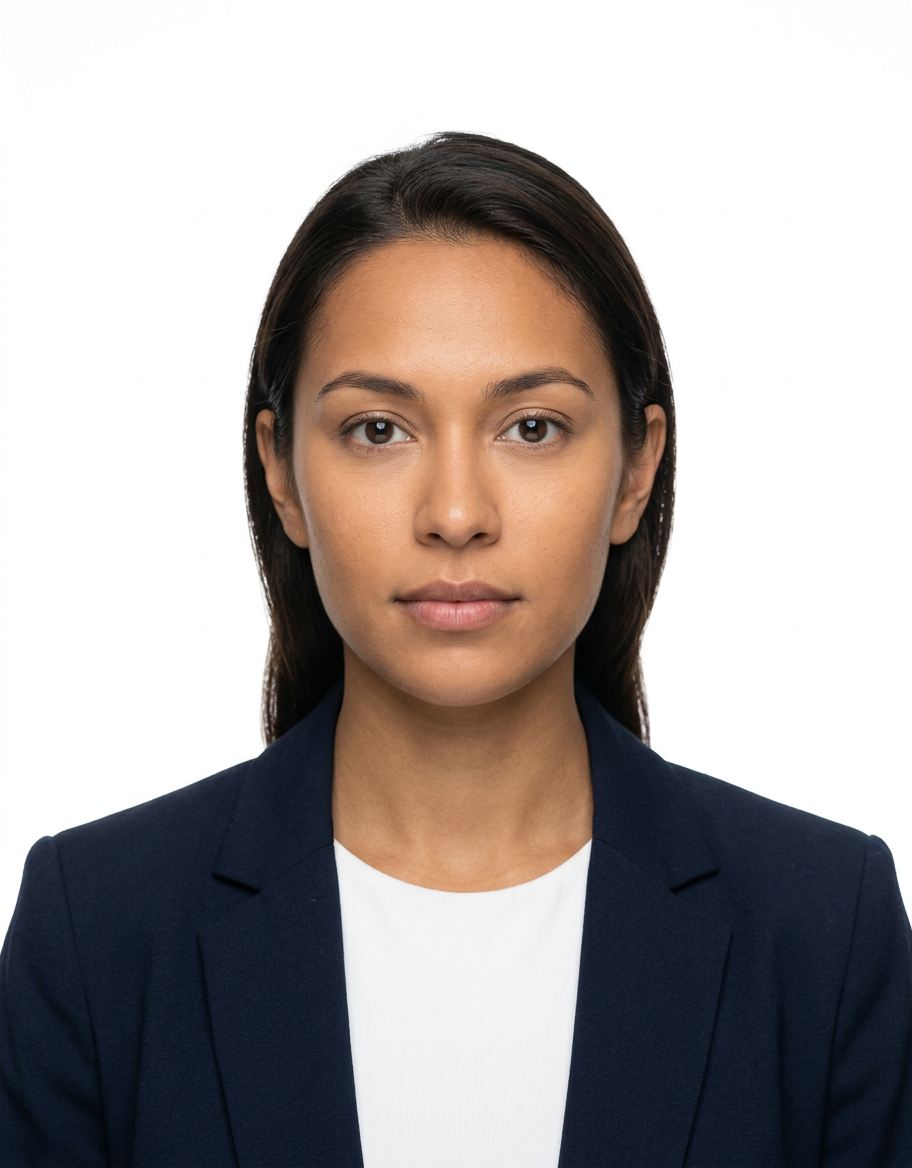
Capturing a compliant photograph for travel documents requires strict adherence to international standards and specific local mandates. When preparing a professional-grade image, understanding the nuances of SG passport photo requirements is the most critical step to avoid application delays or outright rejection by the Immigration and Checkpoints Authority (ICA).
Quick Summary
SG passport photo requirements mandate a high-resolution, recent color photograph against a plain white background, showing a neutral expression with eyes open and mouth closed. The subject must be centered, facing forward, with even lighting and no shadows, meeting precise dimension specifications to ensure biometric compatibility for modern travel documents.
- White background is mandatory with no shadows.
- Size must be exactly 35mm wide by 45mm high.
- Expression must be neutral with mouth closed.
- No head coverings unless for religious or racial reasons.
Table of Contents
- Quick Summary
- Understanding SG Passport Photo Requirements
- Dimensions and Framing Standards
- Lighting and Technical Quality
- Subject Expression and Presentation
- Common Pitfalls and Rejection Reasons
- Technical Comparison of Photo Standards
- Frequently Asked Questions
- Recommended Reads

Understanding SG Passport Photo Requirements
The ICA maintains rigorous standards for identification images to support facial recognition software and secure verification. When you evaluate the current SG passport photo requirements, you are essentially aligning your photograph with biometric data standards. These rules exist to ensure that the image provides an accurate representation of the applicant, which is vital for border security and identity management.
Whether you are capturing an image for a newborn or an adult, the core principles remain constant. The background must be strictly white, and the environment must be free of distractions. Professional photography services often use studio-grade lighting, but these requirements can be met at home if one adheres to the specific dimensions and positioning guidelines mandated by government authorities.
Dimensions and Framing Standards
Strict adherence to the passport size photo dimensions is non-negotiable. For Singapore travel documents, the physical print must measure 35mm in width by 45mm in height. If you are uploading a digital file, the resolution and file size must also meet specific parameters to ensure clarity during the digital printing process at the passport production facility.
Framing is equally critical. The distance from the top of the head to the chin should typically fall between 25mm and 35mm. This ensures that the face occupies the majority of the frame without being cropped or distorted. If you are dealing with infant photography, the guide for passport photo standards can be challenging, but the subject's face must still be central and unobstructed within that 35x45mm constraint.
Lighting and Technical Quality
Lighting should be uniform across the face to prevent harsh shadows on the backdrop or the subject's features. Shadows are one of the most common reasons for rejection, as they can interfere with facial recognition algorithms. Always use diffused light sources that illuminate the subject evenly from the front, rather than side lighting that can create deep, contrasting shadows.
Technical quality is not just about resolution; it is about the sharpness of the image. The photo must be in focus, with no blur, pixilation, or grainy artifacts. When choosing a camera or a mobile application to assist in creating your passport template photo, ensure that the image is exported in a high-quality format that preserves detail and color accuracy.
Pro Tip: When shooting at home, place the subject approximately 50cm to 1 meter away from a plain white wall to naturally minimize shadows behind the person. Use a light source in front of the subject, such as a large window during the day, to ensure even skin tones.
Subject Expression and Presentation
A neutral expression is required for all passport photo criteria. This means keeping the mouth closed and maintaining a relaxed, natural look. Avoid smiling, frowning, or raising eyebrows, as these movements alter the structural features of the face that the biometric system relies upon for verification.
Regarding attire, avoid wearing head coverings or accessories that obscure the hairline or facial features. Religious or racial headwear is permitted, provided it does not cast a shadow on the face or cover any part of the eyes. Glasses should be removed if they create glare on the lenses or hide the eyes, which is often a common issue with standard eyeglass designs.
Common Pitfalls and Rejection Reasons
Many applicants fail because they underestimate the impact of background consistency. Any clutter or varying shades of white, such as cream or off-white, can trigger an automatic rejection. Furthermore, failing to maintain a direct gaze at the camera lens is another frequent error. The subject's head must not be tilted in any direction.
Digital manipulation is strictly prohibited. While software can be used to crop the image to the required dimensions, you must never use filters, retouch skin blemishes, or alter facial geometry. The goal of the passport photo requirements is to provide an honest, raw, and accurate biometric capture of the individual for official records.
Technical Comparison of Photo Standards
| Feature | Standard Requirement | Deviation Impact |
|---|---|---|
| Background | Pure white | Rejection (shadows/color) |
| Expression | Neutral (mouth closed) | Facial recognition failure |
| Size | 35mm x 45mm | Scaling error/rejection |
| Eyes | Fully visible/open | Biometric mismatch |
| Headwear | Only for religious reasons | Obstruction of features |
Frequently Asked Questions
- Can I wear my glasses in my Singapore passport photo? It is strongly advised to remove glasses. Glare on lenses is a common cause for rejection, and the frames often obscure part of the eye, which is prohibited under current biometric standards.
- What should I do if the passport photo has a shadow on the background? Try repositioning the subject further away from the wall to create space. If the shadow persists, you will need to increase the lighting from the front or move to a more evenly lit environment before taking the shot.
- Are digital photos allowed for the application? Yes, if you are applying online via the official government portal, you will be required to upload a digital file that meets the specified dimensions and quality standards.
- Why must the mouth be closed in the photo? Biometric software creates a map of the face based on static measurements. Smiling or having an open mouth alters the geometry of the face, making it difficult for the software to accurately verify the applicant's identity.