Passport Photo Criteria: A Guide to Avoiding Rejection
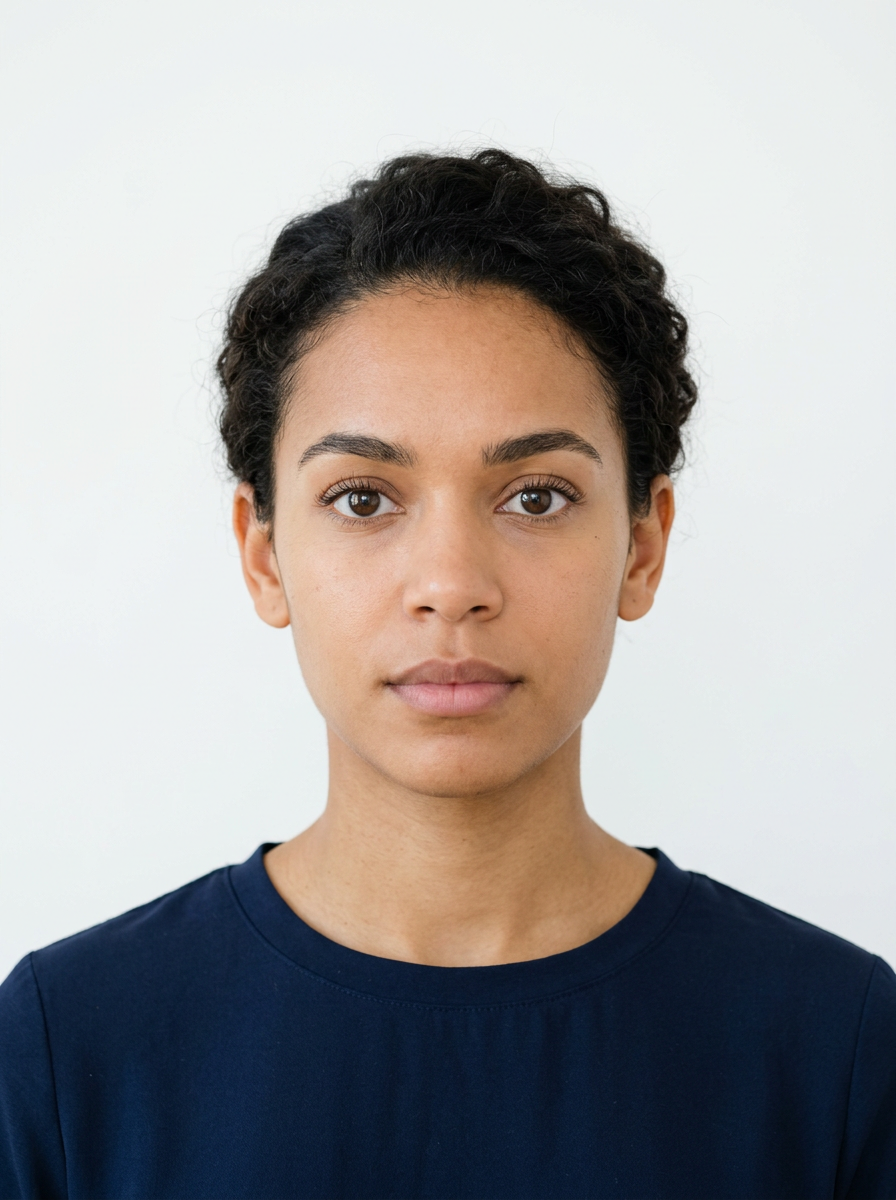
Navigating the strict landscape of passport photo criteria is a critical step in ensuring your travel documentation is processed without unnecessary delays. Government agencies enforce rigorous passport photo requirements to facilitate facial recognition technology and biometric security, meaning that even minor deviations from official standards can lead to an immediate rejection of your application photo passport.
Quick Summary
Passport photo criteria refer to the standardized set of physical and digital specifications mandated by government authorities for identity documents. To ensure compliance, photos must feature a neutral expression, even lighting, a plain white background, and precise head positioning to facilitate accurate biometric verification during border control processes.
- Maintain a neutral facial expression with eyes fully visible.
- Ensure uniform, shadow-free lighting across the face.
- Use a solid, light-colored or white background.
- Adhere to specific pixel dimensions for digital submissions.
Table of Contents
- Understanding Passport Photo Criteria
- Technical Requirements for Identification
- Lighting and Composition Essentials
- Common Pitfalls in Passport Photo Checks
- Differences Between Global Passport Standards
- Practical Tips for Capturing High-Quality Photos
- Frequently Asked Questions
- Recommended Reads

Understanding Passport Photo Criteria
Passport photo criteria are established to ensure that every individual is captured in a way that minimizes distortion and allows for automated biometric matching. Authorities look for consistency in the distance between the eyes and the chin, as well as the overall framing of the head within the frame. This standardization is not merely bureaucratic; it serves as a foundational element of global security protocols designed to prevent identity fraud.
When you prepare for a passport id photo, you are essentially creating a high-fidelity data point that must pass through software filters before a human even views it. These filters analyze contrast, head orientation, and background noise. If your photo includes shadows that obscure facial features or a background that is not perfectly uniform, the software may flag the image as non-compliant, triggering a manual review that invariably delays the issuance of your passport.
Technical Requirements for Identification
Technical specifications for passport photos are incredibly granular. Most agencies require a high-resolution image, typically at 300 to 600 dots per inch (DPI), to ensure clarity. The dimensions are generally standardized, such as 2x2 inches in the United States or 35x45mm in various European regions. If you are applying for a UK baby passport photo, the sizing rules are just as stringent as they are for adults.
Furthermore, the file format and size limits for digital submissions must be respected. Over-compressing a JPEG image can lead to pixelation, which interferes with the biometric algorithms used by passport offices. Always ensure that the image is a true representation of your current appearance, avoiding excessive retouching. Many countries have strict policies against digital manipulation, and even standard filters can lead to a rejection of your application.
Lighting and Composition Essentials
Lighting is the most common reason for rejected applications. You must use balanced, frontal lighting that eliminates harsh shadows on the face or behind the ears. Avoiding shadows is crucial because they can obscure the natural contours of the face, which are essential for biometric identification. If you are struggling with professional studio setups, you can explore specialized passport photo guide resources to learn how to manage lighting at home.
Composition is equally important. Your head must be centered, with the eyes positioned at a specific height within the frame. For a US baby passport photo, the same rules regarding head positioning apply, though achieving this with an infant requires patience and, often, a top-down approach on a plain white sheet. Always avoid tilting your head or looking away from the camera; the gaze must be directed straight at the lens.
Common Pitfalls in Passport Photo Checks
Performing a thorough passport photo check before submitting your documents can save weeks of waiting. The most frequent errors involve clothing choices, facial expressions, and accessories. You should wear everyday attire that does not include uniforms, hats, or head coverings, unless worn daily for religious reasons. Eyeglasses are also a major point of contention; many jurisdictions now explicitly prohibit them in passport photos to prevent glare from obscuring the eyes.
Another subtle pitfall is the "background noise" created by textures or patterns. Even a slight shadow on the wall behind you can be detected as an object, leading to a system rejection. If you are preparing an Australian baby passport photo, ensure the background is completely plain and light-colored to meet the necessary contrast requirements.
Pro Tip: When taking your own photo, place your light source directly in front of you - behind the camera - to fill in potential shadows, and use a timer to ensure you are perfectly steady and aligned with the lens.
Differences Between Global Passport Standards
While the core requirements remain similar, regional variations exist. For instance, the Canada baby passport photo rules may differ slightly from the Singapore baby passport photo standards, particularly regarding the need for a photographer's endorsement or the specific background shade. It is vital to verify the specific guidelines for your issuing country.
Understanding these nuances prevents the frustration of submitting a perfectly good photo that nonetheless fails due to country-specific administrative quirks. Before finalizing your image, it is recommended to review the official help pages provided by your local passport office or a trusted service to ensure all regional stipulations are met.
Practical Tips for Capturing High-Quality Photos
To capture a high-quality photo that meets all standards, seek out natural, diffused light. A window on a cloudy day provides excellent, even illumination. If you are taking photos for a Germany baby passport photo, ensure the baby is awake and looking toward the camera; if the baby is an infant, ensure they are placed on a flat, white, non-reflective surface.
Consistency is your biggest ally. Check your images for "red-eye," as this is a common cause for rejection. Ensure that the image is not cropped too tightly or too loosely. Following these steps helps in creating an ID photo that is not only acceptable but also highly professional, reducing the likelihood of a tedious re-submission process.
Frequently Asked Questions
- Can I smile in my passport photo? Most countries require a neutral, natural expression with a closed mouth. Smiling often distorts facial features required for biometric matching.
- Are glasses allowed in my photo? In most modern passport standards, eyeglasses are prohibited to avoid glare and reflections that hide the eyes.
- How recent must the photo be? Usually, the photo must have been taken within the last 6 months to ensure it accurately reflects your current appearance.
- What is the best background color? A plain, solid white or off-white background is the universal standard for passport identification photos.