8 Best Passport Photo ID Maker Options for Document Prep in 2026
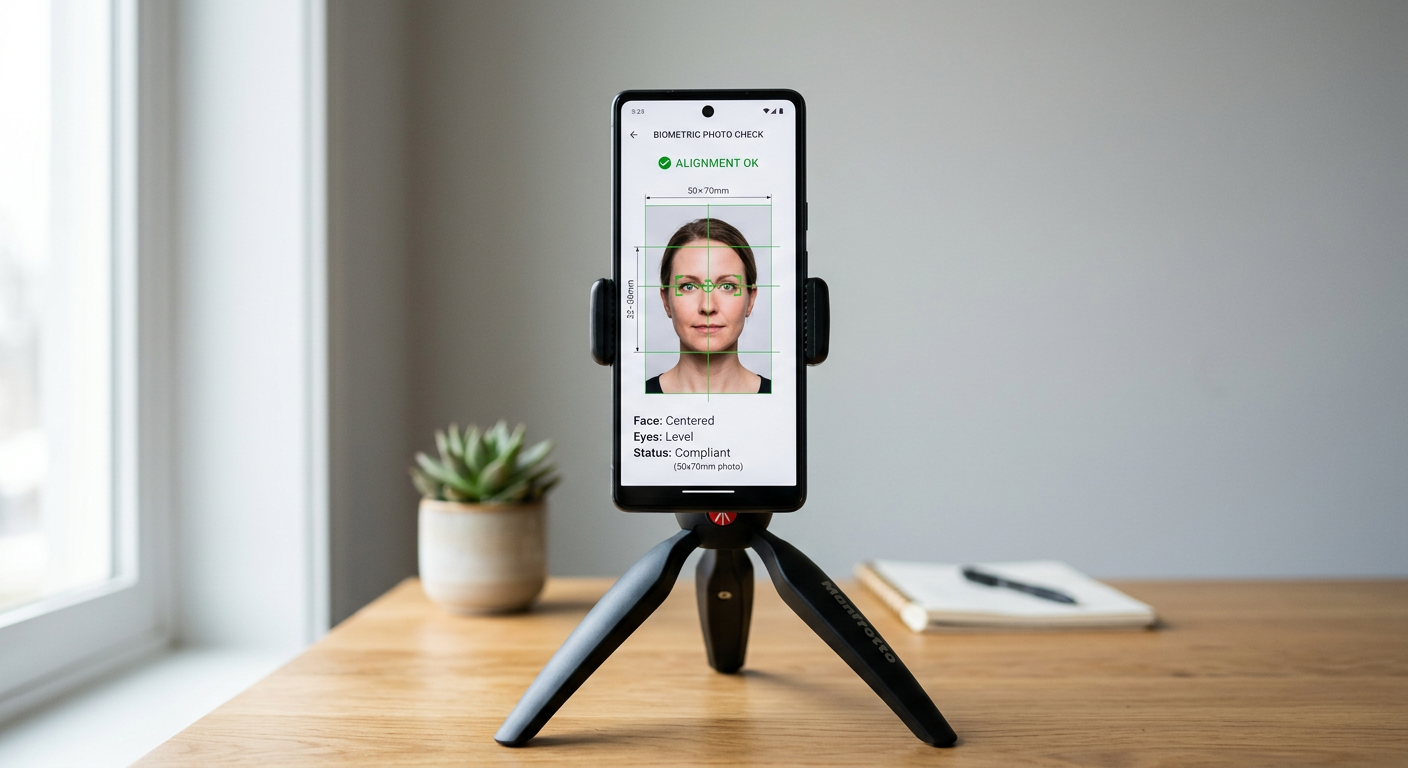
You open your official document checklist, only to realize the hardest part of the application is securing a flawless biometric image. Whether you are dealing with a wriggling infant or attempting a self-portrait on a Sunday night, traditional retail photo booths often fail to meet strict international guidelines. Using a dedicated passport photo id maker removes the guesswork, saving you from a frustrating trip to a commercial studio. Modern tools handle automatic alignment, sizing, and background color compliance to ensure your photo passes biometric scrutiny on the first attempt.
Quick Summary
A passport photo ID maker formats and validates digital portraits against strict government standards. This guide reviews eight leading options - including mobile applications, web-based tools, and traditional physical retail services - comparing their technical mechanisms, output quality, and limitations to help you choose the best option for your application.
- Top Retail Option: Australia Post offers full-service physical printing with internal software validation.
- Best Automated AI Web Tool: PhotoAiD delivers automated cloud-based background extraction and scaling.
- Best for iOS Printing Integration: Passport Size: Perfect Print! interfaces directly with home AirPrint devices.
- Best for Domestic Applicants: Australian Passport Photo focuses purely on native sizing regulations.
Table of Contents
- Selecting a Passport Photo ID Maker That Works First Time
- Comparison of Leading Passport Photo Tools
- 1. Australia Post
- In-person screening removes compliance anxiety but demands your physical presence
- 2. PhotoAiD
- AI-driven background replacement provides rapid home-based processing
- 3. Passport Photo Maker App
- On-device grid overlays deliver fine-grained cropping control
- 4. Passport Photo
- Print template aggregation simplifies multi-country submissions
- 5. Passport Photo App .
- Real-time camera outlines prevent basic framing errors
- 6. Passport Photo App - PhotoAiD App
- Cloud-based automated validation streamlines mobile submissions
- 7. Australian Passport Photo
- Local specification focus reduces layout mistakes for domestic applicants
- 8. Passport Size: Perfect Print!
- Local printing integration eliminates retail kiosk detours
- Buying Guide / How to Choose
- Matching Your Scenario to the Ideal Photo Method
- Recommended Reads
Selecting a Passport Photo ID Maker That Works First Time
Government agencies reject thousands of passport applications annually due to simple photo errors. Common issues include soft background shadows, improper chin-to-crown proportions, uneven lighting, and incorrect print dimensions. A dedicated passport photo id maker addresses these points directly, eliminating manual calculations and reducing the risk of processing delays.
While some services rely on fully automated cloud algorithms, others use on-device manual grids or physical retail setups. Understanding the technical mechanisms of each service allows you to match your technical comfort level with the correct tool.
Comparison of Leading Passport Photo Tools
| Service / App | Platform | Key Mechanism | Honest Limit | Target Audience |
|---|---|---|---|---|
| Australia Post | Physical Retail | Staff-led camera shoot with proprietary software validation | Requires travel and queuing; higher cost | Applicants preferring in-person verification |
| PhotoAiD | Web Browser | AI background removal and cloud-based formatting | Cannot restore blurred inputs or fix harsh shadows | Rapid digital-only web users |
| Passport Photo Maker App | iOS App | On-screen crop guides and manual scaling overlays | No automated background removal in basic tier | Detail-oriented manual adjusters |
| Passport Photo | iOS App | Multi-photo print sheet generator with centering guide | Manual cropping and background setups required | Budget-conscious self-printing users |
| Passport Photo App . | iOS App | Dynamic live camera silhouettes and color adjustments | High-resolution exports locked behind paywall | Fast-moving capture sessions |
| Passport Photo App - PhotoAiD App | iOS App | Cloud-based AI cropping and biometric checks | Needs high-speed internet connection to process | Mobile users wanting automated verification |
| Australian Passport Photo | iOS App | Pre-set cropping lines for Australian standards | No foreign document templates or AI tools | Domestic applicants shooting at home |
| Passport Size: Perfect Print! | iOS App | AirPrint layout creation for home printing | Zero biometric validation or automated testing | Users with high-quality home printers |
1. Australia Post
Australia Post remains the traditional brick-and-mortar option for identity verification. When you walk into a participating retail branch, the entire process is handled by a staff member using a digital camera integrated with their point-of-sale terminal. This terminal runs automated checks against official guidelines before printing the final physical copies.
In-person screening removes compliance anxiety but demands your physical presence
The core strength of this system is immediate verification. The operator aligns the subject's features with horizontal guide markers on their screen, and the software validates the image before saving it to their secure database. The system then outputs high-resolution, physical prints cut with a mechanical punch to guarantee exact sizing.
However, the reliance on physical store infrastructure introduces distinct logistical challenges. If a branch has overhead fluorescent lighting grids, it can cast soft downward shadows under the nose and chin, which may trigger automated biometric flags. For parents attempting to photograph a young child, a busy post office with long lines can be incredibly stressful. If the photo is rejected by the processing agency, you must return to the branch for a reshoot. To act on this option today, check the online locator tool to confirm if your nearest branch supports digital identity services, as small regional offices often lack the necessary equipment.
- Pros:
- Staff-led process with automated sizing and printing equipment.
- Physical prints are professionally cut to exact dimensions.
- Guaranteed reshoot if rejected by the passport agency.
- Cons:
- Requires travel, parking, and waiting in potential queues.
- Significantly higher cost compared to digital-only options.
- Overstimulating environment for infants and children.
2. PhotoAiD
PhotoAiD is a web-based document photo solution designed to handle automated cropping and background modification. Users upload a raw portrait from a smartphone or digital camera directly to the web portal, which processes the file using computer vision algorithms to ensure compliance with global biometric regulations.
AI-driven background replacement provides rapid home-based processing
Once an image is uploaded, the web service uses a semantic segmentation network to separate the subject from their original background, swapping it for a flat, neutral-colored backdrop. Simultaneously, the cropping tool scales the frame to meet the specific requirements of the chosen country - whether that is the 35x45 mm Australian layout or the 2x2 inch US format. This platform is incredibly efficient if you want to generate files instantly without installing software on your device.
Nevertheless, the automated algorithm has distinct limitations. The system cannot restore sharpness to a blurry, out-of-focus capture, nor can it correct severe facial rotation. If your input file has harsh directional shadows from a single-source light, the AI-generated background will still leave uneven lighting across your face, which can cause rejections at the passport agency. To ensure success with this tool today, stand approximately one meter away from a window during daylight hours to capture even, diffused light before uploading your image.
- Pros:
- Fast, automated web interface with no installation required.
- Highly effective background removal on balanced portraits.
- Broad support for dozens of international document sizes.
- Cons:
- Poor initial lighting will lead to flat, artificial-looking results.
- Processing charges apply for high-resolution, print-ready downloads.
- Relies entirely on the user's camera focusing accuracy.
3. Passport Photo Maker App
This application is a specialized iOS-only utility built for users who want to format and crop identity photos manually on their mobile devices. The app acts as an overlay guide, placing biometric reference lines directly over the camera feed or an imported photo from your device's library.
On-device grid overlays deliver fine-grained cropping control
The app uses customizable horizontal and vertical markers to define chin-to-crown height and horizontal eye alignment. This manual setup allows you to adjust the crop yourself, ensuring the face occupies the exact required percentage of the total frame. Putting this control in your hands is highly beneficial when dealing with voluminous hairstyles or headwear that can confuse automated AI cropping tools.
The clear limit of this tool is its manual nature. If you misalign the on-screen templates by even a few pixels, the exported file will not comply with official biometric regulations. Additionally, the basic tier of the app does not feature automated background extraction. If your home has textured plaster or colored walls, you must physically hang a plain sheet or white board behind yourself before shooting. You can download the app to test the camera overlay tools for free, but exporting print-ready sheets or high-resolution images requires a paid upgrade.
- Pros:
- Direct manual control over exact cropping boundaries.
- Helpful live camera guides simplify initial subject placement.
- Supports various international template layouts.
- Cons:
- Zero automated background replacement in the basic version.
- High risk of user error if guides are misaligned.
- Paid upgrade required to unlock premium high-resolution templates.
4. Passport Photo
This iOS application focuses on creating multi-photo print sheets that can be printed at a local self-service kiosk or on a home photo printer. The tool takes a processed portrait and duplicates it across a standardized print template, such as a 10x15 cm photo sheet.
Print template aggregation simplifies multi-country submissions
The utility guides you through selecting the output dimensions, providing a static silhouette on the screen to help center the head and level the shoulders during shooting. Once you align your subject within this boundary, the app generates a high-resolution, multi-image grid. This layout file can be saved directly to your camera roll, allowing you to print several copies for the cost of a single standard print at any local store.
However, this application lacks any automated image modification features. It will not remove background shadows, correct off-balance exposures, or adjust color temperatures. If you shoot against a wall with deep shadows or warm indoor lighting, those exact flaws will be baked into your final prints. The onus of ensuring correct lighting and background color falls entirely on you. To avoid a wasted print, always cross-reference your final layout with official guidelines before traveling to a kiosk.
- Pros:
- Generates optimized print grids to save on local printing costs.
- Simple, lightweight mobile interface focused on core features.
- Easily exports standard high-resolution JPEG sheets.
- Cons:
- No automated validation or biometric analysis features.
- Background extraction and exposure editing must be done beforehand.
- The user must manage all physical environmental factors manually.
5. Passport Photo App .
Published by Mei ID Photo, this mobile application provides a streamlined mobile workspace specifically optimized for capturing compliant portraiture. The app integrates a live camera interface with dynamic overlay guides that change depending on the country and document type selected.
Real-time camera outlines prevent basic framing errors
As you prepare to take a photo, the on-screen silhouette helps you position facial features correctly, ensuring the crown and chin align with official specifications. This real-time alignment helper is incredibly useful when photographing infants or toddlers, where the window of opportunity to capture a centered, forward-facing expression is brief. The app also performs basic color and exposure tuning to reduce washed-out tones.
Despite these convenient capture features, the application's monetization model is a notable bottleneck. Many advanced features, including background removal and high-resolution digital exports, are locked behind in-app purchases. Standard exports are frequently watermarked or restricted to lower resolutions, which may fail the sharp 600 dpi requirements of electronic visa and passport submission portals. If you choose this utility, you should check the pricing model and export configurations carefully before starting a long photo session to ensure the outputs match your required format.
- Pros:
- Dynamic, responsive overlays speed up mobile capture sessions.
- Useful automated color and exposure balancing features.
- Well-designed interface that handles international sizing standards.
- Cons:
- Free exports are heavily restricted and often watermarked.
- High-resolution files require a paid upgrade.
- AI background features require optimal lighting to work effectively.
6. Passport Photo App - PhotoAiD App
This application brings PhotoAiD's cloud-based processing engine into a native iOS application. It is designed for users who want to snap photos on their phone and rely on automated servers to handle the editing, background deletion, and compliance checks.
Cloud-based automated validation streamlines mobile submissions
The mobile workflow is highly automated. You take a photo using the native camera, and the app uploads it to their remote server. There, deep learning models analyze the portrait, strip the original background, crop the dimensions, and execute a biometric validation check. This check monitors for common rejection causes, such as tilted heads, closed eyes, or severe facial shadows, giving you instant feedback. For those seeking a high-quality passport photo app australia, this native tool represents a robust, cloud-connected solution.
The strict requirement for a high-speed internet connection is the main limit of this workflow. Because the heavy biometric processing and background editing occur on remote servers, the app cannot generate compliant files if you are offline or in areas with poor mobile reception. Additionally, downloading the fully validated, high-resolution print files requires a per-photo payment. If you are preparing documents for a large family, these costs can accumulate quickly. You can test the automated system with a trial photo today to evaluate how effectively the algorithm flags exposure errors in your home.
- Pros:
- Automated background extraction and crop adjustments.
- Biometric check provides immediate compliance feedback.
- Simple, guided step-by-step mobile interface.
- Cons:
- Inoperable without an active, reliable internet connection.
- Requires a premium payment to download high-resolution files.
- Extreme lighting variations can still bypass automated checks.
7. Australian Passport Photo
This application is a specialized iOS tool engineered specifically for the domestic market. It focuses exclusively on satisfying the strict standards of the Australian Passport Office (APO), using preset grids calibrated to native specifications.
Local specification focus reduces layout mistakes for domestic applicants
Because the app targets Australian regulations, it eliminates the confusion of selecting from dozens of global sizes. The interface features built-in overlays calibrated to the strict 35x45 mm physical size and the 32-to-36 mm chin-to-crown measurement. Adjusting your portrait within these markers ensures your face occupies the correct proportional volume, reducing a common cause of rejection. However, this narrow focus makes the app unsuitable if you are applying for overseas documents, such as a UK baby passport photo guide template or a US visa.
The limit of this app is its basic feature set. It does not offer automated background removal or exposure editing, leaving you to manage lighting, shadows, and the physical backdrop entirely on your own. If your indoor lighting has a warm, yellow cast, the app cannot correct it, which may lead to biometric failures. To achieve success, shoot your photo outdoors in a shaded area against a flat, light-gray wall to secure natural, balanced lighting. Download the tool to see if your current setup easily aligns with the pre-set crop marks.
- Pros:
- Fully calibrated for strict Australian Passport Office dimensions.
- Lightweight, simple interface without confusing global options.
- Free from complex, unwanted editing tools.
- Cons:
- Completely lacks support for international sizes or visas.
- No automated background removal or color correction.
- Manual environment configuration is required.
8. Passport Size: Perfect Print!
Passport Size: Perfect Print! is designed to facilitate local printing. The app's primary purpose is taking a pre-cropped photo and organizing it into an optimized multi-photo sheet that can be sent directly to a home printer.
Local printing integration eliminates retail kiosk detours
The app integrates directly with iOS AirPrint, allowing you to send your formatted photo sheets to a compatible printer without transferring files to a desktop computer. You simply select your destination country's dimensions, adjust the basic brightness or contrast sliders, and choose your paper size (such as 4x6 inches or standard A4). This local-first approach is incredibly efficient if you own a high-quality printer and want to complete the entire process at home.
The honest limit of this tool is its lack of biometric validation. The app assumes the photo you import is already compliant with government regulations. It does not analyze your posture, evaluate eye visibility, or check for subtle shadows on your face. If your original image is flawed, the app will happily print it, leading to potential document rejections if you do not check the guidelines yourself first. This tool is best for users who already have a verified photo file and need a reliable utility to layout and print their documents.
- Pros:
- Direct AirPrint integration for seamless wireless printing.
- Easy template creation for standard photo paper sizes.
- Basic brightness and contrast adjustments built-in.
- Cons:
- Zero automated compliance testing or biometric checking.
- Relies entirely on the quality of your home printer.
- Misjudging basic settings can result in low-quality prints.
Buying Guide / How to Choose
When evaluating a passport photo id maker, you must prioritize technical compliance over visual aesthetics. A photo that looks pleasant on social media can easily be rejected by a passport agency if it fails biometric scanning requirements. To select the correct tool for your document prep, evaluate these three critical technical criteria:
- Validation Capability: Does the tool actively check for eye line level, chin-to-crown proportions, and facial rotation, or does it merely crop the photo? If you are shooting at home, look for platforms that offer real-time overlays or automated cloud verification to reduce the risk of manual errors.
- Background Handling: Automated AI tools can easily remove a background, but they require even lighting across the subject's face to avoid leaving harsh shadows. If your shooting environment has uneven light, a physical retail store with standardized lighting or a dedicated manual setup will be more reliable.
- Export Quality and Resolution: Government submission portals often require digital files to be exactly 600 dpi, while physical applications require crisp, smudge-free prints on high-gloss paper. Ensure your chosen app can export uncompressed high-resolution JPEGs without forcing you through heavily compressed free tiers.
Applicants looking for a specialized passport photo app uk can use the built-in region selectors in most of these tools to shift templates instantly, aligning the on-screen crop guides with the specific requirements of their target nation.
Matching Your Scenario to the Ideal Photo Method
Your choice of a passport photo creator should depend on your specific hardware, available space, and who you are photographing. Matching your situation to the correct method saves time and prevents rejections.
- If you are photographing an infant or young child: Avoid the busy, overstimulating environment of a physical post office. Instead, capture the photo in a familiar home environment using a cloud-validated tool like the PhotoAiD App, allowing you to take multiple attempts without pressure.
- If you have a high-quality home photo printer: Choose a layout tool like Passport Size: Perfect Print! to format and print your documents instantly, avoiding a trip to a retail kiosk.
- If you require guaranteed physical compliance for a local application: Use Australia Post's physical service to have a staff member capture, validate, and print your photos using their specialized equipment.
- If you need a fast digital file for online visa submissions: Opt for a browser-based tool like PhotoAiD to quickly remove your background and scale the image without installing native software on your device.