Baby Passport Photo for Digital Passports
Applying for a digital passport used to feel like a bureaucratic marathon. Forms. Appointments. Waiting rooms with flickering fluorescent lights. Now? The paperwork may be online - but one tiny detail still causes outsized stress: the baby passport photo. And honestly, it makes sense. Photographing a grown adult is easy. Ask them to sit still. Look straight. Don’t blink. Done. Babies? Whole different universe. A baby passport photo for digital passports has strict requirements. Exact sizing. Neutral expression. Plain background. No shadows. No toys. No parent hands sneaking into the frame. Sounds simple, right? Not quite. This guide breaks it all down - clearly, practically, and without the robotic tone most official sites use. Because parents don’t need more jargon. They need answers.
Why Baby Passport Photos Are So Strict
Digital passports rely on biometric technology. That means facial recognition software maps your baby’s face using precise measurements - distance between eyes, alignment of ears, proportions of chin and forehead. If the image is off by even a little, the system can reject it. Think of it like a key. If the ridges aren’t cut perfectly, the lock won’t turn. Governments enforce these standards because security matters. Even infants need compliant identification for international travel. It may feel excessive when your subject can’t even hold their own bottle yet, but those regulations aren’t random. Still, knowing the reason doesn’t make the process less frustrating.
Digital Passport Photo Requirements for Babies
While requirements vary slightly by country, most digital passport systems share core rules. Parents should always double-check their country’s official guidelines, but generally, here’s what applies.
1. Background Must Be Plain and Light
No patterns. No textured blankets. No nursery wallpaper featuring cartoon giraffes. A plain white or light off-white background works best.
2. Baby Must Face the Camera
The face needs to be centered and straight. - Both eyes open (as much as possible) - Mouth closed - No exaggerated expressions - Head not tilted Yes, even for newborns.
3. No Visible Hands or Objects
Parents often try to support their baby from the side or underneath. That’s fine - but hands cannot appear in the final image. No pacifiers. No toys. No headbands covering the forehead.
4. Proper Lighting
Even lighting is crucial. - No harsh shadows - No red-eye - No glare - No overexposure Natural daylight near a window often works best. Flash? Risky.
5. Correct Digital Size and Resolution
Digital passport systems require specific dimensions and file sizes. Uploading a cropped social media photo won’t cut it. The image must meet: - Exact pixel measurements - File size limits - High resolution - Clear focus That technical side is where many parents stumble.
Common Mistakes That Lead to Rejection
If you ask experienced passport processors, they’ll tell you most rejections come from small, preventable issues. Here’s what trips people up: 1. Cropping the head too small or too large 2. Uneven lighting creating shadows behind ears 3. Visible parent fingers at the edge of the frame 4. Baby looking slightly off-camera 5. Using a busy background 6. Submitting low-resolution images from messaging apps The digital system isn’t sentimental. It doesn’t care that your baby was having a rare calm moment. If the specs aren’t met, it rejects the file. And that means starting over.
How to Take a Baby Passport Photo at Home
Professional studios work. But many parents prefer handling the process at home, especially with infants who dislike car rides or unpredictable schedules. It can work - if done carefully.
Step-by-Step Setup
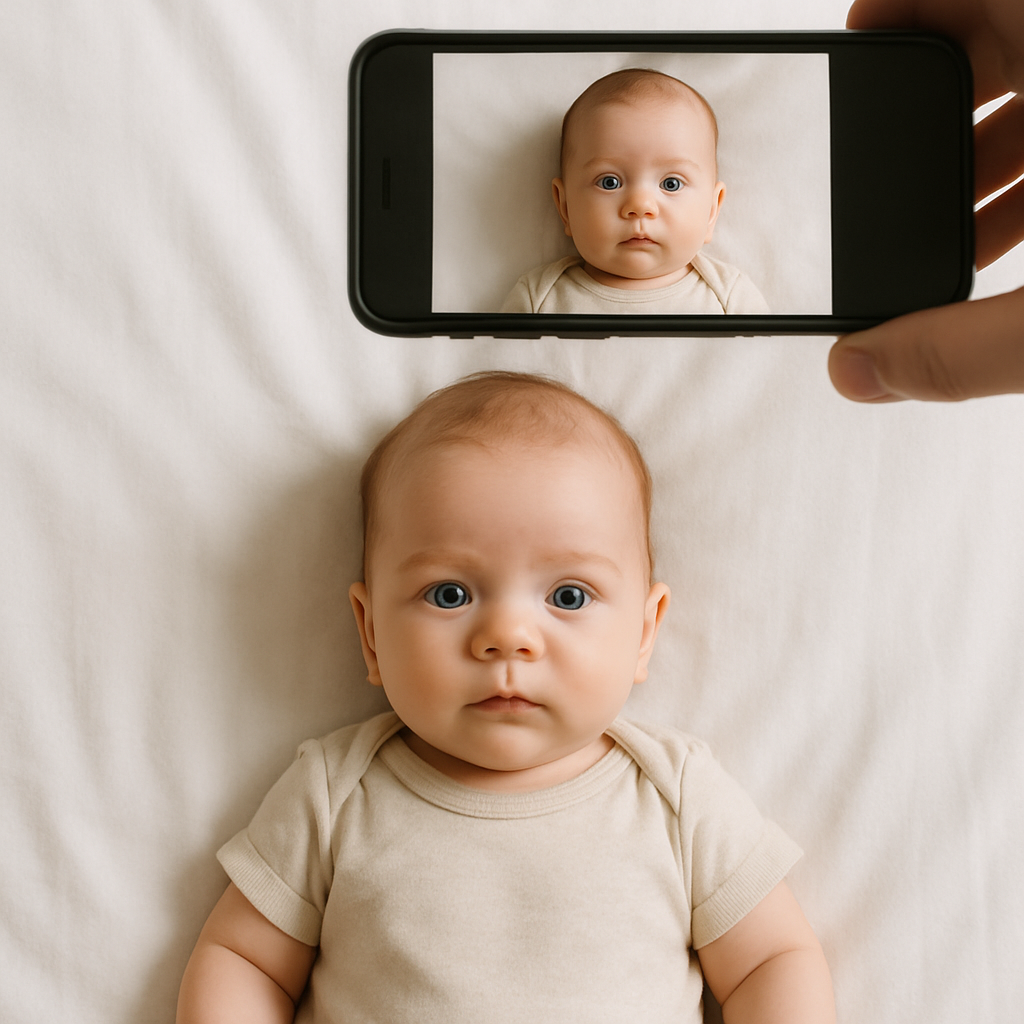
1. Lay a plain white sheet flat on the floor. 2. Position the baby on their back. 3. Stand directly above with your camera. 4. Use natural daylight from a nearby window. 5. Take multiple shots in quick succession. Patience helps. So does timing the session after feeding, when the baby is calm but alert. Quick tip: Avoid photographing during nap transitions. That’s a recipe for half-closed eyes and scrunched expressions.
Camera Tips That Make a Big Difference
- Turn off beauty filters. - Use the highest resolution setting. - Keep the lens parallel to the baby’s face. - Avoid zoom distortion - step closer instead. Smartphones today are powerful enough. The issue isn’t hardware. It’s precision. And precision is where many DIY attempts fall short.
Why Online Passport Photo Services Are Growing Fast
Here’s a hot take: convenience wins every time. Parents are busy. Sleep-deprived. Managing feeding schedules, laundry, and a mountain of tiny socks. That’s why specialized online tools like BabyPassportMaker.com are becoming increasingly popular for digital passport photos. Instead of guessing whether the background is compliant or if the head size ratio is correct, these services: - Automatically adjust cropping - Ensure biometric alignment - Remove background imperfections - Format files to exact government specifications It’s like having a passport photo expert sitting quietly behind the screen, double-checking everything before submission. And let’s be honest - avoiding a rejection email feels priceless.
What Makes a Great Baby Passport Photo?
It’s not about cuteness. It’s about clarity. A compliant image should feel simple, almost boring. Neutral expression. Balanced lighting. Straight alignment. Imagine the photo as a blueprint, not a portrait. The goal isn’t capturing personality. It’s capturing structure. That mental shift helps parents focus on the technical details instead of waiting for a perfect smile.
Key Visual Checklist
Before uploading, review: - Is the head centered? - Are both eyes visible? - Is the background plain and shadow-free? - Are ears visible if required by your country? - Is the file size correct? If even one item is off, retake it. Yes, it’s tedious. But so is reapplying.
Digital vs Traditional Passport Photos - What’s Different?
Traditional printed passport photos focus on physical dimensions - usually 2x2 inches in many countries. Digital passport photos introduce another layer: file integrity. Now you must consider: - Pixel resolution - JPEG compression - Upload portals rejecting oversized files - Automated biometric scanning It’s less about scissors and more about software. That shift is why online formatting tools have surged. They eliminate the trial-and-error stage.
Tips for Photographing Newborns vs Toddlers
Age changes everything.
Newborns
- Photograph while lying down - Swaddle lightly but keep neck visible - Capture moments between blinks Newborn sessions are about speed.
Toddlers
- Use a high chair against a white wall - Remove distracting objects from view - Use quick sounds to capture forward gaze Toddlers bring movement. Energy. Wiggles. A completely different challenge. Different strategy. Same rules.
Final Thoughts on Getting It Right the First Time
A baby passport photo for digital passports may seem like a minor task in the grand scheme of parenting. But small technical errors can delay travel plans, visa applications, or family visits. Taking the time to understand requirements - or using a dedicated service like BabyPassportMaker.com - reduces stress dramatically. Parents don’t need perfection. They need compliance. Approach the process methodically. Check lighting. Confirm sizing. Review alignment. And remember - the goal isn’t a keepsake. It’s a functional, government-approved image that passes automated checks on the first try. Get that right, and the rest of the digital passport process feels surprisingly smooth. Almost easy. Well... almost.