Baby Passport Photo for Opal and Myki Cards
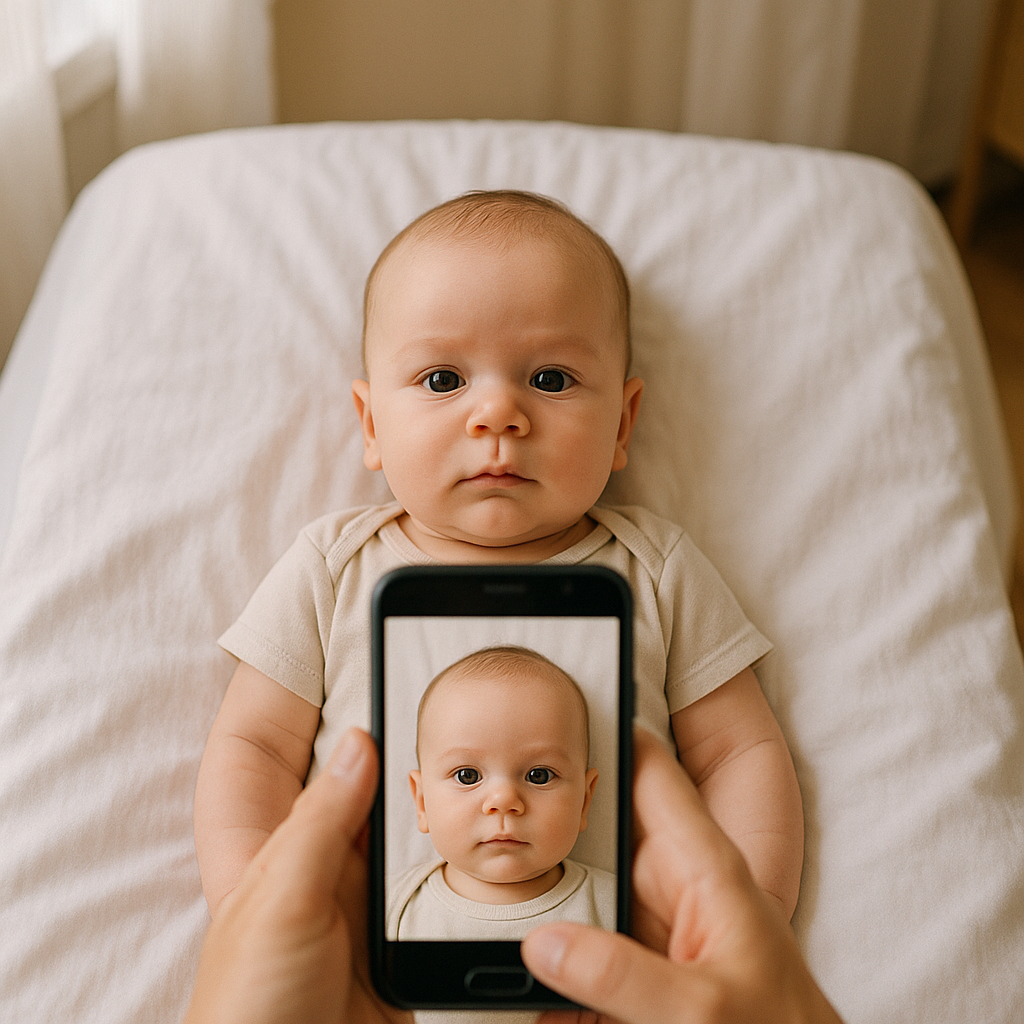
Getting a baby passport photo for an Opal or Myki card sounds simple. Tiny human. Tiny photo. Done, right?
Not quite.
Parents quickly discover that taking an ID photo for a squirming infant is a completely different sport. There are rules. There are lighting requirements. There are background expectations. And there is, of course, a baby who absolutely refuses to cooperate the moment the camera appears.
This guide breaks down exactly how to get a compliant baby passport photo for Opal and Myki cards - without losing patience, time, or money.
Do Babies Really Need a Photo for Opal and Myki Cards?
Short answer? Yes - in many cases.
Both the Opal card in New South Wales and the Myki card in Victoria offer concession travel for children. To access certain child or concession benefits, especially for older toddlers and young children, identification may be required. That often includes a passport-style photo.
Why the photo?
- Prevents misuse of concession cards
- Confirms eligibility
- Links the card clearly to the child
It is less about bureaucracy and more about system integrity. Transit authorities want to ensure discounted fares go to the right passengers. Fair enough.
What Makes a Baby Passport Photo Different?
A baby passport photo is not just a cute snapshot. It must meet official photo standards. Even for transport cards, authorities generally expect passport-style formatting.
Here is where many parents get tripped up.
1. Neutral Expression - Yes, Even for Babies
No wide grins. No crying faces. No pacifiers. The baby should look straight at the camera with a neutral expression.
Sounds impossible? Sometimes it feels that way.
2. Plain White Background
No patterned blankets. No shadowy corners. No couch cushions peeking in from the side. The background must be clean and light - typically white or very light grey.
3. Eyes Open and Visible
For infants, this can be tricky. If the child cannot sit upright yet, they may lie on a white sheet. But their eyes must be open. No hands covering the face. No parent fingers holding the chin.
4. Proper Lighting
No harsh shadows across the face. No red-eye. No dark corners. Lighting should be even and natural.
In other words, the photo must look simple - but achieving simple takes effort.
The Real Challenge - Getting the Shot
Imagine trying to photograph a cloud. That is what it feels like sometimes. Babies move unpredictably. They tilt. They roll. They blink at exactly the wrong moment.
Timing becomes everything.
Many parents try during nap transitions when the baby is calm but awake. Others aim for early morning, after feeding, when the child is content. There is no universal formula.
But there are smart tactics.
Practical Tips for Taking a Baby Passport Photo at Home
- Use Natural Daylight
Position near a window. Turn off overhead lights to avoid mixed shadows. - Lay Baby on a White Sheet
Smooth it flat. Wrinkles can create shadows that cause rejection. - Stand Directly Above
Hold the camera parallel to the baby’s face. Avoid angles. - Remove Accessories
No hats, headbands, clips, or bibs. - Take Multiple Shots
Do not rely on one photo. Capture ten. Or twenty.
It often takes several attempts. That is normal.
Common Reasons Baby Photos Get Rejected
Here is where frustration creeps in. A photo looks fine on a phone screen - but gets rejected during application.
The most common issues include:
- Shadows behind the head
- Background not fully white
- Parent’s hand visible
- Baby looking away from camera
- Mouth wide open
- Image cropped incorrectly
Authorities follow strict guidelines. If something does not align with requirements, they will not approve it.
And then the process starts over.
Should Parents Use a Professional Service?
Here is the honest perspective - sometimes DIY works beautifully. Other times it becomes a time-consuming loop of retakes and edits.
That is why many families turn to specialized online tools like BabyPassportMaker.com.
This type of service simplifies the process by:
- Automatically adjusting background to meet compliance standards
- Resizing the image correctly
- Checking facial positioning
- Formatting for passport-style requirements
Instead of guessing whether the image will be accepted, parents can upload a photo and receive a properly formatted version ready for submission.
It removes the technical guesswork. And honestly, that peace of mind can feel priceless when managing everything else that comes with raising a child.
Opal vs Myki - Are Photo Requirements Different?
Both transport systems aim for similar ID standards, though minor differences may apply depending on card type and age category.
Opal Card Photo Notes
- Photo may be required for certain child concessions
- Passport-style format typically expected
- Clear facial visibility is essential
Myki Card Photo Notes
- Child and concession cards may require identification
- Image must be recent and recognizable
- Compliance standards resemble passport guidelines
Because requirements can evolve, checking official transport authority guidelines before submitting is always wise.
How to Keep Babies Calm During the Photo
There is strategy here. It is not random luck.
- Feed before photographing - a hungry baby rarely cooperates.
- Keep the room comfortably warm.
- Use soft sounds to attract attention toward the camera.
- Act quickly when the baby is still.
Some caregivers make gentle clicking noises or hold a favorite toy directly above the lens. The key is positioning attention without blocking the face.
Quick. Quiet. Calm.
Digital vs Printed Baby Passport Photos
Depending on the Opal or Myki application method, parents may need:
- Digital upload version
- Printed passport-size photo
Digital versions must meet size and resolution requirements. Printed copies must follow specific dimensions, often 35mm x 45mm.
Uploading the wrong size can delay approval. Printing incorrectly cropped photos can lead to rejection.
Precision matters.
Why Accuracy Saves Time
Every rejected photo means delay. That delay can impact school transport access or daily commuting plans.
Think of it like assembling flat-pack furniture without reading instructions. It might work eventually. But it will take longer. And there will probably be unnecessary frustration along the way.
Following official baby passport photo standards from the start eliminates repeat effort.
Final Thoughts on Baby Passport Photos for Opal and Myki Cards
A baby passport photo for Opal or Myki cards is a small task that can unexpectedly feel big.
There are rules. There is timing. There is technical formatting. And there is a tiny human who has absolutely no interest in sitting still for administrative documentation.
Still, with the right lighting, correct background, and careful framing, parents can capture a compliant image at home. For those who prefer extra certainty, specialized tools like BabyPassportMaker.com streamline the process and reduce rejection risk.
At the end of the day, the goal is simple - secure smooth travel access without unnecessary stress.
Because public transport should be the easy part of parenting. Not the complicated one.