Baby Passport Photo Requirements Philippines 2026
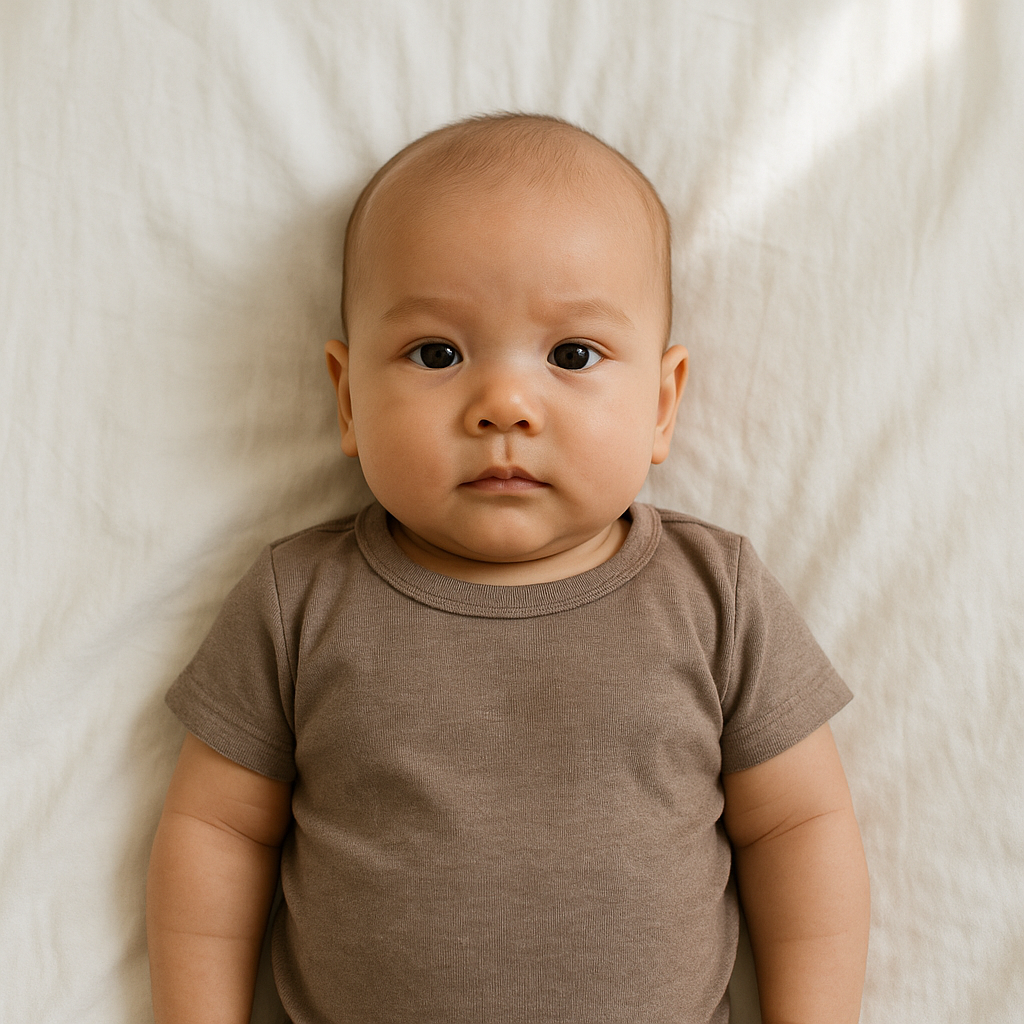
Applying for a baby passport in the Philippines sounds simple - until it isn’t. One small mistake in the passport photo and suddenly you’re rescheduling appointments, reprinting documents, and calming a fussy infant who has zero interest in government compliance.
Here’s the truth: baby passport photo requirements in the Philippines for 2026 are strict. Not “sort of strict.” Strict. And if parents want that application approved without delays, they need to get the photo exactly right.
This guide breaks it all down in plain language - no confusing jargon, no robotic explanations. Just what actually matters.
Why Baby Passport Photos Get Rejected
Let’s start with the uncomfortable reality. Many baby passport applications are delayed because of photo errors. Not missing documents. Not payment problems. The photo.
Why? Because the Department of Foreign Affairs follows international biometric standards. The system scans facial features. Lighting. Head position. Background. Even tiny shadows can trigger rejection.
And babies - well - they don’t exactly pose on command.
Common rejection reasons include:
- Shadows behind the head
- Parent’s hands visible in the frame
- Baby not looking straight at the camera
- Incorrect photo size
- Low resolution or blurry image
- Improper background color
Sounds minor, right? It’s not.
Official Baby Passport Photo Requirements Philippines 2026
Now for the specifics. These are the current Philippine passport photo requirements for infants in 2026.
1. Photo Size and Dimensions
- Size: 2 x 2 inches (51 mm x 51 mm)
- Square format
- Head height must occupy about 70 to 80 percent of the photo
- High resolution, clear, and sharp
The face must be centered. Not too close. Not too far. Think balanced - like framing a profile picture, but with zero artistic flair allowed.
2. Background Requirements
The background must be:
- Plain white
- No patterns
- No shadows
- No textures
White means white. Not cream. Not light gray. Not “almost white.” Even subtle color differences can cause issues during digital scanning.
3. Baby’s Facial Expression
This is where things get interesting.
Babies are allowed a neutral expression. They can have their mouth slightly open. That’s fine. What’s not allowed?
- Big smiles showing gums
- Crying faces
- Eyes completely closed
The eyes must be open and visible. Looking toward the camera. No side glances. No sleepy half-shut eyelids.
Easy? Not always.
4. Head Position and Alignment
The head must face directly forward. No tilting. No leaning.
Imagine drawing a straight vertical line from the top of the baby’s head down to the chin. That line should be perfectly upright. If the head is angled even slightly, the biometric system might flag it.
Think of it like lining up a key to fit a lock - small misalignments matter.
5. No Visible Support
This is one of the most common mistakes.
Parents naturally hold their baby to keep them steady. Completely understandable. But hands, arms, fingers, or any support objects must not appear in the photo.
No visible hands. No shoulders from mom. No chair edges.
The baby must appear alone in the frame.
6. Clothing Guidelines
- Avoid white clothing that blends into the background
- No hats or headbands covering hairline
- No pacifiers
- No sunglasses
Religious head coverings are generally not applicable for infants, but if used, the full face must remain clearly visible.
Simple clothing works best. Solid colors. No loud prints.
Digital Photo Requirements for Online Applications
In 2026, more parents are preparing digital copies before heading to their DFA appointment. If submitting a digital version, pay attention to these:
- JPEG format
- High resolution
- No filters
- No editing that alters facial features
Here’s a hot take: smartphone cameras are more than capable - if used correctly. The problem isn’t the device. It’s lighting and positioning.
Natural daylight near a window often works better than flash. Flash creates harsh shadows behind the head. And remember - shadows equal rejection.
Practical Tips for Taking a Baby Passport Photo at Home
Professional studios can be expensive. And coordinating a newborn’s mood with business hours? That’s ambitious.
Many parents now choose to take photos at home and use online formatting tools like BabyPassportMaker.com to adjust sizing and background compliance.
Here’s how to make it work:
Step-by-Step Setup
- Lay a plain white sheet flat on the floor.
- Place the baby on their back.
- Stand directly above with the camera.
- Use natural light from a nearby window.
- Take multiple shots - patience wins.
Why floor instead of holding them? Because gravity keeps the head straight. Less tilt. Less struggle.
Some parents use a car seat covered with a white cloth. It can work - just ensure no contours or shadows appear behind the head.
Lighting - The Make or Break Factor
Lighting is everything.
If lighting were a personality trait, it would be the quiet overachiever who determines success behind the scenes. Too dark? Rejected. Too bright? Overexposed. Uneven? Problem.
Ideal lighting checklist:
- Soft daylight
- No overhead shadows
- No yellow tint
- No strong contrast
A cloudy day is actually perfect. Diffused light reduces harsh lines and creates even exposure.
What Makes 2026 Different?
Biometric systems have improved. That’s the big shift.
Image recognition technology now detects facial symmetry and alignment more accurately than before. Slight tilts or lighting inconsistencies that passed years ago might not pass now.
The standards haven’t dramatically changed - but enforcement has tightened.
In other words, precision matters more than ever.
Quick Checklist Before Submitting
Before printing or uploading, run through this:
- Correct 2 x 2 inch size?
- Plain white background?
- Eyes open and visible?
- No visible hands?
- Centered face?
- No shadows?
If every answer is yes, you’re in good shape.
Final Thoughts on Baby Passport Photo Requirements Philippines 2026
Getting a baby passport photo right isn’t about perfection. It’s about compliance. The guidelines aren’t there to make life difficult - they exist to meet international travel security standards.
Still, it can feel overwhelming.
But here’s the reassuring part: once you understand the structure, it becomes manageable. It’s like assembling furniture. Confusing at first glance. Completely doable when broken into steps.
Parents who prepare carefully avoid delays. They avoid extra trips. They avoid unnecessary stress.
And honestly? With the right setup, a decent camera, good lighting, and a little patience, most families can handle this smoothly.
The key is paying attention to the small details - because when it comes to passport photos, small details aren’t small at all.
Take the extra few minutes. Double-check everything. Then submit with confidence.
Travel adventures start with paperwork. Make sure that first step goes smoothly.