Free vs Paid Baby Passport Photo Apps: Which is Better?
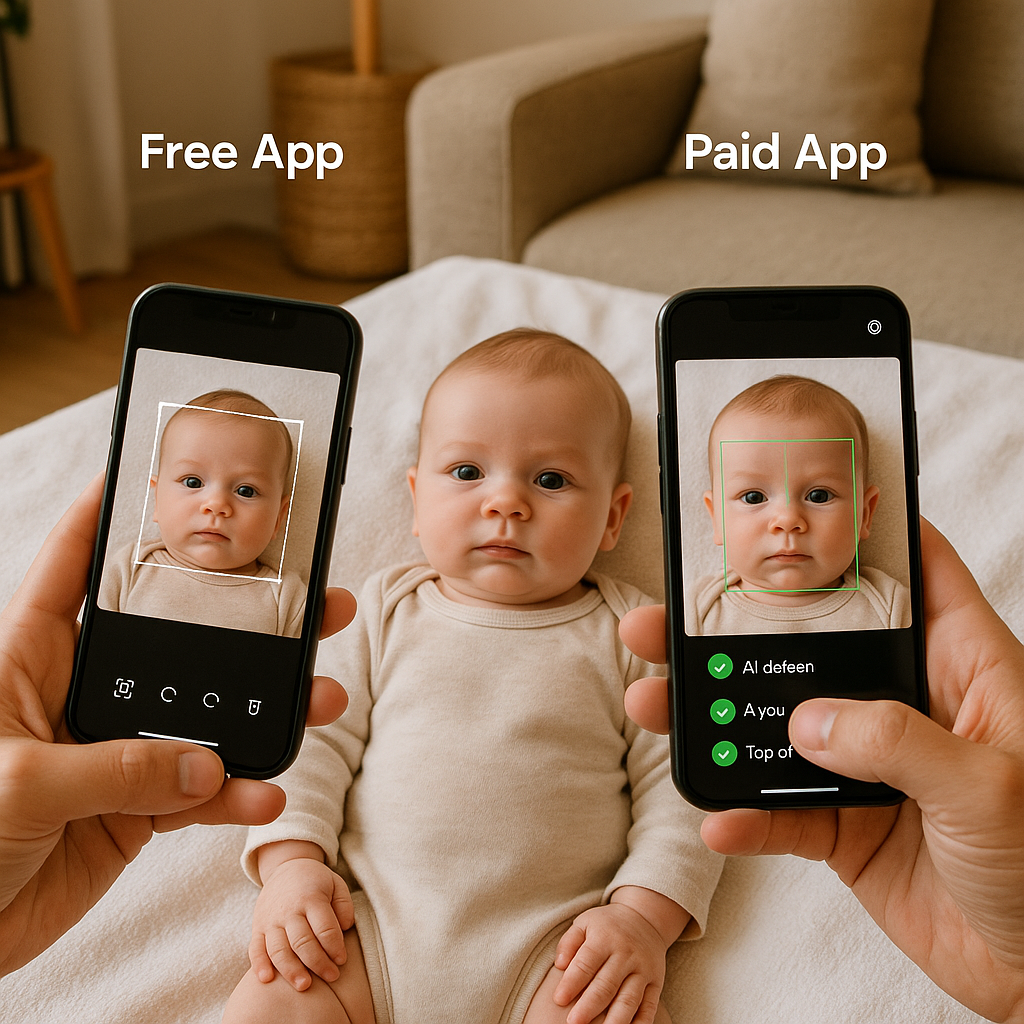
Getting a passport photo for a baby sounds simple. Snap a picture. Upload it. Done. Right?
Not quite.
Anyone who has tried photographing a squirming six-month-old knows the struggle. The tiny head tilts. The unexpected giggle. The sudden tears. And then there are the strict government rules - white background, correct head size, neutral expression, no shadows. It can feel less like a quick task and more like a mini production set.
That’s where baby passport photo apps enter the scene. But here’s the real question: should parents rely on a free app or pay for a premium one? Let’s break it down, honestly and practically.
Why Baby Passport Photos Are Trickier Than They Look
Adults can sit still and follow instructions. Babies? Not so much.
Official guidelines for infant passport photos are surprisingly strict. Even though babies don’t have to maintain a perfectly neutral expression, the image still needs:
- A plain white or off-white background
- No shadows across the face
- Eyes open and visible
- No visible hands supporting the head
- Proper head positioning and size ratio
Sounds manageable. But in reality, one small mistake can lead to rejection. And a rejected application means delays, extra fees, and a lot of frustration.
So yes, choosing the right photo app actually matters.
What Free Baby Passport Photo Apps Offer
Free apps are appealing. Zero cost. Instant download. Quick solution.
Many of them provide basic features like:
- Automatic cropping
- Background removal tools
- Standard passport size templates
- Basic editing like brightness and contrast
For tech-savvy parents who are comfortable adjusting images manually, a free option can work. It’s like using a basic kitchen knife - sharp enough for simple tasks if you know how to handle it.
The Upside of Free Apps
- No upfront cost - Ideal for families on a tight budget.
- Quick access - Download and use immediately.
- Good for practice shots - Helpful for testing lighting and positioning.
Honestly, if the baby cooperates on the first try and lighting is perfect, a free tool might be all that’s needed.
The Downsides of Free Apps
Here’s the part many don’t consider.
- Limited accuracy in background detection
- Ads that interrupt the process
- No compliance guarantee
- Watermarks on final images
And here’s the real issue - government compliance.
Free apps often rely on automated cropping without double-checking country-specific rules. That means parents might think everything looks fine, only to receive a rejection notice later. It’s a bit like baking without measuring cups. Sometimes it works. Sometimes it collapses in the oven.
What Paid Baby Passport Photo Apps Bring to the Table
Paid services approach the task differently. Instead of just offering editing tools, they focus on compliance and reliability.
Premium apps typically include:
- AI-powered background correction
- Country-specific size adjustments
- Manual verification by experts
- Compliance guarantees
- High-resolution digital and print-ready files
One example is BabyPassportMaker.com, a service designed specifically to help parents create government-compliant baby passport photos without leaving home. The emphasis isn’t just on editing - it’s on meeting official standards.
The Advantages of Paid Options
- Accuracy - Advanced systems adjust head size and alignment automatically.
- Compliance guarantee - If rejected, many services offer a refund.
- Time-saving - Less trial and error.
- Expert review - Human oversight catches subtle mistakes.
That human review element? It matters more than people think. Lighting inconsistencies, slight head tilts, or barely visible shadows can cause rejection. Automated tools sometimes miss those details.
The Drawbacks of Paid Apps
Of course, nothing is perfect.
- There’s a cost involved.
- Some services require uploading personal photos online, which may concern privacy-focused parents.
Still, compared to the potential cost of reapplying for a passport, the fee is often minor.
Cost Comparison - Free vs Paid
Let’s talk numbers.
Free apps: $0 upfront.
Paid services: usually between $5 and $20.
Now consider the hidden expenses:
- Reprinting photos after rejection
- Delayed travel plans
- Application resubmission fees
Suddenly, “free” doesn’t always feel free.
If a family has upcoming travel booked, the risk of delay alone might justify a small investment in a reliable solution.
Ease of Use - Which One Wins?
Free apps can be intuitive, but they often require manual adjustments. Parents may need to:
- Manually resize the image
- Adjust brightness and contrast
- Re-crop multiple times
That’s fine for someone comfortable with photo editing.
Paid platforms tend to streamline the process. Upload the picture. Let the system analyze it. Receive a compliant file. It’s closer to using a GPS instead of unfolding a paper map.
Which one feels less stressful at 9 PM with a tired baby? Exactly.
Accuracy and Acceptance Rates
This is where things get serious.
Government agencies reject photos for surprisingly small reasons - incorrect head proportions, uneven lighting, improper background color. Even a slight shadow behind the ears can cause issues.
Paid services typically advertise high acceptance rates because they optimize for exact compliance. Free tools, on the other hand, don’t usually offer guarantees.
If the goal is peace of mind, paid options often come out ahead.
Who Should Choose a Free App?
A free solution might be enough if:
- The parent has strong editing skills
- There’s no urgent deadline
- The country’s passport rules are straightforward
- They’re willing to retake photos if needed
In these cases, a no-cost app can absolutely do the job.
Who Should Choose a Paid Service?
A premium service makes sense if:
- Travel dates are approaching
- The family wants guaranteed compliance
- The baby is particularly hard to photograph
- They prefer a done-for-you solution
For many parents, the convenience alone is worth the price.
The Verdict - Which Is Better?
Here’s the honest answer: it depends on priorities.
If cost is the only concern and there’s flexibility with time, a free baby passport photo app can work.
If accuracy, speed, and acceptance rates matter more, a paid option like BabyPassportMaker.com often provides better value overall.
Think of it like assembling furniture. Some people enjoy following instructions and figuring it out themselves. Others would rather pay a small fee to have it done correctly the first time.
Neither approach is wrong.
But when it comes to something as official as a passport - especially for a baby - many families prefer minimizing risk.
After all, travel plans, family visits, and once-in-a-lifetime trips often depend on that tiny photo meeting very specific rules.
So, free or paid?
The better choice is the one that balances budget, time, and peace of mind. And for many modern parents juggling packed schedules, peace of mind is priceless.