How to take baby passport photo with Google Pixel
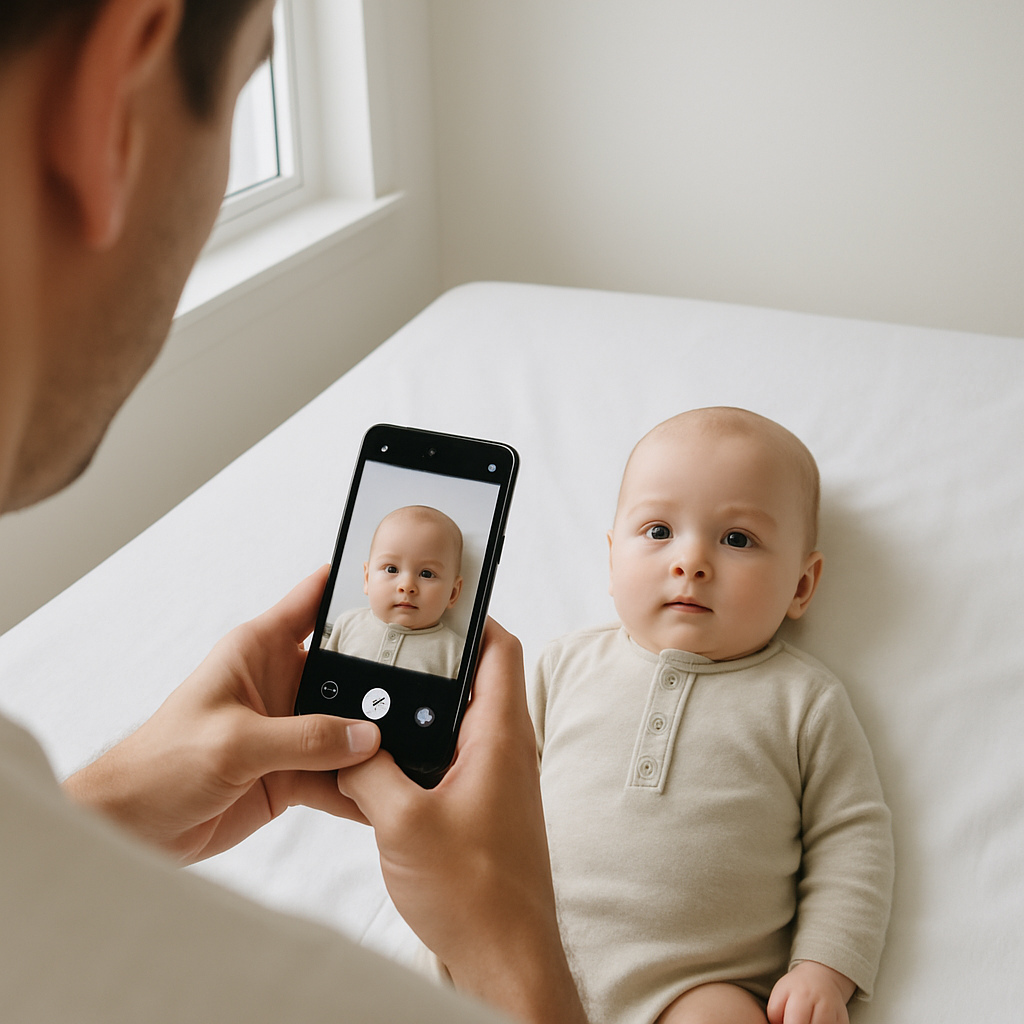
Taking a baby passport photo sounds simple. Until you actually try. One minute the baby is calm and blinking at the ceiling. The next? Squirming. Sneezing. Looking everywhere except the camera. And suddenly a basic passport photo feels like staging a tiny, unpredictable photoshoot with international travel consequences. Here’s the good news - a Google Pixel makes this surprisingly manageable. With the right setup, a little patience, and a few insider tricks, parents can capture a passport-ready photo at home without stepping into a studio. Let’s break it down.
Why Use a Google Pixel for a Baby Passport Photo?
Google Pixel phones are built for photography. That’s not marketing fluff - it’s real-world noticeable. The camera software automatically adjusts lighting, sharpens details, and balances skin tones in a way that feels almost unfair. For something as strict as a passport photo, that matters. Here’s why Pixel works so well for baby passport photography:
- Excellent HDR for even skin tone
- Sharp focus with minimal blur
- Strong low-light performance
- Natural color correction
- Easy cropping and editing tools
If you ask most parents, the biggest challenge isn’t resolution. It’s getting the baby to cooperate long enough for a clear, neutral expression. Pixel’s fast shutter and motion capture help freeze those micro-moments before they vanish. And yes - milliseconds matter when photographing a baby.
Official Baby Passport Photo Requirements
Before taking the photo, it’s crucial to understand passport rules. They’re strict. And they won’t make exceptions because your baby looked adorable but slightly tilted. Here are the basics for U.S. baby passport photos:
- Photo size must be 2 x 2 inches
- White or off-white plain background
- Baby facing the camera directly
- Eyes open (if possible)
- No shadows on face or background
- No other person visible in the frame
- No pacifiers, hats, or headbands
Sounds simple, right? Now imagine applying those rules to a three-month-old. Exactly.
Setting Up the Perfect Shot at Home
Preparation changes everything. Instead of chasing a moving target, parents can control the environment first.
1. Choose the Right Background
A plain white wall works beautifully. No texture. No frames. No shadows. No white wall? Lay a clean white sheet flat on the floor. Smooth it out completely. Wrinkles create shadows, and shadows create rejection letters. Some parents try propping babies up in car seats with blankets. That can work - but make sure nothing is visible behind their head.
2. Use Natural Light - But Indirect
Lighting can make or break a passport photo. Place the setup near a window with soft daylight. Not direct sunlight blasting through the glass - that creates harsh shadows. Think gentle, diffused light. Like a cloudy afternoon glow. Turn off overhead lights if they cast yellow tones. Lighting should feel soft and even, like butter melting across toast.
3. Position the Baby Correctly
For newborns, laying them flat on their back on a white sheet often works best. Stand directly above and shoot straight down. Older babies who can sit upright may sit against a white wall. The key rule - camera lens must be level with the baby’s face. No angled shots. No artistic flair. This isn’t Instagram.
Google Pixel Camera Settings to Use
The Pixel does a lot automatically, but a few manual choices improve results.
Turn Off Filters
Portrait mode? Skip it. Beauty filters? Absolutely not. Passport photos must look natural. No background blur. No enhancements.
Use HDR Mode
HDR helps balance bright and dark areas. Baby skin tones can shift easily under indoor lighting, so HDR keeps everything even.
Tap to Focus
Tap directly on the baby’s face before taking the shot. This ensures the eyes and facial features remain sharp. Blurry photos get rejected quickly.
Take Multiple Shots - Rapid Fire
Don’t take one picture and hope for the best. Take twenty. Babies change expressions in fractions of a second. One frame might capture a neutral face with open eyes. The next - mid-blink chaos. More options mean less stress later.
How to Keep Baby Calm During the Photo
This part feels less technical and more psychological. Timing matters more than anything. Take the photo:
- After a nap
- After feeding
- When the baby is alert but relaxed
Not when hungry. Not when overtired. Parents sometimes try making loud noises to grab attention. That can backfire. A soft voice or gentle wave near the phone works better. And here’s a small but powerful trick - stand behind the phone and maintain eye contact. Babies lock onto faces, not devices.
Editing and Cropping the Photo Properly
Taking the photo is half the battle. Cropping it to exact passport size is where many people slip up. The head must measure between 1 inch and 1.4 inches from chin to top of head within the 2 x 2 frame. Precision matters. Instead of guessing measurements manually, many parents use BabyPassportMaker.com. The service automatically resizes, centers, and formats baby passport photos to meet official standards. It removes the stress of alignment errors and background adjustments. Honestly, trying to eyeball dimensions in a generic photo editor feels like trimming bangs without a mirror. Risky. A specialized tool simplifies everything.
Common Mistakes That Lead to Rejection
Even a high-quality Google Pixel photo can get rejected if small details are overlooked. Watch out for:
- Visible shadows behind the head
- Hands appearing in the frame
- Slight head tilt
- Overexposed skin tones
- Red-eye effect
- Busy or textured background
It doesn’t take much. A faint gray shadow can trigger a denial. And then the entire application timeline shifts. Travel plans stall. Stress levels spike. Better to double-check everything upfront.
Step-by-Step Summary
For quick reference, here’s the streamlined process:
- Find a plain white background
- Use soft natural window light
- Lay baby flat or sit upright facing camera
- Open Google Pixel camera in standard mode
- Turn off filters and portrait blur
- Enable HDR
- Tap to focus on face
- Take multiple photos
- Upload to BabyPassportMaker.com for proper sizing
- Print on high-quality photo paper
Simple steps. Big difference.
Printing the Baby Passport Photo
After cropping, print the photo on glossy or matte photo paper. Regular printer paper won’t pass inspection. Make sure:
- The image is crisp
- No ink streaks appear
- The size is exactly 2 x 2 inches
- The colors look natural
If printing at home feels uncertain, a local print shop can handle it using the correctly formatted digital file.
Is Taking a Baby Passport Photo at Home Worth It?
For many families, yes. Studio visits with infants can feel like packing for a weekend trip - diaper bag, outfit change, feeding supplies, timing everything perfectly. At home, there’s flexibility. Comfort. Familiar surroundings. And with a Google Pixel, image quality rarely becomes the limiting factor. The real secret isn’t fancy equipment. It’s preparation. And patience. A baby passport photo doesn’t need to be artistic. It needs to be compliant, clear, and correctly sized. That’s it. Once parents understand the rules and use the right tools, the process shifts from overwhelming to manageable. Almost routine. Almost. Because babies will always keep things interesting. But with the right setup and a capable phone in hand, capturing a passport-ready baby photo at home becomes less of a gamble and more of a controlled moment - quick, efficient, and surprisingly doable.