How to take baby passport photo with Samsung Galaxy
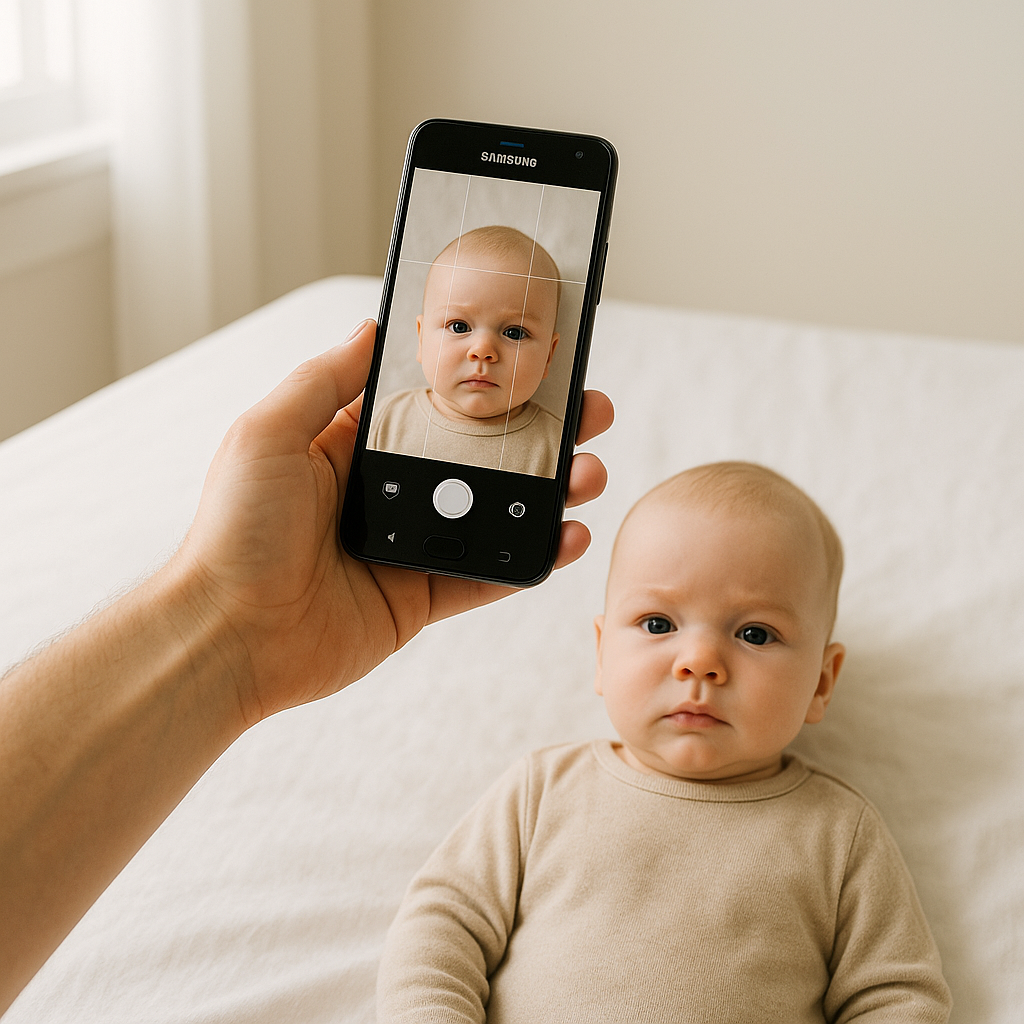
Taking a baby passport photo sounds simple. Until it isn’t. One minute the baby is calm. The next minute? Tears. Wiggles. A dramatic head turn worthy of an Oscar. Still, here’s the good news - a Samsung Galaxy phone is more than capable of capturing a passport-ready photo at home. No fancy studio. No complicated lighting rigs. Just a little patience and some smart setup. If done right, the result looks clean, compliant, and professional. If done wrong… well, let’s just say passport offices are not known for their sense of humor. This guide walks through exactly how to take a baby passport photo with Samsung Galaxy devices, step by step, without losing sanity in the process.
Why Use a Samsung Galaxy for Baby Passport Photos?
Samsung Galaxy cameras are powerful. Even mid-range models now include high-resolution sensors, strong autofocus, and intelligent HDR processing. That’s not marketing fluff - it genuinely matters. A passport photo demands:
- Sharp focus
- Accurate skin tones
- Even lighting
- Plain background
Galaxy phones handle these surprisingly well when used correctly. Plus, shooting at home means:
- No rushing to a photo booth
- No awkward store lighting
- No scheduling stress
- No public meltdowns
Sounds better already, right?
Step 1 - Set Up the Perfect Background
Let’s start with the foundation. Background matters more than people think. Passport requirements typically demand a plain white or off-white backdrop. No patterns. No shadows. No texture that looks like a mountain range under soft light. A few practical options:
- A clean white wall with natural light.
- A white bedsheet taped smoothly to a wall.
- A large piece of poster board.
Make sure it’s flat. Wrinkles create shadows. Shadows create rejection. And rejection means doing it all over again. Pro tip - lay babies flat on a white sheet for newborn photos. Stand over them and shoot downward. It works beautifully.
Step 2 - Master the Lighting (This Is Everything)
If background is the stage, lighting is the spotlight. Bad lighting can ruin even the sharpest Samsung camera image. Harsh shadows under the chin? Not allowed. Yellow indoor glow? Risky. The best solution? Natural window light. Position the baby facing a window with indirect daylight. Avoid direct sun beams - those create harsh contrast and squinting. No flash. Ever. Flash flattens features and can create red-eye. Passport agencies hate red-eye almost as much as blurry images. If necessary, turn on extra room lights to soften shadows, but keep the overall tone neutral. Think of lighting like butter on toast - smooth and even. Not burnt on one side.
Step 3 - Camera Settings on Samsung Galaxy
Now for the technical part. Don’t worry, it’s not complicated. Open the default Camera app and follow this checklist:
- Use the rear camera - higher quality than front-facing.
- Set to Photo mode (not Portrait mode).
- Turn off beauty filters.
- Disable face smoothing effects.
- Ensure HDR is on (usually automatic).
- Use highest resolution setting.
Portrait mode might look flattering, but it blurs backgrounds artificially. Passport systems can reject that. Keep it clean. Natural. Sharp. And hold the phone steady. If needed, brace elbows against a wall or use a small tripod.
Step 4 - Position the Baby Correctly
This part separates acceptable photos from rejected ones. Passport guidelines typically require:
- Neutral expression
- Eyes open
- Mouth closed
- Head centered
- Facing directly forward
Now, babies don’t exactly take direction. So here’s what works:
For Newborns
Lay them on a flat white sheet. Stand directly above. Ensure head isn’t tilted. Remove pacifiers. Remove hats. Remove hands from face.
For Older Babies
Sit them upright against a white background. A parent can support from behind, but hands must stay out of frame. Sometimes it takes 20 shots to get one usable image. That’s normal. Honestly, anyone who claims they nailed it on the first try probably got lucky.
Step 5 - Frame the Shot Properly
Framing is critical. The head should occupy most of the image. Not tiny. Not cropped at the forehead. Leave some space above the head and around the shoulders. The final crop will adjust dimensions later. Keep the phone about 3 to 4 feet away. Too close causes distortion. Too far reduces clarity. Samsung lenses are wide enough that standing back slightly gives more natural proportions. Have you ever noticed how close-up phone photos can make noses look bigger? That’s lens distortion. Avoid it by stepping back.
Step 6 - Take Multiple Shots
Do not rely on one photo. Take 10. Take 20. Take 30. Change nothing - just keep shooting while the baby remains calm. Later, compare:
- Sharpness
- Eye openness
- Head alignment
- Shadow presence
Zoom in and inspect details. Slight blur might look fine on a phone screen but fail official checks.
Step 7 - Edit and Format the Photo Correctly
Here’s where many people stumble. Even a perfect image can get rejected if sizing is wrong. Passport photos require precise dimensions and head proportions. Guessing rarely works. Instead of manually cropping and hoping for the best, many parents use professional formatting services like BabyPassportMaker.com. That service adjusts:
- Correct size requirements
- Background compliance
- Head positioning ratios
- Print-ready formatting
It’s like having a digital passport technician double-check everything. If you ask most experienced parents, that extra step is worth avoiding a rejection notice.
Common Mistakes to Avoid
Let’s be blunt. These errors happen all the time.
- Using flash.
- Leaving visible shadows behind the head.
- Allowing slight smiles or open mouths.
- Using patterned blankets.
- Submitting low-resolution screenshots.
- Over-editing skin tones.
Passport offices want reality - not Instagram. No filters. No enhancements. No creative flair.
Quick Checklist Before Submission
Run through this mental list:
- Is the background plain white?
- Are both eyes open and visible?
- Is the baby facing straight forward?
- Is lighting even with no harsh shadows?
- Is the image sharp and high resolution?
- Is it properly cropped to passport standards?
If every answer is yes, chances are high the photo will pass.
Is It Really Worth Doing at Home?
Here’s a hot take - yes, absolutely. Professional studios can work, but they often struggle with infants just as much as parents do. At home, there’s comfort. Familiar surroundings. No pressure. And Samsung Galaxy cameras today rival older DSLR equipment in daylight conditions. So why not use what’s already in your pocket? Taking a baby passport photo with Samsung Galaxy devices isn’t about fancy gear. It’s about setup, patience, and precision. Once the lighting is right and the baby is positioned properly, the rest becomes surprisingly straightforward. It may take a few attempts. Maybe more than a few. But when that final image appears - sharp, centered, perfectly lit - it feels like a small victory. And honestly? That’s one less thing to stress about before traveling with a baby. Because traveling with a baby is already an adventure. No need to let the passport photo be the hardest part.