How to take baby passport photo without shadows AI
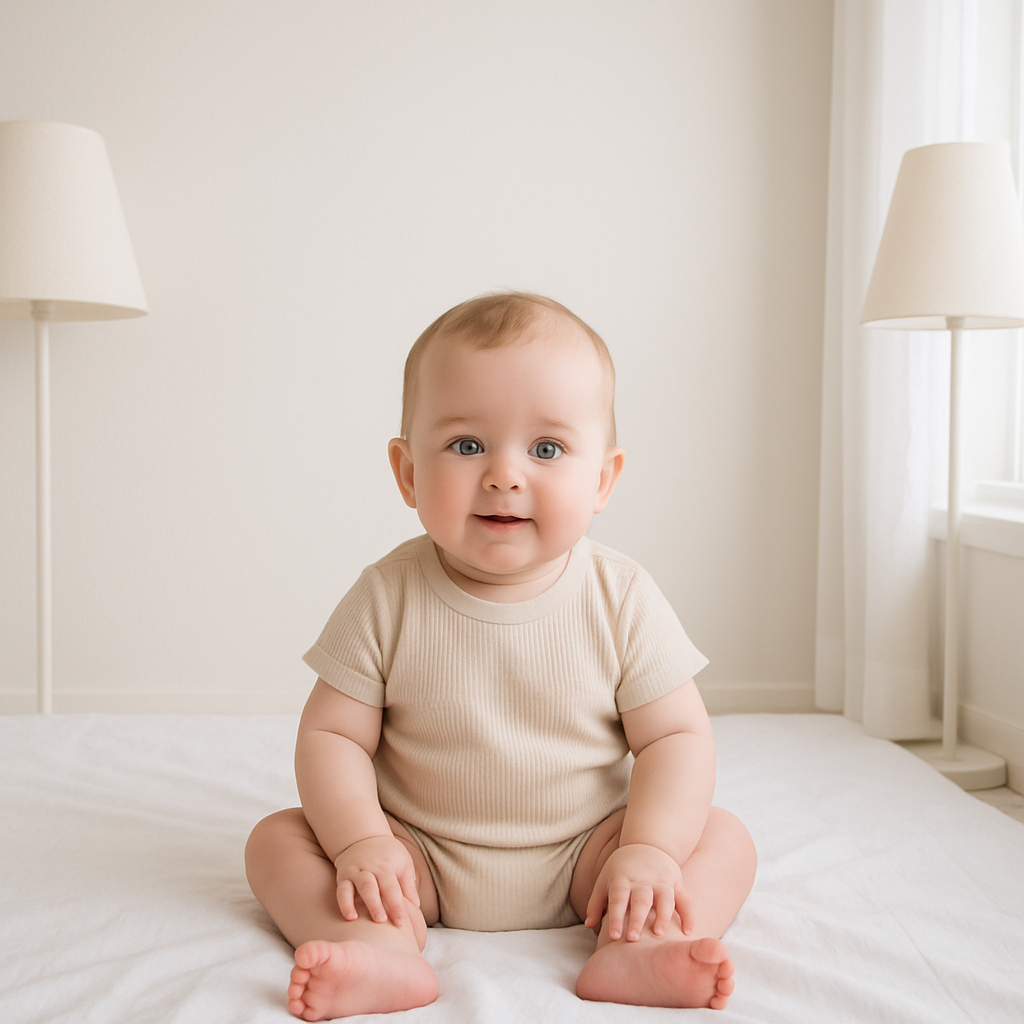
Taking a baby passport photo without shadows sounds simple. Until it isn’t. One minute the lighting looks fine. The next? There’s a dark patch under the chin, a weird blur behind the head, or a mysterious gray halo creeping up the wall. And now you’re wondering if the passport office will reject it. Here’s the honest truth - baby passport photos are ridiculously picky. Shadows, uneven lighting, background inconsistencies… they can all trigger a rejection. But with the right setup (and a little patience), getting it right at home is absolutely doable. This guide breaks it down step-by-step, in real-world language. No fluff. No robotic instructions. Just practical advice that works. ---
Why Shadows Ruin Baby Passport Photos
Shadows are more than an aesthetic problem. Passport authorities require:
- Even lighting across the baby’s face
- No shadows on the background
- No shadows under the chin or around the eyes
- Clear facial visibility
Sounds strict? It is. Think of the photo like a government ID blueprint. The system needs to "read" the face cleanly. Shadows interfere with that clarity. Even soft shading can cause issues. And babies? They move. A lot. Which makes shadow control trickier than photographing adults. But there’s a method to this. ---
Best Lighting Setup to Avoid Shadows
Lighting is everything. If the lighting is wrong, nothing else matters.
1. Use Natural Light - But Use It Correctly
Natural light works beautifully… when positioned right. Place the baby facing a large window. Not direct sunlight. That creates harsh contrast and deep shadows. Instead, aim for bright but diffused daylight. Cloudy day? Perfect. Sunny day? Sheer curtains help soften the light. Position the baby so the light hits their face straight on. Not from above. Not sharply from the side. Side lighting equals side shadows. And that’s a rejection risk.
2. Avoid Overhead Lighting
Ceiling lights create shadows under the eyes and chin. It’s subtle, but it’s there. Turn them off. Use front-facing light only.
3. Try the Two-Light Method
If natural light isn’t enough, use two soft lamps placed at 45-degree angles on each side of the baby. Why two? Because one light creates shadows. Two lights cancel each other out. It’s like balancing scales. Light on both sides reduces depth differences. Keep bulbs soft white. Avoid harsh LED glare. ---
Choosing the Right Background
Background matters more than people realize. White or off-white. Plain. No texture. No patterns. No visible seams. Here’s where many parents slip up - they place the baby against a wall, and a faint shadow appears behind the head. That shadow forms because the baby is too close to the wall.
Pro Tip:
Move the baby at least 1 to 2 feet away from the background. Distance reduces shadow intensity dramatically. If using a sheet, pull it tight. Wrinkles create texture shadows that cameras exaggerate. Flat is your friend. ---
How to Position a Baby for Zero Shadows
Now comes the tricky part. Babies don’t follow instructions. So you adapt.
For Newborns (Under 1 Year)
Lay the baby flat on a white sheet. Take the photo from directly above. Make sure:
- The camera is perfectly parallel to the face
- No part of your body blocks light
- The sheet is smooth
- No pillows create head shadows
And watch your own shadow. It sneaks in fast.
For Older Babies
Seat them upright against a plain background. Keep posture straight. Head centered. Eyes open. If needed, have someone stand behind the baby for support - but completely hidden. Not partially hidden. Completely. ---
Camera Settings That Help Eliminate Shadows
You don’t need a professional camera. Modern smartphones work great. Still, settings matter.
- Turn off flash - flash creates harsh, directional shadows
- Use HDR mode if available
- Tap to focus on the baby’s face
- Avoid filters completely
Zoom with your feet, not digitally. Digital zoom reduces clarity. Keep the camera at eye level. Shooting downward creates facial shadows. It’s small adjustments like this that make a big difference. ---
Using AI to Remove Shadows - Smart or Risky?
Here’s the hot take. AI tools can fix minor lighting inconsistencies. But they can’t rescue a badly lit image without risking compliance issues. Passport authorities dislike edited photos. Even subtle alterations can trigger rejection if detected. So instead of relying heavily on editing software, it’s smarter to capture a properly lit image from the start. That’s where services like BabyPassportMaker.com come in handy. The platform helps format and verify baby passport photos correctly, reducing mistakes before submission. Think of it as a safety net - not a magic eraser. ---
Common Shadow Mistakes to Avoid
People repeat the same errors. Over and over. Let’s avoid that.
- Placing baby too close to the wall
- Using overhead room lighting
- Shooting with flash
- Standing between the light source and baby
- Ignoring faint chin shadows
- Using textured backgrounds
Even slight shading under the nose can cause issues. Sounds extreme? Maybe. But passport guidelines don’t leave room for “almost perfect.” ---
Quick Checklist Before You Snap the Photo
Run through this mentally:
- Is lighting even on both sides of the face?
- Is the background plain and shadow-free?
- Are the eyes open and visible?
- No glare? No blur?
- No shadow under chin?
If the answer is yes across the board, you’re likely good. If something looks slightly off - retake it. It’s easier than dealing with a rejected passport application. ---
Why Prevention Beats Editing Every Time
Editing shadows after the fact is like patching a leaky roof with tape. It might hold for a moment. But it’s not reliable. Clean lighting during capture? That’s solid construction. Start with:
- Balanced front lighting
- Proper distance from background
- Stable positioning
- Correct camera angle
Everything else becomes easier. ---
Final Thoughts on Baby Passport Photos Without Shadows
Taking a baby passport photo without shadows isn’t about expensive gear. It’s about control. Control the light. Control the distance. Control the angle. Once those are handled, the rest falls into place. Is it always smooth? Of course not. Babies wiggle. They blink. They turn their heads at the exact wrong moment. But with patience and the right setup, getting a clean, compliant baby passport photo at home is completely achievable. And if there’s doubt, using tools like BabyPassportMaker.com can add reassurance before submitting the final image. Because honestly? A stress-free passport approval feels a whole lot better than retaking photos for the third time. And that’s something every parent can appreciate.