UK Passport Photo Requirements for Babies: 2026 Step-by-Step Guide
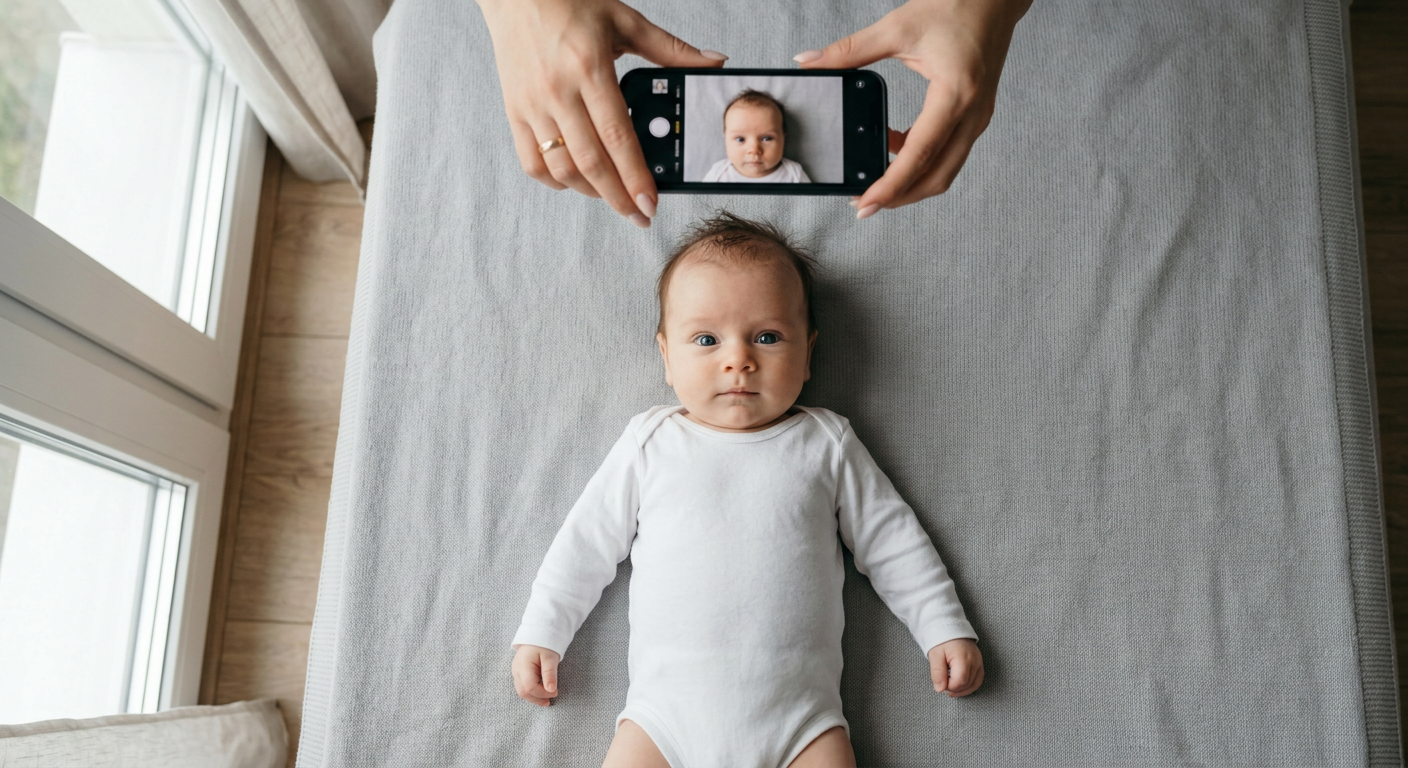
A parent lays their newborn on a white blanket, snaps twenty photos from directly above, and assumes one of them will work for the application. Two weeks later, the dreaded rejection letter arrives from HM Passport Office: a faint shadow on the neck, a tiny corner of a pacifier visible, or the blanket was too textured. Getting a baby to comply with strict government standards is frustrating, but understanding the uk passport photo requirements changes this from a guessing game into a predictable, manageable process. A rejected photo delays travel plans by weeks, forcing families to start the application cycle all over again. "The camera did not work" is not a diagnosis. Photos fail for specific, measurable reasons: lighting, posture, background color, or digital manipulation. You can eliminate all of these failures at home with a smartphone if you know exactly what the biometric scanners are measuring.
Quick Summary
The HM Passport Office enforces strict biometric standards for all applicants, but provides specific exemptions for infants. Meeting these standards at home requires controlling the lighting, standardizing the background, and matching exact proportions before submission.
- Background: Must be plain light gray or cream, completely free of textures, patterns, or shadows.
- Proportions: Physical prints require a 45 by 35 millimeter frame, with the infant's head measuring between 29 and 34 millimeters from chin to crown.
- Infant Exemptions: Children under one year old do not need their eyes fully open and are exempt from the strict neutral expression rule.
- Prohibitions: No pacifiers, hands, toys, or parent clothing may appear anywhere in the frame.
Table of Contents
- 1. Configuring the Background and Lighting
- 2. Positioning the Infant for a Clear Shot
- 3. Managing Facial Expressions and Eye Contact
- 4. Nailing the Proportions and Dimensions
- 5. Capturing, Formatting, and Avoiding Alterations
- Common Pitfalls & Troubleshooting
- FAQ
- Recommended Reads
1. Configuring the Background and Lighting
Stark Contrast Prevents Biometric Failures
HMPO biometric scanners rely on stark contrast to define the edges of the face, ears, and hair. When a background is too dark, too bright, or too textured, the software cannot reliably isolate the head from its surroundings. This is why the rules explicitly demand a plain light gray or cream background, specifically prohibiting pure white. Pure white backgrounds often reflect too much light back into the camera lens, causing the edges of pale skin or light hair to wash out and blend directly into the backdrop.
The mechanics of lighting dictate where shadows fall. A single overhead ceiling light casts harsh, dark shadows directly under the chin and nose, which the passport office will flag as an obstruction of facial features. Direct sunlight creates a similar problem, projecting a hard, distinct silhouette of the baby's entire head onto the blanket behind them. You need flat, diffused lighting to satisfy the strict british passport photo requirements.
The most common mistake parents make here is using a bedsheet or blanket with a subtle weave or texture. Even if the blanket is exactly the right shade of light gray, the camera captures the micro-shadows created by the fabric's texture. The government's automated scanners read this texture as a "patterned background" and trigger an immediate rejection. Set up your shooting area directly next to a large window on an overcast day. The cloud cover naturally diffuses the sunlight, wrapping the light evenly around the infant's face and eliminating hard shadows entirely.
2. Positioning the Infant for a Clear Shot
Parallel Angles Keep Jawlines Accurate
The foundational rule of any application is that the subject must face the camera directly, showing both edges of the face equally, with the top of the shoulders visible in the frame. Absolutely no other person, object, or supporting device can be visible. This prohibition includes pacifiers, headbands, toys used to grab attention, and the hands of a parent supporting the child.
The mechanics of positioning depend entirely on the infant's age and head control. For a newborn who cannot sit up, the only viable method is laying them flat on their back on the floor. Gravity naturally stabilizes the head, preventing the slumping that occurs when trying to prop a very young baby upright in a chair. For an older infant who can sit but tends to wobble, a car seat draped completely in a plain light gray sheet provides lateral support while keeping the baby upright.
Practical rule: If you need to support the baby's head, place a rolled towel underneath the backdrop blanket, never on top of it.
The mistake parents make repeatedly is holding the baby from behind and trying to hide their hands beneath the baby's shirt. Fingers create irregular lumps in the clothing, and if even a single millimeter of a parent's fingernail or a contrasting shirt cuff breaches the frame, the photo is instantly rejected. The camera lens must also remain perfectly parallel to the infant's face; tilting the phone upward or downward distorts the jawline, failing the biometric scan.
3. Managing Facial Expressions and Eye Contact
Age Dictates the Biometric Threshold
Biometric matching algorithms map a face by measuring the exact distances between distinct focal points: the pupils, the tip of the nose, the corners of the mouth, and the bottom of the chin. A smile stretches the mouth, raises the cheeks, and narrows the eyes, fundamentally altering these distances and rendering the face unmatchable against a neutral template.
Because infants cannot follow instructions to maintain a blank expression, the government adjusts the rules based on the child's exact age. For infants under one year old, the rules are highly relaxed. The baby's eyes do not have to be fully open, and they are not required to maintain a strictly neutral expression. However, for any child over the age of one, the standard adult rules apply for a valid british passport photo: eyes must be fully open, looking directly at the camera lens, with the mouth completely closed and absolutely no smile.
The fundamental mistake parents make during this step is dangling a bright toy or snapping their fingers slightly off to the side of the camera to get the baby's attention. The infant instinctively tracks the object, resulting in a photograph where the face points forward but the eyes are looking away. This fails the mandate that the subject must look directly at the lens. To secure the correct eye contact, keep any attention-grabbing object directly touching the physical rim of the smartphone lens.
4. Nailing the Proportions and Dimensions
Geometric Templates Outrank Image Quality
A passport photo is essentially a strict geometric template. Submitting an image that fails to align with this template guarantees rejection, even if the lighting, focus, and expression are flawless. The application system requires the head to occupy a very specific percentage of the total image area to allow the biometric grid to function properly.
The strict uk passport photo size dictates that a physical print must measure exactly 45 millimeters high by 35 millimeters wide. Within this rectangle, the distance from the bottom of the baby's chin to the very crown of their head - ignoring any hair - must sit between 29 millimeters and 34 millimeters. If you are applying online and uploading a digital file, the physical millimeters do not apply directly to the file size, but the proportions remain exactly the same. The digital file must maintain a 4:5 aspect ratio, and the head must still occupy that same relative percentage of the frame. You can review detailed international examples in the UK Baby Passport Photo Guide to see exactly how these proportions scale on a screen.
The critical mistake here is cropping the image too tightly on the smartphone before submission. Parents frequently zoom in so the baby's head fills the entire frame. This cuts off the mandatory shoulder visibility and leaves no buffer space above the head. Always shoot wider than you think you need; you can crop inward later to meet the 29-34 millimeter rule, but you cannot invent background space that was never captured.
5. Capturing, Formatting, and Avoiding Alterations
Digital Tampering Invalidates Valid Data
Government agencies strictly forbid digital manipulation of passport photos because altering the image compromises the integrity of the biometric data. The final file must represent the infant exactly as they appear in real life, without any software enhancements, artificial blurring, or color correction applied after the fact.
Modern smartphones are mechanically excellent at capturing the required high-resolution files, but their default software settings are designed to make photos look attractive rather than accurate. Features like High Dynamic Range (HDR) automatically blend multiple exposures, which can alter skin tones and flatten natural lighting. "Portrait mode" uses artificial intelligence to identify the subject and digitally blur the background to create a simulated depth-of-field effect.
Leaving portrait mode engaged is the most frequent technical failure at this stage. When the phone blurs the background, it often incorrectly identifies the wispy, fine edges of a baby's hair as part of the background, blurring them away. The passport office software detects this unnatural, softened edge immediately and flags the image for illegal manipulation. The fix is absolute simplicity: use the standard, default photo mode on your camera. Turn off all flash functions, disable HDR if your phone allows it, and ensure the lens is physically wiped clean to avoid lens flare. The image must be entirely in sharp focus from the tip of the nose to the background sheet.
Common Pitfalls & Troubleshooting
A rejected application rarely comes with a detailed explanation beyond a generic checkbox. "Photo does not meet specifications" is a symptom, not a diagnosis. Several distinct failures look identical to the naked eye but require completely different interventions to fix.
The Floating Head (Contrast Failure)
The Symptom: The baby's face appears perfectly clear, but the edges of their face, ears, or hair blend seamlessly into the background, creating a floating effect. The Cause: Severe overexposure, usually from laying the baby in a patch of direct, harsh sunlight on a pure white blanket. The camera compensates for the bright light by blowing out the highlights. The Fix: Move the setup entirely out of direct sunlight. Place the baby in a room with large windows, but rely only on ambient, indirect light. Switch from a pure white blanket to a distinct light gray one to force a contrast boundary.
The Phantom Object (Obstruction)
The Symptom: The application is rejected for "foreign objects in frame," but the baby is the only person in the picture. The Cause: A parent's finger, a tiny corner of a burp cloth, or a pacifier string is visible in the extreme corners of the image. The most common culprit is a parent's hand hidden under the baby's shirt to support the neck. The camera catches the irregular bulge or a sliver of shadow created by the wrist. The Fix: Never put your hands on the baby during the shot. Use a rolled towel placed entirely underneath the backdrop blanket to cradle the head without introducing any foreign shapes into the visible frame.
Red-Eye and Flash Glare
The Symptom: The baby's pupils appear bright red, white, or overly reflective. The Cause: The camera's flash fired, bouncing light directly off the baby's retina. The Fix: Disable the flash entirely. Do not attempt to use red-eye removal software or digital correction tools to fix the image afterward. Any digital alteration of eye color or pupil shape is an automatic failure. You must reshoot the photo using only ambient room lighting.
The Shadow Halo
The Symptom: A distinct, dark silhouette of the baby's head appears on the background directly behind them. The Cause: The primary light source is too close, too direct, or positioned at a steep angle, projecting a hard shadow directly behind the subject. The Fix: If the baby is sitting up, move them 12 to 18 inches further away from the backdrop to allow the shadow to fall out of the frame. If the baby is lying down, ensure you are using flat, overcast window light rather than an overhead ceiling bulb.
The Distorted Jawline (Lens Distortion)
The Symptom: The baby's nose looks unnaturally large, or their face appears stretched and rounded compared to real life. The Cause: Holding a smartphone camera too close to the face. Most default smartphone lenses are wide-angle. When placed inches from a subject, they heavily distort the geometry of the face, pulling the nose forward and pushing the ears back. The Fix: Hold the camera at least three to four feet (about one meter) away from the baby. Use the camera's optical zoom (usually the 2x setting) to reframe the head and shoulders. This flattens the image and preserves true facial proportions.
FAQ
Do both ears need to be visible in the photo?
No. While the head must be entirely facing forward without tilting, some people's ears naturally sit further back on the head and are not visible from a perfectly straight-on angle. As long as the face is straight and both edges of the cheeks are equally visible, hidden ears will not cause a rejection.
Can my baby wear a headband, bow, or hat?
No. All hair accessories, including small bows, headbands, and clips, are strictly forbidden. Head coverings are only permitted for established religious or medical reasons, and even then, they must not cast any shadows on the face or obscure any part of the cheeks, chin, or forehead.
What color clothing should the baby wear?
Choose an outfit in a dark or vibrant solid color that contrasts sharply with the required light gray or cream background. Avoid white or very pale pastel clothing, as it can easily blend into the background and trigger a rejection for lack of contrast.
Are the rules different for a newborn compared to a toddler?
Yes. HM Passport Office makes specific allowances for children under one year old: their eyes do not need to be fully open, and a neutral expression is not strictly enforced. However, children over the age of one must follow all adult rules, meaning eyes fully open, looking at the camera, with a closed mouth and no smiling.