Mastering the Exact Ireland Passport Photo Size and Guidelines for 2026
Most applicants assume that any standard digital portrait will satisfy an online passport application, provided the subject is looking at the camera. In reality, the biometric scanning software used by the Department of Foreign Affairs measures the precise distance between the pupil and the chin, and an image scaled even two millimeters outside the mandated proportion triggers an automatic system rejection before a human processor ever reviews the file. Navigating the exact ireland passport photo size means understanding how this specific validation system reads digital files, particularly when formatting an irish passport photo for an infant where standard studio poses are difficult to achieve.
Quick Summary
The Irish passport photo process relies on an automated biometric verification system that requires strict adherence to digital dimensions, facial proportions, and background contrast. Securing approval requires a perfectly squared posture, even lighting without background shadows, and precise framing that ensures the head occupies the large majority of the vertical frame.
- The standard physical dimension is 35mm by 45mm, with the face taking up 32mm to 36mm from the bottom of the chin to the crown of the head.
- Digital uploads require a minimum resolution of 715 pixels wide by 951 pixels high, maintaining a 4:3 aspect ratio.
- The background must be plain light grey, white, or cream, completely free of patterns, objects, or secondary shadows.
- Infant photos must show the child's face unobstructed, with no pacifiers, hands, or supporting arms visible in the frame.
- Glasses should be removed entirely to prevent glare, as even minor reflections on the lenses will fail the biometric scan.
Table of Contents
- 1. Establish the required background and lighting
- 2. Position the subject for strict biometric alignment
- 3. Frame the exact ireland passport photo size
- 4. Manage facial expressions and visual obstructions
- 5. Format the digital file for online submission
- Common Pitfalls & Troubleshooting
- FAQ
- Recommended Reads
1. Establish the required background and lighting
The physical environment where you capture the image dictates whether the biometric software can isolate the subject's face from the surroundings. The Department of Foreign Affairs requires a plain, uniform background in light grey, white, or cream. The mechanism at play here is edge detection. When the software scans the submitted image, it looks for a sharp, high-contrast boundary between the subject's shoulders, hair, and the space behind them. If the lighting casts a shadow on the wall, the software interprets that shadow as an extension of the subject's head, altering the perceived head width and triggering an immediate rejection.
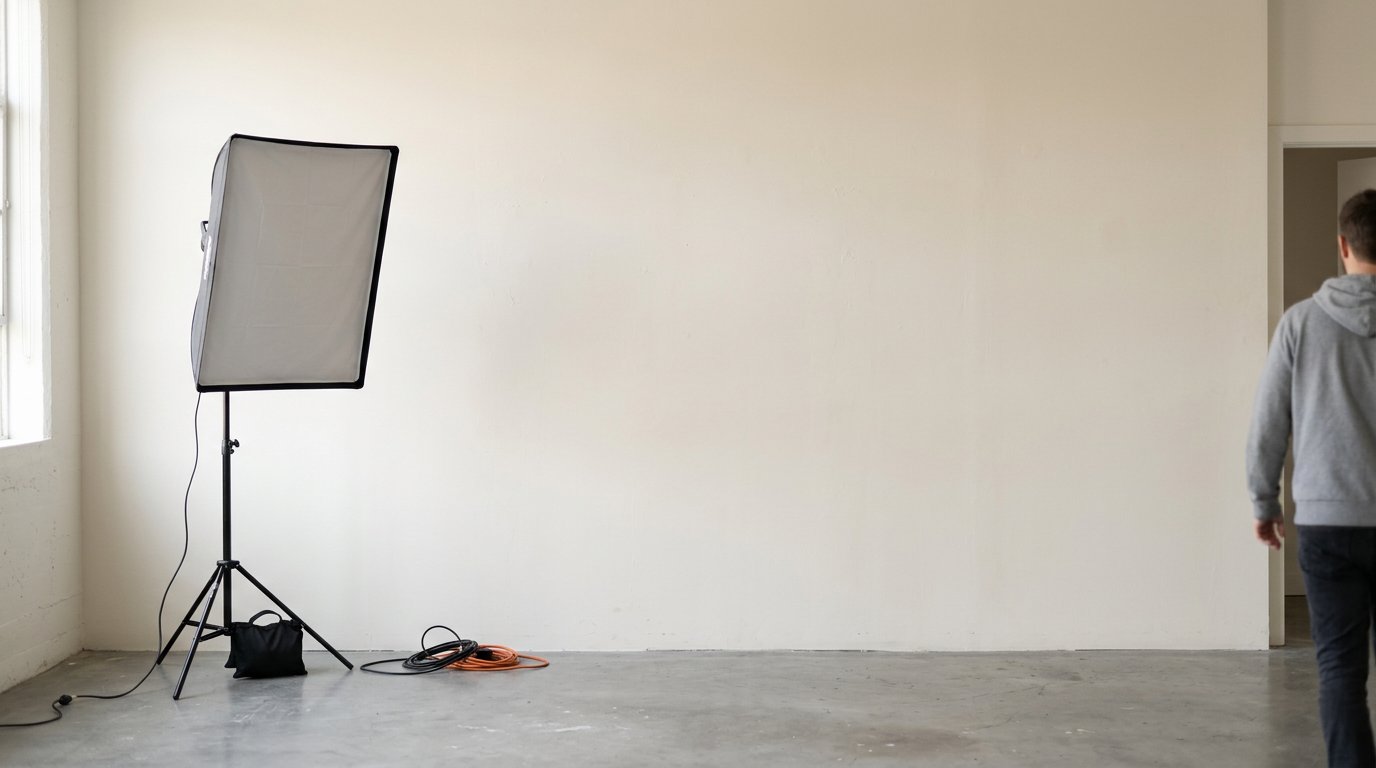
To achieve this, position the subject approximately half a meter away from the wall rather than leaning directly against it. This distance allows light to fall behind the subject, eliminating the harsh drop shadow that ruins the edge detection process. Use natural, indirect sunlight facing the subject. The mistake applicants repeatedly make is using overhead residential lighting, which casts deep shadows under the eyes, nose, and chin, making the facial features unreadable to the system.
Why background gradients fail the contrast check
A background that appears white to the human eye often registers as a grey gradient to a camera sensor if the light falls unevenly across it. When the digital file is processed, the system requires a uniform color value across the entire background plane. If one side of the image is significantly darker than the other, the contrast check fails. To prevent this, ensure the light source illuminates the room evenly, and avoid shooting near a window that only lights one side of the face and wall. You can read more about setting up this environment in our guide on How to Meet the 2026 Irish Passport Photo Requirements for Fast Approval.
2. Position the subject for strict biometric alignment
Biometric mapping relies on a perfectly symmetrical presentation of the face. The software draws a vertical line down the center of the nose and a horizontal line across the eyes, measuring the exact distances between the pupils, the tip of the nose, the edges of the mouth, and the chin. The camera lens must be precisely at eye level with the subject. If you shoot from slightly above or below, you introduce perspective distortion, artificially lengthening the forehead or the jawline, which guarantees a rejection.
For infants, achieving this alignment is notoriously difficult because they lack neck control and naturally look away from the lens. The mechanism to solve this involves laying the baby flat on their back on a plain white sheet, shooting from directly above.
Practical rule: If you can see the top surface of the subject's shoulders or the underside of their chin, your camera angle is tilted and the resulting facial proportions will fail the biometric scan.
The mistake parents make here is using their hands to prop the baby's head up or leaving a pacifier in the frame. Any foreign object, including a supporting hand, invalidates the image instantly.
How head tilt invalidates pupillary distance measurements
A slight rotation of the head, even a few degrees to the left or right, hides a portion of one ear and alters the apparent distance between the eyes. The irish passport photo guidelines strictly mandate a "full face, front view." When a head is tilted, the software cannot calculate the pupillary distance accurately, resulting in an error. Always ensure both ears are equally visible and the chin is perfectly level with the floor.
3. Frame the exact ireland passport photo size
The dimensional rules for an irish passport photo are absolute, and they apply to both the overall canvas and the proportion of the face within that canvas. The physical print must measure exactly 35mm wide by 45mm high. However, the more critical measurement is the head size. The distance from the bottom of the chin to the crown of the head (ignoring voluminous hair) must measure between 32mm and 36mm. This means the face must dominate the frame, leaving only a small margin of background visible above the head and beside the ears.
The mechanics of this requirement ensure that when the physical photo is scanned into the passport booklet, the face remains large enough to be easily identifiable by border control agents. The specific mistake people make here is framing the shot like a standard portrait, showing too much of the chest and shoulders. When you leave too much space around the subject, the head falls below the 32mm minimum threshold. For deeper specifications on these proportions, consult A Complete Guide to Irish Passport Photo Requirements for 2026.
Where digital cropping ruins physical scaling
When applying online, you do not submit a 35x45mm file. Instead, the system requires a larger digital file that it will crop automatically. If you attempt to pre-crop the image tightly around the face before uploading it, the software will zoom in further during its automated processing, pushing the top of the head or the bottom of the chin outside the frame. Always upload a wider shot that leaves plenty of room above the head and below the collarbones, allowing the government portal's internal cropping tool to lock onto the eyes and size the image correctly.
4. Manage facial expressions and visual obstructions
The requirement for a neutral expression is not a stylistic preference; it is a technical necessity for facial recognition software. When a person smiles, their cheeks lift, their eyes narrow, and the baseline shape of their mouth distorts. These changes alter the distances between key biometric anchor points. The mechanics of the scan demand a closed mouth, relaxed jaw, and wide-open eyes looking directly at the lens.
The most common mistake adult applicants make is offering a "soft smile" to avoid looking stern. The system will reject any image where the teeth are visible or the corners of the mouth are turned up. Additionally, glasses are a massive failure point. Even if the frames are thin and do not obscure the eyes, the lenses inevitably catch microscopic reflections from the light source, which the software reads as a white obstruction over the pupil. The safest approach is to remove glasses entirely.
What constitutes a neutral expression for infants
The irish passport photo requirements provide slight leniency for very young infants, acknowledging that a forced neutral expression is impossible. A baby under twelve months old does not need to have their mouth perfectly closed, but their eyes must be open and facing the camera. The real danger with infants is them closing their eyes due to a camera flash or looking off to the side at a parent. Ensuring the baby is alert and engaged with the lens, without crying or widely yawning, is sufficient for approval. For a broader look at how different countries handle these nuances, review Passport Size Photo Dimensions in 2026: How to Meet Standard Requirements and Avoid Rejection.
5. Format the digital file for online submission
The final hurdle is the technical composition of the digital file itself. The Passport Online service requires a JPEG image that is at least 715 pixels wide and 951 pixels high. Furthermore, the file size must not exceed 9 megabytes, but it also cannot be heavily compressed. The mechanism here is pixel integrity. The system needs sharp, distinct pixels to calculate the edges of the facial features.
The mistake applicants make is using a messaging app (like WhatsApp or iMessage) to transfer the photo from their phone to their computer before applying. These apps automatically compress the image, permanently deleting pixel data to save bandwidth. The result is a blurry, artifact-heavy file that fails the resolution check, even if the dimensions are correct.
Why file compression destroys biometric markers
When a JPEG is compressed, the algorithm groups similar colored pixels together into blocks. On a face, this creates jagged edges around the iris of the eye or the line of the lips. The scanning software interprets these jagged edges as a lack of focus or low resolution, triggering a "photo too blurry" rejection. Always transfer the original, uncompressed file directly from the camera roll via a cable or a lossless cloud storage drop. If you are comparing digital methods, you can see the differences in 4 Best Tools for an Online Passport Size Photo in 2026.
Common Pitfalls & Troubleshooting
Symptom: The portal rejects the photo with a "Lighting is uneven" or "Shadows detected" error. Diagnosis: The subject is standing too close to the background, causing their body to cast a shadow on the wall behind them, or a single light source is illuminating only half the face. Fix: Move the subject at least half a meter away from the wall. Ensure the main light source (like a window) is directly in front of the subject, hitting both cheeks evenly, rather than off to the side. This is the most frequent cause of automated rejection.
Symptom: The portal rejects the photo indicating the face size is incorrect, despite using the physical 35x45mm crop. Diagnosis: The applicant uploaded an image that was already tightly cropped, forcing the portal's automated scaling tool to zoom in too far and push the head out of bounds. Fix: Upload an original, uncropped photograph that shows the full head, shoulders, and upper chest, along with plenty of background space above the hair. Let the portal's software handle the cropping.
Symptom: The photo is rejected for "Glare on glasses" or "Eyes obscured." Diagnosis: The subject left their prescription glasses on, and the camera flash or window light reflected off the glass, covering the pupil. Fix: Remove the glasses entirely for the photograph. The Department of Foreign Affairs strongly recommends against wearing glasses in passport photos to eliminate this risk completely.
Symptom: An infant's photo is rejected for "Background not clear." Diagnosis: The parent used a textured blanket, a patterned car seat, or a supporting hand is visible in the frame holding the child's head. Fix: Lay the infant on a plain white, uncreased sheet. Remove all pacifiers, toys, and hands from the frame. If you must support the head, place a rolled towel under the sheet where it cannot be seen by the camera.
FAQ
Can I wear makeup in my passport photo?
Yes, light, everyday makeup is permitted. However, avoid heavy contouring, theatrical makeup, or excessive highlighter, as these can alter the natural shape of your face and create artificial glare that interferes with biometric scanning.
What should an infant wear for a passport photo?
Dress the infant in clothing that contrasts slightly with the white or light grey background. Avoid white tops, as they can blend into the background and confuse the edge detection software. Remove any bulky hoods, hats, or large bows that obscure the shape of the head.
Is it acceptable to have my hair covering my ears?
Yes, your hair can cover your ears, provided it does not fall across your eyes, eyebrows, or cheeks. The full outline of your face, from the forehead to the bottom of the chin, must be clearly visible without sweeping fringes blocking the facial features.
Can I take the photo with my smartphone?
Yes, modern smartphone cameras possess more than enough resolution. The critical factors are ensuring the phone is held perfectly vertically at eye level, using natural light, and transferring the file to your computer without compression via messaging apps.