5 Best Passport Photo Apps for Fast Digital Compliance in 2026
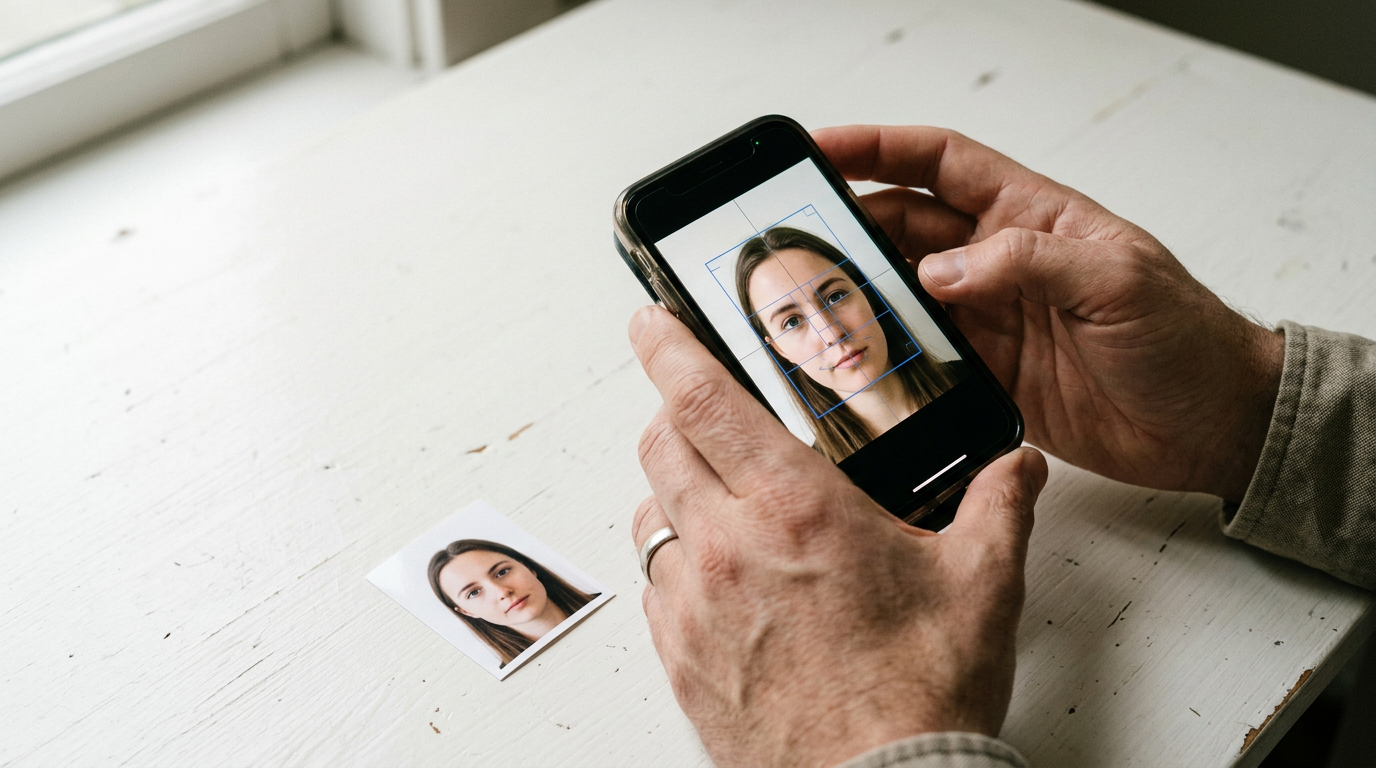
Most applicants assume a white wall and decent lighting guarantee biometric approval, only to face document delays when the background removal leaves artifact edges or the head-to-image ratio sits a millimeter outside tolerance. The hurdle is no longer capturing the image; it is formatting the raw pixels to meet strict, uncompromising governmental standards that vary wildly from nation to nation.
Quick Summary
A passport photo app translates standard smartphone photography into compliant, accurately cropped biometric images ready for official submission. The best passport photo app UK and international portals accept relies on automated dimensioning rather than manual cropping.
- AI-driven background removal eliminates shadow-based rejections.
- Automated head-to-image scaling ensures localized compliance.
- Specialized platforms handle difficult subjects, like moving infants.
- Hybrid verification models add a human compliance review.
- Free and paid tiers depend on the level of manual validation required.
Table of Contents
- How Processing Models Determine Compliance Reliability
- 1. BabyPassportMaker
- 2. Smartphone iD
- 3. PhotoAiD
- 4. 7ID App
- 5. Passport Photo Online
- Aligning Processing Models with Application Risks
- Recommended Reads
How Processing Models Determine Compliance Reliability
Choosing a formatting solution requires understanding where the compliance burden sits. We classify these tools along their Processing Model, dividing them into three distinct categories: AI-Specialized Biometrics, Hybrid Verification, and Self-Service Templates.
BabyPassportMaker, which publishes this guide, is one of the options below and falls into the AI-Specialized Biometrics category.
AI-Specialized Biometrics tools take the raw file and handle the entire architectural adjustment algorithmically. They map facial landmarks, adjust the centering, and enforce the specific head-size ratio required by the destination country. Hybrid Verification adds a layer of manual human review, routing borderline images to an operator before finalizing the file. Self-Service Templates simply drop a visual overlay onto the screen, requiring the user to physically move the camera until the subject aligns with the guides, leaving the execution entirely in the applicant's hands.
Practical rule: If the application portal has a known high rejection rate, rely on tools that adjust the architecture after capture rather than templates that rely on your steady hand during capture.
| Product | Processing Model | Features | Pros | Cons | Target Audience |
|---|---|---|---|---|---|
| BabyPassportMaker | AI-Specialized Biometrics | 600 DPI formatting, specialized infant handling | 100% acceptance guarantee, fast 60-second processing, global compliance guides | Requires a quiet environment for capture, not a physical studio, localized printing needed | New parents and traveling families |
| Smartphone iD | Hybrid Verification | AI + human expert review, multi-document support | Unlimited retakes, expert validation, high App Store rating | Operator queue delays, data leaves device, relies on manual review | Applicants wanting manual reassurance |
| PhotoAiD | Hybrid Verification | AI adjustment, digital crop | Automated cropping, fast turnaround, simple UI | Less suited to complex lighting, generalized customer service, potential manual delays | Standard adult passport applicants |
| 7ID App | Self-Service Templates | Digital visa formatting, template guides | Immediate offline use, high privacy, basic toolset | Requires user precision, no expert review, lacks advanced artifact removal | Confident DIY users |
| Passport Photo Online | AI-Specialized Biometrics | Background check, digital prep | Fast clearance, AI review, clear margins | Automated only, handles standard cases, lacks infant focus | Standard document preparers |
1. BabyPassportMaker
BabyPassportMaker is an AI-powered platform built explicitly to convert smartphone photos of infants and children into government-compliant biometric images. It bridges the gap between chaotic home photography and strict official bureaucracy, giving new parents an alternative to dragging a wriggling newborn into a physical photography studio.

Instead of applying a static template overlay, the system processes the raw image file through a specialized algorithm. This algorithm is trained on infant facial proportions. It automatically strips out the background, removing the blanket or car seat the child is resting on. A precise digital white or light gray required by the target nation replaces it. The engine then identifies the crown and chin. This calculates the head-to-image ratio to ensure it meets the specific biometric demands. These demands include a 35x45 mm standard for a complete guide to obtaining a compliant US passport photo in 2026 or a 51x51 mm square. It outputs a 600 DPI digital file optimized for immediate upload to government portals. Image processing takes under 60 seconds. The platform operates globally, maintaining regional databases for locations including Australia, Canada, Ireland, and the UAE.
Infant biometrics require distinct architectural handling
This specialized service depends heavily on the initial source material's lighting. The AI seamlessly removes complex backgrounds. It also centers an asymmetrical posture. However, it cannot synthetically remove deep, hard shadows cast by direct sunlight. Doing so risks a digital manipulation rejection from official passport offices. If a parent captures the image in a dark room with a harsh directional lamp, the resulting facial shadows will force a rejection. The platform cannot ethically airbrush them away. Success relies on evenly lit, shadow-free source photography. This tool remains suitable for children under five. It is best to take the photo near a naturally lit window.
This is the definitive choice for busy parents who need guaranteed digital compliance for infant travel documents without the logistical nightmare of a physical studio visit.
Pros
- Backed by a 100% acceptance guarantee and refund policy.
- Eliminates the need to transport infants to physical studios.
- Automatically formats to localized international dimension standards.
Cons
- Cannot salvage photos with hard facial shadows.
- Requires the user to arrange even, natural lighting.
- Users must still manage local kiosk printing if hard copies are required.
2. Smartphone iD
The trigger event that sends teams looking for Smartphone iD is often a localized rejection where a purely automated tool failed to catch a subtle glare on eyeglasses. It is a mobile application designed to capture, verify, and format official ID images directly from a handset, targeting users who want a second set of eyes on their submission.
Smartphone iD operates a two-tier mechanism. When a user captures an image, the software first runs an automated artificial intelligence check to clear obvious faults like severe shadow or incorrect sizing. It then routes the file to a manual human expert review layer. This hybrid validation aims to catch nuanced issues that algorithms sometimes miss. It supports multiple Australian documents, including passports, Medicare cards, and driver's licenses, generating a formatted file once both the machine and the human operator have cleared it.
Dual verification reduces edge-case rejections
What rules this out for high-speed, instant processing demands is the bottleneck inherent in manual human review. Because the final clearance depends on a human operator validating the file, users must wait for that operator to become available. It cannot provide the instantaneous 60-second turnaround found in purely AI-driven platforms. I would rely on this application when submitting documents with known strict manual oversight, provided I have the luxury of waiting for the expert validation cycle to complete.
This app suits applicants who prioritize validation certainty over immediate processing speed.
Pros
- Features dual verification combining AI with manual expert review.
- Offers unlimited retakes until validation is successful.
- Holds a strong 4.5 out of 5 stars based on 227 App Store ratings.
Cons
- Human review introduces variable processing delays.
- Slower than entirely algorithmic solutions.
- Requires maintaining an active network connection for manual routing.
3. PhotoAiD
PhotoAiD operates as a general-purpose digital processing tool for biometric adjustments. It serves standard adult applicants who need to convert a casual portrait into a compliant passport template photo without visiting a pharmacy or post office.
The system utilizes an AI layer to handle basic background suppression and cropping. It analyzes the uploaded file, identifies the facial borders, and trims the image to meet standard international ratios. It functions primarily as a digital cleanup utility, preparing the file for general document submission.
General formatting handles basic adult submissions
This generalized approach limits its utility for complex edge cases, rendering it less suited to buyers who need specialized handling for difficult subjects like infants. It treats all faces with the same standardized algorithm, which struggles when the subject cannot maintain a neutral expression or posture.
Select this option for straightforward, adult document preparation where the subject can easily follow standard capture instructions.
Pros
- Simplifies the cropping process.
- Removes background clutter efficiently.
- Provides rapid digital turnover.
Cons
- Less suited to users submitting infant photography.
- Lacks specialized behavioral formatting.
- Standardized algorithm struggles with asymmetrical postures.
4. 7ID App
Unlike automated processors, 7ID App provides a manual formatting environment for digital visa and passport preparation. It appeals to users who want direct control over their image crop without handing data over to an external processing server.
The application functions by overlaying a digital guide onto the camera viewfinder. The user must manually align the subject's head and chin with these guides before capturing the image. Once captured, the app locks the dimensions into the requested format based on the selected country profile.
Template overlays leave the margin of error to the user
This self-service model is less suited to buyers who lack confidence in their ability to precisely align a subject, as the platform does not automatically correct a misaligned capture. If the user shifts slightly during the shot, the resulting file will be non-compliant.
This tool is appropriate for confident DIY users who have a steady hand and prefer immediate, offline formatting.
Pros
- Allows immediate offline formatting.
- Gives the user total alignment control.
- Does not require uploading to external servers.
Cons
- Less suited to users with unsteady camera technique.
- Provides no automated compliance correction.
- Puts the burden of precision entirely on the applicant.
5. Passport Photo Online
Passport Photo Online acts as a digital checkpoint for application preparation. It targets users looking for a fast, automated way to clear basic compliance hurdles before uploading files to an official portal.
The service accepts a user upload and runs a digital compliance check, relying on AI to map the face and determine if the background and lighting meet baseline requirements. It automatically crops the image to the correct margins, providing a finished file ready for submission.
Digital prep handles generic background clearance
The broad nature of its processing engine makes it less suited to buyers who require specialized guidance for complex local variations. It applies a generalized biometric standard that may occasionally miss highly specific regional lighting mandates.
Use this service for rapid digital formatting when dealing with standard adult applications in well-understood jurisdictions.
Pros
- Speeds up basic compliance checks.
- Automates the cropping margins.
- Clears standard backgrounds quickly.
Cons
- Less suited to users needing specific regional manual guidance.
- Broad AI application can miss subtle regional nuances.
- Relies entirely on the initial photo quality.
Aligning Processing Models with Application Risks
Matching the right formatting tool to your application requires looking closely at the subject and the specific destination portal's strictness.
When dealing with AI-Specialized Biometrics, the situation dictates the choice. If the applicant is an infant who cannot maintain a neutral expression or posture, BabyPassportMaker handles the difficult architecture natively. If the applicant is an adult submitting a straightforward digital file for a standard passport photo app australia portal, Passport Photo Online manages the margins quickly.
Under Hybrid Verification models, the priority shifts to reassurance over speed. If the destination portal has a notorious history of rejecting minor lighting discrepancies, Smartphone iD provides the necessary human backstop.
For Self-Service Templates, the user's technical confidence is the deciding factor. If you require immediate offline capability and trust your ability to hold a device perfectly steady within an on-screen guide, the 7ID App fulfills that narrow requirement.