6 Types of Online Passport Size Photo Tools Compared for 2026
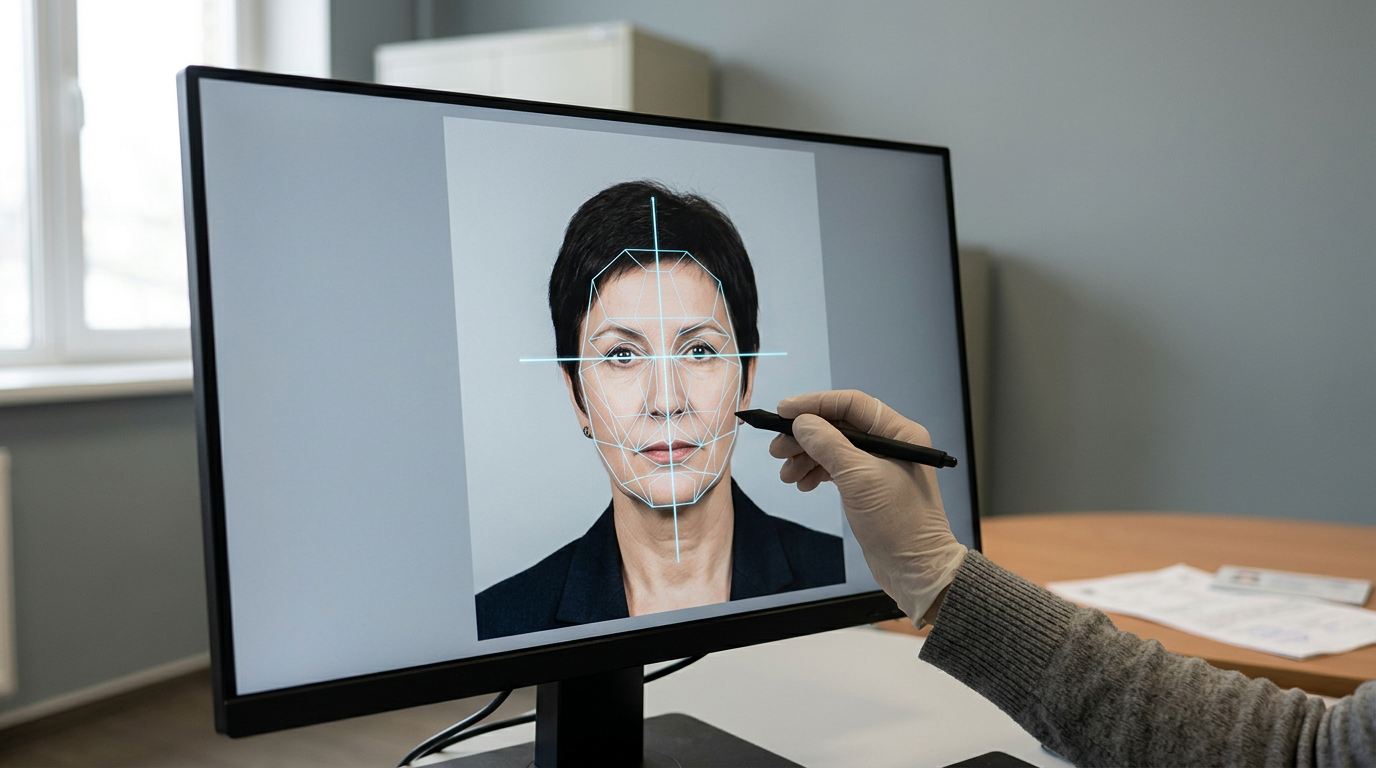
Uploading a captured image of an infant to a government visa portal at 11 PM, only to receive a generic "shadows detected" error code, is a uniquely frustrating bottleneck. The system rejects the file instantly but offers no instruction on how to fix the lighting. Securing an online passport size photo that actually passes biometric screening requires more than dragging a crop box over a face. Government agencies evaluate digital submissions through automated error level analysis and geometric mapping, not human visual checks.
Why Geometry Outranks Aesthetics in Online Passport Size Photo Tools
The lens for evaluating these online processing utilities is straightforward: their ability to enforce strict biometric compliance and their handling of non-ideal source lighting. Every platform and approach listed here is judged on how effectively it manages millimeter-perfect measurements - such as maintaining a strict 32-36 mm chin-to-crown distance - and whether it actively validates the image against international biometric databases before you submit it. Getting this wrong results in delayed travel, voided application fees, and starting the entire process over.
Quick Summary
An online photo processor is a digital utility designed to format, measure, and validate personal portraits against international government biometric specifications. - AI validation platforms automate background removal and mapping. - Government portals provide absolute final rulings without diagnostic support. - Manual web croppers rely entirely on the user's knowledge of geometric rules. - Graphic design platforms risk altering EXIF metadata and resolution during export.
Table of Contents
- Why Geometry Outranks Aesthetics in Online Passport Size Photo Tools
- Quick Summary
- 1. Dedicated AI-Powered Validation Platforms
- Exceptional geometric compliance, intolerant of extreme source lighting
- 2. Government-Provided Digital Checking Portals
- Absolute definitive rulings, terrible diagnostic feedback
- 3. Manual Web-Based Croppers
- Rapid resizing, zero biometric verification
- 4. General Graphic Design Platforms
- Total visual control, high risk of metadata rejection
- 5. Pharmacy and Post Office Web Portals
- Reliable physical media, indifferent to image compliance
- 6. Freelance Retouching Services
- Fixes severe lighting flaws, violates alteration regulations
- Where Your Workflow Will Break Down
- FAQ
- Recommended Reads
| Tool Category | Primary Mechanism | Best For | The Critical Limitation |
|---|---|---|---|
| AI Platforms | Neural network facial landmark mapping | Moving subjects and home lighting | Rejects harsh shadows mistaken for features |
| Government Portals | Direct API database validation | Final submission confidence | Zero diagnostic repair suggestions |
| Manual Croppers | JavaScript canvas bounding boxes | Users who memorize specific geometry | Permits technically failing images to export |
| Design Tools | Layer-based manual pixel editing | Advanced control of color profiles | Strips required EXIF data upon rendering |
| Retail Portals | Web-to-print dye-sublimation | Fast physical collection | Only checks print margins, not the face |
| Retouchers | Human manual pixel cloning | Salvaging badly lit originals | Violates strict laws against image alteration |
1. Dedicated AI-Powered Validation Platforms
These are specialized web applications designed entirely around government biometric parameters. They cater primarily to users who cannot control their environment - such as new parents attempting to capture a compliant image of a moving infant without the logistical headache of visiting a professional studio.
The underlying mechanism relies on facial landmark detection networks. When you upload a file, the system maps dozens of coordinate points across the face to establish the inter-pupillary distance and total head height. Using alpha matting algorithms, the software isolates fine details like hair edges, aggressively masks the existing background, and replaces it with a uniform hexadecimal white or grey value. It then automatically scales the isolated subject to fit specific document proportions before generating a 600 DPI output file. For individuals figuring out How to Get Passport Photos Ready for Online Submission in 2026, this automation bridges the gap between smartphone photography and rigorous standards.
Exceptional geometric compliance, intolerant of extreme source lighting
The reliance on contrast to detect edges means these platforms struggle heavily with uneven illumination. If your source photo features a harsh directional shadow falling across one side of the nose or underneath the chin, the neural network will frequently misinterpret that shadow as a physical facial contour. The software will either warp the resulting crop or reject the file entirely as having an obscured face. Users attempting to process dimly lit, heavily shadowed selfies taken at night will find these platforms unusable until they provide a flatly lit original file.
2. Government-Provided Digital Checking Portals
Many national issuing authorities now embed a preliminary verification tool directly into their online application flow. This is intended for direct applicants who already have a digital file and want to verify it before paying their processing fee.
These portals do not process your image; they interrogate it. They run a direct API call against the exact deterministic algorithm that the final application will use. The system reads the EXIF data for proper resolution, checks the color space (sRGB), measures the background pixel uniformity, and evaluates the facial geometry. Because you are testing the file against the actual database rules, passing this check guarantees technical acceptance. Understanding how these distinct systems operate is vital when comparing International Passport Photo Size Guide: Chinese, Malaysian, and More, as different countries run vastly different validation logic.
Absolute definitive rulings, terrible diagnostic feedback
These official portals operate as strict, unhelpful binary gates. They will return a blunt 400-level error stating "background not uniform" or "eyes obscured" but will never isolate the exact cluster of pixels causing the failure. If your image fails the check, the portal offers zero tools to fix it. You are left guessing whether the rejection stems from a slight shadow on the wall, a reflection in your glasses, or an improper crop ratio, forcing a frustrating trial-and-error loop.
3. Manual Web-Based Croppers
These are lightweight, browser-based utilities that provide a fixed-aspect-ratio grid overlaid on an uploaded image. They target users who just need a fast way to trim an existing, compliant portrait down to a specific dimension without downloading heavy editing software.
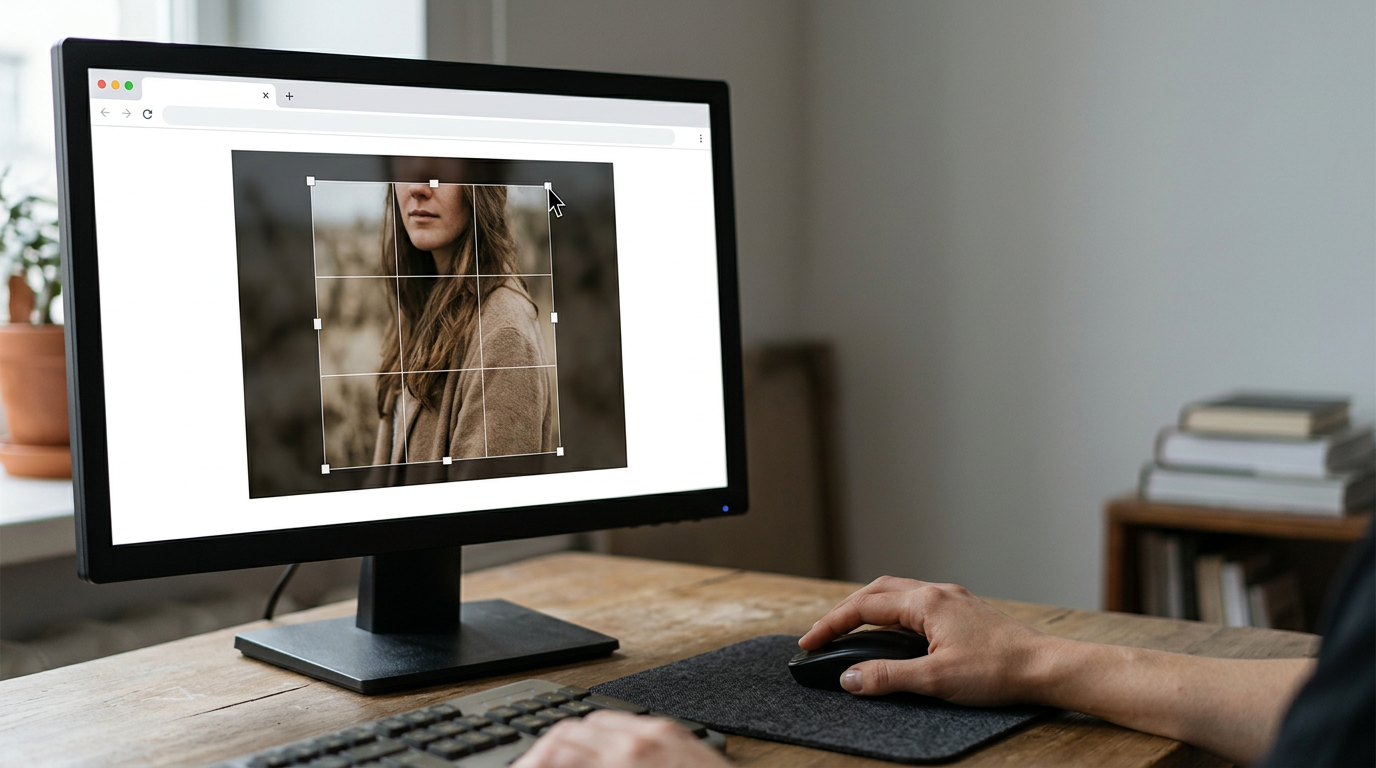
The tool utilizes HTML5 canvas drawing functions. You upload an image, and the interface locks a bounding box to a specific mathematical ratio (such as 35x45mm). When you drag the box over the subject's face and hit save, JavaScript runs a bicubic interpolation algorithm to resize the selected area and packages it as a downloadable JPEG. It is essentially a digital cookie cutter.
Practical rule: Never rely on a web browser's native export engine to maintain EXIF metadata; always verify the final downloaded file properties locally to ensure the DPI remains intact before submitting to a government portal.
Rapid resizing, zero biometric verification
The heavy lifting of biometric compliance rests entirely on your shoulders. The tool has no awareness of what is inside the bounding box. You could successfully crop a photograph of a person wearing heavy sunglasses, or frame the head so tightly that it occupies almost the entire image, and the software will happily generate the file. The burden of measuring a 25-35 mm chin-to-crown height within that cropped square is left to your own visual estimation, which frequently results in technical rejections during the actual application process. You must be intimately familiar with Global Passport Size Photo Requirements: 7 Regional Specifications for 2026 to use this tool safely.
4. General Graphic Design Platforms
Browser-based layer editing applications, such as Canva or Adobe Express, are frequently repurposed by users attempting to build their own print sheets. This approach usually attracts highly technical users or amateur photographers who want total control over the output canvas.
The user configures a blank document to an exact physical dimension (e.g., a 4x6 inch photo block) and manually scales their portrait onto that canvas to create a printable grid of six images. The mechanism involves manual pixel-level manipulation, allowing the user to adjust contrast, tweak the white balance, and manually erase background elements using digital brushes.
Total visual control, high risk of metadata rejection
Graphic design platforms prioritize visual aesthetics and small file sizes over forensic document integrity. When you render the final file, the platform's compression engine often strips essential EXIF metadata and defaults the resolution to a screen-friendly 72 or 96 DPI, rather than the mandatory 300 to 600 DPI required by passport agencies. While this file might look perfect on a monitor, government automated scanners will instantly reject it for insufficient data density. Readers piecing together A Complete Guide to Understanding Photo Dimensions for Indian Passport Applications in 2026 often fall into this trap, assuming a correctly sized rectangle guarantees a correctly formatted file.
5. Pharmacy and Post Office Web Portals
Many retail chains provide web-to-print portals that allow users to upload digital files from home and collect physical prints at a local kiosk an hour later. This setup serves applicants who require physical hardcopies for mail-in document renewals but prefer to take the photo themselves.
The backend of this process routes your uploaded JPEG to a commercial dye-sublimation printer. Unlike standard inkjet printers that apply visible halftone dots, dye-sublimation uses heat to transfer continuous tones of color onto specialized photographic paper. A mechanical die-cutter then stamps the print into exact physical dimensions. When preparing physical media, understanding How to Prepare a Compliant Passport Size Photo: Officeworks and Home Tool Setup Guide helps navigate these specific retail machinery standards.
Reliable physical media, indifferent to image compliance
These retail portals guarantee the quality of the paper, not the legality of the face printed on it. The validation software on a pharmacy portal checks only if the file has enough resolution to avoid pixelation on a 4x6 sheet. It does not check if the background is properly white or if the subject is looking directly at the lens. If you upload a non-compliant image, the clerk will faithfully hand you a beautifully printed, continuous-tone sheet of an image that will fail at the passport office.
6. Freelance Retouching Services
Rather than relying on automated scripts, some users turn to gig-economy platforms to hire human editors. This route is typically chosen by individuals who have a photograph with excellent facial expressions but terrible background clutter or harsh lighting they cannot digitally fix themselves.
The editor downloads your file and applies advanced digital darkroom techniques. They use frequency separation to smooth out lighting gradients, manually clone background pixels to remove shadows, and use pen-tool paths to cut out the subject perfectly. The result is an aesthetically flawless file that completely masks the environment in which it was taken.
Fixes severe lighting flaws, violates alteration regulations
Using a human retoucher introduces severe legal risk. Every major government strictly forbids the manual alteration of a passport application photo. Authorities run digital files through Error Level Analysis (ELA) to detect cloned pixels, manual airbrushing, or manipulated contrast curves. If an overzealous freelance editor smooths out a blemish on your cheek or digitally brightens the whites of your eyes, the file is flagged as structurally manipulated. This triggers an immediate rejection and can result in the application being flagged for suspected identity fraud. For a deeper look at the risks of third-party handling, reviewing Free Online Passport Photo Tools: Are They Safe? outlines where manual interference crosses the line.
Where Your Workflow Will Break Down
Selecting the correct processor depends entirely on where your current attempt is stalling. If you possess a mathematically perfect file but lack the specialized dye-sublimation hardware to produce a continuous-tone hardcopy, routing your file to a retail pharmacy portal is the necessary final step.
Conversely, if your bottleneck involves capturing a moving infant who cannot sit perfectly still under flat studio lighting, manual croppers will fail you. You cannot enforce the necessary 35x45mm geometry manually on a subject leaning slightly off-axis. In this scenario, an AI validation platform that can automatically map the facial landmarks and replace the background is the only viable path to securing accepted passport size photo online documents. Avoid graphic design software unless you are fluent in managing EXIF data and DPI export settings, as the risk of silent file compression is too high.
FAQ
Will an online editing tool guarantee government acceptance?
No tool can guarantee a human official will accept an image, but biometric validation tools dramatically reduce technical rejections. Government portals evaluate strict data points like background uniformity and head-to-image ratios. AI tools that check these specific metrics prevent automated rejections, but manual resizing tools offer zero protection against compliance failure.
Does print resolution matter if I only need a digital upload?
Yes, resolution is heavily scrutinized in digital submissions. Government databases require high-density files, typically mandating a minimum of 300 to 600 DPI (dots per inch) embedded in the file's metadata. If you use a basic web cropper that exports your image at 72 DPI, the application portal will reject the file for insufficient quality, even if it looks perfectly clear on your monitor.
Can software fix the lighting on a rejected application photo?
Software can remove a background and isolate a face, but it cannot fix heavy shadows cast across your actual facial features. Governments forbid manual cloning or airbrushing of the skin. If one side of your face is significantly darker than the other due to poor lighting, you must take a new photograph under flat, even illumination rather than attempting to digitally dodge and burn the shadows.