7 Types of Passport Photo Template and Digital Formatting Tools for 2026
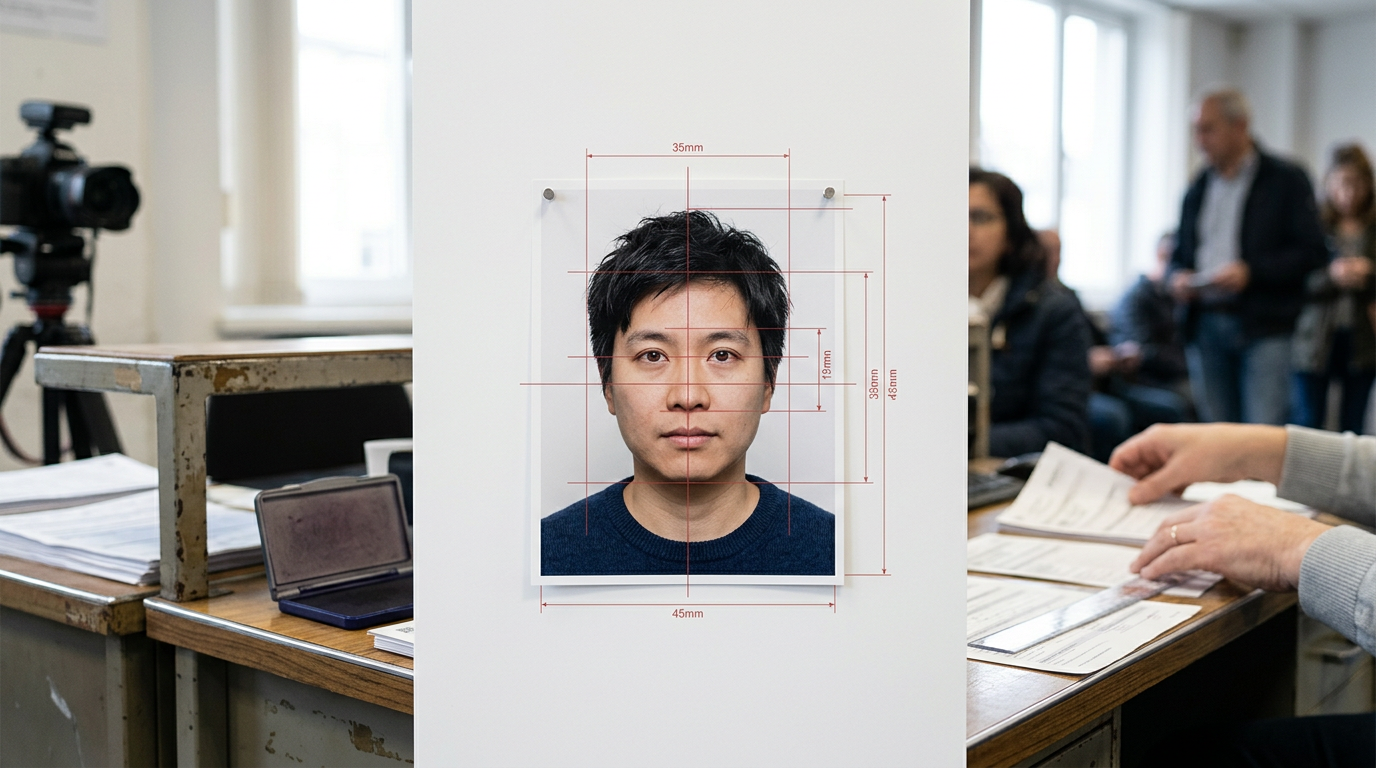
Staring at a passport application rejection email because a shadow fell across your infant's shoulder reveals a frustrating reality: strict government technical requirements do not care how difficult the photo was to capture. When you take a picture on a smartphone, you capture raw data. The government, however, requires precise biometrics. Finding a reliable passport photo template is about bridging that gap, ensuring your digital file accurately maps facial proportions to exact physical dimensions without introducing digital artifacts that trigger automatic rejection.
Quick Summary
Digital formatting tools convert standard smartphone photographs into government-compliant biometric images by cropping, resizing, and adjusting backgrounds to strict dimensional standards. The right tool prevents costly application delays by enforcing technical rules before submission.
- Graphic design platforms allow freeform resizing but offer no biometric guardrails.
- Biometric croppers measure facial proportions mathematically but cannot fix poor lighting.
- Automated background removers often leave artificial halos that cause immediate rejection.
- Print compilers format digital files into standard 4x6 grids for kiosk printing.
- Specialized infant processors handle chaotic postures but require a clear original capture.
Table of Contents
- Why Most Image Editors Fail the Biometric Test
- 1. General Graphic Design Platforms
- Excellent for formatting, oblivious to biometric rules
- 2. Dedicated Background Removal Utilities
- Isolates the subject, but destroys fine edge detail
- 3. Biometric Cropping Applications
- Solves the measurement math, leaves the lighting to you
- 4. Print-Ready Layout Compilers
- Bridges the gap between digital files and physical kiosks
- 5. Native Smartphone OS Editors
- Fast and free, but inherently compresses image data
- 6. Official Government Validation Portals
- The ultimate authority, heavily restricted on input formats
- 7. Infant-Specific Processing Software
- Handles chaotic subjects, requires clear initial captures
- Mapping Your Bottleneck to the Right Software
- FAQ
- Recommended Reads
Why Most Image Editors Fail the Biometric Test
Not every image editor is capable of formatting a compliant identification document. When reviewing the Best Passport Photos Online 2026: Mobile Apps and Digital Tools Compared, the critical distinction lies in biometric accuracy versus simple pixel manipulation. An effective digital tool must be judged on two criteria: its ability to mathematically enforce facial proportions (such as the strict 32-36mm chin-to-crown measurement required by many nations) and its capacity to alter backgrounds without degrading the metadata or the structural integrity of the subject's outline. Tools that fail these criteria produce images that look acceptable to the human eye but instantly fail algorithmic compliance scans.
| Tool Category | Primary Strength | Honest Limitation | Ideal Use Case |
|---|---|---|---|
| Graphic Design Platforms | Total control over canvas | No built-in biometric compliance checks | Users comfortable with manual pixel math |
| Background Removers | Instantly drops out backgrounds | Often clips hair or leaves artificial halos | Casual document needs, not strict passports |
| Biometric Croppers | Enforces precise head measurements | Does not correct poor source lighting | High-quality source images needing proper framing |
| Layout Compilers | Arranges multiples for cheap printing | Requires pre-formatted, compliant source files | Physical submissions via local photo kiosks |
| Government Portals | Offers official, final validation | Binary pass/fail with no editing tools | Final check before paying application fees |
1. General Graphic Design Platforms
Excellent for formatting, oblivious to biometric rules
General digital design platforms, such as Canva, Adobe Express, or GIMP, provide a blank canvas where you can manually define the exact pixel dimensions of your target document. For users who understand resolution scaling, these platforms allow you to input the exact millimeter requirements for your specific country and drag your source photograph onto the canvas.
These platforms work through absolute grid manipulation. When you build a standard passport template photo on a blank canvas, the software respects the outer boundary you set. You can manually draw guide lines to represent the required chin-to-crown ratio and scale your layer until the face fits between those lines. To verify your work, you must export the file, open it in a dedicated metadata viewer, and check that the export maintained a 600 DPI resolution, as simple dragging often inadvertently downscales the source layer.
However, these tools possess no contextual awareness of the image subject. They will happily let you export an image where the subject's eyes are too low, the head is tilted, or the background contains heavy gradients. Because the software does not flag biometric violations, the burden of compliance falls entirely on the user. If you are not comfortable calculating pixel-to-millimeter conversions or evaluating facial centering by eye, a general graphic design platform introduces a high risk of manual error.
2. Dedicated Background Removal Utilities
Isolates the subject, but destroys fine edge detail
Standalone background removal utilities are designed to instantly separate a human subject from a cluttered background. These tools are heavily utilized by applicants trying to salvage a photograph taken against a colored wall or in a room with inadequate neutral backgrounds.
These utilities operate using semantic segmentation algorithms. They analyze the pixels to identify the rough shape of a human, generate a digital mask over that shape, and turn every pixel outside the mask transparent or stark white. A simple test of any background remover is to deeply magnify the subject's hairline after processing. You will instantly see how the software handles transition pixels between the hair and the original wall.
Practical rule: Never submit a photograph if zooming in reveals a glowing white border or jagged, stair-stepped pixels around the shoulders. Automated passport scanners identify this as digital alteration and will reject the application.
This aggressive masking is the honest limit of dedicated background removers. When evaluating 6 Types of Online Passport Size Photo Tools Compared for 2026, these utilities routinely fail strict government standards because they destroy fine edge detail. They clip ears, erase wisps of hair, and often leave a faint, unnatural halo where the algorithm could not distinguish between a dark shirt and a dark shadow. They are unsuitable for official travel documents unless the original photo already had near-perfect lighting.
3. Biometric Cropping Applications
Solves the measurement math, leaves the lighting to you
Biometric cropping software exists to solve the complex mathematical requirements of facial proportions. Instead of giving you a blank canvas, these applications ask you to select your target country and then project a precise vector overlay onto your screen.
Mechanically, the software enforces a locked aspect ratio and a predefined head-size zone. You manually drag your photo beneath this overlay, aligning the top of the subject's head with the upper boundary and the chin with the lower boundary. Because the template is hardcoded to specific official guidelines, understanding How to Optimize a Digital Passport Photo Australia Demands in 2026 becomes a matter of aligning visual markers rather than guessing measurements. To verify the crop, check the export summary: the tool should output a file precisely matching the required pixel grid (e.g., 827x1063 pixels for a 35x45mm print at 600 DPI).
While these tools guarantee dimensional accuracy, their severe limitation is their inability to correct environmental flaws. A biometric cropper perfectly sizes the head, but it will do absolutely nothing to fix a shadow cast across the nose, a glare on the subject's spectacles, or an off-white background. If your original capture has lighting issues, a biometric cropper will simply provide a perfectly measured version of a non-compliant photograph.
4. Print-Ready Layout Compilers
Bridges the gap between digital files and physical kiosks
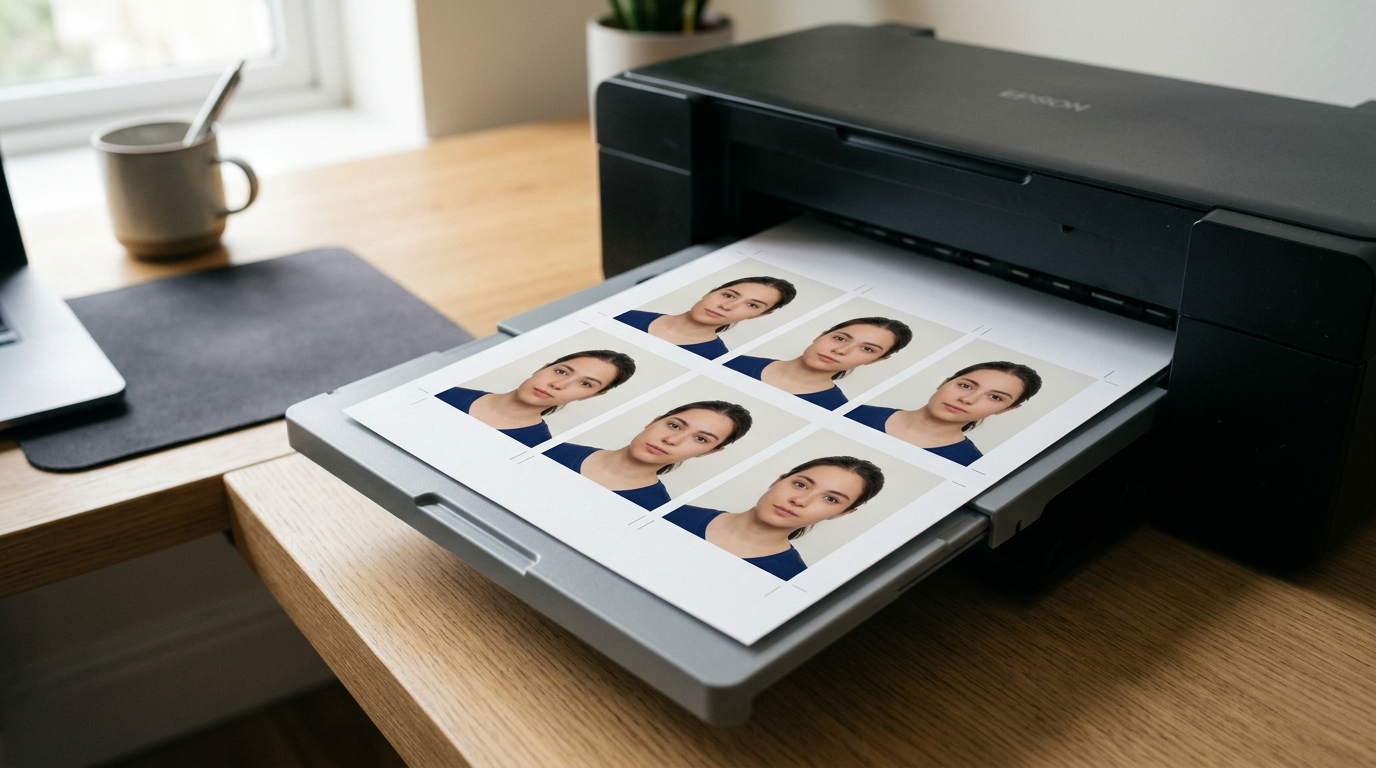
For applicants submitting physical paperwork, holding a single, perfectly formatted digital image is only half the battle. Print-ready layout compilers are specific utilities that take a compliant digital file and tile it multiple times across a standard 4x6 inch photographic canvas, allowing you to print several copies at a local pharmacy or kiosk for pennies.
These compilers operate on strict print-margin calculations. Some older tools rely on a standard passport photo 123 layout generation, creating a grid of four to six identical images spaced evenly apart. The software calculates the exact physical spacing required so that when the 4x6 sheet is printed at 300 ppi, the individual photos remain exactly at their required dimensions (e.g., 2x2 inches). You can test the output by printing the sheet and physically measuring one of the tiled images with a ruler before cutting it.
This approach fails immediately if the user allows the printing kiosk to apply automatic formatting. If a pharmacy printer is set to "Fit to Page" or "Borderless Printing," it will stretch the entire 4x6 sheet, imperceptibly enlarging the tiled faces by a few millimeters. This enlargement ruins the careful formatting and results in rejection. Layout compilers are useless unless you have total control over the physical printer's scaling settings.
5. Native Smartphone OS Editors
Fast and free, but inherently compresses image data
Modern smartphone operating systems include built-in photo editing tools capable of advanced subject isolation. Features like Apple's visual look-up or Android's magic eraser allow users to long-press a subject, separate them from the background, and paste them onto a new white canvas without downloading third-party software.
These OS-level tools utilize localized machine learning models optimized for speed and social media sharing. They rapidly calculate the depth map of the image and pull the foreground forward. Because they are baked into the phone's native gallery, they are highly accessible. Before relying on this method, check the file size of the resulting image. If the isolated photo drops below 500kb, the operating system has heavily compressed the file.
That compression is the primary reason to avoid this method for official documents. While wondering about Free Online Passport Photo Tools: Are They Safe?, users often overlook that native phone cutouts prioritize small file sizes over resolution. When the OS drops the background, it often downscales the DPI to save memory. A document printed from one of these native cutouts will appear grainy or pixelated under the government's magnifying loupe, leading to rejection for lack of clarity.
6. Official Government Validation Portals
The ultimate authority, heavily restricted on input formats
Certain governments, such as the UK's HM Passport Office, provide their own digital validation portals during the online application process. These are the gold standard for compliance checking because they use the exact algorithms that will ultimately approve or reject your document.
These portals work through server-side contrast analysis and facial recognition matrices. When you upload a file, the system checks for severe shadows, measures the distance between the eyes in relation to the chin, and scans the background for uniform color. A practical step for any applicant is to run their raw, unedited file through the government checker before paying for a physical print or attempting manual edits. The system provides immediate, authoritative feedback on lighting and framing.
However, a validation portal is a diagnostic tool, not an editor. It offers a strict binary outcome: pass or fail. If your image fails because the head is slightly too large or the background is noticeably too dark, the portal will not fix it for you. It will simply reject the file and demand a new one. It tells you what is wrong, but leaves you entirely on your own to solve it.
7. Infant-Specific Processing Software
Handles chaotic subjects, requires clear initial captures
Infants present the most difficult challenge in document photography. They cannot follow instructions, support their own heads, or look directly at a lens on command. Software designed specifically for this demographic focuses on mitigating the environmental mess of photographing a baby safely.
Mechanically, infant-specific processors utilize AI models trained explicitly on the proportions of baby faces, which differ significantly from adult biometrics. They are programmed to recognize and digitally remove the parental hands supporting the infant's neck, or to strip away the car seat fabric the baby is resting on. Successfully capturing passport photos at home with an infant requires laying them on a flat surface and relying on this specialized software to clean up the complex background and crop the erratic posture. You can verify the software's effectiveness by checking that both of the baby's ears remain visible after the background is replaced.
Practical rule: Do not attempt to digitally open an infant's closed eyes or close an open mouth. Software that alters facial features crosses the line from formatting to forgery.
The hard limit of this technology is that it cannot invent missing data. While reviewing How to Take a Perfect Newborn Passport Photo at Home in 2026, the core lesson is that if the baby's eyes are closed, or if they are looking sharply away from the camera, no software can legally correct the image. The processor can fix the background and the crop, but the raw capture must still catch the infant looking broadly toward the lens.
Mapping Your Bottleneck to the Right Software
Choosing the correct digital tool depends entirely on where your current photograph is failing. If you have a perfectly lit, sharply focused image taken against a pristine white wall, a simple biometric cropper is all you need to lock in the dimensions. If you need physical copies for an embassy visit, a print layout compiler will format your compliant digital file for a local kiosk.
Avoid automated background removers and native smartphone cutouts entirely if you are applying for strict passports; the artifacts they leave behind are too risky. If your bottleneck is an uncooperative subject - particularly an infant who must be supported by hands or pillows - specialized AI processors are the only tools capable of isolating the subject without violating digital alteration rules. Match the software to the specific flaw in your raw capture, and never rely on a tool that cannot verify its own dimensional output.
FAQ
Can I use a standard photo editing app to format my passport image? No. Standard editing apps manipulate pixels but do not enforce the biometric ratios required by government agencies. Attempting to manually scale an image often results in the head being a few millimeters out of compliance, leading to rejection.
Why do background removal tools cause passport applications to fail? Most general background removers leave digital artifacts, such as jagged edges or white halos around the subject's hair. Government scanners detect these artifacts as digital manipulation, which is strictly prohibited for official identification documents.
Does formatting a digital photo reduce its quality? It can, depending on the tool. Native smartphone editors often compress the image to save space, dropping the resolution below the required 600 DPI. A proper formatting tool scales the dimensions while preserving the original metadata and pixel density.
Are infant passport photo rules the same as adult rules? No. While dimensions remain strict, most countries relax rules regarding open mouths or perfectly straight postures for newborns. However, the background must still be completely clear of parent hands, car seats, and blankets.
What should I check before printing a formatted passport layout sheet? Always ensure the physical printer is set to "Actual Size" and that any "Fit to Page" or "Borderless" scaling options are turned off. Automatic scaling will stretch the 4x6 layout, ruining the exact millimeter formatting of the individual photos.