Passport ID Photo Architecture: Visual Rules and Biometric Mechanics
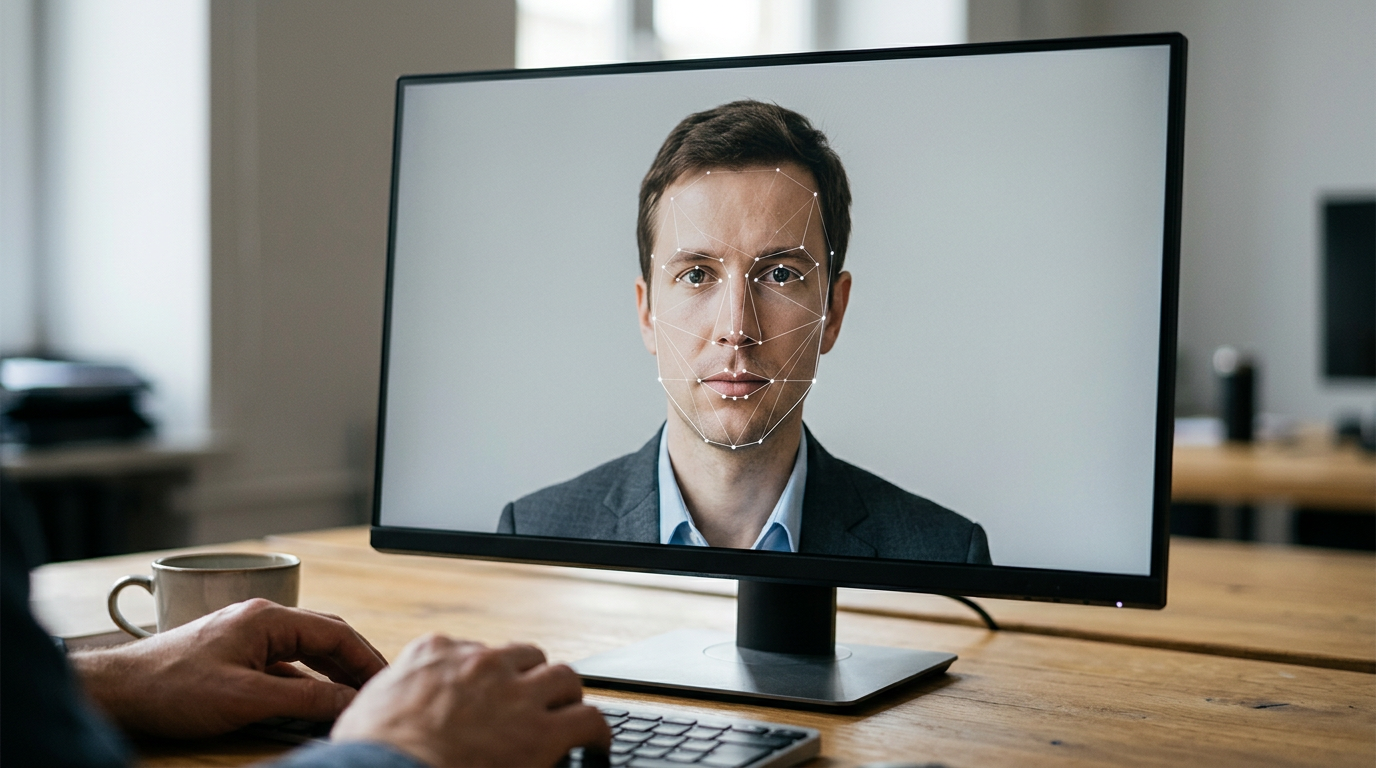
A common misconception about travel documentation is that the image you submit acts as a traditional portrait. In reality, a government-issued passport id photo is a biometric map posing as a photograph. When applicants treat the process like standard photography focusing on aesthetics rather than geometric compliance, they trigger automated system rejections that delay travel authorizations indefinitely. Understanding the mechanical rules governing these images explains why strict formatting is enforced.
Quick Summary
A compliant travel document image is a highly regulated biometric data set that systems use to measure facial geometry, background contrast, and feature alignment. Modern issuance authorities rely on automated validation software before human review, making precise lighting, specific millimeter proportions, and unaltered edges critical for acceptance.
- Automated scanners measure the absolute physical distance between facial landmarks like pupils and the chin.
- Facial mapping algorithms fail when shadows obscure the true edge of the jawline or merge with the background.
- Infant images require the same geometric precision despite the physical challenges of posture support.
- Digital background removal must preserve edge pixel integrity to avoid triggering tamper-detection protocols.
Table of Contents
- Why your passport id photo is read by machines before humans
- The International Civil Aviation Organization standards
- How shadows distort facial geometry
- Background versus facial contrast
- What happens when proportions miss the standard
- The consequences of arbitrary cropping
- Where infant captures diverge from adult standards
- Managing the neutral expression constraint
- How the passport photo page integrates visual and digital data
- Anti-counterfeiting layers in the identity document
- Which background extraction methods cause silent rejections
- FAQ
- Recommended Reads
Why your passport id photo is read by machines before humans
When you submit an application, a human official is rarely the first entity to evaluate the image. Government immigration departments process millions of applications using automated biometric software designed to extract a mathematical template of your face. This software looks for fixed anchor points: the center of each pupil, the tip of the nose, the corners of the mouth, and the base of the chin.
If the head is tilted even a few degrees on the X-axis (nodding up or down) or the Y-axis (turning side to side), the relative distances between these anchor points shift. A camera looking slightly down at a subject lengthens the forehead and shortens the chin in the resulting two-dimensional image. Because facial recognition relies on exact proportional measurements to verify identity at electronic border gates, an initial image that captures distorted proportions renders the resulting biometric template useless. Reviewing the British passport photo requirements reveals how strictly these baseline rules apply across global jurisdictions, prioritizing mathematical symmetry over visual appeal.
The International Civil Aviation Organization standards
The rules governing these algorithms stem from Document 9303 published by the International Civil Aviation Organization (ICAO). This global standard dictates the precise operational thresholds for biometric travel documents. The guidelines ensure interoperability, meaning an image accepted by an Australian issuing authority generates a template that a scanner at a German border crossing can read accurately. ICAO mandates that the face must be fully visible without physical obstructions, which is why heavy glasses frames or hair draping across the cheekbones routinely cause automatic system failures.
How shadows distort facial geometry
Lighting is the most frequent cause of automated rejection because digital scanners interpret shadows as physical structures. When harsh overhead lighting casts a shadow under the nose or eyes, a biometric algorithm may misidentify the bottom of the shadow as the edge of the facial feature. This artificial extension alters the measured distance between the nose tip and the upper lip, effectively generating a template for a face the applicant does not have.
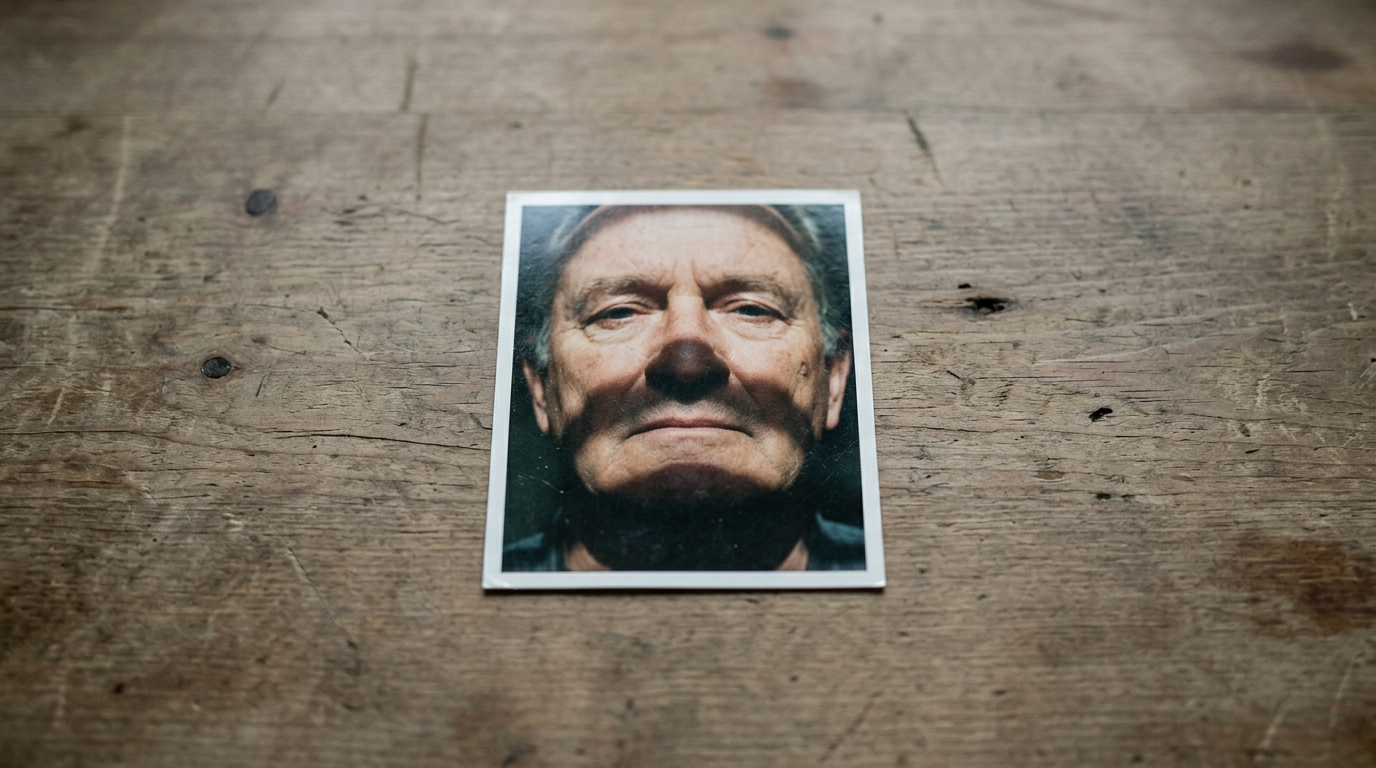
Understanding how to meet strict government passport photo requirements at home requires controlling both the light source and the subject's distance from the wall. Pushing the subject directly against a backdrop usually creates a harsh drop shadow over one shoulder. Scanners read this heavy contrast behind the subject as a continuation of their physical outline, corrupting the shoulder-to-neck measurements required for a clean biometric extraction.
Practical rule: If you cannot clearly distinguish the edge of the subject's shoulder from the background color, the contrast is too low for automated extraction, and you must introduce frontal lighting to separate them.
Background versus facial contrast
A passport picture relies on high contrast between the subject and the negative space. Government guidelines universally require light grey, white, or off-white backgrounds to ensure the algorithm can immediately detect the outer boundary of the head and shoulders. If an applicant wears a white shirt against a white background without sufficient ambient lighting, the edges of the clothing wash out. The software cannot determine where the subject ends and the wall begins, halting the biometric extraction process entirely.
What happens when proportions miss the standard
The dimensions of a physical passport image are dictated by regional hardware, not arbitrary design choices. When evaluating global passport size photo requirements, applicants notice specific dimensional mandates, such as the 35x45 mm standard used in New Zealand, Italy, and Singapore, or the 51x51 mm format required for US applications.
However, overall canvas size is secondary to internal facial proportions. The universal constant across nearly all systems is the chin-to-crown measurement. Most authorities require the vertical distance from the bottom of the chin to the top of the head (excluding hair volume) to sit strictly between 25 and 35 mm. If the head occupies 40 mm of a 45 mm high image, the face is too close to the camera, creating a fish-eye distortion that widens the nose and spaces the eyes further apart digitally than they sit physically.
The consequences of arbitrary cropping
Manual cropping often ruins an otherwise compliant capture. When users attempt to force a photograph into a required aspect ratio without maintaining the chin-to-crown rule, they alter the field of view. The resulting image may meet the 35x45 mm external dimensions but fail the internal geometry check. This is why automated systems reject applications where the top of the head is clipped or the shoulders are entirely missing from the frame. The negative space above the head and beside the ears is explicitly required to allow the scanning software to calibrate its edge detection.
Where infant captures diverge from adult standards
Securing a compliant image of a baby introduces severe physical constraints against inflexible algorithmic rules. The scanner does not relax its demand for a white background, unobstructed facial features, or geometric alignment just because the subject cannot sit up.
Parents mastering the NZ passport photo requirements for infants often discover that supporting the baby is the primary point of failure. If a parent's hand is visible supporting the neck, or if a highchair strap crosses the shoulder, the image is immediately flagged. Algorithms are trained to identify secondary human features; a rogue thumb on an infant's shoulder registers as an anomaly in the biometric map.
Practical rule: When photographing infants from above, lay a plain white, untextured sheet over a firm surface rather than a soft mattress to prevent fabric from bunching and creating shadows around the neck.
Managing the neutral expression constraint
Adults are strictly barred from smiling because elevating the cheekbones forces the eyes to narrow and the mouth to widen, distorting three distinct facial anchor points. For infants, especially newborns under six months, authorities apply minor leniency regarding eye contact and completely closed mouths. However, this leniency has hard limits. A crying baby with a wide-open mouth fundamentally shifts the distance between the nose tip and the chin. A pacifier physically blocks the lower quadrant of the face. While a sleeping newborn might occasionally be accepted depending on the specific national jurisdiction, the baseline requirement always demands the facial map remain undeformed by exaggerated expressions or physical obstructions.
How the passport photo page integrates visual and digital data
The physical document you carry is an engineered hardware device. The primary identification spread, known as the passport photo page, is typically constructed from multiple layers of fused polycarbonate rather than traditional paper. This material choice prevents a forger from peeling the page apart to swap out the physical picture.
The image supplied during the application is not merely printed on the surface; it is laser-engraved into the polycarbonate layers. This engraving process relies on a high-resolution source file. Modern application systems demand digital uploads at a minimum of 600 dots per inch (dpi). If an applicant submits a low-resolution smartphone capture, the resulting laser engraving will be highly pixelated, rendering the physical page useless for visual inspection by border guards.
Compiling a comprehensive guide to passport photo requirements and renewal documentation helps contextualize how this high-resolution image is handled. The exact image laser-engraved on the physical page is also compressed and digitally written to the document's embedded RFID chip. When you tap a travel document at an e-gate, the scanner reads the digital image from the chip and compares it directly against the live camera feed of your face.
Anti-counterfeiting layers in the identity document
The visual layout of the data page includes overlapping security features. The Machine Readable Zone (MRZ) at the bottom contains encoded biographical data, but the image itself is often subjected to holographic overlays and ghost images. A ghost image is a smaller, fainter duplicate of the primary photograph printed in a different location on the page, often using specialized perforated printing techniques. If the primary image submitted lacks sufficient contrast or resolution, the secondary ghost image fails to print clearly, voiding the document during manufacturing.
Which background extraction methods cause silent rejections
Because finding a perfectly lit, flawless white wall in a residential setting is difficult, many applicants attempt to digitally remove the background from their photos. This introduces a major risk: triggering digital tamper-detection protocols.
Government software analyzes images for Error Level Analysis (ELA) anomalies. When a background is erased using manual digital clipping or basic magic wand tools, the pixels along the edge of the subject's hair and shoulders undergo abrupt shifts in compression artifacting. To a forensic algorithm, this stair-stepped, aliased edge looks identical to a forged document where a head has been pasted onto a different body.
| Extraction Method | Edge Detection Result | Tamper Risk Profile | Algorithmic Acceptance |
|---|---|---|---|
| Manual Digital Clipping | Aliased, sharp pixel boundaries | High risk (Triggers ELA flags) | Frequently rejected |
| Raw Studio Backdrop | Natural ambient light bleed | Low risk | Generally accepted |
| AI Compliance Software | Preserves alpha channel degradation | Low risk | Generally accepted |
Evaluating a passport photos cost comparison demonstrates why purpose-built software differs from basic editing tools. AI-powered compliance platforms are trained to map the background while preserving the natural degradation of the alpha channel around hair strands. By replacing the background without destroying the transitional edge pixels, these specialized systems format the required white space without alerting forensic security scanners to digital tampering.
FAQ
Why do biometric scanners reject images with slight background shadows? Biometric scanners interpret shadows as physical structures. A heavy drop shadow against a wall can be read by edge-detection software as a continuation of the applicant's shoulder, throwing off the geometric measurements required to build an accurate facial template.
Can you manually edit the background out of a travel document image? Manual editing with basic clipping tools creates sharp, aliased pixel edges. Government forensic software identifies these abrupt edges as digital tampering, triggering immediate rejection. Background extraction must preserve natural edge degradation to bypass these security checks.
What resolution is required for physical biometric printing? Modern biometric pages are typically laser-engraved onto polycarbonate rather than printed with ink. This process requires a minimum image resolution of 600 dpi to prevent pixelation and ensure the physical document remains legible for visual border checks.
How do head proportion rules apply to newborns? The baseline metric - the chin-to-crown ratio of 25 to 35 millimeters - applies equally to infants. The difficulty lies in achieving this measurement while the infant lies flat, as the chin must remain visible and the head cannot be tilted backward.