Where to Get Passport Photos in Australia: 5 Options Compared (2026)
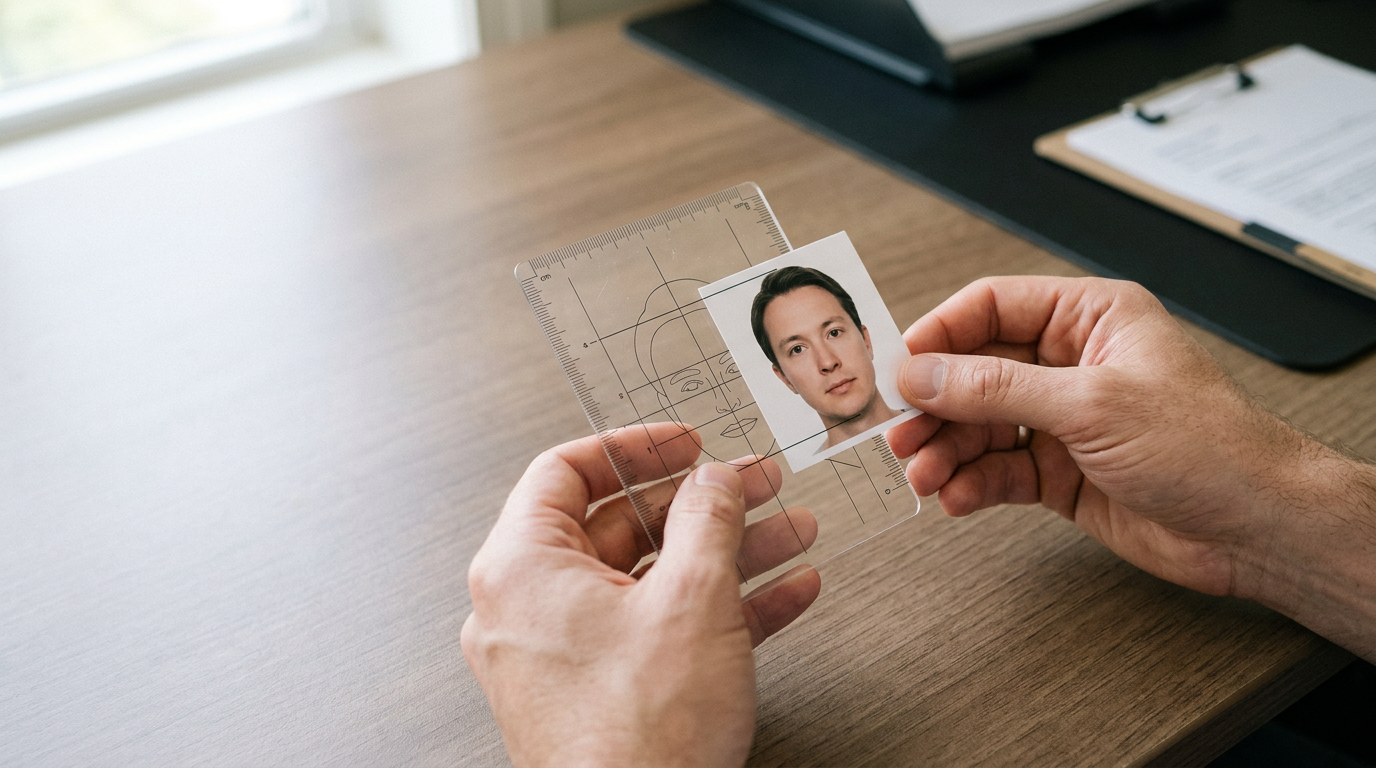
The most common reason for an Australian passport application delay is a rejected photograph. Applicants often assume that finding where to get passport photos is simply a matter of walking into a local pharmacy, only to discover that strict biometric guidelines regarding background color, shadows, and the specific 25-35 mm chin-to-crown measurement require specialized processing. Knowing which providers actually guarantee compliance before you submit your application prevents costly re-lodgment fees.
Quick Summary
Finding where to get passport photos in Australia involves choosing between AI-powered digital formatting tools, full-service retail capture, and self-service printing kiosks. BabyPassportMaker provides instant digital compliance from home, while retailers like Australia Post and Ted's Cameras offer physical capture with rejection guarantees.
- Digital speed: AI tools convert smartphone photos in seconds.
- Retail guarantees: Specialist stores reshoot rejected photos for free.
- Budget prints: Pre-formatted templates cost as little as $0.10 to print.
- Infant friction: Digital capture eliminates the need to keep babies still in public.
Table of Contents
- Buying Guide: Evaluating the Service Models
- 1. BabyPassportMaker
- 2. Officeworks
- 3. Australia Post
- 4. Ted's Cameras
- 5. Kmart
- Matching the Service to Your Application
- Recommended Reads
| Product | Service Model | Features | Pros | Cons | Target Audience |
|---|---|---|---|---|---|
| BabyPassportMaker | AI-Powered Digital Formatting | Background removal, 600 DPI output, global sizing, 60-second processing | No travel required, guaranteed acceptance, supports all ages | Requires user capture, physical prints not mailed | Busy parents and remote applicants |
| Officeworks | Full-Service Retail | In-store capture ($20.95), DIY template printing ($0.15) | Immediate physical prints, wide availability, cheap DIY option | Lighting varies by store, staff expertise fluctuates | General applicants needing immediate physical copies |
| Australia Post | Full-Service Retail | In-store capture ($23.50), free reshoot guarantee, 6 physical prints | Official postal setting, explicit rejection guarantee, convenient lodgment | Subject to queue times, some locations need booking | Applicants lodging forms in person |
| Ted's Cameras | Full-Service Retail | Studio capture ($24.95), free reshoot guarantee, 4 physical prints | Professional lighting equipment, trained photography staff, high compliance | Most expensive option, fewer store locations | Applicants with complex visa lighting requirements |
| Kmart | Self-Service Printing | Kiosk template printing ($0.10) | Extremely cost-effective, immediate printing, long store hours | No capture service, zero compliance checks | Highly technical users capable of formatting templates |
Buying Guide: Evaluating the Service Models
Selecting the right provider depends on how much of the compliance burden you are willing to handle yourself. Expatriates accustomed to picking up a quick set of Walgreens passport photos or a CVS passport photo service will find the Australian retail landscape slightly different, with a heavier reliance on specialized camera stores and the national postal network.
To effectively navigate the available passport photo places, you must understand the underlying service models. We classify these options into three distinct categories:
AI-Powered Digital Formatting: This model shifts the capture phase to your own smartphone while automating the compliance phase. The software handles the biometric cropping, background replacement, and dimensional sizing required by specific governments. This model isolates you from retail operating hours and physical queues.
Full-Service Retail: This is the traditional approach where a staff member operates a digital camera against a drop-down screen in a store. The premium paid here covers the equipment, the immediate physical printing, and crucially, a compliance guarantee. If the government rejects the photo, these providers typically reshoot it at no extra cost. Comparing Australian service providers highlights that lighting consistency is the main variable in this category.
Self-Service Printing: This category only covers the final physical output. The kiosks provide the photographic paper and ink, but zero compliance checking. The user is entirely responsible for capturing the image, removing the background, and sizing the head correctly onto a standard print template before walking into the store.
Practical rule: Never evaluate a passport photo service solely on its upfront price. A cheap print that fails biometric screening costs more in application delay times and replacement fees than a slightly more expensive service with a compliance guarantee.
Disclosure: BabyPassportMaker, which publishes this guide, is one of the options compared below.
1. BabyPassportMaker
Can a parent capture a government-compliant biometric image of an infant without leaving the living room? This online biometric formatting tool processes smartphone images into compliant files. It serves parents, travelers, and visa applicants who need strict adherence to international photo guidelines without visiting a physical studio.
By leveraging an automated AI-Powered Digital Formatting model, the platform extracts the subject from whatever background is present in the original photograph. It then maps the facial features. This ensures the chin-to-crown measurement lands exactly within the 25-35 mm range required by Australian authorities. The system dynamically adjusts the canvas to output files at a print-ready 600 DPI. It is tailored to the specific dimensions of over a dozen countries, including the standard 35x45 mm layout. This mechanism eliminates the manual cropping and guesswork typically associated with preparing digital application files. This approach is highly effective for anyone managing Australian submission methods that increasingly favor digital uploads over paper forms.
Digital processing bypasses retail friction
The fundamental advantage here is environment control. Taking a wriggling infant to a retail store and forcing them to stare at a specific camera under fluorescent lights often results in non-compliant shadows or closed eyes. By moving the capture phase to the home, parents can take dozens of photos in natural light and feed the best one into the algorithm. The platform backs its formatting with a 100% refund policy if the final image is rejected by authorities, effectively neutralizing the compliance risk.
The structural limit of this platform is the quality of the initial input. While the algorithm can replace a messy living room background with a compliant light grey or white canvas, it cannot magically fix heavy facial shadows, motion blur, or a subject looking away from the lens. It relies entirely on the user providing a well-lit, front-facing source file.
Choose BabyPassportMaker when you require guaranteed biometric formatting without leaving your home, particularly for infants or digital visa applications.
Pros
- Processes compliant images in 60 seconds
- Avoids physical travel and retail queues
- Supports diverse international sizing requirements
Cons
- Relies on the user to capture a clear source photo
- Cannot fix heavy shadows on the face
- Does not mail physical prints
2. Officeworks
Officeworks operates as a major office supplies retailer in Australia, providing document printing and standardized ID photography at most of its locations. It targets general consumers who need physical documents finalized immediately.
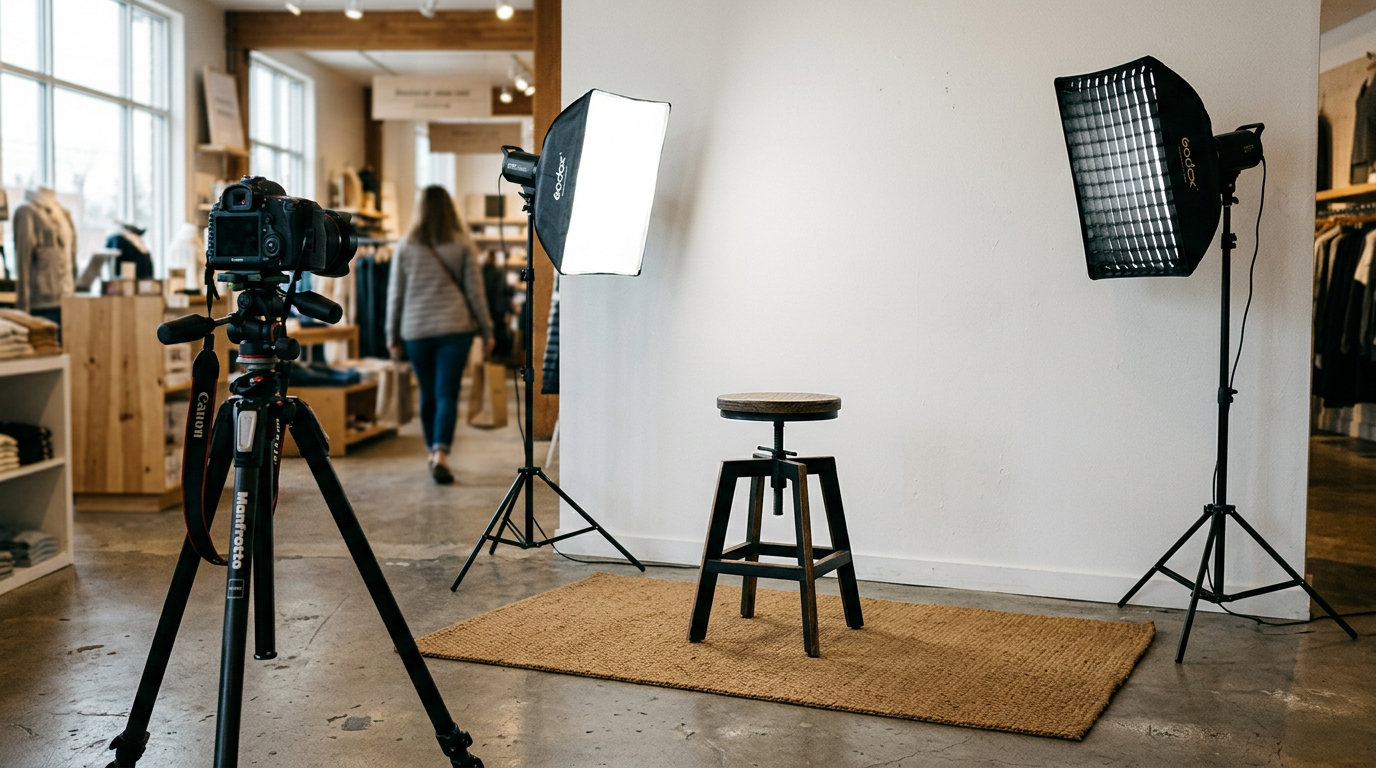
Under its Full-Service Retail model, an employee uses a dedicated digital camera setup to capture the image against a standardized backdrop. According to its published pricing, in-store passport and ID photo services at Officeworks cost $20.95. For this fee, the staff member captures, crops, and prints a physical set of compliant images on the spot. Alternatively, users who have already formatted a 10x15 cm template can utilize the store's Self-Service Printing kiosks. Printing your own pre-prepared passport photos costs just $0.15. This is a massive saving. This split approach allows users to decide whether they are paying for the capture service or merely the ink and paper. When evaluating Officeworks versus DIY options, the trade-off is entirely between technical effort and financial cost.
Retail volume dictates the experience
Because passport photos officeworks provides are integrated into a high-volume retail environment, you can typically walk in without an appointment during extended trading hours. You walk away with physical prints in hand within minutes, making it highly effective for last-minute document renewals.
What would make us hesitate is the variability in staff expertise. Because the employees manning the print and copy desk rotate through various retail duties, their familiarity with complex foreign visa requirements (which may differ from standard Australian sizing) can fluctuate wildly depending on who is on shift.
Choose the full service if you need immediate physical prints for standard Australian forms, or the kiosk if you already possess a perfectly formatted digital template.
Pros
- Immediate physical prints provided on-site
- Very cheap DIY printing alternative
- Extended retail trading hours
Cons
- Staff expertise with foreign visas varies
- Requires physical travel to a store
- Store queues delay the process
3. Australia Post
Australia Post is the national postal service, acting as the official lodgment point for Australian passport applications while simultaneously offering photography services. It caters to citizens finalizing their documentation in one physical location.
Operating as a Full-Service Retail provider, Australia Post charges $23.50 for its standard passport photo service, yielding six printed 35mm x 45mm photos. The mechanism here is deeply integrated with the application process itself. Staff members who capture the image are often the same personnel trained to review the physical application forms. If the Australian authorities subsequently reject the photos, Australia Post guarantees to take another set of photos for free without additional charges. This closed-loop system means the provider handling the capture is directly accountable for the lodgment standards. We view this as a highly secure route for traditional Australian passport locations.
Integrated lodgment adds institutional security
The primary benefit is bureaucratic alignment. Having your photo taken at the exact counter where you submit your application minimizes the risk that the image violates local physical handling rules, such as paper type or ink smudging.
This service is bound by the constraints of a multi-purpose retail environment. You are joining the same queue as customers mailing parcels, paying bills, and processing banking transactions. During peak holiday mailing seasons, the wait times for a simple photo capture can become severe, and certain smaller post offices require advance appointments for passport services.
Choose Australia Post if you are lodging a physical Australian application on the same day and want maximum institutional accountability for the image.
Pros
- Free reshoot guarantee upon official rejection
- Captures and lodges in one location
- Staff are highly familiar with local rules
Cons
- Prone to heavy postal service queues
- Smaller branches may require appointments
- Can be difficult to keep infants still at the counter
Practical rule: Always request a digital copy of your photo in addition to the physical prints when utilizing full-service retail, as many secondary ID applications now require online lodgment.
4. Ted's Cameras
While department stores offer quick convenience, specialized camera retailers provide a dedicated studio space optimized for capturing precise ID and visa images. This environment is designed for applicants who cannot risk biometric rejection due to lighting or shadow issues.
This Full-Service Retail model leans heavily into professional photography mechanics. Rather than a pull-down screen next to a retail checkout, the capture utilizes proper studio strobes and light modifiers to eliminate the background shadows that commonly trigger automated rejections. In-store passport and ID photo services start at $24.95 for a set of four printed photos. Because the staff are trained in photographic principles, they manually manipulate the lighting to suit the subject's face shape and skin tone before capturing the image. Furthermore, Ted's Cameras offers a compliance guarantee where they will reshoot the photo for free if it gets rejected. For a thorough cost comparison, the higher price point reflects the equipment used.
Studio lighting eliminates shadow rejections
The core strength here is technical execution. When dealing with strict foreign visas that reject images for minor facial shadows or incorrect exposure, a dedicated camera store provides a level of optical precision that standard office supply retailers struggle to match.
A major drawback is the limited retail footprint. Ted's Cameras operates a much smaller physical footprint across Australia compared to national postal branches or major department stores. If you live outside a major metropolitan hub, driving to a specialized camera store solely for a document photo is highly inefficient.
Choose Ted's Cameras if you are applying for a foreign visa known for notoriously strict photographic lighting requirements.
Pros
- Professional studio lighting reduces shadows
- Explicit free reshoot guarantee included
- Staff are technically trained in photography
Cons
- High cost per printed photo
- Limited physical store locations
- Overkill for standard digital applications
5. Kmart
What happens when you need to print a pre-formatted passport photo template for just a few cents? Discount department stores offer self-serve digital kiosks in their electronics departments. This setup serves highly budget-conscious consumers who only require a physical output mechanism.
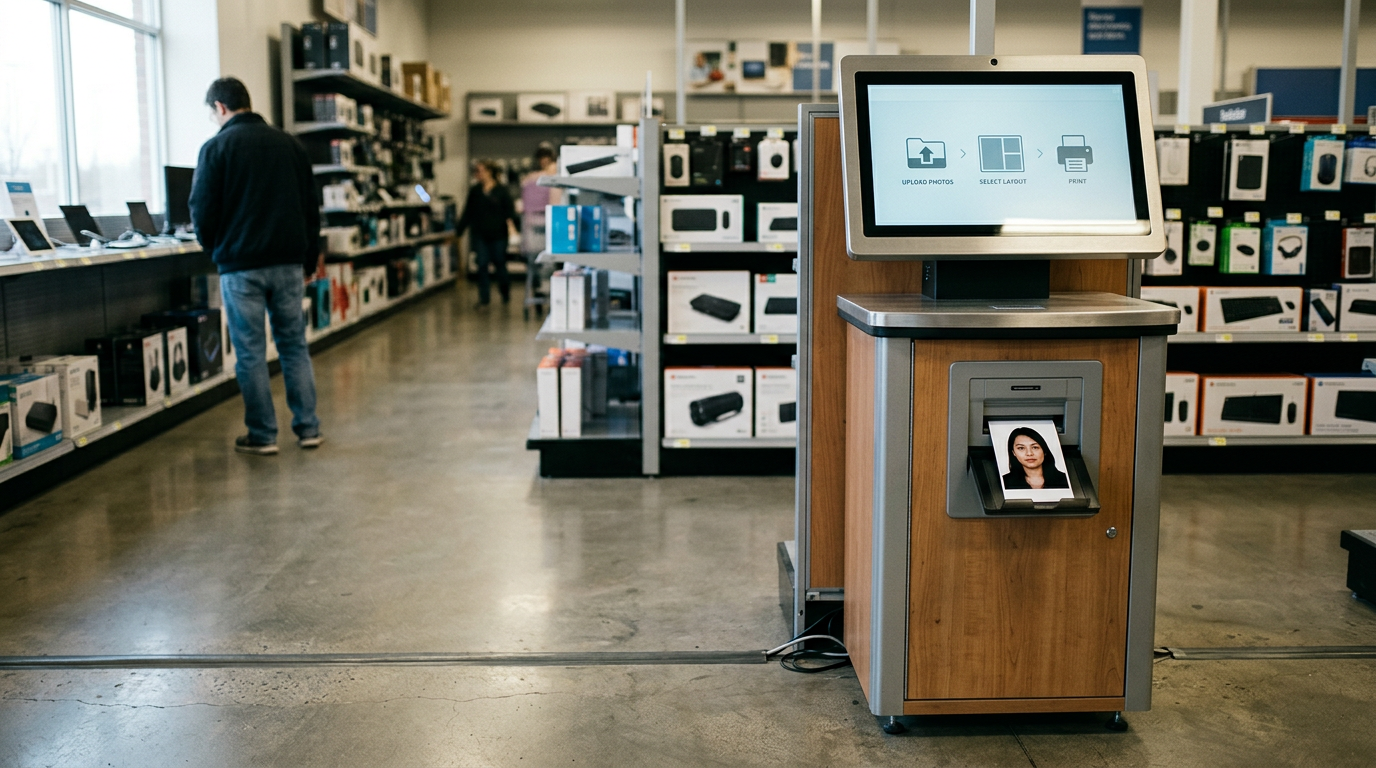
Operating strictly as a Self-Service Printing model, Kmart does not offer on-the-spot passport photo taking services. The consumer must handle the capture, the biometric cropping, and the digital layout entirely independently. The mechanical interaction involves walking up to a Kodak-branded kiosk, plugging in a smartphone or USB drive, and selecting a standard print size. Printing a pre-prepared 10x15 cm passport photo template at a Kmart photo kiosk costs $0.10. The machine simply drops ink onto 4x6 inch photographic paper; it applies no logic to check if the faces on that paper meet government standards.
Absolute cost efficiency requires total user competence
At ten cents, this is the cheapest way to acquire physical photo paper in the country. The kiosks are operational during extended trading hours, often late into the evening, providing unmatched printing accessibility.
The kiosk offers no safety net. No staff review your work. If you have sized the head at 38mm instead of the required 35mm maximum, or if your background is slightly off-white, the kiosk will gladly print the failure. Kmart offers zero compliance checking. A rejected application will cost you far more in government fees than the dollars saved on printing.
Choose Kmart strictly when you have already used a verified digital tool to format your template and simply need the cheapest possible physical paper output.
Pros
- Unbeatable ten-cent price point for prints
- Immediate self-service printing
- Highly accessible store locations and hours
Cons
- Zero biometric compliance checking
- No on-site capture capabilities
- User absorbs all rejection risks
Matching the Service to Your Application
Selecting the right mechanism depends heavily on what kind of application you are filing and who the subject is.
For the AI-Powered Digital Formatting category, BabyPassportMaker is the clear choice for parents of infants and users applying through modern digital portals. It removes the stress of public photography and automates the biometric math, provided you can take a clear, well-lit source photo on your phone.
If you require Full-Service Retail, your choice hinges on your immediate environment. Australia Post is ideal if you are lodging physical Australian paperwork on the same day, keeping the entire process under one roof. Ted's Cameras is the safest route for complex foreign visas where lighting perfection is mandatory, while Officeworks serves as a rapid, accessible middle ground for standard local documents.
When utilizing Self-Service Printing, Kmart is reserved exclusively for applicants who possess complete technical confidence in their pre-formatted digital templates and only require a cheap physical print mechanism.