The Exact Australian Passport Photo Size and Technical Guidelines for 2026
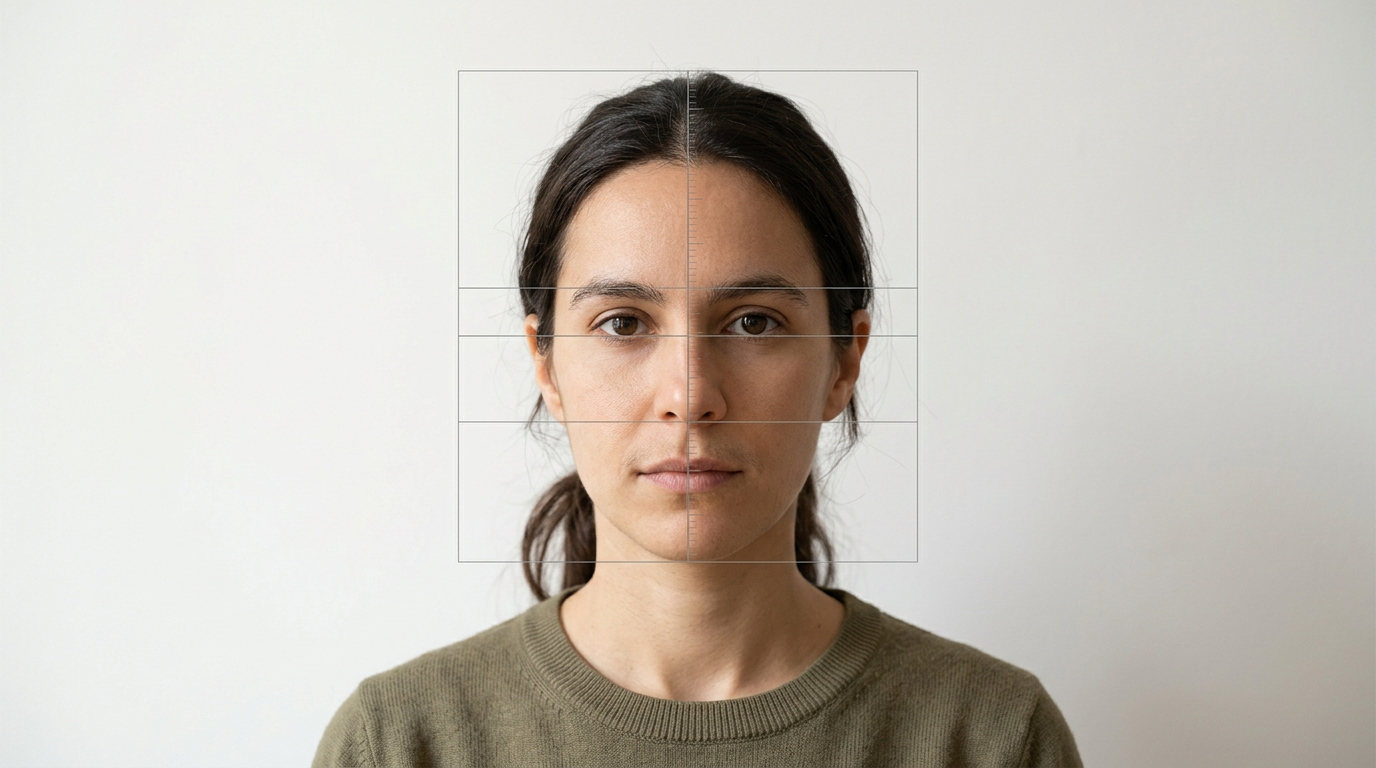
A rejection notice from the Australian Passport Office rarely explains how to fix the problem; it simply states the subject's head does not meet the required australian passport photo size. The rejection triggers a manual review delay, pushing a routine renewal into a stressful timeline right before a scheduled flight. Understanding the exact dimensional tolerances and lighting rules before submission is the only way to avoid the biometric scanner kicking the image back. The government relies entirely on automated facial recognition software to process incoming applications. This software does not look at the photograph as a picture; it looks at it as a geometric grid. If your face sits one millimeter too high in the frame, or if a shadow alters the apparent shape of your jaw, the grid breaks and the application fails.
Quick Summary
The Australian government mandates strict biometric standards for travel documentation, requiring specific outer image boundaries and internal facial proportions. Failing to meet these dimensional, lighting, or formatting constraints results in immediate application rejection by the automated scanning system.
- Images must measure exactly 35 to 40 millimeters wide and 45 to 50 millimeters high.
- The face must measure 32 to 36 millimeters from the point of the chin to the crown of the head.
- Backgrounds must be plain white or light gray, entirely free of shadows or textures.
- Digital alterations, including red-eye removal or smoothing filters, are strictly prohibited.
Table of Contents
- Why Millimeters Dictate Your Application's Fate
- How Backgrounds Fail the Biometric Scanner Test
- Where Infant Photography Breaks the Standard Rules
- What Actually Counts as Altering an Image
- How Wide-Angle Lenses Distort Facial Geometry
- How to Measure the Crown-to-Chin Ratio at Home
- When Print Quality Triggers Automatic Rejections
- Comparison Table: Passing vs. Failing Biometric Checks
- FAQ
- Recommended Reads
Why Millimeters Dictate Your Application's Fate
The outer boundaries of the physical print matter far less than the internal geometry of the face. When you look at the required passport photo dimensions australia demands, the total image width must sit between 35 and 40 millimeters, and the height between 45 and 50 millimeters. However, the facial recognition algorithm relies entirely on the chin-to-crown measurement, which must measure exactly 32 to 36 millimeters.
If the face takes up 38 millimeters, the algorithm cannot map the distance between the pupils or measure the jawline because the software assumes the face is physically closer to the lens, skewing the relative distances. The system looks for the pupillary distance and the distance from the nose to the upper lip. When the overall head size exceeds the maximum tolerance, the geometry breaks.
To meet the exact Australian passport photo size and guidelines in 2026, you must frame the shot with enough negative space above the head and below the collarbone to allow for precise cropping later. Reviewing the passport photo dimensions in 2026 confirms that you cannot simply cut a larger photo down to 35 by 45 millimeters if the face inside that box is too large. The internal proportions must scale perfectly with the outer boundaries.
How Backgrounds Fail the Biometric Scanner Test
Uneven lighting creates artificial contours that the system cannot ignore. A shadow cast on the wall behind the ear is interpreted as part of the ear's physical shape by the algorithm. To meet the baseline passport photo criteria, the background must be plain white or light gray, completely free of patterns, textures, or drop shadows.
Color temperature also plays a critical role in background validation. A white wall lit by a warm 2700K tungsten bulb reads as yellow to a digital sensor. The camera's automatic white balance fights the warm bulb, often turning skin tones gray or blue in the process. The biometric scanner flags unnatural skin tones just as quickly as it flags a non-compliant background color. You need neutral, even lighting - ideally indirect daylight - to illuminate both the subject and the wall behind them evenly.
Practical rule: Position the subject at least 50 centimeters away from the background wall to eliminate drop shadows, allowing the ambient light to fill the space behind the head.
If the subject stands flush against the wall, the flash or overhead light will inevitably cast a hard, dark outline around their shoulders and neck. The automated system reads this dark outline as an obstruction and rejects the file.
Where Infant Photography Breaks the Standard Rules
Taking photos of infants introduces variables that standard adult photography never encounters. While the government relaxes certain biometric rules for infants under one year of age - allowing their eyes to be closed or their mouths to be slightly open - the framing rules remain absolute.
The most common point of failure is background texture. Laying an infant on a white bedsheet often results in fabric wrinkles appearing in the frame. These wrinkles create high-contrast lines that the background-checking algorithm flags as non-uniform patterns. Understanding Australian passport photo guidelines means recognizing that parental hands, toys, or pacifiers can never appear in the frame, even if they are supporting the child's head.
If you must support a newborn's head, you must do so from beneath their clothing or outside the crop area entirely. A single visible knuckle on the edge of the frame will trigger a rejection. Furthermore, the infant must face the camera directly. A slight tilt of the head, common when babies are lying down, obscures one ear and breaks the symmetry required for facial mapping. The camera lens must be perfectly parallel to the infant's face, not angled down from above.
What Actually Counts as Altering an Image
Any manual pixel manipulation instantly invalidates the image. Modern processing software leaves digital artifacts in the file's metadata and alters the pixel distribution patterns in ways forensic scanners easily detect. Even removing a temporary blemish or applying a subtle red-eye reduction filter changes the pixel mapping of the skin tone.
If you use a background eraser tool to remove a busy background, clipping the edge of the hair creates an unnaturally sharp pixel boundary that fails forensic checks. The transition between the hair and the background in a natural photograph contains a slight, optical blur. Algorithmic background removal often destroys this blur, leaving a jagged, pixelated edge that the government software immediately identifies as manipulated.
You must capture the image correctly in the camera, rather than trying to fix it in post-production. To see how these artifacts manifest, you can analyze a passport photo example side-by-side with an unedited raw file. The unedited file will show natural light falloff, whereas the edited file will show harsh, mathematical boundaries. The Australian Passport Office explicitly forbids any form of retouching, and their detection algorithms are calibrated to catch even the most sophisticated smartphone beauty filters.
How Wide-Angle Lenses Distort Facial Geometry
Smartphone cameras default to wide-angle lenses, which warp facial geometry when used at close range. If you hold a phone 30 centimeters from a face to fill the frame, the wide-angle distortion elongates the forehead, enlarges the nose, and shrinks the jawline. The biometric scanner maps these distorted proportions, compares them to standard human facial geometry, and flags the image as a biometric mismatch.
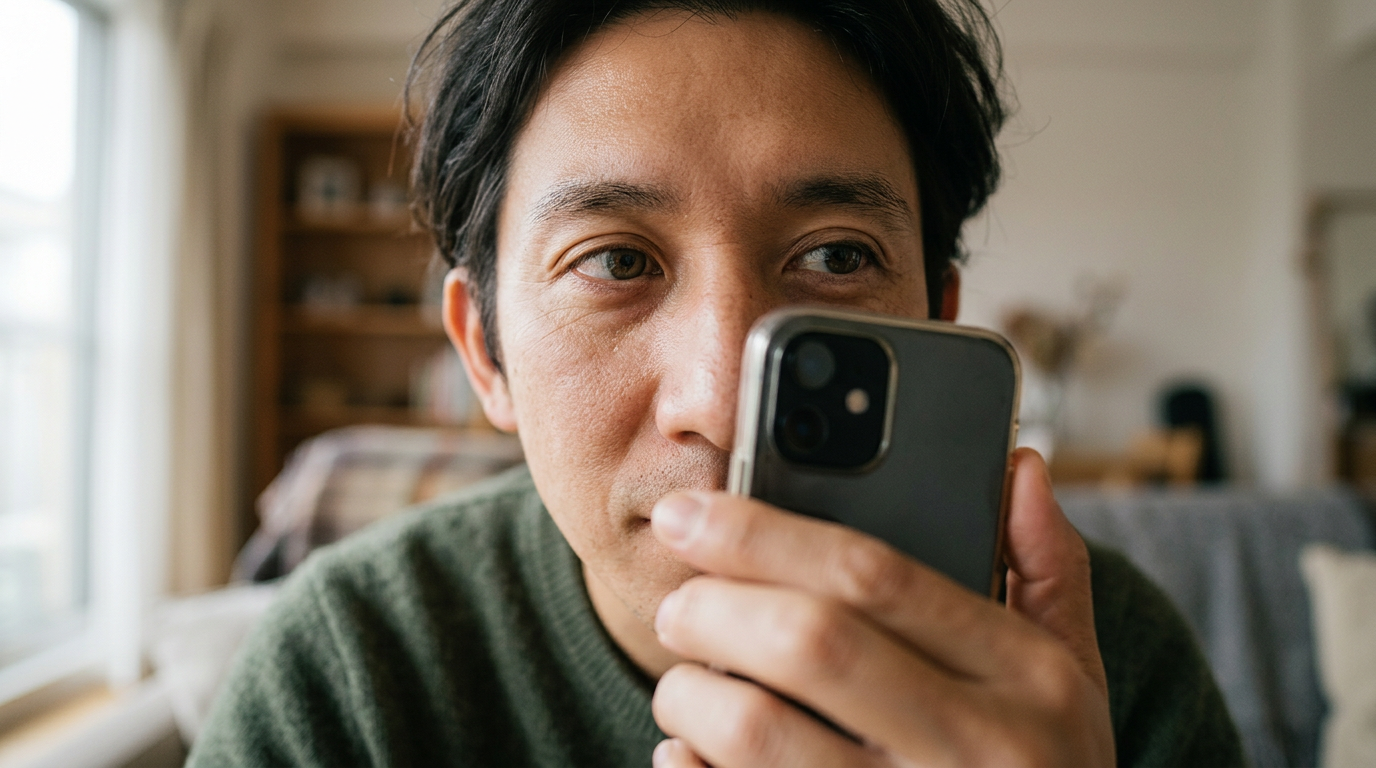
This distortion is optical physics, not a software glitch. A wide-angle lens pulls the center of the image forward and pushes the edges back. When applied to a human face, it changes the measurable distance between the eyes and the ears.
Practical rule: Stand at least 1.2 meters away from the subject and use the camera's 2x or 3x optical zoom to compress the facial features into their true geometric proportions.
By stepping back and zooming in, you flatten the perspective. This optical compression accurately represents the subject's true facial structure, ensuring the pupillary distance and jaw width align with the government's biometric database. Never use the front-facing selfie camera, as these lenses are typically even wider than the rear lenses and apply automatic, un-disableable skin smoothing algorithms that violate the alteration rules.
How to Measure the Crown-to-Chin Ratio at Home
Visual estimation fails because the human eye misjudges where the skull ends and the hair begins. The crown is the actual top of the skull, not the top of a voluminous hairstyle. When trying to meet strict government passport photo requirements at home, measuring the image on a digital screen before printing is mandatory.
To measure accurately, you must locate the lowest point of the chin and the highest point of the skull. If the subject has thick or styled hair, you must estimate where the bone of the skull actually sits beneath it. The distance between these two points must fall strictly between 32 and 36 millimeters when the image is scaled to its final 35 by 45 millimeter print size.
If you are submitting digitally, the pixel ratio must match this physical measurement. A common failure mode occurs when applicants measure the entire head, including the hair, resulting in a face that is too small for the frame. Conversely, ignoring the hair and zooming in too far pushes the chin and crown to the very edges of the image, violating the negative space requirements. You must verify these passport photo requirements before you finalize the file, as the automated system offers no margin for error.
When Print Quality Triggers Automatic Rejections
Heavy JPEG compression creates artifacts around high-contrast areas, such as the boundary between the jawline and the neck. These digital artifacts are read by the scanner as physical facial features. The image must be printed at a minimum of 600 dots per inch on high-quality, glossy photographic paper.
Standard home inkjet printers often produce micro-banding - faint horizontal lines across the image caused by the print heads - which ruins the facial mapping grid. Even if the dimensions are perfect, a low-resolution print prevents the scanner from identifying the iris of the eye or the exact edge of the lip. Reviewing the passport photo requirements in 2026 confirms that matte paper, thermal paper, or heavily textured photo paper will result in an immediate rejection.
If you are submitting a physical application, the prints must be pristine. A single fingerprint smudge, a paperclip crease, or a speck of dust on the glossy surface can obscure a vital biometric landmark. The ink must be completely dry before the photos are stacked, as wet ink transfers to the back of the adjacent photo, ruining the batch. For digital submissions, the file must be a high-quality JPEG, typically under 5 megabytes, without any aggressive compression algorithms applied during the export process.
Comparison Table: Passing vs. Failing Biometric Checks
| Biometric Variable | Passing Standard | Failing Condition |
|---|---|---|
| Facial Dimensions | Chin to crown measures 32-36mm | Face measures under 32mm or over 36mm |
| Background Color | Plain white or light gray | Textures, patterns, or dark colors |
| Lighting Quality | Even, shadow-free illumination | Drop shadows behind the head or neck |
| Image Alteration | Unedited, raw capture | Red-eye reduction, skin smoothing, filters |
| Head Position | Looking straight at the lens | Tilted head, looking away, uneven shoulders |
| Print Quality | 600 dpi on glossy photo paper | Inkjet banding, matte paper, pixelation |
| Infant Support | Hidden support beneath clothing | Visible hands, toys, or pacifiers |
FAQ
Can I wear makeup in my passport photo?
Yes, you can wear everyday makeup, provided it does not drastically alter your natural appearance. Heavy contouring that changes the apparent shape of your cheekbones or jawline will cause the biometric scanner to fail when comparing the photo to your actual face at a border checkpoint.
Do I need to remove my glasses?
Yes. The Australian Passport Office strictly prohibits glasses in passport photos. Even if the frames are thin and the lenses are anti-reflective, the frames obscure the orbital bone and the lenses create micro-reflections that interfere with the scanner's ability to map the eyes.
Can a baby have their eyes closed in the photo?
Infants under one year of age are permitted to have their eyes closed. However, children over one year old must have their eyes open and looking directly at the camera. Regardless of age, the infant must face forward with their head straight.
What happens if my photo is rejected?
If your photo is rejected, the passport office will pause your application and notify you by mail or email. You will need to capture and submit a new, compliant photograph, which restarts the processing timeline and delays the issuance of your travel documents.