5 Best Passport Photo ID Maker Apps and Tools for 2026
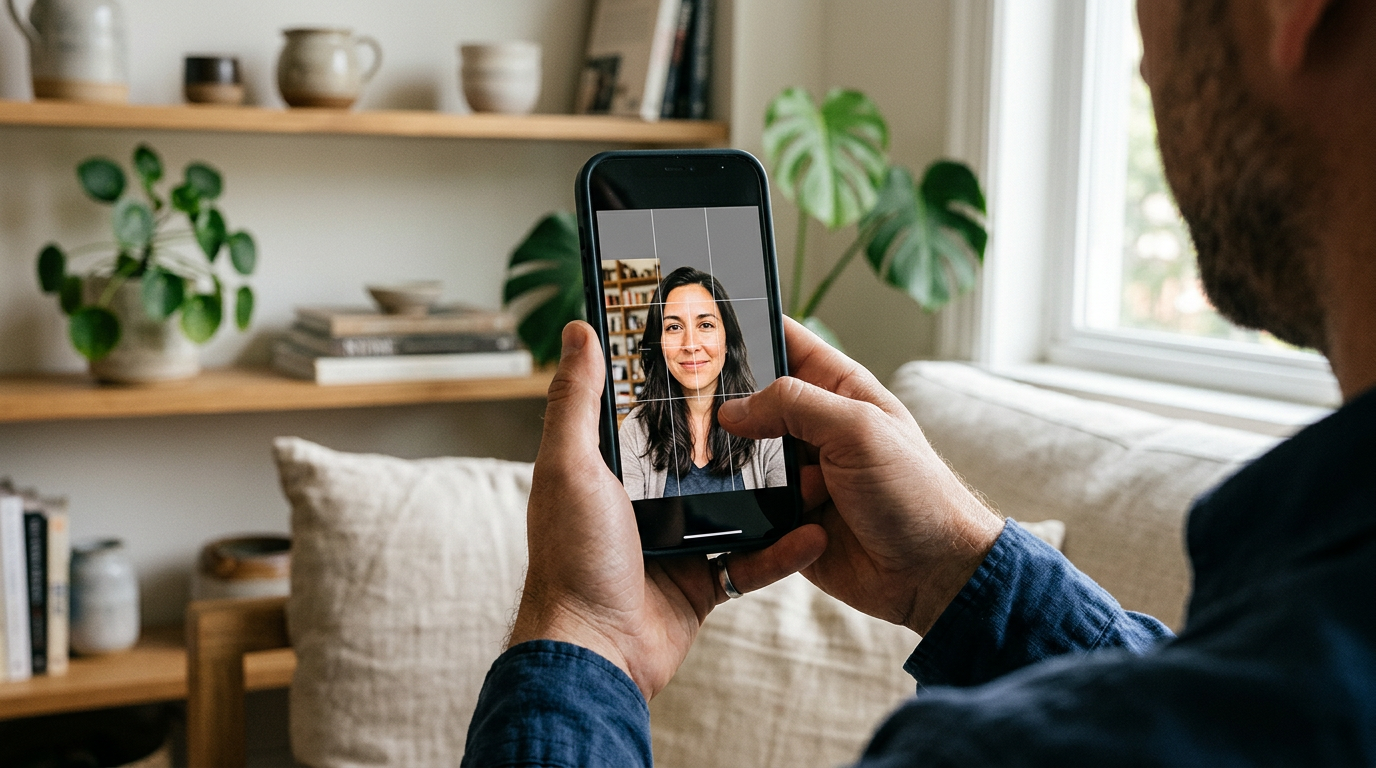
Parents often assume a blank wall and good daylight are enough to capture a compliant image at home, only to have the application rejected because of invisible micro-shadows behind the subject's ear. The gap between a well-lit portrait and a biometric file ready for a government database is measured in facial geometry checks, background luminance, and precise crown-to-chin ratios. Using a passport photo id maker shifts that compliance burden from the photographer directly to the software. Whether you are downloading a passport photo app australia authorities accept for digital checks, or formatting physical prints for a European visa, the underlying geometry remains strict. Understanding how to get passport photos ready for online submission in 2026 means relying on automated grids to format the raw capture before upload, rather than guessing whether a subject is standing too close to the lens.
Quick Summary
A digital biometric formatting tool analyzes a raw smartphone portrait against strict government standards, adjusting the geometry and standardizing background luminance to prevent application rejection. - Algorithms enforce exact crown-to-chin ratios and align eye placement before output. - Background removal scripts erase non-compliant shadows rather than merely whitening the wall. - Processing methods range from automated utilities to services that layer human expert review over the AI output. - Subscription models suit travel agencies, while single-generation web tools fit individual applicants.
Table of Contents
- Quick Summary
- How to Choose a Biometric Formatting Tool
- Comparison Table
- 1. PhotoAiD
- Human Review Extends Turnaround Times
- 2. 7ID App
- Subscription Volumes Require Studio Workflows
- 3. PhotoGov
- Algorithmic Processing Leaves Edge Cases to the User
- 4. 123PassportPhoto
- Manual Uploads Skip Real-Time Capture Feedback
- 5. Smartphone iD
- Double Validation Gates Immediate Output
- Aligning the Tool to the Application
- Recommended Reads
How to Choose a Biometric Formatting Tool
The criteria separating these tools is the Processing Method. Categorizing them by how they handle the data reveals where the compliance risk actually sits. Deciding between professional passport photo services vs DIY apps often comes down to who handles this verification burden. We evaluate these options across three specific categories:
- Dual-Layer Verification: These platforms run an initial algorithmic check for geometry and lighting, followed by a human expert who manually reviews the cropped file against specific national requirements. They suit users terrified of rejection but trade speed for certainty.
- AI-Only Utility: Scripts that automatically detect the subject, strip the background, and output a formatted grid without human intervention. These are built for immediate turnaround and are often what users mean when searching for quick formatting, though high-resolution downloads usually sit behind a paywall.
- Subscription Engine: Mobile applications charging a recurring fee for unlimited or high-volume processing. These make no sense for a single application but fit travel coordinators, large families, or independent visa agencies processing dozens of files a month.
Practical rule: Sourcing a tool that standardizes biometric geometry does not exempt the initial capture from strict lighting requirements; algorithms cannot fix shadows cast across a subject's face.
Comparison Table
| Product | Processing Method | Features | Pros | Cons | Target Audience |
|---|---|---|---|---|---|
| PhotoAiD | Dual-Layer Verification | AI cropping, expert review, high App Store ratings | Identifies subtle lighting failures, high user trust, prevents invalid payments | Requires iOS 13.0+, queues files for manual review, large file size | Risk-averse applicants |
| 7ID App | Subscription Engine | Biometric auto-adjust, plain white background swap | Automates background replacement, scales geometry across bulk files, removes per-file costs | Imposes recurring monthly fees, requires immediate cancellation, blocks older iOS | Travel agencies and large families |
| PhotoGov | AI-Only Utility | Neural network cropping, 24-second processing | Under 30-second turnaround, browser-based, offers limited free generation | Misses uneven facial lighting, charges $9.90 monthly, abandons edge-case errors | Urgent single applicants |
| 123PassportPhoto | AI-Only Utility | Browser upload, visa layout scaling | No application downloads, readies printable kiosk grids, supports varied ratios | Lacks live capture guidance, blindly crops poorly lit images, no mobile-native UI | Desktop users with existing photos |
| Smartphone iD | Dual-Layer Verification | Double validation, 24/7 availability | Reviews files 24/7, combines automated checks with human review, high trust ratings | Delays immediate downloads, lower Android ratings, requires stable routing connection | Cross-border visa applicants |
1. PhotoAiD
On the Apple App Store, over 19,000 users have rated PhotoAiD a 4.5 out of 5, making it a highly visible option for applicants trying to source passport photos online.
Categorized as a Dual-Layer Verification tool, this platform combines algorithmic adjustments with manual inspection, serving individuals who prioritize guaranteed compliance over instantaneous downloads.
The software first applies biometric algorithms to map the subject's face against a database of national requirements. Once the script identifies the crown and chin, it scales the file to fit specific dimensional ratios. Crucially, the system then routes the cropped file to a human reviewer. This human expert checks for edge-case failures that automated scripts routinely miss, such as subtle reflections on eyeglasses or uneven ambient lighting across the cheeks. The reviewer either clears the digital file for immediate download or flags the capture for a retake before any payment is finalized. On Trustpilot, the platform maintains a 4.5 TrustScore based on 13,000 reviews.
Human Review Extends Turnaround Times
The strict operating system requirement of iOS 13.0 or later actively locks out users running older Apple hardware. Furthermore, relying on human experts introduces a physical bottleneck; files are queued for inspection. An applicant standing at a print kiosk cannot rely on this service to output a compliant grid in thirty seconds. The process fundamentally prioritizes accuracy over speed, which frustrates users on a tight deadline.
We would choose this tool for highly specific visa applications where the margin for error is zero and the applicant has at least an hour to spare.
Pros - Identifies subtle lighting failures algorithms miss - Features a high TrustScore from large user volumes - Prevents payment processing on non-compliant initial captures
Cons - Restricts installation to iOS 13.0 or newer devices - Queues files behind human manual inspection times - Carries a heavy application file size
2. 7ID App
When a travel agency realizes they are spending hours manually cropping client portraits into specific visa ratios, the bottleneck forces a shift toward bulk-processing solutions.
Functioning as a Subscription Engine, 7ID App is a mobile application built specifically for cropping and editing high volumes of identification documents directly from a smartphone.
The tool operates by actively detecting facial landmarks in a batch upload, calculating the exact distance between the chin and the crown. It then scales the image so the head size meets strict biometric standards. After standardizing the geometry, the app's scripts automatically mask the subject and drop a plain white background behind them, completely replacing the original environment. For travel agencies and photo studios, the platform offers a Pro Subscription that unlocks the ability to edit an unlimited number of images, bypassing the friction of per-file payments.
Subscription Volumes Require Studio Workflows
The monetization model severely limits its utility. This hurts the average parent applying for a single document. Gating its highest tiers requires a Pro Subscription. The iOS App Store charges a $1.99 monthly fee. This traps a single-passport applicant in a recurring billing cycle. They must actively remember to cancel immediately after processing their one image. Additionally, it shares the same hardware restriction as other modern tools. It requires iOS 13.0 or later for iPhone and iPod touch hardware.
We would deploy this platform only if managing a steady stream of corporate travel documents rather than a one-off home application.
Pros - Automates plain white background replacements - Scales geometry across bulk image uploads - Removes per-file costs for heavy agency users
Cons - Imposes recurring monthly fees for access - Requires immediate cancellation for single users - Blocks older iOS hardware from installation
3. PhotoGov
Unlike tools built to manage ongoing streams of agency client data, PhotoGov is a browser-based utility engineered to format a single file quickly and get out of the way.

Operating as an AI-Only Utility, this web platform automatically crops, resizes, and removes backgrounds without human intervention, targeting users needing rapid, automated compliance.
The system routes an uploaded image through a neural network algorithm that immediately identifies the subject's silhouette. Within approximately 24 seconds, the script strips the background pixels, calculates the exact pixel dimensions required for the target country's biometric standard, and outputs a properly scaled digital file. The entire process occurs server-side, meaning the user does not need to download an application or navigate an operating system requirement.
Algorithmic Processing Leaves Edge Cases to the User
The lack of human intervention means the algorithm will happily process an image with poor initial lighting. Applicants researching whether free online passport photo tools are safe often utilize the platform's allowance of up to one or two free daily ID photos, depending on their location. However, users needing continuous access or high-volume generation are pushed toward a $9.90 monthly subscription. If the original photo features harsh facial shadows, searching for a free passport photo online simply yields a technically sized but visibly flawed file.
This suits applicants who have already captured a perfectly lit, shadow-free portrait and merely need the geometry standardized.
Pros - Processes final files in under 30 seconds - Operates entirely within standard web browsers - Offers limited daily free generation based on region
Cons - Fails to flag uneven ambient facial lighting - Charges $9.90 monthly for unlimited file generation - Abandons edge-case errors to the applicant
4. 123PassportPhoto
A raw JPEG uploaded from a desktop folder is immediately parsed by extraction scripts that separate the foreground subject from surrounding room noise.
Falling into the AI-Only Utility category, 123PassportPhoto is an online tool that crops and optimizes pre-existing photos into standard passport and visa layouts.
The platform runs entirely in the browser. It accepts an uploaded file. It superimposes a biometric grid over the detected face. The tool scales the file to ensure the eye line and crown sit within the legal tolerances of the selected country's layout. Once the geometry is mapped, the tool generates a composite image. It is typically formatted as a printable grid of identical portraits that can be sent straight to a local photo kiosk.
Practical rule: Never rely on a cropping algorithm to fix poor ambient lighting; standardizing the geometry will not save a file rejected for facial shadows.
Manual Uploads Skip Real-Time Capture Feedback
It relies on users uploading pre-taken photos. It does not operate a native camera interface. It provides zero real-time feedback on lighting, head tilt, or glare during capture. Searching for a passport photo online free tool often leads to browser uploaders like this. Feeding it a flawed photo guarantees a flawed output. The tool lacks the intelligence to warn a user. It misses when a subject is looking slightly away from the lens.
We would utilize this web tool when processing existing, well-lit portraits from a DSLR camera rather than raw smartphone snapshots.
Pros - Requires zero application downloads or installations - Optimizes files into ready-to-print kiosk grids - Supports varied international visa layout ratios
Cons - Offers no active guidance during the photo capture - Blindly crops poorly lit or incorrectly posed images - Lacks a mobile-native camera overlay interface
5. Smartphone iD
An expatriate parent applying for three different visas simultaneously needs a system that confirms every specific embassy requirement before a single file goes to a print kiosk.
This Dual-Layer Verification application provides dual AI and human verification to generate government-compliant photos, designed for users facing strict cross-border application rules.
The application captures the image through a mobile interface and passes it through an initial AI validation check to clear basic framing rules. Once the software approves the raw capture, the file is pushed to a human review team. The service operates 24/7, providing users with the ability to take and process their photo anytime. These experts manually verify the background tone and biometric ratios against specific national standards before returning the finalized document. On Trustpilot, this double validation system has earned a 4.5 TrustScore rating based on over 1,000 reviews.
Double Validation Gates Immediate Output
Operating on a double validation system inherently introduces friction for those in a rush. The mandatory human check means the file is not instantly available the moment the shutter clicks. Additionally, while the iOS iteration performs well, the Google Play store version of the application features a 3.8-star rating. This discrepancy suggests potential stability issues, interface friction, or slower upload times for users on Android hardware.
This provides peace of mind for anxious applicants navigating complex international visa requirements who do not mind waiting for clearance.
Pros - Reviews files against specific embassy requirements 24/7 - Combines automated geometry checks with manual review - Achieves high trust ratings from verified user reviews
Cons - Delays immediate digital downloads for manual checks - Suffers from lower user ratings on Android devices - Requires a stable connection to route to reviewers
Aligning the Tool to the Application
If the primary concern is avoiding rejection, learning how to take a compliant newborn passport photo at home and passing it through a Dual-Layer Verification tool makes sense. The combination of algorithmic cropping and human review catches the subtle micro-shadows that automated scripts routinely ignore. When formatting a passport photo app uk systems require, strict background luminance rules mean human eyes offer necessary oversight.
When the raw photo is already perfectly lit and the only missing element is precise biometric cropping, an AI-Only Utility delivers the fastest turnaround. These tools strip the background and enforce the required head-to-chin ratio in seconds, provided the initial capture was perfectly aligned.
For independent travel agents or large families processing dozens of documents simultaneously, a Subscription Engine removes the per-photo cost barrier. Paying a flat recurring fee allows continuous batch processing, though it requires tracking the billing cycle once the immediate travel season ends.